Tag: Google

  • Google renames Bard to “Gemini” and launches Google One AI Premium plan with advanced access

    Google renames Bard to “Gemini” and launches Google One AI Premium plan with advanced access

    Google Bard is now Gemini, just “Gemini.” As announced today by Google, Bard — the company’s web-based chatbot — has now been improved, rebranded, and expanded by adding a new Advanced tier bundled into Google One. This is in addition to the new Gemini Android app launched today.

    Google One, the company’s cloud storage subscription service, now has a new tier called “AI Premium.” This tier includes access to Gemini Advanced — the new version of Gemini, formerly called “Bard”, which includes the latest Ultra 1.0 AI model — for $19.99 a month. Additionally, this new Google One tier gives you 2TB of storage, as well as other Google One benefits currently found in the Premium tier.

    Google states that Gemini’s Ultra 1.0 LLM model brings new advancements to the world of AI interaction, such as superior processing efficiency, advanced comprehension of instructions and programs, and innovative problem-solving abilities. The model is said to be capable of analyzing and explaining information, and it can even generate high-quality code in multiple programming languages.

    Additionally, Google is set to bring Gemini to a range of services including Gmail and Docs. This will allow users to enjoy automated text writing, create unique images, and even enhance video quality in Google Meet.

    With the Google One AI Premium plan, users can try out Gemini Advanced free for two months before the $19.99 subscription kicks in. This should allow users to fully explore Gemini’s capabilities before committing. If you’re someone who heavily relies on Google services and craves advanced functionality, the higher price point of these Google One plans might just be worth it, especially when you consider the 2TB of storage it includes and the upcoming integration with Gmail, Docs, and other Workspace apps.

    Gemini Advanced is currently only available in English and can be accessed through the web at gemini.google.com or the old bard.google.com URL, which automatically redirects. It is also worth mentioning that Gemini is currently in the development phase, and its overall effectiveness in the long run is yet to be determined. In addition, the plan’s emphasis on AI capabilities may not be suitable for all users, especially those who prefer straightforward cloud storage solutions.

  • This Google patent may extend the battery life of your next smartwatch

    This Google patent may extend the battery life of your next smartwatch

    The tech world is never sleeping. Google’s latest patent has to do with a new antenna design for wearable devices like smartwatches.

    The just-filled patent for the new design makes the antenna more compact and optimized for communications.

    According to Google, the refreshed antenna design uses a microwave dielectric substrate with a high relative permittivity. That makes this particular antenna design special – it can store electrical energy (meaning better battery life) and transmit (send and receive) signals a lot better.

    Google also says that the antenna design is extremely compact – with dimensions of less or equal to 8 mm in width and length. Impressive!

    The search engine giant said some of the possible applications of this new design could be in the likes of a smart ring

    Antennas are important in many ways in wearable tech. They are crucial for gathering data from tracking sensors (like blood pressure trackers or GPS functionality on fitness watches), and then transmitting them to the part of the device that does analysis or storage.

  • Google expands passkey support to more devices with new partners in tow

    Google expands passkey support to more devices with new partners in tow

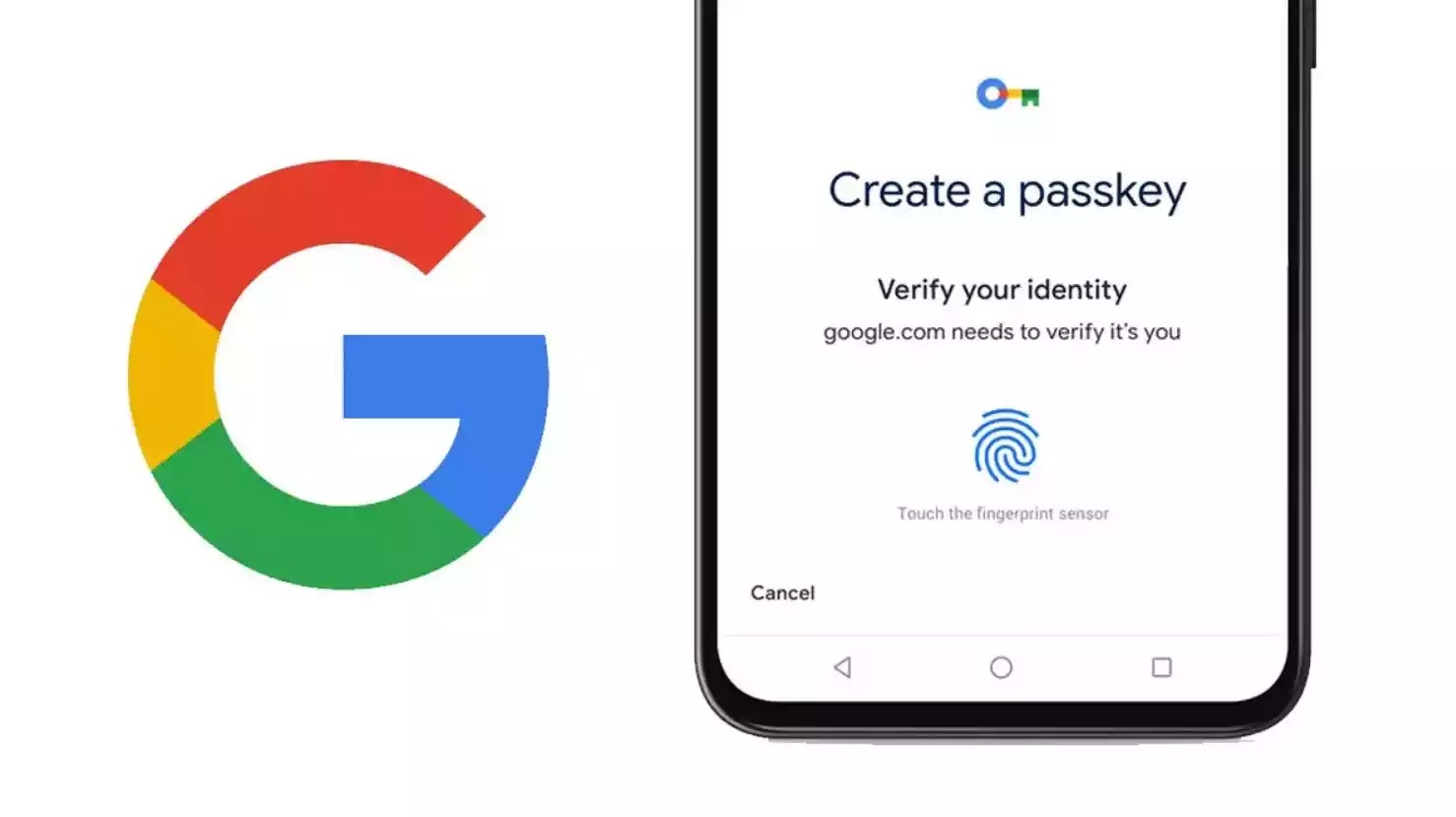
    Logging into internet accounts can be quite a challenge, especially when you have to keep track of multiple passwords. This is why Passkeys, the sign-in method that is touted as the safer alternative to passwords, have become Google’s preferred authentication method for personal accounts.

    Last year, Google made a concerted effort to encourage more people to use passkeys, going as far as working with industry partners to ensure that passkeys are easily accessible on various websites and apps. However, there is still work to be done.

    As part of the December Pixel Feature Drop, Google introduced a new feature to Google Password Manager, allowing users to easily identify which of their accounts support passkeys and upgrade to them with just a few taps. This feature is currently accessible on the Pixel 5a and newer as well as the Pixel tablet, with plans to expand its availability to other platforms shortly.

    However, in a blog post today, Google announced that it has partnered with several companies, such as Adobe, Best Buy, DocuSign, eBay, Kayak, Money Forward, Nintendo, PayPal, Uber, and Yahoo! Japan, to enhance the passkey update process for more users. For users who are already signed up with one of the early launch partners, Google Password Manager for Pixel will assist in locating the precise location on the website or app where users can easily upgrade to a passkey, essentially eliminating the need for manual searching in account settings.

    Passkeys provide an added layer of security as they are unique to each account, making them more resistant to phishing attacks compared to regular passwords. They are also more user-friendly since users don’t have to remember a complicated password, and can instead have the option to sign in using their fingerprint, face recognition, or PIN. With the increasing adoption of passkeys by websites and apps, they seem to be on their way to becoming the standard for online authentication.

  • Google Chat is getting a new moderation tool

    Google Chat is getting a new moderation tool

    Google starts this week with yet another update for its Chat app. After bringing star messages to iOS and Android, Google Chat is now getting a new moderation tool in the admin console.

    The new moderation tool has been specifically designed for reviewing and taking action on reported Google Chat content via the Admin console under Apps / Google Workspace / Moderation.

    The search giant announced that super admins will have access to the moderation tool when it becomes available in Google Chat. Also, they will be able to assign users the new “Moderate Chat content report” privilege.

    Google recommends that this privilege only be assigned to users who are best suited to review Chat content; otherwise, it will be ineffective at reducing the super admins’ workload.

    Once users submit a new report, the moderation tool can be used to see all reports associated with the message, review the edit history of a message and conversation transcript (including up to 5 message posted before the reported message), as well as details that provide info about the type of conversation with number of participants, space managers, guidelines, and more.

    It’s also important to add that moderators will be able to add comments to the report should the content require further auditing in the future.

    In the same piece of news, Google announced that the moderation tool will also include a tab for managing quarantine Gmail message. The Gmail tab is available to all Google Workspace customers.

    The new moderation tool accessible by going to Apps / Google Workspace / Moderation will be rolled out in the next two weeks. It will be available to Google Workspace Enterprise Plus, Education Standard and Education Plus customers.

  • Enable this feature now so that Google Maps for Android will work when you’re in a tunnel

    Enable this feature now so that Google Maps for Android will work when you’re in a tunnel

    Driving inside a tunnel is often an issue for those using a GPS app to help them navigate because of the inability of the signals to penetrate the tunnel. You might think that this doesn’t really matter with a tunnel since there isn’t much to do inside one except follow the road. But there are other reasons as Google points out in a support page. For example, staying connected in a tunnel allows location services to work, increases driver safety, and gives the driver better visibility into what’s happening inside the tunnel in real time.

    Google-owned Waze connects with Bluetooth beacons inside tunnels in certain cities such as “New York City, Chicago, Paris, Rio, Brussels, Oslo, Sydney, Boston, Mexico City, and more.” Google says, “The Waze Beacons program provides seamless navigation to drivers underground where GPS signals don’t reach.” And now Google Maps will also support Bluetooth beacons according to SmartDroid.

    The feature is disabled by default, but we’re going to tell you how to enable it right now. First, to be clear, this feature is available on Android phones only and cannot be used with Google Maps for iOS. So from your Android phone open Google Maps. Tap the round profile icon on the right of the search bar on the top of the phone. That opens a menu and you should then tap on Settings > Navigation settings and scroll down to the Driving options heading and look for Bluetooth tunnel beacons and toggle it on.

    The listing says, “Scan for Bluetooth tunnel beacons to improve location accuracy in tunnels.” Once you enable the feature, you will have to allow Google Maps to “find, connect to, and determine the relative position of nearby devices.” This feature appears to have been available for some Android users since last October but has recently been found on more Android devices.

    Follow the directions in the previous paragraph to enable the feature and if you see the listing titled “Bluetooth tunnel beacons,” it means that you do have the feature available for Google Maps. It appears on my Pixel 6 Pro running Android 14 QPR2 Beta 3.

    If you do drive through tunnels often and use an Android phone, you might want to take a second to enable this feature.

  • YouTube is really serious about podcasts, launches new tool for creators

    YouTube is really serious about podcasts, launches new tool for creators

    Podcasts have become the new golden goose for many streaming services. Spotify, Apple, Google, and many other companies are trying to implement podcasts into their services and attract as many, preferably popular, creators.

    YouTube is one of the services that has already been pushing podcasts to its consumers as much as possible. To make it easier for creators to reach bigger audiences, YouTube is now rolling out a new feature that will allow podcast creators to upload episodes directly from their RSS feeds.

    To start publishing podcasts from an RSS feed, you first need to connect your RSS feed to YouTube. The procedure is simple and requires a few steps described in a guide published by Google on YouTube’s support page:

    • In YouTube Studio, click Create / New podcast / Submit RSS feed.
    • Read and accept the RSS Ingestion Tool Terms of Service.
    • Read the instructions on screen and click Next.
    • Enter your RSS feed URL and click Next.
    • Click Send code to verify your account.
    • Enter the verification code sent to the email address on your RSS feed and click Verify. If you don’t know the email on your RSS feed, contact your hosting provider.
    • Choose which episodes you want to upload to your podcast on YouTube and click Next. You can choose to upload: All existing episodes; Episodes published since a specific date; Only future episodes.
    • Review visibility details and click Save.

    To publish a feed, simply head to Content / Podcasts in YouTube Studio, and under “Video count” you’ll find the Publish button next to your podcast feed. The button only appears when podcast episodes have finished uploading.

    The tool allows creators to re-upload an episode, edit podcast details, as well as disconnect an RSS feed from their YouTube podcast.

  • Google Wallet now stores airline boarding passes on your wrist

    Google Wallet now stores airline boarding passes on your wrist

    In a recent update, Google Wallet for Wear OS has expanded its capabilities to include support for airline boarding passes. This comes after the addition of loyalty card support back in December.

    Your Wear OS 3+ device will now display a new notification from the Google Wallet app on your smartwatch. This notification will inform you about your boarding pass for the flight to any airport with an option to tap on it to “View pass” and thus access the QR code for easy gate scanning.

    This much-needed addition greatly enhances the functionality of Google Wallet for Wear OS, allowing it to integrate with a broader range of phone features seamlessly. When Google introduced loyalty card support in December, it was initially limited to basic membership programs and other types of passes. Unfortunately, excluded from the list were COVID cards, health insurance cards, and private passes.

    Some users have reported seeing this feature already available on the Pixel Watch 2, while original Pixel Watch users are still waiting for the update, which appears to be server-side. However, as this was not a feature that was announced as a Pixel Watch 2 exclusive, there shouldn’t be any reason why the original Google Pixel Watch wouldn’t receive it.

    The support documentation for Google Wallet also includes information on how to find your passes on your smartwatch’s Wallet app, and even includes troubleshooting info should you not be able to find the option to add your boarding pass to your watch. The documentation states that passes are automatically added across all of your synced devices, but your watch must be running Wear OS 3.5 or newer and the Google Wallet app on the watch must be version 23.46.x or above. Additionally, it is stated that Fitbit devices aren’t supported.

  • You may soon be able to send Selfie GIFs in Google Messages

    You may soon be able to send Selfie GIFs in Google Messages

    Google appears to be working on an exciting addition to its messaging app, Google Messages. A hidden feature that allows users to send short 4-second videos in the form of GIFs, which would add a fun and dynamic element to their conversations, has been discovered.

    TheSpAndroid recently stumbled upon an interesting feature called Selfie GIFs that can be activated within the Google Messages app by simply long-pressing the camera icon. The feature is reportedly currently in development, and Google has not officially announced it yet.

    Once enabled and after long-pressing the camera icon, a new UI pops up with a rounded camera frame in the center. At the bottom, there is a camera switch button that allows users to switch between the front and rear cameras easily. Once the 3-second timer is up, the recording will kick off automatically.

    After it’s finished, users will be able to view the recorded video in a GIF format through a preview UI. At that point, users are faced with two choices: Reset or Send. Resetting the recording process can be done by pressing the designated button, while sharing the video as a rounded GIF is as simple as hitting the Send option. This is similar to the functionality currently found in Chromebooks’ camera app.

    Google has been actively developing and introducing new features to enhance its widely-used messaging app, Google Messages. In December, the company introduced a range of exciting new features to enhance the texting experience. These additions include screen effects, custom backgrounds, and more.

    In addition, the company unveiled a fresh contacts page featuring the Material You carousel plus a range of exciting new features and enhancements for compatible Pixel devices included in the latest Pixel Feature Drop — such as Video Boost, which enhances video playback, and an improved Photo Unblur feature, among others.

    Now, it looks like Google is focused on enhancing the messaging experience with the introduction of Selfie GIFs. Although it’s not enabled by default yet, this feature is a fun little addition that will be sure to add a touch of fun to your conversations.

  • Google Photos media could soon be accessible via Android’s new Photo Picker

    Google Photos media could soon be accessible via Android’s new Photo Picker

    Android 13’s Photo Picker was a breath of fresh air for privacy-conscious users. Unlike the all-or-nothing access of app-specific pickers, it granted granular control over what photos and videos you share. But its usefulness was limited – your local library was all it knew. However, good news is on the horizon, with cloud media providers like Google Photos finally preparing to join the party.

    Recent Google Photos updates reveal full support for the Photo Picker for cloud support. Activating this feature via a hidden flag opens a new “Cloud media app” page in settings, where you can enable Google Photos. This, in turn, unlocks a “Google Photos access” option within the Photos app, letting you grant the Photo Picker permission to your cloud library.

    This functionality was announced during Google I/O 2022 and has since then been recently added to apps like Google Keep, Google Chat, and Google Messages on devices running Android 11 with the November 2023 Google Play system update. However, adoption outside of Google’s own apps requires app developers to implement the API, and adoption has been slow.

    Now, with the addition of Google Photos, and hopefully the wider rollout of this feature, developers might now be encouraged to adopt the Photo Picker, giving users unparalleled control over their shared memories. Hopefully, with Google Photos paving the way, other cloud providers like Microsoft OneDrive will follow suit, creating a truly universal and privacy-respecting sharing experience on Android.

    As great as this all sounds, some issues still need to be worked out with the Photo Picker. For example, as noted by Android expert, Mishaal Rahman, app-created albums like Snapseed’s remain hidden in the “Photos” tab, absent from “Albums.” Additionally, he’s found that cloud media doesn’t appear in the new Android 14 permission dialog for partial access.

    Yet, these are minor hiccups in a major step forward. The hope is that other cloud providers will see the benefit of using the Photo Picker and begin to have their app developers implement the changes necessary to turn this feature on for them. Google has already taken the first step to make this happen.

  • Google Contacts app can lead you to the location of friends and family members

    Google Contacts app can lead you to the location of friends and family members

    How would you like to find out a friend or family member’s current location from your Google Contacts app? It sounds pretty cool, right? Android users are beginning to get this feature pushed out to them by Google in version 4.22.37.586680692 of the Google Contacts app. My Pixel 6 Pro running Android 14 QPR2 Beta 2 has yet to receive this update.

    You can check to see which version of the Contacts app your Android phone is running by going to Settings > Apps and scrolling to Contacts. Tap on Contacts to see the App info page. Scroll down to the bottom of the page, and at the very bottom of the screen, the app’s version number will appear. If you don’t have the necessary version running on your phone, there is no need to panic. You’ll get it in due time.

    Now there are some important instructions. This feature is available to you only for those contacts who share their location with you in Google Maps and whose Gmail address you have on their Contacts card. If so, you’ll see a small part of the bottom of the screen dedicated to Google Maps-Location sharing. This will reveal whether the other party can see your location and if so, for how long they will be able to do so.

    A button that says Maps will appear on this portion of the Contacts card. Tap on it and you can see the person’s location in Google Maps. Besides making sure that your Contacts card for a specific friend or family member includes his/her Gmail address, and that the person shares his/her Google Maps location with you, you must use the Google Contacts app on your Android phone and not one offered by the manufacturer of your phone.

    If your Android phone isn’t using Google Contacts, you can find the app in the Play Store by tapping on this link. And the beauty of this feature is that once you find the location of your friend or family member on Google Maps, one tap will give you directions to his/her location.

  • Google TV experience gets major performance boosts, new updates

    Google TV experience gets major performance boosts, new updates

    Google improves the TV experience of its users all the time, and this year has been pretty big when it comes to the amount and quality of updates Google TV received. Obviously, there’s always room for improvement, so the Mountain View company is making sure that Google TV users know what to expect in the months to come.

    In a post published on its support website, Google has detailed its future plans regarding the Google TV experience. While some of the changes mentioned have already been rolled out to users, there are quite a lot that are waiting to be greenlit.

    After providing Google TV users with an important update earlier this year that boosted the app’s start-up time and reduced RAM usage, Google has found new ways to enhance your Google TV experience.

    For starters, Google has improved the response speed for many of the features on the home screen, including preloading rows of movies and shows before scrolling, optimizing the way tabs load, and ensuring results load faster when using search.

    Additionally, Google made changes to device setup to reduce the size of preinstalled apps that you don’t use. As a result, your device will have more room for the apps that you actually want to use.

    These optimizations and improvements to memory, speed, and storage are already rolling out to Google TV users.

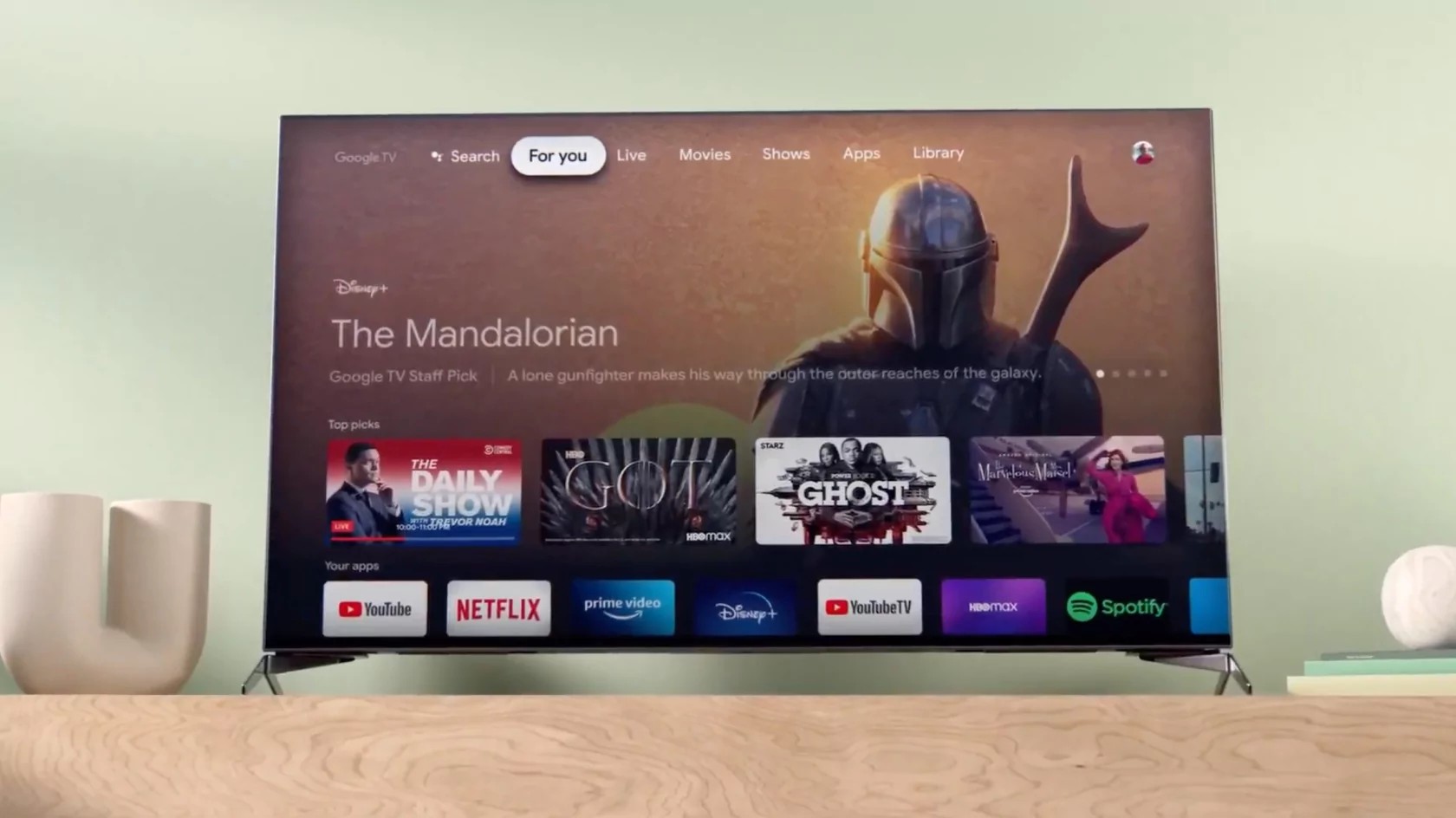
    But wait, there’s more! The new and improved Live tab introduced back in April is getting a small upgrade. Two new categories will be available on the Live tab channel guide: Recents and Local news. Also, Google TV users will now see channels in a new “Free live news & opinion” row on the For you tab.

    Finally, Google announced it has added 14 new free channels to Google TV, including the Xumo Holiday Movie Channel, DraftKings, and Speedvision.

  • Google Maps update will allow you to erase all traces of your visits, searches, and more

    Google Maps update will allow you to erase all traces of your visits, searches, and more

    An update from Google is adding some new features to Google Maps which Google discussed today in a newly posted blog. Right now, when you use Google Maps, your Location History is disabled by default. But when you do enable it, your driving activity is stored in the cloud and can be viewed in Google Maps’ Timeline feature. The Timeline feature in Google Maps will help you remember the places you’ve been to. After the update, your activity will be stored on your device although you’ll be able to update it to the cloud as an encrypted backup if you want to; with the encryption, even Google won’t be able to see your Location History.

    But keep in mind that Google is making a huge change in the amount of time that you can store your Location History before it is automatically deleted. Instead of holding this data for 18 months like it used to, Google will delete the information after just three months unless you want to keep the data for a longer period of time. You can even turn off the auto-delete controls if you’d like. These changes will be rolling out to Google Maps on both iOS and Android over the next year.

    Over the next few weeks, Google Maps users on iOS and Android will be able to delete place-related activity from Maps. Here’s how Google explains this: “Say you’re planning a surprise birthday party, and you get directions to a nearby bakery to pick up the cake. Soon, you’ll be able to see all your recent activity on Maps related to the bakery in one central place, and easily delete your searches, directions, visits, and shares with just a few taps. No one will know that you visited the bakery and the party can remain a surprise.

    While removing a location from your Timeline doesn’t get rid of all of the evidence showing that you visited a certain location, with this update you’ll be able to remove all traces of your visit to a specific location.

    When you first open the Google Maps app, there is a blue dot on the map that represents your current location. Pressing on the dot now will allow you to share your location, and even use a shortcut to save your parking spot. But soon you’ll be able to press the blue dot and see if your Location History or Timeline settings are turned on and whether you have given Maps access to your device’s location. This feature will be disseminated over the next few weeks for the iOS and Android versions of Google Maps.

  • Google Messages may soon allow you to edit sent messages

    Google Messages may soon allow you to edit sent messages

    Google Messages has been receiving a flurry of new features lately, making it more competitive with other famous messaging apps. The latest update includes photomoji, screen effects, noise cancellation for audio messages, and animated stickers. These features are currently available to beta users and will likely be rolled out to everyone soon.

    However, even more exciting is the evidence found, courtesy of AssembleDebug from TheSpAndroid, that Google is working on a message editing feature. This feature has been highly requested by users and would be really helpful for fixing of typos or simply making changes to messages after they have been sent.

    The evidence found that Google is working on adding a message editing feature is the existence of several new flags to the beta version of the Google Messages app. These flags were added in the beta releases that were released in the last week of November.

    Furthermore, while digging into the Google Messages APK code, evidence was found that Google is creating a new table in the messages database to store details of edited messages. This table contains columns for the message ID, latest message ID, original RCS message ID, and timestamps for when the message was edited and received.

    Currently, message editing is not a part of the RCS standard. However, Google has added features to RCS before that weren’t part of the standard, such as end-to-end encryption. It’s possible that Google will work to add message editing to the RCS standard in the future.

    Apple’s recent decision to add RCS support to its iMessage application next year, could pave the way for more features like message editing to be added to the standard. This would be very convenient and a major win for users who have been waiting for these features for a long time. Currently, Apple does not plan to support Google’s flavor of RCS messaging, but rather the GSMA universal profile which does not include encryption.

    Unfortunately, there’s no official word on when the message editing feature will be released to the public, but given that there are already hidden flags in the beta version of the application, this could potentially be a planned addition for a future Pixel Feature Drop. My hope is that we get to see this released in the first quarter of 2024.

  • Google Messages begins to roll out a redesigned split-level text field with shortcuts

    Google Messages begins to roll out a redesigned split-level text field with shortcuts

    In addition to the many new features coming to Google Messages soon in honor of RCS surpassing one billion monthly active users, the app is also preparing to unveil an update to its text field, introducing a dedicated shortcuts bar and a left-aligned layout.

    Previously, the RCS/text message field occupied the right two-thirds of the screen, with key functions like “plus,” gallery, and Magic Compose disappearing as you typed. Emoji and voice memo shortcuts resided on the opposite end, creating a scattered and sometimes frustrating user experience.

    this changes with the new layout which has the the interface cleverly splitting into two distinct lines as you start typing. The text field now takes a bold left-aligned stance, mirroring the flow of conversation. This shift is accompanied by a dedicated shortcuts bar that keeps “plus,” Magic Compose, the gallery, and the voice recorder readily accessible, regardless of text input.

    The voice recorder feature is also no longer relegated to the sidelines, as it now gets its own button, possibly in preparation for its integation with the Moods feature announced last week. The new split-level interface, with the text field on top and the shortcuts bar below, might come across as jarring at first, but I believe will be beneficial as more features are added and more real estate may be needed for additional shortcuts.

    Some early adopters in the Google Messages beta program already see this text field transformation, though wider availability is yet to come. However, with Google actively rolling out the update alongside other noteworthy features announced earlier this week, it’s safe to say Google is putting all their weight behind making Google Messages a highly competitive messaging app and not afraid to roll out these changes more widely.

  • Google Message Router is overloaded leading Gmail to go down on Thursday

    Google Message Router is overloaded leading Gmail to go down on Thursday

    Google first alerted Workspace users Thursday at 11:30 am ET that some Gmail users might see a delay in receiving emails. On DownDetector, the number of reports about Gmail went from 33 at 11:25 am ET to 761 by 1:55 pm. At 5:03 pm ET, Google issued an update that said, “the issue with email delays was mitigated for the majority of affected users at 2:45 PM” and “a few users may have observed delays until the full mitigation was done at 4:15 PM ET.”

    70% of those submitting a report on DownDetector said that the problem was receiving their email in a timely manner. 16% complained about sending email on the platform and 14% said that they could not connect with the Gmail server. One Gmail user on DownDetector with the username “Elizabeth” wrote, “Ah, glad to know that it’s Gmail and it’s not me, I was scared and lost why I couldn’t make one, so I guess I’ll wait whenever Gmail is back working again.”

    Another subscriber to the platform named Michael Hubert wrote, “My emails are not being delivered. it says they are sent but no one is receiving them.” As bad as this sounds, the issue appeared to be limited in scope. After all, 761 reports on DownDetector, while a decent jump from the 33 reports submitted two and a half hours before the peak number, indicates that most people weren’t affected or didn’t know that Gmail was having problems.

    Officially, Google says that the incident started at 11:30 am ET and ended at 4:15 pm ET. The issue lasted for 4 hours and 45 minutes. On the Google Workspace Status Dashboard, the company wrote, “Some Gmail users experienced a delay in sending emails globally for a duration of 4 hours and 45 minutes. Any emails that were delayed after entering our system were auto retried and should have been delivered within a couple of hours after mitigation.”

    As for the cause of the issue, Google wrote, “From preliminary analysis, the root cause of the issue appears to be an overload in Google Message Router (GMR). Google will complete a full incident report in the following days that will provide a detailed root cause.”