Retail News CRM

Tag: android

  • Google apps like Maps, Translate, Calendar and Lens are getting integrated into the iOS Chrome app

    Google apps like Maps, Translate, Calendar and Lens are getting integrated into the iOS Chrome app

    There are some changes being made by Google to the iOS version of Chrome in order to “help you quickly get more done from your browser.” Google notes that Chrome is using “AI to detect addresses on webpages.” Press on an address inside of a webpage and you’ll see an option to “View with Google Maps in Chrome.” Tapping on this option will reveal a mini Google Maps in Chrome that will allow you to “Get Directions” to the address on the webpage that you tapped, or open the full Google Maps app.
    Tap on a date listed on a webpage in the iOS version of Chrome and you’ll see two options: one to add that date to the Google Calendar app, and one to add that date to Apple Calendar. If you choose to add it to Google Calendar, contextual information will be used to fill out some of the blanks and you can adjust some of the information to meet the particulars of the appointment you are adding to the calendar.
    Now here’s another cool feature coming to the iOS version of Chrome. Tap on a passage found on a website written in a foreign language and a toolbar will appear on the display that includes a “Google Translate” option. Tap on it and the section of the webpage you wanted to be translated will appear in English (or your home language).
    And in the coming months, the search/URL bar at the top of the iOS version of Chrome will include the iconic Google Lens camera icon on the right side of the bar found near the top of the screen. Tap on it and you can “use your camera to search with new pictures you take and existing images in your camera roll.” Think of Lens as another way to access Google’s search engine using photos to input what you want to search for. Currently, an icon for Lens can be found in the search bar near the top of the iOS Google Search app.
    It isn’t clear when these new features are coming to the iOS version of Chrome so it will be a matter of trial and error until you find that each of these new features is available on your iPhone.
  • Google announces new Android features including a trio of useful new widgets

    Google announces new Android features including a trio of useful new widgets

    Google today announced new features for Android devices that are designed to get information to you faster, protect your devices, and more importantly, allow you to have fun. First, for those learning to read, is a new feature in Google Play Books available now called Reading practice. You’ll find Reading practice on Children’s ebooks marked with a “practice” badge in the Google Play Books app and it will read aloud certain hard-to-pronounce and unknown words. The child reading the book gets to say the word and receives feedback from the device in real-time.
    Hey widget fans, Google is adding a trio of new widgets to Android phones and tablets that are designed to help you track your stocks through Google Finance, view headlines from Google News, and get recommendations for movies and television shows to view from Google TV. I’m looking forward to adding all three to my Pixel 6 Pro home screen. To install a widget on your Android device, long-press on an empty bit of your home screen, tap Widgets, find the one you want, and add it to your home screen.
    You’ll soon be able to press play on your Wear OS-powered watch and hear Spotify’s DJ “spin” your favorite music, play episodes of your favorite podcasts, and more thanks to new tiles from Spotify for Wear OS. In addition, commuters in Washington D.C. and San Francisco can access their SmarTrip and Clipper cards via Google Wallet via their Wear OS smartwatch. All they need to do is “tap and ride” to start their commute.
    Speaking about Wear OS smartwatches, the always useful Google Keep app is being made available for your wrist with Google Keep for Wear OS. You’ll swipe through your tiles until you come to a shopping list, or anything else you’ve pinned from the app.
    I don’t know about you, but I enjoy using the Emoji Kitchen which mixes up two different emoji to create a weird-looking new sticker. Google is adding aquatic-themed combinations that will have you screaming “shark” on a hot day at the beach.
    Lastly, most Android users with Google Accounts in the U.S. can now use the Google One website or app to see whether their email address has been exposed on the dark web. Google will also advise you on what to do if a scan shows that your email address is part of a data breach. Google says that “Google One members in the U.S. are able to scan for additional personal information, such as their social security number. Access will also expand to more than 20 countries in the coming months.”
    And Pixel users should be looking forward to next Monday when the next Pixel Feature Drop is due. Those running the QPR3 Beta will be able to exit the Beta program without a penalty once they have installed the final version of the June Feature Drop on their compatible Pixel handset.
  • Smartphone exports to Vietnam plunge in deepest fall in Southeast Asia

    Smartphone exports to Vietnam plunge in deepest fall in Southeast Asia

    Shipments of smartphones to Vietnam plunged 30% year-on-year in the first quarter, the deepest decline among the five major Southeast Asian markets, according to a new report.

    Malaysia came second from bottom in terms of negative growth, down 29% year-on-year. Thailand saw shipments drop 1%, according to market research company Counterpoint.

    The five main Southeast Asian markets, including Indonesia and the Philippines, saw an overall drop in shipments of 13%.

    Counterpoint analyst Glen Cardoza said that consumer sentiment has not fully recovered in Vietnam.

    He added that inflation in Southeast Asia has affected buyer sentiment, leading to a decrease in demand for new phones.

    A report by another market research company showed that 2.5 million smartphones were sold in Vietnam in the first two months, down 30% year-on-year.

    “This year, people started to tighten their spending right from January,” said a representative of a smartphone retail chain.

    Cardoza said that another reason for the first quarter decline was that Vietnam had received many shipments in the last quarter of last year.

    Counterpoint data also shows that economic challenges have not affected the high-end segment.

    Samsung posted the biggest sales in Vietnam in the first quarter and claimed 21% of the market, followed by Oppo at 20%, Vivo with 14%, Xiaomi 14%, Realme 12% and Apple 7%.

    However, all brands saw a decline compared to the same period last year, except for Apple which posted growth of 18%.

  • Google warns iOS, Android users about an upcoming change to location data

    Google warns iOS, Android users about an upcoming change to location data

    Google is warning both iOS and Android users about estimated photo locations. This feature, which is used with photos stored in the Google Photos app, looks at the background of photographs and videos you’ve taken with your phone’s camera and using landmarks visible in the image, tries to figure out where the picture or video was taken. While Google no longer uses your Location History to figure out where you snapped a photo or recorded a video, it works around this by using other methods.

    Google’s alert pops up in the Photos app and says, “Photos locations come from multiple sources, including locations estimated by Google Photos. We stopped using Location History to estimate photo locations, but we’ll continue estimating using other sources when ‘Estimate missing locations’ is on.” The alert also asks whether you want to keep any existing estimated locations or have them removed.

    As Google notes, “Choosing ‘Keep’ means you can use existing estimated locations to organize and find photos.” If you choose to delete them, you will get a message that says, “Deleting estimated photo locations based on Location History may result in permanent loss of those estimated locations. Your photos will be kept.”

    You might have estimated photo locations toggled on by default. To check, open the Google Photos app and tap on the profile picture in the upper right corner of the screen. Tap on Photos settings > Location > Location sources. There is a toggle for  “Estimate missing locations.” If it bothers you that Google is using landmarks in your pictures to take an educated guess about where you were, make sure that this setting is toggled off.

    You can also edit or remove an estimated location from a picture stored in the Google Photos app by opening the app, and tapping on the picture or video. Tap the three-dot overflow menu and “Edit” (with the pencil icon). Add or select a location from your recent locations or tap Remove location to have any location associated with a picture or video deleted. Pictures that have a location added by your phone’s camera cannot be edited.

    Google Photos users on iOS or Android will have the option of keeping or removing estimated locations before May 1st. If you don’t make a decision before then, Google will automatically remove the existing estimated locations from your Photos app on or after that date.

  • Netflix app has just become more fluid on iPhone

    Netflix app has just become more fluid on iPhone

    Netflix has made headlines quite a few times in the last couple of months, but we’ve mostly talked about the company’s attempts to prevent password sharing and its new ad-based plan, which might or might not be as popular as it was expected.

    Today’s headline is about the Netflix app, the gateway to the service’s library of entertainment and the first thing customers see before diving deep into their favorite TV shows and movies. This is why the app is getting updates all the time, some adding new features, while others simply improving already existing perks.

    Early this week, a new update for the Netflix app dropped, although it’s limited to iOS. The good news is the update is supposedly making the app more fluid, as seen in the video embedded below. Also, former Netflix UI designer Janum Trivedi revealed some of the changes he worked on last year before leaving the company.

    Here are some of the most significant changes included in this update, besides the under-the-hood improvements that make the app run more fluid than ever:

    • New billboard layout responds as you move your device, with a subtle lighting effect
    • Beautiful wallpaper gradients that are created on-the-fly from the art
    • A new card transition that’s fully interruptible/interactive
    • New launch/profile animations, haptics, and more

    Meanwhile, Netflix’s new Basic plan with ads is available for customers in the United States, Australia, Brazil, Canada, France, Germany, Italy, Japan, South Korea, and United Kingdom. Depending on how well the adoption among customers will go, we’ll probably see the new ad-based plan introduced in other territories.

    Surprisingly, Netflix’s cheapest plan doesn’t work on Apple TV yet, regardless of location. Perhaps that will change in the future, but we currently have no explanation as to why it doesn’t work yet.

  • Google unveils new Android Auto features

    Google unveils new Android Auto features

    Google’s booth at CES officially opened today and highlighted some of the progress that has been made to make the Android ecosystem more helpful across multiple devices. Some of the apps and features that have driven this include the media player, seamless switching between Android and ChromeOS and a brand new Android Auto.

    At CES, Google is showing how its technology already helps devices work better together and how we as users can enjoy entertainment in new ways, like by expanding its work with Spotify so we can listen without interruptions.

    With Android 13, Google added a new media player to your Android phone’s lock screen and notification area, letting you quickly choose which Bluetooth or Chromecast-enabled devices to play your content on. This year, Google is working closely with Spotify to make it easy for users to switch between any Spotify Connect device and the media player on Android.

    Google is also making it possible for you to take your audio content with you as you go about your day. This will be accomplished via notifications on your devices, allowing you to tap to start listening to a podcast in the car, continue on your phone and headphones, and finish on your TV at home. As you move around, your phone or other devices will send you media notifications asking if you want to move the audio to a nearby device.

    Google is working with Spotify to use these notifications to help users enjoy the content they’re streaming on their best device. This notification experience will also be available on YouTube Music.

    Designed to be adaptable, open, and compatible with one another, Android and Chrome OS were made to function hand in hand. This trend continues with Android’s three-layer technology stack that understands your proximity to another device and context in how you use it, bringing you a new level of convenience and ease-of-use.

    To bridge these devices together, Google has integrated tools like Fast Pair, Nearby Share, Phone Hub, and Chromecast to make switching between devices faster and less cumbersome. Google has also expanded on Android’s rich heritage of customization and AI to bring a range of individualized features, such as seamless audio switching to cross-device copy and paste.

    These and other features be found on the latest Chromebooks, such as the ASUS Chromebook Vibe CX34 Flip and the HP Dragonfly Pro Chromebook, both of which were revealed at CES.
  • Long-running major vulnerability left millions of Android handsets wide open to data theft

    Long-running major vulnerability left millions of Android handsets wide open to data theft

    According to a tweet from Google’s Łukasz Siewierski , hackers and “malicious insiders”  have been able to leak the platform signing keys used by several Android manufacturers to sign system apps used on Android devices. These signing keys guarantee that the apps and even the Android operating system version running on your phone are legitimate.
    Baked into Android is a system that trusts apps signed by the same key used to authenticate the operating system. So you can see what the problem is here. A bad actor controlling these keys could have Android “trust” malware-laden apps on the system level. That is like giving a thief the keys to your home and car with your approval. Any data on vulnerable devices could be at risk. And some of these keys are used to sign regular apps installed from the Play Store or sideloaded from other Android app storefronts.
    Rahman tweets that the leaked signing keys cannot be used to install compromised over-the-air updates. And he adds that the Play Store Protect system could flag apps signed by the leaked keys as potentially harmful.
    While all of the sources of the leaked keys have yet to be identified, the companies that have been named include the following:
    Google says that the vulnerability was reported to it in May of this year and that the companies involved have “taken remediation measures to minimize the user impact.” Not exactly the “all clear” sign, especially in light of the news that APK Mirror has very recently come across some of the vulnerable signing keys in Android apps from Samsung.

    Google, in a statement, says that Android users were protected through the Google Play Store Protect feature, and through actions taken by manufacturers. Google stated that this exploit did not impact any apps downloaded from the Play Store.

    A Google spokesperson said, “OEM partners promptly implemented mitigation measures as soon as we reported the key compromise. End users will be protected by user mitigations implemented by OEM partners. Google has implemented broad detections for the malware in Build Test Suite, which scans system images. Google Play Protect also detects the malware. There is no indication that this malware is or was on the Google Play Store. As always, we advise users to ensure they are running the latest version of Android.”
    Google is recommending that the companies involved swap the signing keys currently being used and to stop using the ones that leaked. It also suggests that each firm initiate an investigation to understand how the keys were leaked. Hopefully, this would prevent something like this from happening again in the future. Google is also recommending that companies use singing keys for the minimum number of apps to reduce the number of potential leaks in the future.
    So what can you do as the owner of a possibly affected Android phone? Make sure that your handset is running the latest version of Android and install all security updates as soon as they arrive. Who cares if these updates don’t bring exciting new features as their job is to make sure that your device doesn’t get compromised. And Android users should refrain from sideloading apps. That is when you install an app sourced from a third-party app storefront.

    The scary thing is that this vulnerability apparently has been around for years. Samsung even brings this up in its statement made which says, “Samsung takes the security of Galaxy devices seriously. We have issued security patches since 2016 upon being made aware of the issue, and there have been no known security incidents regarding this potential vulnerability. We always recommend that users keep their devices up-to-date with the latest software updates.”

  • Vulnerability not yet fixed leaves millions of Android phones at risk

    Vulnerability not yet fixed leaves millions of Android phones at risk

    According to Google’s Project Zero team of security analysts, millions of Android handsets are vulnerable to an unpatched vulnerability known as CVE-2022-33917. CVE stands for Common Vulnerabilities and Exposures , and each CVE number refers to a specific flaw. The aforementioned CVE is a vulnerability that affects Android devices that are equipped with ARM’s Mali GPU. That means that Google Pixel and Samsung Galaxy handsets are affected along with Android smartphones made by many other manufacturers.
    Until the patch is disseminated, attackers can potentially exploit the flaw. Google says that this would allow attackers to “continue to read and write physical pages after they had been returned to the system.” Furthermore, the company adds that “by forcing the kernel to reuse these pages as page tables, an attacker with native code execution in an app context could gain full access to the system, bypassing Android’s permissions model and allowing broad access to user data.”
    Project Zero notes that it told ARM about the vulnerabilities and ARM “promptly” fixed the issues in July and August of this year. ARM assigned the CVE-2022-33917 number to the flaw. But Google later found “that all of our test devices which used Mali are still vulnerable to these issues. CVE-2022-36449 is not mentioned in any downstream security bulletins.” In other words, devices made by Google’s own Pixel team, Samsung, Oppo,  and Xiaomi were never patched and still have this exploitable vulnerability.
    Keep in mind that the phones at risk sport a Mali GPU which eliminates devices powered by a Snapdragon chipset. However, handsets using Google Tensor, Exynos, or MediaTek chips need to be patched. The good news is that Google is testing a patch that is expected to be pushed out “in the coming weeks.” Phone manufacturers building Android devices will also need to include it.
    Google’s statement reads, “The fix provided by Arm is currently undergoing testing for Android and Pixel devices and will be delivered in the coming weeks. Android OEM partners will be required to take the patch to comply with future SPL requirements.”
    And Google also has words of wisdom for Android vendors trying to prevent a similar incident from popping up in the future. The company makes it clear that vendors have a responsibility to patch their software flaws just like Android users must download security updates as soon as they are received.

    “Just as users are recommended to patch as quickly as they can once a release containing security updates is available, so the same applies to vendors and companies. Minimizing the “patch gap” as a vendor in these scenarios is arguably more important, as end users (or other vendors downstream) are blocking on this action before they can receive the security benefits of the patch,” Google wrote.

    The search giant added that “Companies need to remain vigilant, follow upstream sources closely, and do their best to provide complete patches to users as soon as possible.”

    Google has not said that the vulnerability has been exploited by any attackers but for the time being it remains a flaw that can be used to steal the personal data on certain Android phones. When the update does arrive-and Google has said that it will be coming soon-if you have an Android phone at risk, install the update immediately. You can quickly determine if you device is vulnerable by looking at the specs for your phone on PhoneArena and checking to see the manufacturer of the GPU on the device.

    If it shows that you have an ARM Mali graphics processing unit (GPU), your device is at risk. Keep checking in as we will update this story when the patch is disseminated.

  • UK carrier Vodafone launches new refurbished phone range

    UK carrier Vodafone launches new refurbished phone range

    As many of us know, premium smartphones are powerful and, at least in theory, last longer. But one huge downside is that they also come with a premium price tag, which not everyone can afford. So, if you want an expensive phone but don’t want to spend a lot of money on a handset, and you live in the UK, you can now buy a phone from Vodafone’s latest refurbished range, which the carrier just recently launched. As the mobile operator stated in its announcement, its new offerings can help “price-conscious customers get the phone they want for less.”

    For example, clients can get a refurbished iPhone SE (2022) 64GB for £261 on a 36-month payment contract. The regular price of the phone is £451, so by buying a refurbished model, you are saving £190.

    As for the other phones that Vodafone is currently offering, you can buy a refurbished model of the iPhone 13, the iPhone 12, the iPhone XR, the iPhone 11, the Samsung Galaxy S21, and the Samsung Galaxy S20 FE. Furthermore, the carrier is offering a two-year warranty on every Pay Monthly refurbished phone. According to the announcement, Vodafone is the only major UK mobile operator to offer such a warranty.

    If you hesitate whether to buy a renewed phone or not, Vodafone assures that its refurbished handsets are in “Great” or “Pristine” condition. Also, every phone has passed a visual and diagnostic check, which ensures that all devices work without issue. Vodafone also stated that these phones have been deep cleaned and securely data wiped, and if there is any problem, you can take advantage of Vodafone’s 14-day no-quibble money-back guarantee.

    However, if you want to get a brand new phone with a great discount, you should check out our best Vodafone phone deals. Or, if you are rolling with another carrier, you can visit our top Virgin Media phone deals, best O2 phone deals, three phone deals, and EE phone deals.

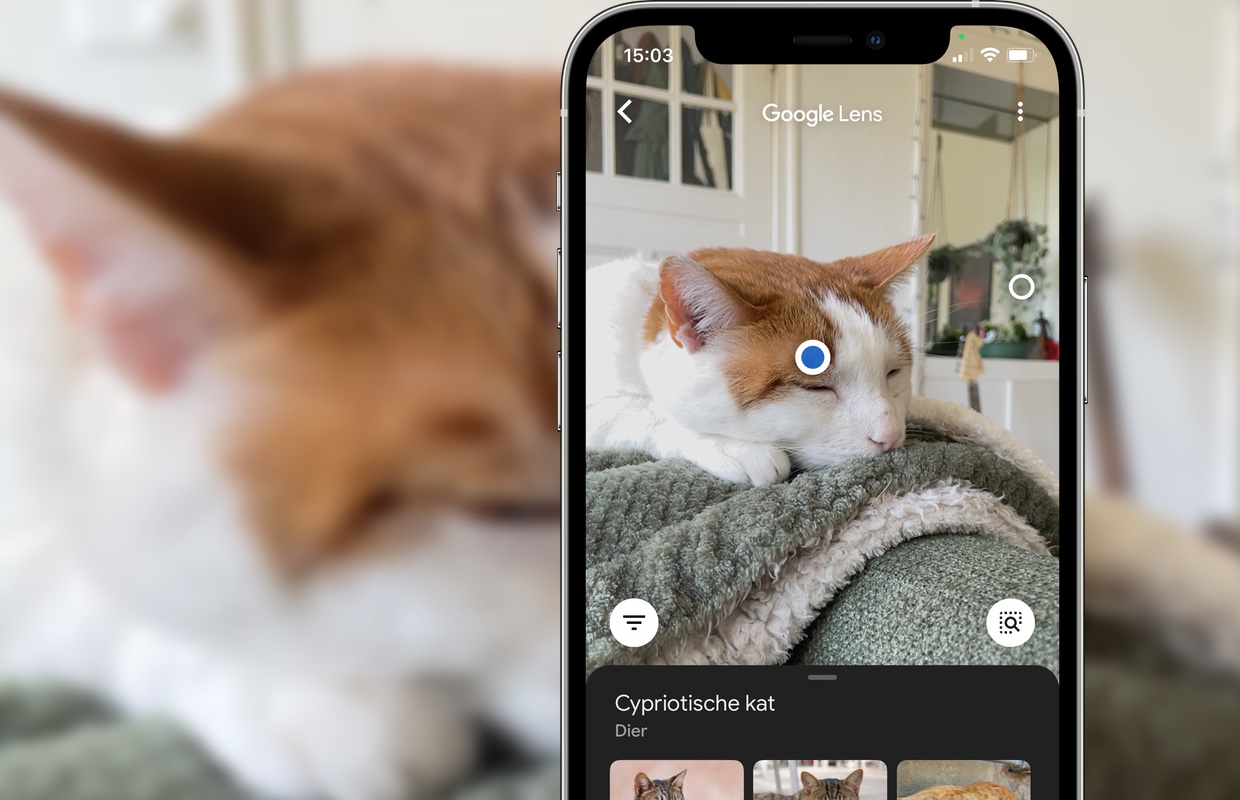
  • Google Lens will soon let you search an image directly with Google Image Search

    Google Lens will soon let you search an image directly with Google Image Search

    If you haven’t used Google Lens before, this app lets you scan an item with your phone’s camera and, by using AI image analysis, search for information on the object on the Internet. And now, as the people from 9to5Google spotted, Google is releasing a new feature to its Lens app.

    It appears that the tech giant is rolling out a new button to the Android version of the Lens app that enables you to search a scanned object or an image directly with Google Image Search.

    If you have the new feature, after analyzing an image with Google Lens, you should see a new circular button — with a globe and a magnifier on it — in the bottom-right corner, just below the picture. When you tap it, the app will open Google Image Search and show you results from the search engine regarding the analyzed picture.

    This may be in response to the fact that many users still seem to prefer Google Images instead of trying to work with Lens. The new feature will allow you to try out the Lens result and then swap to the ol’ reliable image search if all else fails.

    Now, keep in mind that Google is still rolling out the new feature, so you may need to wait a while before using it. The new Google Image Search button in Lens will probably come to iPhones as well, but we can’t currently tell with certainty.

  • US becomes biggest buyer of Vietnam smartphones

    US becomes biggest buyer of Vietnam smartphones

    The U.S. has surpassed China to become the biggest buyer of smartphones and parts from Vietnam in the first six months with a purchase value of $6.61 billion, up nearly 54 percent year-on-year.

    It was followed by China at $6.45 billion, up nearly 17 percent, according to Vietnam Customs.

    Exports of smartphones and parts to the EU fell 7.7 percent to $3.3 billion.

    Vietnam’s top import market of smartphones and parts was South Korea at $5.1 billion, up 28 percent year-on-year.

    It was followed by China at $4.2 billion, down 0.1 percent.

    Vietnam’s exports of these items to all markets reached $29.17 billion in the first six months, up 16.4 percent year-on-year.

  • WhatsApp adds ability to transfer chat history and more from Android to iPhone

    WhatsApp adds ability to transfer chat history and more from Android to iPhone

    Switching from an old phone to a new one has become a very mundane process in the last several years, but things are a bit more hectic when it comes to switching platforms. Ever since Android and iOS existed, both Google and Apple have done everything they could to make switching from one platform to another as painful as possible. Very subtly, of course.

    Since many of us want to keep as much of the information we have stored on a phone as possible when we buy a new one, it’s very important for apps like Messenger, Telegram and WhatsApp to provide users with a hassle-free way to transfer their data not just between phones, but also between ecosystems.

    WhatsApp announced this week that it’s now making it much easier to migrate data from an Android phone to an iPhone and vice versa. Regardless of what phone you’re switching to, you’ll now be able to transfer your account information, profile photo, individual chats, group chats, chat history, media and settings.

    However, you will not be able to transfer your call history or display name if you’re moving from an Android phone to an iPhone. The same goes for peer to peer payment messages, although personal messages can be transferred from an Android phone to an iPhone.

    It’s important to mention for iPhone users that transferred data won’t go to cloud storage after migration, at least not until you specifically create an iCloud backup.

    As far as Android users go, the data transferred will remain on the Android phone unless WhatsApp is deleted or you completely wipe your phone. Here what the full process of migrating your data from Android to iPhone looks like:

    • Open the Move to iOS app on your Android phone and follow the on-screen prompts.
    • A code will be displayed on your iPhone. When prompted, enter the code on your Android phone.
    • Tap Continue and follow the on-screen prompts.
    • Select WhatsApp on the Transfer Data screen.
    • Tap START on your Android phone, and wait for WhatsApp to prepare the data for export. You’ll be signed out from your Android phone once the data is prepared.
    • Tap NEXT to return to the Move to iOS app.
    • Tap CONTINUE to transfer the data from your Android phone to your iPhone and wait for Move to iOS to confirm the transfer is complete.
    • Install the latest version of WhatsApp from the App Store.
    • Open WhatsApp and log in using the same phone number used on your old device.
    • Tap Start when prompted, and allow the process to complete.
    • Finish activating your new device and you’ll see your chats waiting for you.

    Make sure you meet the requirements

    To successfully migrate date between Android and iPhone and vice versa, your phone must run Android 5/iOS 15.5 or above, Move to iOS app installed your Android phone, and the latest version of WhatsApp. Also, your iPhone must be factory new or reset to factory settings to pair with the Move to iOS app and move data from your Android phone.

    Finally, both devices must be connected to the same Wi-Fi network. Another option would be to connect the Android phone to an iPhone’s hotspot. Of course, you must use the same phone number as your phone on your new device to be able to transfer your data.

    Every process that involves more than 10 steps would probably not be considered convenient, but the alternative would be to remain stuck with a phone and OS that you no longer love, or risk losing all your WhatsApp data. Despite requiring a little bit of knowledge before attempting to migration process, this is actually a very cool feature that will probably be fine tuned in the years to come.
  • Twitter Blue now lets you customize Twitter’s navigation bar on Android

    Twitter Blue now lets you customize Twitter’s navigation bar on Android

    Twitter Blue subscribers on Android have received a new feature. Well, when you think about it, it’s not that new, but finally, Android users can personalize the navigation bar of the Twitter app, just like Apple users. In November 2021, Twitter released the custom navigation option for Twitter Blue, but until now, it was only available on the iOS version of the Twitter app.

    If you are unfamiliar with the custom navigation feature, it allows you to remove those nav tabs you don’t frequently use. By default, the bar has five buttons: Home, Explore, Spaces, Notifications, and Messages. But with the custom navigation option, you can hide the ones you don’t want, thus clearing the clutter to a minimum of two.

    For example, you might not be a big fan of Spaces, Twitter’s live audio conversations. So, if you are a Twitter Blue subscriber, you can simply go to the custom navigation option located in the app settings and hide that button.

    Twitter Blue is available only in the US, Canada, Australia, and New Zealand for Android, iOS, and Web. It has a price tag of US $2.99, CAD $3.49, AUD $4.49, or NZ$ 4.49 per month. It offers some features that are unavailable to free Twitter users, such as the ability to undo a tweet, read ad-free news articles from a network of select publishers, and customize your Twitter app the way it suits you best.

  • New Google TV app now available for iPhone and iPad users

    New Google TV app now available for iPhone and iPad users

    Google has just announced that one of its apps that was initially only available for Android users is finally coming to iOS. The Google TV app allows users discover what to watch with recommendations from across all apps installed, thus making it easy to start watching movies and shows.

    The Google TV app is available for iOS from the App Store, starting today. Both iPhone and iPad users who already have the Play Movies & TV app installed on their iOS devices will now be able to update it to the new Google TV app.

    Besides getting recommendations from across your apps, the Google TV app also allows you to create a Watchlist for your discoveries. Rating movies and shows within the app is also possible, so you can get even better recommendations based on your interests on both the app and your Google TV devices.

    Regardless of whether you’re using an iOS or Android devices, the Google TV app will enable you to use your phone as your remote. Of course, this feature will only work with a Google TV or other Android TV OS devices; just make sure to click the remote button in the app and connect to your TV to control it with your phone and use Google Assistant.

  • Google may soon enable Android to detect if you cough and snore while you sleep

    Google may soon enable Android to detect if you cough and snore while you sleep

    Google is allegedly working on introducing snore and cough detection into Android devices. Lines of code in the installation file of the Google Health Studies app reveal that the tech giant is currently conducting a study called “Sleep Audio Collection,” which is available only to Google employees.

    The tech giant explains, “You must be a Full Time Googler with an Android phone to participate in this study. Environmental conditions required for this study are to have no more than one adult sleeper in the same room who does not work for a competitor company.”

    With this experiment, Google is collecting the necessary data to validate, tune, and develop algorithms and an advanced suite of sensing capabilities that could then be made available on Android.

    These “Cough and Snore algorithms” will appear as a sleep tracking feature for you, the end user, and will monitor whether you cough or snore during your sleep. Google further explained that the function will work in a “privacy-preserving, on-device” manner, meaning that the collected information will be safely processed and stored locally on your phone. According to Big G, these new features will provide users with “meaningful insight into their sleep.”

    A snore detection feature has many advantages and will surely give you more information on how you sleep. For example, it can tell you if and in which cycle you snore. It can help people that are battling sleep apnea and other health issues track how diet changes and sleep schedules affect their quality of rest.

    Unfortunately, there is no word on how and when Google plans to implement the snore tracking feature or whether it will be available on all Android devices or just the Pixel phones. It is also possible for Big G to add this function to its fitness tracking app, Google Fit.

    Of course, there are apps out there like SnoreLab, SnoreClock, and Goodsomnia Lab that offer snore detection and which you can use right now.