Tag: android

  • Google unveils the developer preview of Android 12L

    Google unveils the developer preview of Android 12L

    The last time there was a dedicated tablet version of Android, it was 2011 and Android 3.0 Honeycomb was running tablets such as the Motorola XOOM. But once Android 4.0 Ice Cream Sandwich was released in October 2011, the days of having a dedicated operating system for Android slates were over. That is, until now.

    You might recall that there was talk about Google releasing Android 12.1 later this year for foldable phones that open to show off large tablet-sized screens. But today, Google introduced the first developer preview of Android 12L (“L” for larger screens) and what was at first thought to be Android 12.1 turns out to actually be Android 12L; the first developer preview of the operating system has been released.

    This build of Android is designed for tablet-sized glass. As Google points out in its release today, “There are over a quarter billion large screen devices running Android across tablets, foldables, and ChromeOS devices. In just the last 12 months we’ve seen nearly 100 million new Android tablet activations—a 20% YoY growth, while ChromeOS, now the fastest growing desktop platform, grew by 92%.”

    Google adds, “We’ve also seen Foldable devices on the rise, with year on year growth of over 265%! All told, there are over 250 million active large screen devices running Android. With all of the momentum, we’re continuing to invest in making Android an even better OS on these devices, for users and developers.”

    One of the hot new features for Android L is a taskbar at the bottom of the screen that can automatically switch to ‘favorite apps.’ And to enter split-screen mode, all you need to do is drag an icon from the taskbar onto either the left or right half of the display. In split-screen mode, the two sides of the display are separated by a divider that can be resized. While the icons on the dock are square, the corners of the app windows are rounded.

    What killed Honeycomb? Some believe that a lack of Android apps created specifically for tablets was the problem; Google failed to inspire third-party developers by creating apps for Android tablets. But if Google can create its own apps for Android 12L, it might inspire third-party developers to spend the time and money on the creation of third-party tablet apps for Android.

    Google says that it expects to release Android 12L “early next year, in time for the next wave of Android 12 tablets and foldable. We’re also offering the features to our OEM partners to bring to their existing large screen devices,” Google says.

    So what’s in Android 12L? Google writes “In 12L we’ve refined the UI to make Android more beautiful and easier to use on screens larger than 600sp — across notifications, quick settings, lock screen, overview, home screen, and more.” According to Google’s Android 12L Timeline, four beta releases of Android 12L will take place in December, January, and February followed by a final release of the operating system in March 2022.

    While Google has talked about eventually releasing Android 12L for regular-sized handsets, right now it’s a no-go because “most of the new features won’t be visible on smaller screens.” The Alphabet subsidiary adds, “Today we’re bringing you a developer preview of 12L, our upcoming feature drop that makes Android 12 even better on large screens. With the preview, you can try the new large screen features, optimize your apps, and let us know your feedback.”

    “In 12L we’ve refined the UI on large screens across notifications, quick settings, lock screen, overview, home screen, and more.” Google continues, “For example, on screens above 600dp, the notification shade, lock screen, and other system surfaces use a new two-column layout to take advantage of the screen area. System apps are also optimized.
  • Google adds “continuous scrolling” feature to its iOS and Android Search apps

    Google adds “continuous scrolling” feature to its iOS and Android Search apps

    Toward the end of last week, Google released a blog post about the latest changes it was making to the Google Search app. Results will be more “seamless and intuitive” thanks to continuous scrolling, a new feature that has just been added to the app. Now, when you have reached the bottom of the search results on your phone’s display, the next group of results will automatically load.

    As Google points out, even if you often find the result that you’re looking for in one of the first few responses that appear on the display, most people who want to search for more responses will browse up to four pages of results. Thanks to the update, this will be done automatically allowing users to view more pages before having to tap the button that reads “See more.”

    For example, Google uses the timely question, “What can I do with pumpkins?,” as an example of a query that a user might want to see several pages of results for. Google says that “you may want to consider more results and inspiration before deciding how to move forward. Scrolling through a wider range of results may show you tons of options you hadn’t considered, like no-carve pumpkin decor ideas for Halloween, pumpkin seed recipes that make your pumpkin worth carving and more ideas for how to make the most out of your gourd.”

    The continuous scrolling feature started rolling out last Thursday for most English searches on mobile. On our iPhone running iOS 15, the feature worked like a charm continuing to automatically load the next page full of results. Eventually, as we previously noted, we did run into the “See more” option.

  • Waze brings the college football experience to drivers on Android and iOS devices

    Waze brings the college football experience to drivers on Android and iOS devices

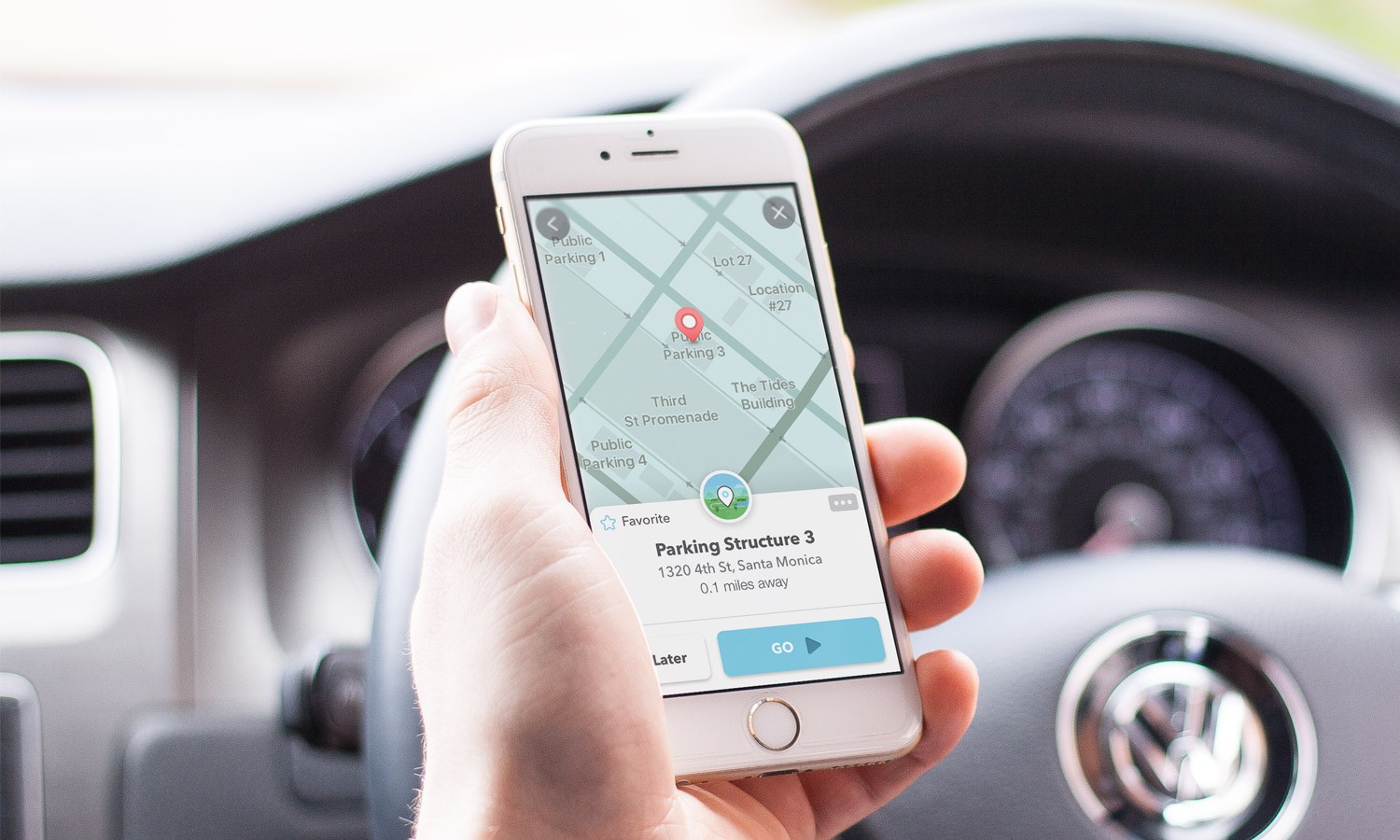
    Waze has been putting out a lot of new themes for its users all over the world, but the new experience released this week is aimed at US users only. Thanks to a partnership with Goodyear, Waze is bringing its users the College Football experience beyond the stadium to the roads.

    Although it will only be available for a limited time, Waze announced that its users will be able to download it starting this week and through January 31, 2022, so plenty of time to do that. If you’re living in the United States, you can now select the Goodyear Blimp icon to guide you to your destination.

    Additionally, drivers can receive navigation instruction from famous college football analyst Kirk Herbstreit as the voice for their trips on Waze. Furthermore, all 129 D1 college football stadiums will be marked on the Waze map to make it easier for fans to travel to their favorite stadium.

    On a side note, Goodyear will be hosting sweepstakes now through November 13. Fans who submit their predictions on the teams who will make it to the championships will have a chance to win tickets to the 2021 Goodyear Cotton Bowl Classic and the 2022 CFP National Championship.

  • Microsoft’s Outlook for Android and iOS will no longer sync with Facebook calendar

    Microsoft’s Outlook for Android and iOS will no longer sync with Facebook calendar

    Microsoft has decided to remove one functionality from its Outlook for Android and iOS app: the ability to sync calendars. The good news is the change will only affect three services: Facebook, Meetup and Evernote.

    The Redmond giant put up a post to inform Outlook users on Android and iOS that beginning September 13, the app will no longer sync calendars from the three services mentioned above. No explanation has been given, but Microsoft promised to give users a 2-week reminder within the app, if they are currently syncing any of these calendars in Outlook.

    Apart from the fact that syncing with Facebook, Meetup and Evernote calendars will no longer be possible after September 13, the change will not affect Outlook mobile users in any other way.

    Microsoft hasn’t said whether or not the calendar sync functionality for these three services will ever return and didn’t offer any alternative solution. If you’re currently syncing Outlook calendar with any of these three services, you’ll be getting a reminder soon if you keep using the feature.

  • Google TV Android app update adds support for more streaming services

    Google TV Android app update adds support for more streaming services

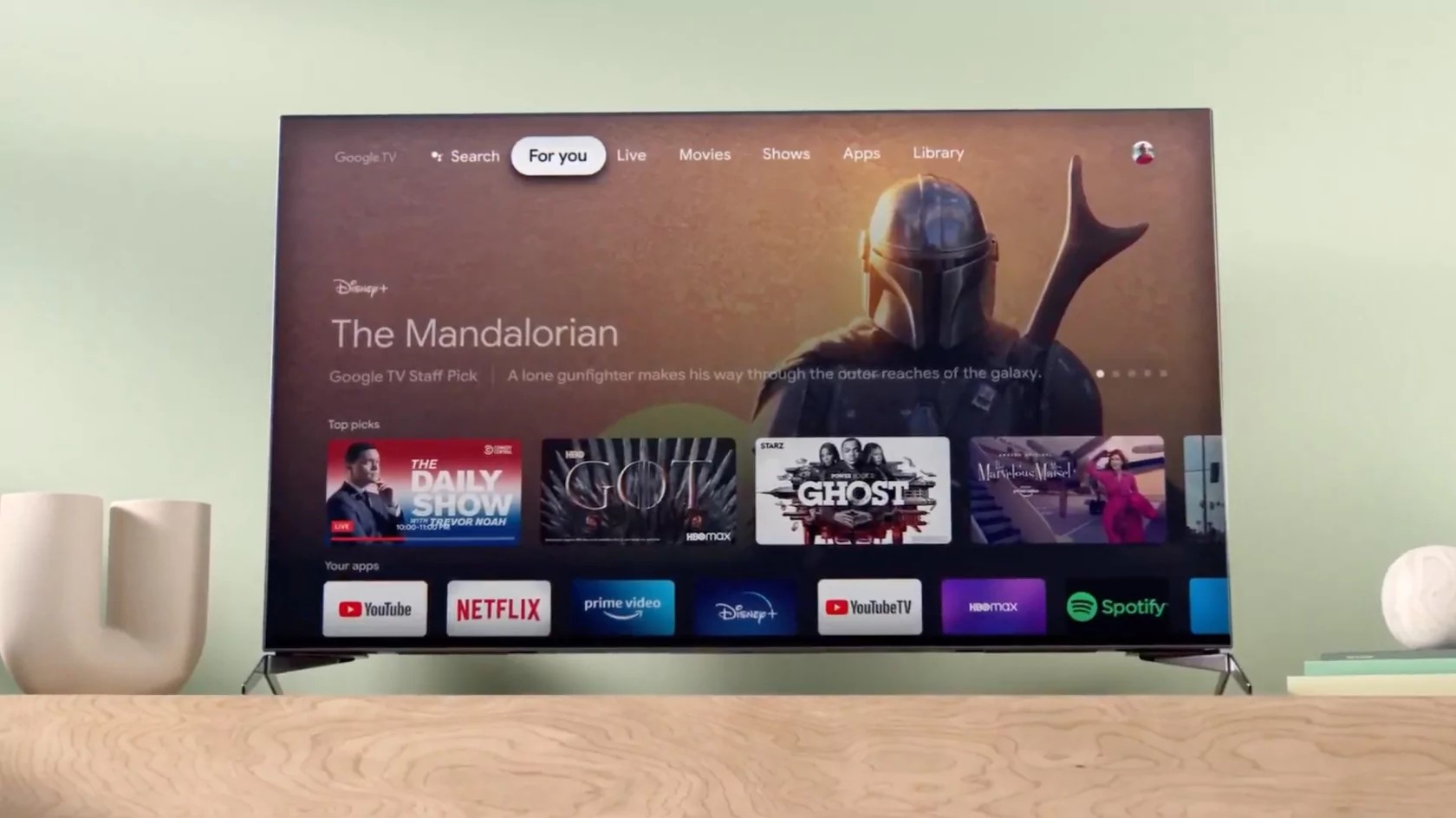
    Great news for Google TV app users, as a new update is now making its way to Android devices in the coming days. Google has just announced that the TV Android app in the US is going to receive a new update this week and brings changes to the interface, better recommendations, and more ways to watch.

    The most important change included in the update is the addition of a new 16:9 widescreen movie and show posters. Also, Rotten Tomatoes scores have been added under each poster. Users will now be able to mark shows they have already seen by tapping the “watched” icon to get updated recommendations in their “For you” tab in their place.

    The update also introduces more rows of personalized recommendations that will allow Google TV users to browse for their next movie or show. Google also revealed that it made improvements to the app’s recommendation system to make it easier to find something that fits a user’s interests.

    Last but not least, the Google TV app now features support for even more streaming services, including Discovery+, Viki, PBS kids, and Boomerang. Also, support for on-demand content from live TV like YouTube TV, Philo, and fuboTV is available too.

    Keep in mind that the update will not remove the Watchlist feature, and all previously purchased movies and shows will still show up in your Library tab.

  • Oppo may enter the gaming smartphone market

    Oppo may enter the gaming smartphone market

    Asian handset manufacturers like to be in the front lines when it comes to new technology, so it’s no wonder that many of them have already jumped on the mobile gaming bandwagon. What’s surprising is that there are still brands that haven’t yet entered the gaming smartphone market, even though it’s still considered a niche category.

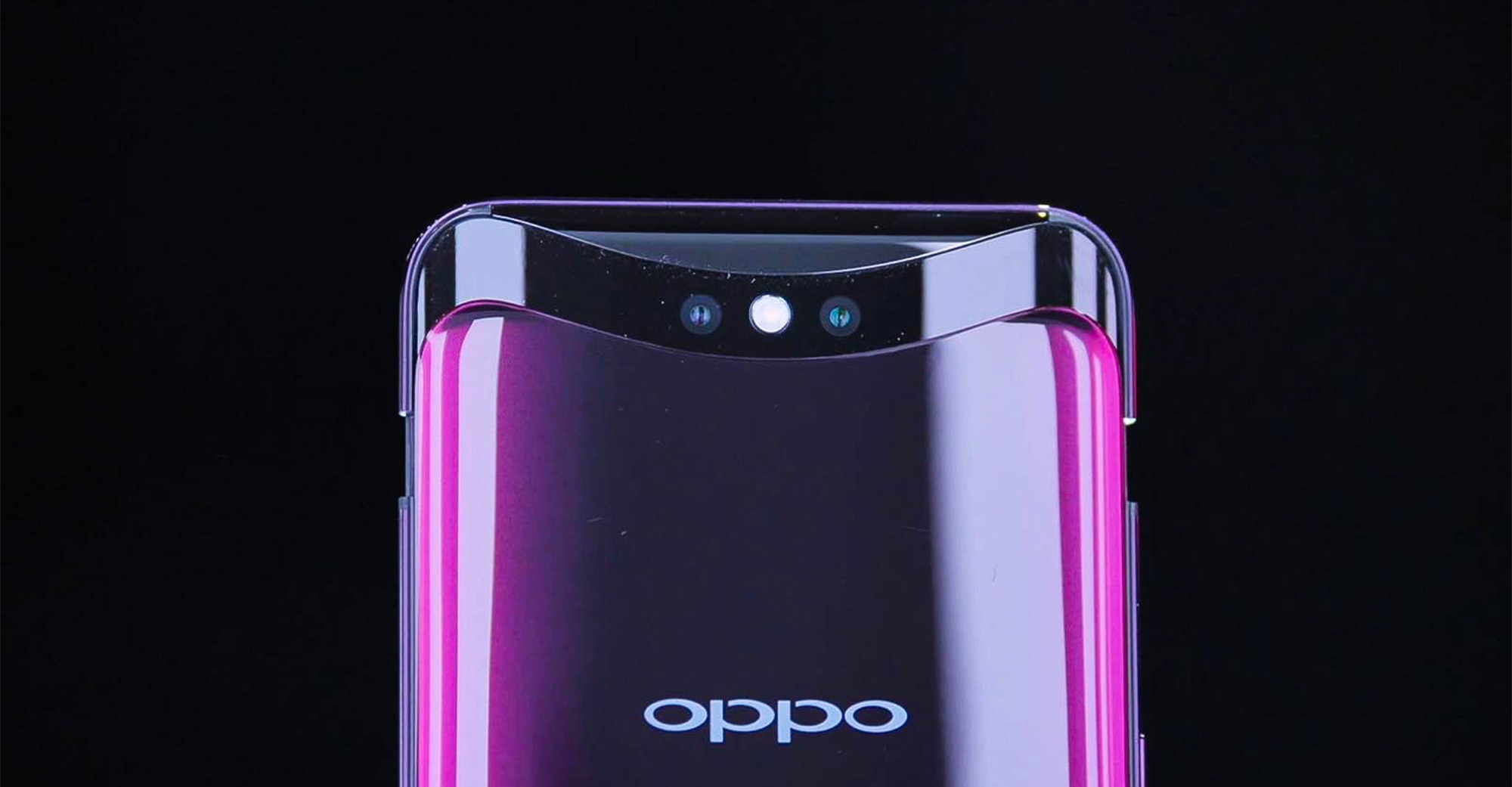
    In any case, we’ve just learned that at least one of the companies that hasn’t yet launched a gaming smartphone is about to join the fray, Oppo. The Chinese company is working on a gaming smartphone that strongly resembles the Asus ROG Phone 5.

    The phone was spotted on the European Union Intellectual Property Office (EUIPO), but apart from some renders, there’s really no information about the unannounced gaming smartphone.

    On the bright side, the pictures reveal quite a few things about the phone, such as the quad-camera setup, the bezel-less display, and the 3.5mm audio jack at the bottom. Although these images prove that the phone exists (even if just as a project), it’s not 100% certain that Oppo will go ahead with the launch. Time will tell whether or not Oppo will pick up the pace and join other brands that have already launched at least one gaming smartphone, such as Asus, Lenovo, Razer and Xiaomi.

  • Volvo And Google Extend Partnership For VolvoCars.OS

    Volvo And Google Extend Partnership For VolvoCars.OS

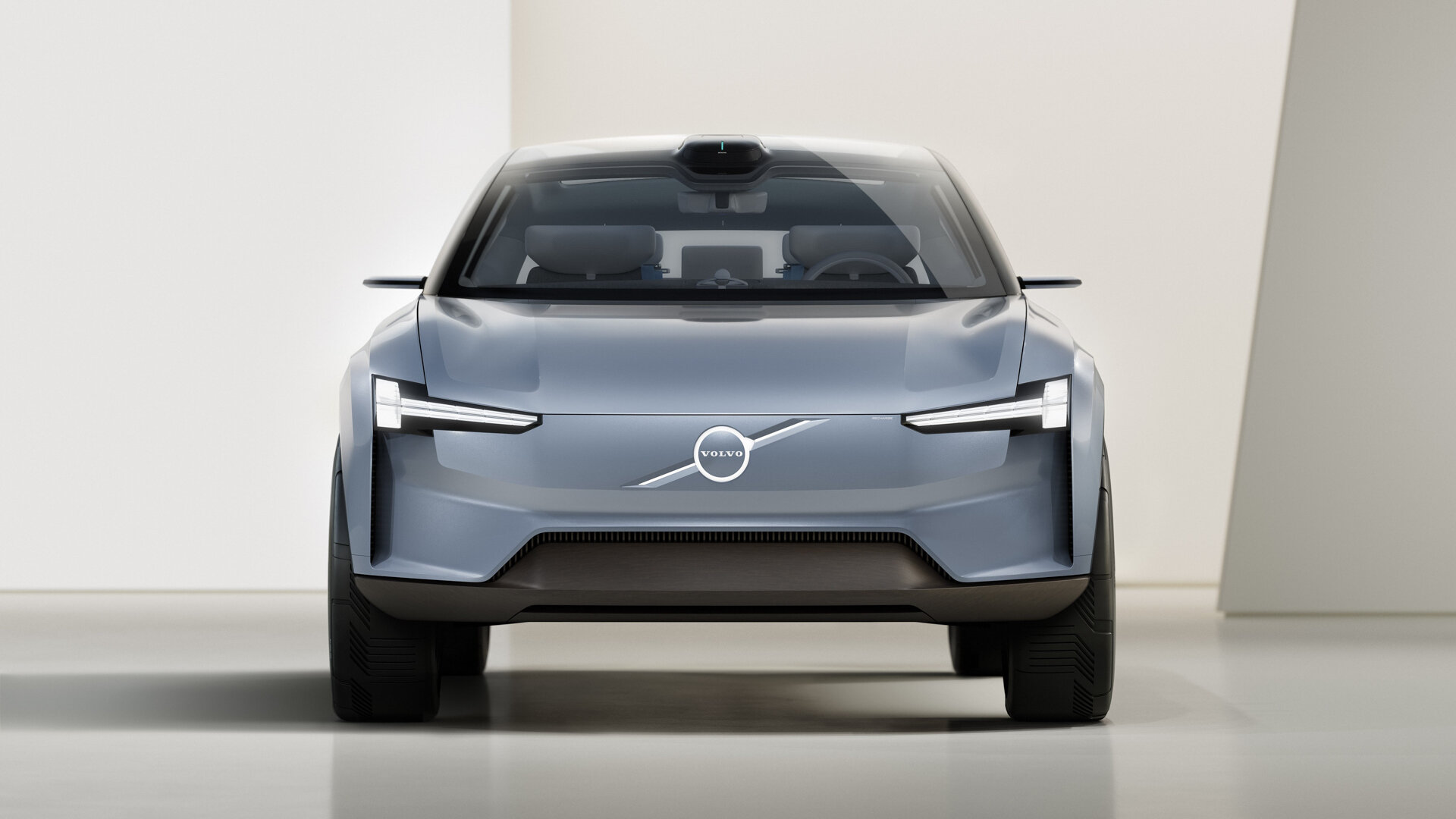
    Volvo and Google have announced that they are extending their partnership for Android Automotive which will not hook into a new user experience that the Swedish brand is developing called VolvoCars.OS. VolvoCars.OS uses an assortment of operating systems be it Android Automotive, QNX, and Linux. But the big deal is that it will hook into the cloud, or Android Automotive in its electric cars, and will also have a new front end for in-car displays.

    This is a more integrated approach mirroring what Google is doing with its other platform – wearOS on the smartwatch platform which is now merging with Samsung’s Tizen OS or even on the phone with its partnership with Reliance Jio in India for the Jio Phone Next. It is integrating more closely with OEMs and creating a more unique and customized experience.

    Of course, on the car, especially on Volvo’s cars, which are known the world over for their safety. This new UI is going to optimize safety. As always, this starts with a high-resolution infotainment screen and even a heads-up display, and everything will be available through voice, embedding the Google Assistant at the heart of the experience. Volvo and Google are already doing this, but what they will probably end up making is something more unique for Volvo than something stock that makes every Android Automotive car feel the same.

    “Our teams have spent a lot of time with Google to further develop and improve our user experience for the next generation of Volvo Cars,” said Henrik Green, chief technology officer, Volvo.

    “Especially in terms of safety, serenity, and simplicity, we have made great strides thanks to a deeper integration of design and technological development. We are convinced that it will allow us to create even better Volvo cars and set a new industry standard,” he added.

    Of course, these cars will also integrate better with mobile phones and the phone will act like a key leveraging a car key feature that Google unveiled at Google IO earlier this year. Volvo will also have an app that will connect you to everything else that comes with owning a modern electric car, the company claims in an official release.

    It is building features for paying for charging and connecting the with home devices and also pre-cooling and preheating the vehicle remotely. All these cars will also support OTA updates, but that’s something that has become a standard-issue these days with connected cars.

  • Snapchat brings its AR Lenses to Viber on Android and iOS

    Snapchat brings its AR Lenses to Viber on Android and iOS

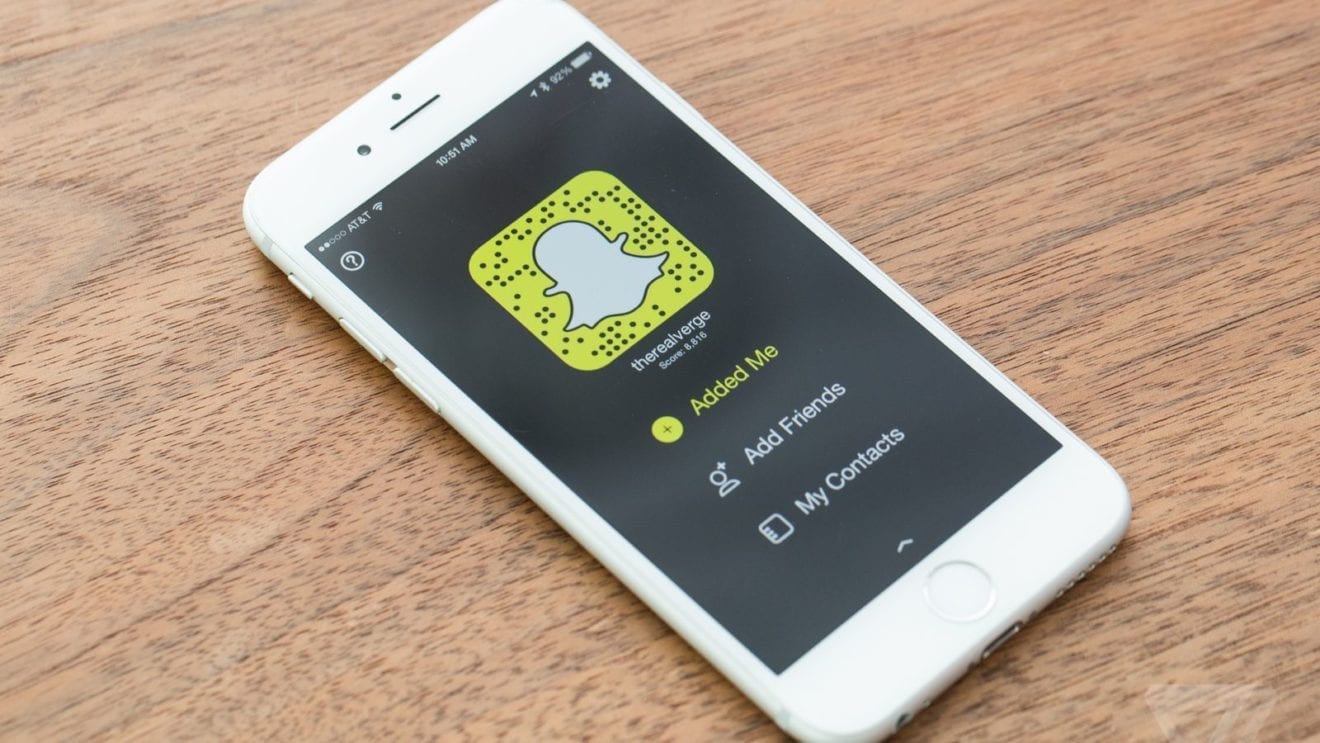
    Viber and Snap have teamed up to bring the latter’s new AR Lenses to the messaging platform. The partnership will integrate AR Lenses in the Viber app, enable sharing to Snapchat, as well as bring customizable Bitmoji avatars to the messaging app.

    The new feature will offer Viber users AR-enabled video messaging for the first time ever. In addition to bringing AR Lenses to its app, Viber also launched 30 new lenses, including animal masks and characters, an underwater lens, goofy cat interactions, and more.

    At least 20 additional lenses are supposed to be launched every quarter, while businesses will get the chance to create their own exclusive lenses on Viber. Speaking of businesses, Viber has already revealed that FC Barcelona, the World Wildlife Federation, and the World Health Organization will be among its first partners to offer new lenses on the messaging app.

    The adoption of Snap’s Camera Kit, Bitmoji, and Creative Kit will allow Viber to add new features to its messaging app, including instant AR (augmented reality), new filters, expressive masks, beautification features, and customized Bitmoji.

    Viber also plans to offer sponsored and branded lenses to ensure a stable revenue stream. According to Viber, the new features are now available for iOS users in the following countries: Australia, Austria, Belgium, Canada, Denmark, England, Finland, France, Germany, Greenland, Iceland, Ireland, Israel, Italy, Japan, Liechtenstein, Luxembourg, Maldives, Netherlands, Norway, Portugal, Spain, Sweden, Switzerland, and the USA.

    The AR Lenses are only available on the beta version of Viber for Android, but the company promised to make these new features available to all Android users by the end of August. The same goes for Viber users in countries other than those mentioned above.

  • Google adds “Lock screen” settings for the Android version of Assistant

    Google adds “Lock screen” settings for the Android version of Assistant

    in version 12.24 of the Google app,  “Lock screen” settings for the Android version of Google Assistant can be found. It’s part of a group under the heading of Popular Settings and it appears after Voice Match and Languages. With the settings enabled, Google Assistant can be used even when the phone is locked.

    The first time you try this feature out, Google will show you a splash screen that allows you to decide whether to enable your phone to use Google Assistant without unlocking the handset, or you can choose to opt-out. In other words, you can “Get hands-free help from your Assistant when your phone is locked. You can always turn this off in your Assistant settings.”

    When your phone is locked, you will need to employ Voice Match to use Assistant hands-free to obtain personal information and to call or message your contacts. With Voice Match, the phrase “Hey Google” is required to wake up and activate Google Assistant without the use of your hands. If you decide to opt-in, you will be able to obtain “Assistant responses on lock screen” including personal info such as contacts and messages.

    You can also obtain personal information from Google Assistant by activating it through a tap on the screen without saying “Hey Google.” To arrange this, tap on Popular Settings > Lock screen and toggle on the second option.

  • Android version of the Google Assistant app has been installed over 500 million times

    Android version of the Google Assistant app has been installed over 500 million times

    If you look up the listing in the Google Play Store for Google Assistant, you’ll see a note near the bottom of the page that says, “You do not need this app to use the Google Assistant if you already have the Google Assistant on your device.” Since the Assistant is found on just about every Android phone that uses Google Mobile Services, the app really doesn’t need to be downloaded by the vast majority of Android users.

    The dedicated Google Assistant app has reached the 500 million installs milestone. And you can’t give credit to all of those iOS users who recognize Siri as being the absolute mess that it is and have installed the iOS Assistant app to use instead; those installations are done through Apple’s App Store and are not part of the half a billion credited to the Play Store.

    Over 500 million installs of Google Assistant have taken place via the Google Play Store

    Downloading the app will allow Android users to add it to their App drawer or home screen. There are other ways for Android users to activate Google without tapping on an app icon. The Pixel Active Edge feature allowed users to squeeze the sides of their phone to activate the Assistant although this was removed on the Pixel 4a, Pixel 4a 5G and the Pixel 5.

    Saying the hot phrase “Hey Google” will also get the assistant open without having to tap the icon or squeeze the phone. With 500 million Google Assistant installs from the Google Play Store, the app is halfway to a billion and could get there sooner than you might think.

  • Google releases Android 12 beta 2 to compatible Pixel models

    Google releases Android 12 beta 2 to compatible Pixel models

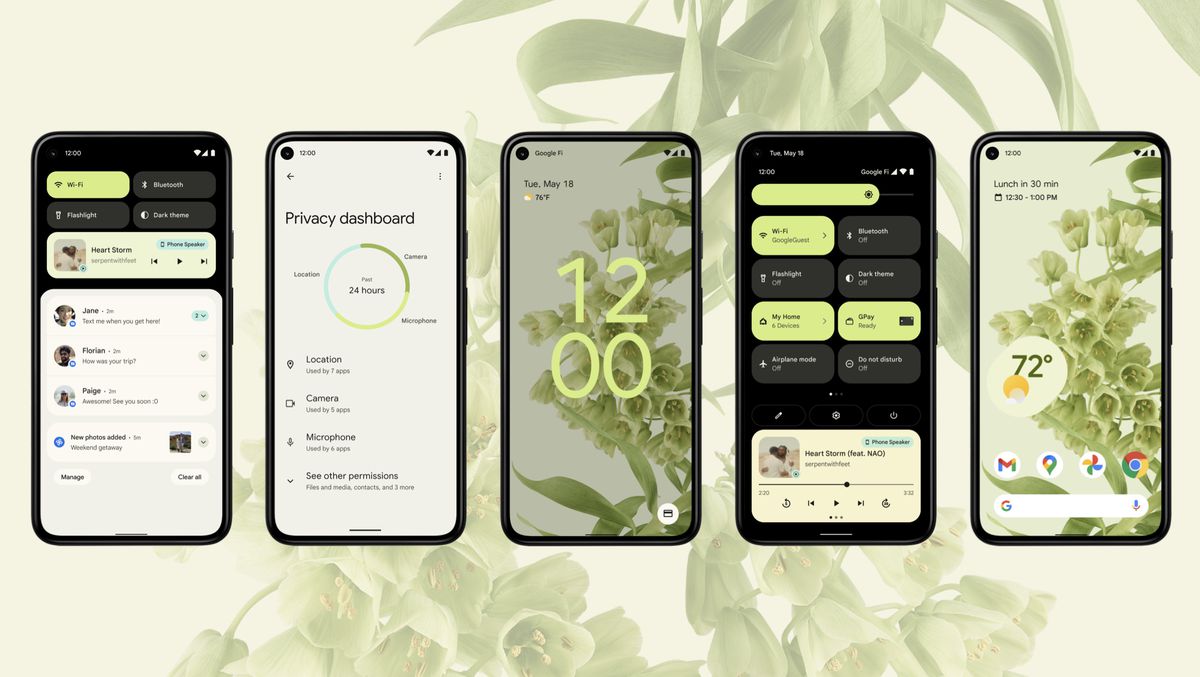
    Pixel owners are another step closer to receiving Android 12 as said today that Google has started to push out Android 12 beta 2 to Pixel users. The update includes several of the new privacy features being added to the operating system with the new build including a 24-hour timeline showing which apps have accessed your phone’s camera, microphone, and location data.

    Another feature found in the new beta is a message that pops up to alert you when an app is reading your clipboard. Since users often copy important account numbers or passwords on their clipboards, it is important to know who is getting to read this data. The only time this message doesn’t appear is when the data on the clipboard that an app can read was copied from that very app.

    Similar to the Orange and Green dots found above the cell signal bars on an iPhone (which indicates when an app is using your handset’s microphone and camera respectively), Android 12 beta 2 users will see microphone or camera indicators when apps are using those two sensors.

    A new “Internet” tile in Quick Settings will show you your phone’s online connections including the name of your Wi-Fi network. Tapping on the Wi-Fi icon will allow you to quickly disable your Wi-Fi connection and will also show you a list of nearby Wi-Fi signals and give you the option to turn off/on your cellular network. The update also adds a GPay tile to Quick Settings to replace “Cards & passes.”

    To become an Android 12 beta tester for your Pixel, open the Android Beta Program site and tap the button that says “View your eligible devices.” Follow the directions and you’ll receive the Android 12 beta 2 update OTA. Once you receive notification that the update is on your phone, go to Settings > System > Advanced > System update.

    If your Pixel is your daily driver, you might want to wait for the final version of Android 12 before installing it. After all, the Android 12 beta 2 update is not stable and apps that you might need for work or play might not be working at full capacity during the beta testing.

  • Microsoft Office for Android updated with option to capture voice recordings

    Microsoft Office for Android updated with option to capture voice recordings

    Microsoft rolled out important new features to Office Mobile in the last month. After getting full-fledged dark mode support back in May, the Android version of Office Mobile is now gaining yet another new feature: the ability to capture voice recordings.

    As the name suggests, the new feature lets Android users go beyond simple voice memos, with live speech-to-text transcription. The implementation includes additional benefits like synced text highlighting during playback and the ability to share content by exporting it to other Microsoft 365 apps and services.

    Only for Microsoft 365 subscribers, the new feature allows for partition and transcription of the input from different speakers based on their identity. Here is how the new feature works:

    • In the Microsoft Office app on your Android device, tap the “+” button at the bottom of the Home tab.
    • Under Quick capture, tap Voice to launch the voice capture experience.
    • Start speaking to record and tap the Done button when finished. Your recording will be saved as a voice card. You can view all your voice captures in a list view.
    • To review your recording, select the voice card for playback with synced text highlighting. Your voice recordings are also available on your Home tab for easy access.

    Microsoft announced that the ability to capture voice recordings is now rolling out to users of the Office Mobile for Android with English (US) selected as their language and country/region.

  • Criminals spread malware by getting Android users to install fake versions of popular apps

    Criminals spread malware by getting Android users to install fake versions of popular apps

    Cybersecurity firm Bitdefender points out that one of the things that separate the Google Play Store from the App Store is also a problem for Android users. While both Apple and Google collect as much as a 30% cut of in-app revenue that is run through their respective in-app payment platforms, iOS users are forced to make their in-app purchases through Apple since Apple prevents developers from offering an alternative payment platform.

    Epic offered its customers an alternative payment platform, violating Apple’s rules. This is why Epic’s big hit game Fortnite was kicked out of the App Store.

    Unlike App Store customers, Android users are technically not forced to make in-app purchases through Google. That’s because the Play Store is not a walled garden like the App Store is and Google allows Android users to sideload apps from a third-party app store. However, by tricking Android users to use such third-party app stores, criminals are persuading Android users to install apps that most likely haven’t been properly vetted leading to the spread of malware.

    Bitdefender cites two new banker trojan malware programs called TeaBot and Flubot that help trick Android users into installing what they think are legitimate apps from popular and well-known brands but turn out to be malware-infested. Bitdefender recently found five new malicious Android apps that contain the TeaBot trojan and imitate legitimate Android apps that are popular with at least one app having been installed over 50 million times.

    The cybersecurity firm discovered that the infected TeaBot apps use fake Ad Blocker apps to distribute malware. The fake apps ask permission to display over other apps, show notifications, and install apps outside of the Play Store. Once these apps are installed, their icons are hidden.

    Make no mistake about it, TeaBot has the potential to do some serious damage including “overlay attacks via Android Accessibility Services, intercept messages, perform various keylogging activities, steal Google Authentication codes, and even take full remote control of Android devices.”

    While TeaBot is dropped by an app pretending to be an ad blocker, Flubot is spread through SMS spam and according to Bitdefender, “It steals banking, contact, SMS and other types of private data from infected devices while sporting an arsenal of other commands available, including the ability to send an SMS with content provided by the CnC.”

    Flubot imitates shipping apps like DHL Express Mobile with over 1 million installs from the Google Play Store, Fedex with over 5 million Android installations, and Correos with over 500,000 downloads.

    There is actually a way to protect yourself from having this malware infect your phone. Bitdefender suggests that you never, ever sideload apps on your device, In other words, stick to the App Store and the Google Play Store when installing apps for your iOS and Android devices respectively. Also, you should never tap on links in messages, and “always be mindful of your Android apps’ permissions.”

    The fake apps containing the TeaBot payload are designed to look like the real thing although some of them have small changes in their label name and icon. For example, the real version of streaming television app Pluto TV has a label that reads “Pluto TV-it’s free TV.” The fake and infected version of the app has no space between Pluto and TV and reads “PlutoTV.”

    Nearly 93% of the fake apps trying to distribute TeaBot come from an app called MediaPlayer that tries to imitate one of the most popular titles in the Google Play Store, VLC. The latter is a “free and open source cross-platform multimedia player” with over 100 million installations. Note the big difference in the icon between the clean and infected versions of the app.

    79.5% of Teabot malware has been discovered in Spain with 11.18% disseminated in Italy and 4.6% distributed in the Netherlands.

  • Clubhouse to end invitation system this summer; over 2 million install the Android app

    Clubhouse to end invitation system this summer; over 2 million install the Android app

    Roughly a couple of weeks ago, popular group audio chat app Clubhouse finally made its debut on the Google Play Store although invites are still required to become a Clubhouse subscriber. This past Sunday, Clubhouse held a Town Hall meeting on the app and discussed what it has experienced since allowing the vast majority of smartphone users to install the app.

    In a tweet sent out following the Town Hall, Clubhouse noted that it now has over 2 million Android subscribers which double the 1 million Android users it had after the previous week. Since Clubhouse launched in March 2020 in the App Store and was available only on iOS until now, the number of subscribers on Apple’s mobile platform, over 10 million, currently swamps the number of Android users. And while the Android version of the Clubhouse app has yet to reach feature parity to the iOS variant, it is getting closer every day.

    More exciting though, is the statement that Clubhouse is “heading for general release sometime this summer!” That would mean the end of invites and should greatly expand the usage of the app. As a result, Clubhouse says that its next few updates will be about “discovery, notifications, and less visible but very crucial improvements” as it gears up for a massive surge in usage.

    Clubhouse does have its competition with many big names in social media having started something similar or announcing that a similar feature is on the way. And several Clubhouse users have been complaining about how glitchy the app has been with some users getting kicked out of a room in mid-sentence. So the company does face some hard work ahead.

  • Android 12 Beta is now available for download on these phones

    Android 12 Beta is now available for download on these phones

    Android 12 was officially announced during Google’s I/O 2021 event, offering a colorful Material New design and more fun changes. To those curious to try it out – you already can!

    Granted, you’ll need an eligible smartphone and it’s worth noting that running a developer Android beta version is not a good idea unless you’re actually an Android developer yourself. Beta software can be quite unstable, and your phone’s functionality will become limited, so proceed at your own risk or simply wait for the public Android 12 release later this year. In any case…

    Google

    During the I/O event, Google announced that the first smartphones to be getting access to the Android 12 beta will unsurprisingly include Pixel phones. You will need to be using the Google Pixel 3, Pixel 3 XL, Pixel 3a, Pixel 3a XL, Pixel 4, Pixel 4 XL, Pixel 4a, Pixel 4a (5G) or Pixel 5. Google has provided Android 12 beta downloads for each of those phones here.

    Asus

    If you have an Asus Zenfone 8, you can download the Android 12 beta for that phone from Asus’ website. That website also has step-by-step instructions on how to install it, and which features don’t work yet, such as the fingerprint sensor and face unlock.

    OnePlus

    Those using the OnePlus 9 and OnePlus 9 Pro can get the Android 12 developer preview from OnePlus’ website here. The site also explains the installation process for those particular phones.

    Warning: We’ve had reports that the Android 12 beta gets OnePlus devices stuck in a bootloop.

    Xiaomi

    Xiaomi users who own the Mi 11 Ultra, Mi 11, Mi 11i and Mi 11X Pro can download the Android 12 beta for those phones from this Xiaomi page. There Xiaomi has also listed what to expect in terms of bugs.

    Vivo

    Right now only the Vivo iQOO 7 can get the Android 12 beta. If you own that phone, please refer to Vivo’s Android 12 beta download page.

    Oppo

    Currently the OPPO Find X3 Pro can get the Android 12 beta from OPPO’s website.

    Others

    If you’re using a recent Android phone made by Realme, Sharp, Tecno, TCL or ZTE, you can refer to Google’s “Partners and eligible devices” page for relevant Android 12 beta downloads and instructions.

    If your smartphone or brand isn’t included there, then the Android 12 beta isn’t available to you right now, but it could be in the future. You can inquire with your phone’s manufacturer on when and if you can expect an Android 12 beta to become available.