Tag: android

  • Android Auto wireless compatibility arrives in additional markets

    Android Auto wireless compatibility arrives in additional markets

    Android Auto is one of the trickiest products developed by Google. First off, it’s not compatible with all smartphones and some of the features are limited to select markets. Secondary, Android Auto is in a constant state of development, as Google adds and removes features all the time. Sometimes, updates remove features in favor of new ones, which are then brought back a few updates later.

    If you’re one of the many millions of Android Auto users, you’ll be happy to know that Google is expanding the availability of one of its features to additional markets. We’re talking about wireless compatibility, an option that only Android Auto users in about 15 countries were able to use until recently.

    Starting today, Android Auto in 16 countries join the list of markets where wireless compatibility is available. The new feature will allow Android Auto to display information on your vehicle’s display automatically once you start your car via Wi-Fi Direct, assuming you’re using a compatible device.

    Without further ado, here are the countries that are getting Android Auto wireless compatibility this week: Australia, Austria, Germany, France, India, Ireland, Italy, New Zealand, Philippines, Singapore, South Africa, South Korea, Spain, Switzerland, Taiwan, and United Kingdom.

  • WhatsApp might launch self-destructing messages feature for individual accounts

    WhatsApp might launch self-destructing messages feature for individual accounts

    We already know that WhatsApp has been working on a self-destructing message feature. What we don’t know is when it will be made available to everyone and in what form. The self-destructing messages feature is quite common in apps like Snapchat and Telegram, but WhatsApp doesn’t yet include the functionality.

    However, we know that WhatsApp tested the feature since last October, but decided to limit it to groups chat. The good news is the latest version of WhatsApp beta reintroduces self-destruct messages for individual accounts.

    Unfortunately, since it’s still in the beta, WhatsApp might change its mind again and either limit its availability to a certain group of users or not release it at all. Well, the important thing WhatsApp has reconsidered its strategy and plans to bring it to all users, not just to some of them.

    Those of you who have access to WhatsApp beta for Android will find the new feature in the Settings menu of each chat. Make sure to tap Delete messages and choose how long new messages will last before they are deleted. You can select from several options: Off, 1 hour, 1 day, 1 week, 1 month, and 1 year.

  • OneDrive now supports Dark Mode on Android phones

    OneDrive now supports Dark Mode on Android phones

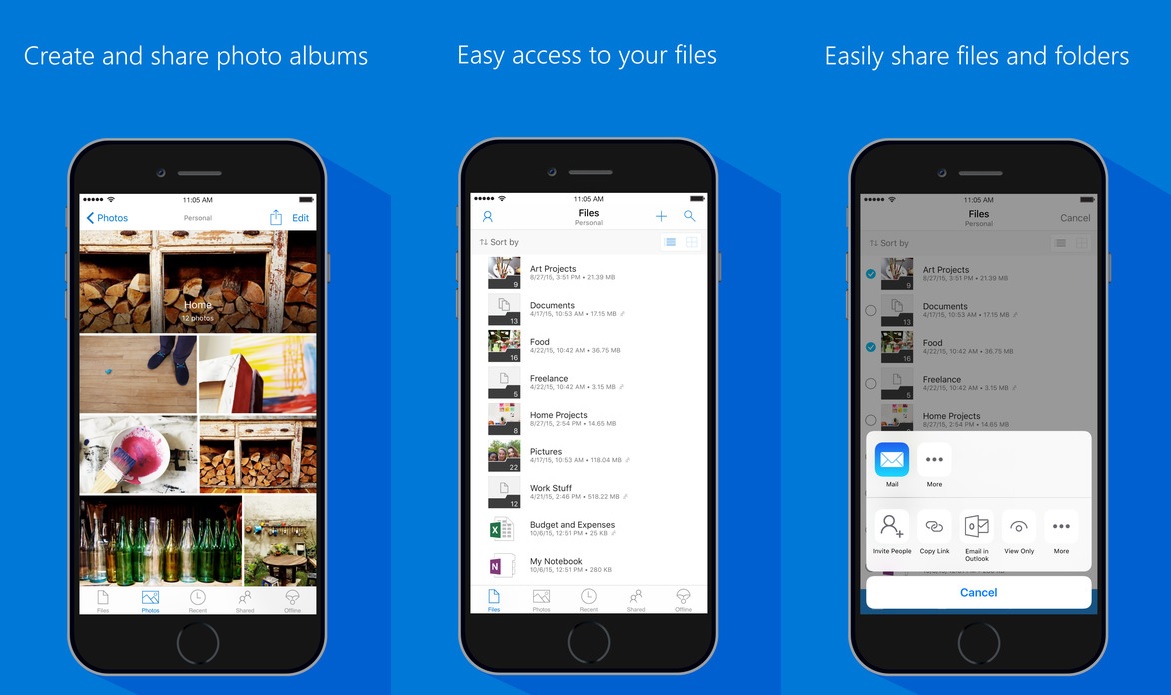
    Almost six months after bringing Dark Mode to OneDrive on iOS, Microsoft is enabling the visual option on the Android version of the app. With OLED displays becoming more common, darker themes and modes started to appear in many mobile apps, including Gmail, WhatsApp, Facebook Lite, Google Translate and more. OLED technology displays black by turning off individual pixels, so the darker the theme, the less energy the device consumes. Besides energy efficiency benefits, Dark Mode is also much easier on the eyes in low-light conditions.

    Microsoft is rolling out the new features with version 6.0.1 of the app with another little tweak in the Photos tab. Users will get a trip down memory lane with the option to revisit old photos taken on the same day in previous years.

    To activate Dark Mode in OneDrive, go to the Settings menu on the homes screen, and tap on the Theme option. You can then choose Light, Dark or System Default. The last one will use the Global theme settings of the device. This option is useful when you want to schedule different themes for different times of the day – Dark Mode activating at sunset, for example.

  • Spotify introduces customizable profiles on Android and iOS

    Spotify introduces customizable profiles on Android and iOS

    Spotify has been on fire since the beginning of the month, as multiple updates added important new features and improvements to the music streaming. The most recent changes involve Spotify profiles and the option to customize them.

    Starting this week, depending on what music you’re listening to on your phone, you’ll be able to update your Spotify profile, including the photo and username, to create a personalized music page representative of your music tastes.

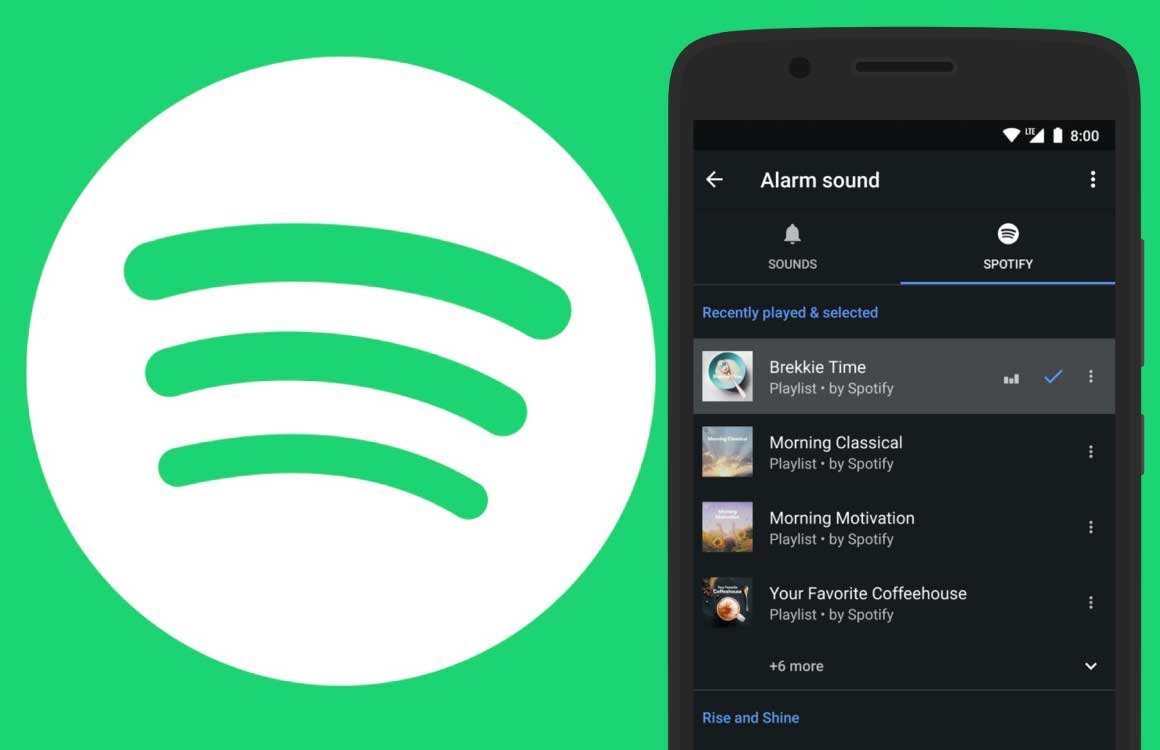
    Spotify users on Android and iOS, regardless of whether they’re using a smartphone or tablet, can head to Home / Settings / View Profile to see their recently played artists, followers, and public playlists. Then, tapping “Edit Profile” will allow users to customize their status starting with the photo, which can be either JPEG or PNG.

    Keep in mind that if you’re using an iPhone or iPad, the picture must be less than 10MB. You can even remove your photo completely if you didn’t link your Spotify account to Facebook, in which case you’ll have to disconnect the two from the Settings menu.

    Apart from adding a photo to your profile, you can also change your Spotify display name. To do that, simply go to Home / Settings / View Profile / Edit Profile and tap your display name, then type your new display name (make sure to save).

    If you’re proud of your new profile and want to share it with your friends, you can do that by heading to Home / Settings / View Profile and tapping the three dots in the top right where you’ll find the Share option.

  • YouTube Music update brings new player, more controls to Android users

    YouTube Music update brings new player, more controls to Android users

    It looks like Google is very serious about YouTube Music, as the app received two major updates in less than a month. After adding the option to upload music in February, the app is getting another update on Android devices that introduces a new design for the “Now Playing” screen, which includes more accessible controls, static lyrics, and a few other improvements

    The new changes should be available to everyone rocking an Android device, if not now, in the next few weeks.

    • Flipping between songs and videos in the app is now always visible on the player page to make it easy to move seamlessly between a song and its music video, a feature only offered by YouTube Music.
    • Static lyrics are being rolled out within the app, offering highly visible access to follow along to tracks. While still in the experiment phase, this feature will continue to be developed.
    • Playback control is more convenient with repeat and shuffles now located on the player page.
    • Downloading, sharing and adding songs to playlists is now easier than ever with all three features accessible by tapping on album art.

    A new version of YouTube Music has been uploaded in the Google Play Store on March 4, but we’re not sure if it contains all the changes announced today or these will be enabled via YouTube’s servers.

  • Shazam finally adds Apple Music integration on Android

    Shazam finally adds Apple Music integration on Android

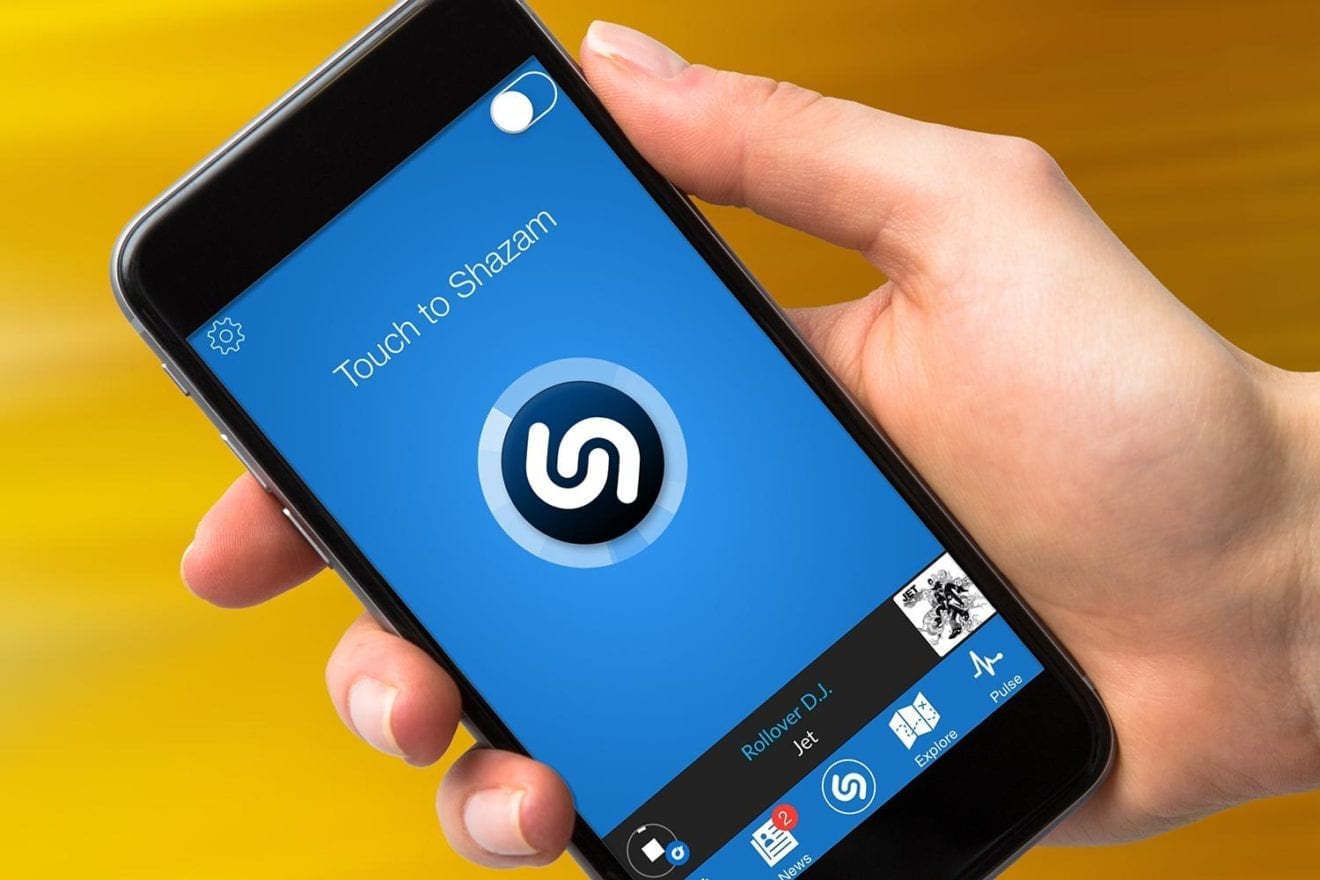
    It’s been almost two years since Apple acquired Shazam, the music recognition software that everyone installs on their phones. To this day, Shazam would allow Android users to connect to the Spotify app to add songs to playlists or even play them within the app.

    Apple Music users must have been frustrated that Shazam doesn’t feature integration with their favorite music streaming service, even after the app was bought by the Cupertino-based company.

    Luckily, things are about to change for the better. Apple Music integration is now making its way to Shazam users on Android. When you receive the update that adds the new feature, you should be able to see the Apple Music option in the Settings menu of the Shazam app. Simply tap the Connect button next to the service and if you have an active subscription, you’ll be able to share playlists and play songs recognized by Shazam.

    At the moment, it’s unclear whether this is a server-side or a straightforward update that you can download from the Google Play Store. What we do know is that even Shazam users with a slightly older version of the app installed have started to see this feature on their Android phones.

  • Google finally opens up about having its apps banned on new Huawei phones

    Google finally opens up about having its apps banned on new Huawei phones

    Huawei is unable to license Google Mobile Services because of its placement on the Commerce Department’s entity list. The Trump administration put Huawei on the list because it considers the Chinese manufacturer to be a threat to national security due to its allegedly close ties with the communist Chinese government. Once Huawei was placed on the list, the company was banned from accessing the U.S. supply chain it spent $11 billion on in 2018; because of the ban, Huawei is not allowed to enter into any licensing deal with Google.
    Google published a support article that laid out the facts: “On May 16, 2019, the US government placed Huawei on its Entity List. This government action prohibits all US companies, including Google, from collaborating with Huawei. This means that Google is prohibited from working with Huawei on new device models or providing Google’s apps including Gmail, Maps, YouTube, the Play Store and others for preload or download on these devices.”
    Google then mentions that it has been focused on protecting the security of Google users who sport older Huawei phones. The support page noted that “We have continued to work with Huawei, in compliance with government regulations, to provide security updates and updates to Google’s apps and services on existing devices, and we will continue to do so as long as it is permitted. To be clear: US law currently allows Google to only work with Huawei on-device models available to the public on or before May 16, 2019.
    Google also made it clear that Huawei phones launched before May 16th, 2019, but now getting released in other areas of the world, are considered new handsets and cannot be licensed to use Google Mobile Services. Explaining why its apps and services cannot be preloaded or sideloaded on new Huawei devices, Google pointed out that “To protect user data privacy, security, and safeguard the overall experience, the Google Play Store, Google Play Protect, and Google’s core apps (including Gmail, YouTube, Maps, and others) are only available on Play Protect certified devices. Play Protect certified devices go through a rigorous security review and compatibility testing process, performed by Google, to ensure user data and app information are kept safe. They also come from the factory with our Google Play Protect software, which provides protection against the device being compromised.”
    The problem is, the U.S. placement of Huawei on the entity list prevents the latter’s phones from going through Google’s security process; they also do not have Google’s malware scanning Play Protect feature. As a result, these handsets are considered uncertified and cannot use Google’s apps. Additionally, sideloaded Google apps won’t work on Huawei devices because Google doesn’t allow these apps to run on uncertified phones where security might be compromised. “Sideloading Google’s apps also carries a high risk of installing an app that has been altered or tampered with in ways that can compromise user security,” the company said. You can check to see if your Android phone is certified by opening the Google Play Store and heading to Menu > Settings. Simply look under Play Protect certification.
    Despite the ban, Huawei still managed to ship 240 million handsets last year. That wasn’t enough for it to top Samsung to take over the title of the world’s largest smartphone manufacturer, but it did manage to finish ahead of Apple in second place. That’s because patriotic Chinese consumers considered Huawei to be the victim of American bullying and turned out in large numbers to buy Huawei’s handsets. In China, most of Google’s apps are banned anyway which means that the company’s international models were the ones impacted by the ban.
  • Android Auto update adds option to disable notification sounds

    Android Auto update adds option to disable notification sounds

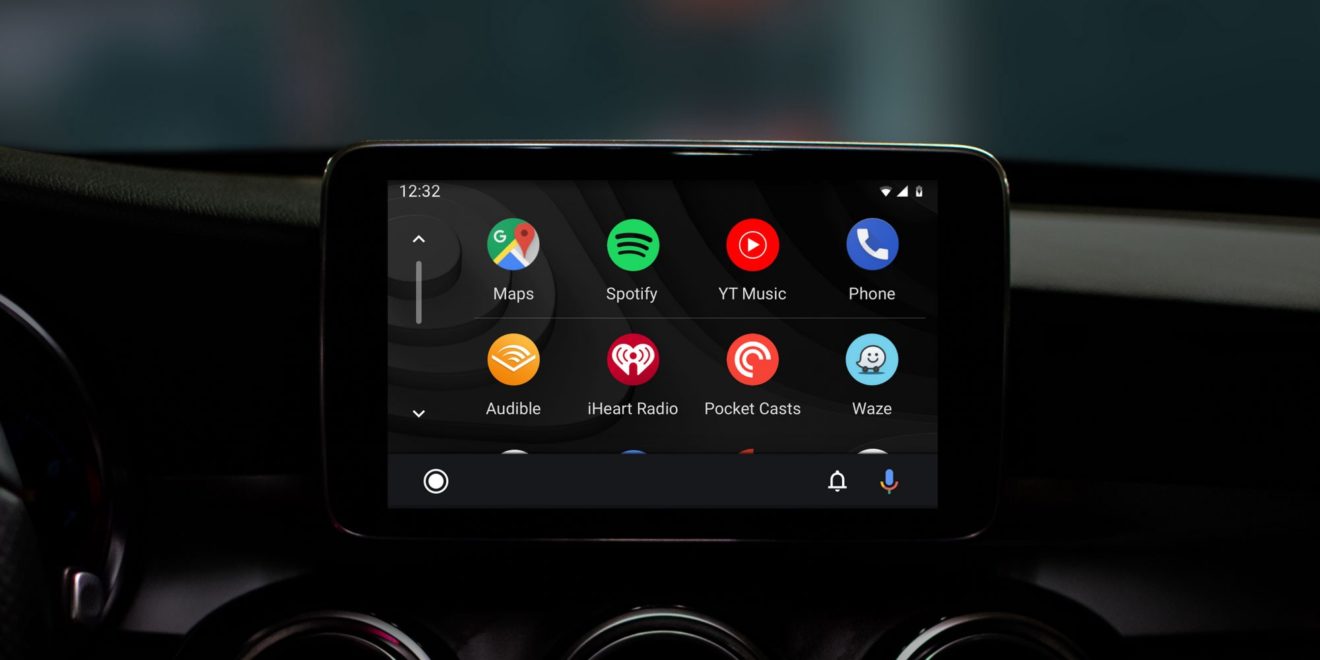
    Google has been trying to fix and improve Android Auto for years, but there’s still a lot of features missing or not working as intended. The latest Android Auto app update doesn’t fix anything but adds a new feature that should have been there a long time ago.

    A new option added after the latest update lets Android Auto users disable notification sounds while they’re driving. Spotted by a Reddit user, the option to disable notification sound is not really new, as Google added and removed the feature a few times before.

    This time, however, Google opted for a toggle, so it’s now much easier to completely disable sounds from notifications whenever you want to focus on driving. The problem is this option does exactly what it says, it disables the sounds, so you will still get notifications on the screen. Not only that, but some users report that notifications will remain on the screen until you manually dismiss them.

    Although the update was released last week, it appears that a wider rollout is happening right now, so everyone should see the new app in the Google Play Store in the next couple of days.

  • Facebook dark theme rolling out to more Android users

    Facebook dark theme rolling out to more Android users

    Facebook has been trying to implement the long-awaited dark theme into its Android app for many months, which isn’t something unusual. We’ve been hearing reports about the company’s struggles to finalize the feature, but it looks like Facebook’s endeavor turned into a marathon rather than a sprint.

    Starting today, a lot more people have started to see the new dark theme in the Facebook app reports. We’re still not convinced that Facebook has finally nailed the feature for Android users and is making it available for everyone.

    However, it’s a clear sign that the company is confident in the results and is rolling out the dark theme to more Android users, one of the final steps before a wider deployment. It’s probably just coincidence that a few days ago WhatsApp has finally managed to deliver the highly-anticipated dark theme to Android beta users.

    We can’t promise you that you’ll see the new dark theme right away, but we’re certain it won’t take long until Facebook will start a wider roll-out of the feature, so stick around for more updates on the matter.

  • Update allows Android users to quickly rate their apps and add reviews

    Update allows Android users to quickly rate their apps and add reviews

    Rolling out to some Android users starting today, is a server-side update that adds a dedicated review section. This will show up in the Play Store under My apps & games under the Installed tab. There, a section called Reviews opens up a page with a pair of new tabs, Unreviewed and Posted. The former shows apps that you have yet to review and gives you the opportunity to quickly do so.
    The Posted tab will show you reviews that you’ve already published. There are some things that you might not like about this new system. The Unreviewed list will show some apps that are no longer on your phone, and the order that these apps are listed in appears to be haphazard.
    We have yet to have this new feature appear on our Pixel 2 XL running Android 10, but we hope to see it added soon. Since it is a server-side update, all you can do is sit back and wait for the update to hit your phone.
  • Three of the biggest smartphone manufacturers unite to bring an AirDrop alternative to Android

    Three of the biggest smartphone manufacturers unite to bring an AirDrop alternative to Android

    Something people unfamiliar with iPhones are often surprised to learn is that iOS doesn’t have a “share via Bluetooth” option. Instead, Apple users rely on the company’s proprietary AirDrop feature to send files between each other but if an Android device gets involved, the options are email or an app.

    AirDrop uses a combination of Bluetooth and Wi-Fi to establish a fast and secure connection directly between two Apple devices which makes it very convenient. So far, there’s no such feature that works universally on all Android phones although some manufacturers have their own solutions. Well, that might change soon.

    Oppo, Vivo and Xiaomi announced in a press release that they’re forming the “Peer-to-Peer Transmission Alliance” in order to “provide users with an unparalleled file transfer experience.” The new file transfer system doesn’t have a name yet, but it will also use Bluetooth for pairing and WiFi P2P (peer-to-peer) for the data transfer.

    Despite relying on WiFi, the system won’t disconnect users from their WiFi networks and can be used simultaneously without interfering with other activities. The new system promises an average transfer speed of 20MB/s with maximum speeds potentially much higher depending on the devices involved.

    The three manufacturers are selling hundreds of millions of devices each year which will make a compelling case for other brands to join the alliance. Oppo owns the Realme and OnePlus brands, so we’ll likely see the new system on their new devices as well, while Xiaomi will surely add it to its Redmi phones. If Huawei and Samsung are convinced to join (less likely due to their large market shares) the system will encompass a very large percentage of Android devices and the remaining manufacturers will be smart to follow.

    Hopefully, what we’re seeing today is the laying of the foundation for an Android-wide file transfer system suitable for the needs of consumers today and in the future. The first smartphones with the new system will be available in February this year, according to the press release, with more to follow as the companies bring new phones to the market.

  • Twitter’s Android app gets patch to fix serious vulnerability

    Twitter’s Android app gets patch to fix serious vulnerability

    Twitter announced yesterday that it patched a vulnerability in the Twitter for Android app that could have allowed a hacker to control a Twitter user’s account and send tweets and DMs from it. The vulnerability also could have given bad actor access to non-public information. Twitter says that it has no evidence that the vulnerability was ever exploited, but just to play it safe it is “taking extra caution.”
    Users of the social-media app who might have affected are being notified via the Twitter app or by email. Either way, the user will receive instructions to follow that the company says will keep them safe. The instructions received by each affected subscriber depend on the versions of Android and the Twitter app for Android being used. Twitter says that if you’re not sure what to do, just install the latest version of the app from the Google Play Store.
    Twitter says that it is sorry and will continue working to keep your data secure. If you have some questions, you can ask the company how it protects your personal data by filling out a Data Protection Inquiry Form. The iOS version of the Twitter app did not have a vulnerability which means that iPhone and iPad users will not be receiving any instructions from the firm.
  • Google fixes issue that kept new Android apps from being found in the Play Store

    Google fixes issue that kept new Android apps from being found in the Play Store

    So let’s say that you spent countless hours developing a new Android app that you believe will change the world. You submit it to Google and it passes with flying colors. The app is published but a bug prevents Android users from finding it and as a result, there are practically no installs. Is this the plot from a new Disney movie called Frozen…out of the Play Store? No, unfortunately, this is a real-life situation that was affecting Android developers.
    While Tire Valet can now be found, several Reddit posts revealed other examples of apps that were not appearing on the Play Store. Some with hundreds of thousands of installs failed to show up when users searched for them in Google’s Android app storefront. And the company’s initial response to complaining developers was just self-serving; Google told some of these developers that they should expand their marketing campaigns and spend more on Google’s AdWords. But some developers spent as much as $350 a day on the platform and their app (or apps) still were missing in action.
    A Reddit post by a user named omeysalvi sums up the typical reaction by affected developers. “Hi guys, I just launched an Android game a few days ago. The app is published and downloadable through its link. But I cannot find the game in the Google Play Store if I search for it by name. I even added the company name to the game name. Still couldn’t find it. It has 10 downloads so far. What am I doing wrong?” Another developer echoed the same complaint. Reddit user neupanedinesh wrote, “Same exact issue for me. I released a new game like a week ago and run an ad campaign just to index the app. I’ve done a lot of keyword research for it still it’s not ranked for any keyword, not even a single keyword. It’s so frustrating.”
    Google has apparently disseminated a fix exterminating a bug that prevented the Play Store from indexing these newly published apps. Once an app is indexed, the title and keywords associated with the app help it surface during a search. This process can take up to a couple of weeks; a good example of this is the Android version of the official Craigslist app which still does not appear when you search for it in the Play Store. And while this usually resolves itself after a few weeks, many of the developers complaining had published their apps months ago. The good news is that developers have been sending updated posts over the last 24 hours stating that their missing apps are now discoverable using the search tool in the Google Play Store.
    An indexing bug has affected Google before. Earlier this year, recently published webpages weren’t appearing on Google Search because of a software issue. At the time, the Google Webmasters Twitter account posted a tweet that said indexing issues were causing “stale” search results. Google’s recently published report, “How Google Play Works: 2019 Google Play Public Policy Report,” mentions how important the Play Store search tool is to users who are looking for an app with specific capabilities. “We want users to have a unique, personalized Google Play Store experience every time they visit the store, and the search functionality in the Google Play Store is an important tool for helping users find the apps and games they’re seeking,” the company wrote.
  • Android Auto now lets you customize your app drawer

    Android Auto now lets you customize your app drawer

    Android Auto went through a lot of changes lately that made it a much better app, and the improvements are still coming. The only issue with these timely updates is that they’re not available to everyone at the same time. The latest Android Auto update has just starting to roll out and it includes one highly-requested feature – the ability to customize the app drawer.

    Redditor pkoya1 claims Google now lets Android Auto users choose which apps they want to appear in the app drawer. Unfortunately, the new feature is not available for everyone yet, and trying to download the Android Auto app from the Google Play Store won’t help.

    It looks like this is a server-side update that will be pushed out in waves, so it will probably take some time to reach all customers. In the screenshot attached to the article, several apps can be selected to appear in the Android Auto app drawer.

    Some of them like Google Play Music or Maps can’t be removed since they are core system apps. However, depending on what phone you use, you might be able to uninstall Google Play Music if you’d rather use Spotify instead. Keep an eye out on the new feature if you’re using Android Auto.

  • Airplane mode might get more intelligent in Android 11

    Airplane mode might get more intelligent in Android 11

    When your phone is set on Airplane mode, all radios inside the device are disabled. This prevents radio signals from possibly interfering with the equipment that pilots rely on while flying an airplane. Also known as Flight mode, or even offline mode, passengers on a plane can use this setting to access content already downloaded on a phone such as a movie, music, or a mobile video game.

    While Bluetooth and Wi-Fi are currently disabled when Airplane mode is turned on, both can be used by enabling them separately. Google plans on making this feature more intelligent in Android 11. The report says that on phones running the next Android build, turning on Airplane mode will not automatically disable Bluetooth by default. Instead, if you are using Bluetooth and then turn on Airplane mode, Android will be smart enough to figure out that you still want this connection enabled even when activating Airplane mode.

    The new feature was spotted on the Android Open Source Project Gerrit under a new commit titled “Context-aware Bluetooth airplane mode.” It states that Bluetooth should not be automatically turned off when Airplane mode is turned on under one of two conditions. One, Bluetooth A2DP is connected, or two, the Bluetooth Hearing Aid profile is connected. A2DP stands for Advanced Audio Distribution Profile and is used to allow a device to send high-quality audio from a Bluetooth device to a handset. Both devices have to have A2DP or else the Bluetooth connection will be limited to passing along voice calls. Most phones do support A2DP these days. The Bluetooth Hearing Aid profile allows those with hearing aids to wirelessly connect to smartphones and other devices.

    With this new feature, a passenger in a plane won’t have to do anything to keep his wireless Bluetooth earpods connected to his Android phone once forced to turn on Airplane mode. Otherwise, the user’s wireless earpods will stop working until Bluetooth is separately enabled. It saves the user a little time and aggravation.

    Back in 2017 with iOS 11, Apple gave iPhone users the ability to keep Bluetooth and Wi-Fi enabled even when Airplane mode was turned on. This allows an iPhone user to keep his Apple Watch connected to his iPhone via Bluetooth even with the handset’s internal radios shut down. And it also allows an iPhone user to stay connected to his AirPods when Airplane mode is enabled.