Tag: Google

  • Google is working to take Airplane Mode to the next level

    Google is working to take Airplane Mode to the next level

    Google has filed for a patent via the World Intellectual Property Organization (WIPO) that is titled “Activating a Connected Flight Mode.” What Google is doing here is taking Airplane Mode to another level. While you probably know how to activate Airplane Mode on your phone, the patent calls for sensors on the device to determine whether you are flying by  tracking changes in acceleration and speed, a drop in pressure, and by listening for certain sounds.

    According to the patent filing and Parkifly, more precisely, the triggers that would enable Connected Flight Mode include environmental factors such as a drop in pressure and changes in acceleration and velocity; cabin sounds like the noise of the flight engine and altitude ding, ultrasonic airplane beacon signals, various radio signals (GPS, Cellular ID, Wi-Fi signal), and contextual factors such as travel booking activity and check-in status.

    Once the device determines that you are flying, Connected Flight Mode is activated automatically. The goal here is to shut down the radios on your mobile device while keeping you connected to Bluetooth and the plane’s Wi-Fi signals. Currently, if you activate Airplane Mode on your phone, all connectivity including Wi-Fi and Bluetooth are turned off. But you can access Bluetooth and Wi-Fi by turning them on separately after activating Airplane Mode. This is true for both Android and iOS.
    With the Connected Flight Mode enabled as outlined in the patent application, Bluetooth and Wi-Fi connectivity remains open for use on the plane. The feature would also allow the device connected to Wi-Fi to operate as though it was connected to the same “high bandwidth capabilities and un-metered use” as the Wi-Fi you use on the ground. Thus, the inflight Wi-Fi would get treated the same as other Wi-Fi networks.
    What does this mean? Google explains. “Therefore, processes which use a lot of bandwidth, such as photo backups, may still execute while on a flight regardless of actual flight network capacities and qualities and thus can take up a significant amount of the limited resources of the plane’s internet connectivity. The disclosed technology can automatically switch a connected flight mode on before or during a flight to provide portable computing devices with granular levels of connectivity.”
    This sounds like a cool idea although Google is still working on this. Hopefully it won’t be too long before Connected Flight Mode becomes a reality on Android.

  • Google Calendar update brings new working locations improvements

    Google Calendar update brings new working locations improvements

    One of the most important Google apps for those using the search giant’s tool for work is by far Calendar. Many of its features help users keep track of their meetings scheduled, as well as the overall workflow. Ever since the COVID-19 pandemic, the need for tools that would provide users with the same level of productivity while working from different places has increased.

    Google Calendar has had a specific feature since 2021 that enables users to provide information about where they’re working from directly in the app. Although Google has further improved this feature in the last couple of years, there’s always room for improvement.

    The most recent Calendar update introduces a new feature for the working locations functionality, which allows users to set working locations in Calendar that indicate where they are working for specific portions of the day. Up until now, you could only highlight one or more days to indicate the period of time you’ll spend working from a specific location.

    The new option makes working locations even more accurate when reflecting the availability of a user based on the physical location they set, which can change throughout the day. Important for those that are part of a hybrid work environment where employees may work from home, and office, a specific building, or a combination of any of these, the new feature is meant to appeal to another type of audience, one that has become larger since pandemic.

    According to Google, the new Calendar feature is already available for those using the app, but only if you’re enrolled in the rapid release program. For the rest of us, the new feature should start rolling out on July 14.

    The working location feature will be enabled by default (unless disabled by an admin). To start using the new option and set a sub-day working location, simply select Working Location as an event type in Calendar, choose a location, and modify time, date, or recurrence by clicking on the time element.

    It’s important to add that this is available to Google Workspace Business Standard, Business Plus, Enterprise Standard, Enterprise Plus, Education Fundamentals, Education Standard, Education Plus, the Teaching and Learning Upgrade, and Nonprofits.

  • Google reveals seven new features for Google Chat

    Google reveals seven new features for Google Chat

    Google Chat was originally designed for businesses to keep their teams communicating internally. However, it can now be used by consumers for direct messages and group conversations. It also includes Spaces, which is a feature where tasks can be assigned and files shared. Chat can be installed on both Android and iOS. Found in the Google Play Store, the app can be downloaded by Android users by tapping on this link. Those using an iPhone can find the app in the App Store by clicking on this link.
    On Friday Google revealed seven new features coming to Google Chat including Smart Compose. This feature offers those typing a message contextually aware suggestions that are grayed out in the text bar. If you see a suggestion that you want to use, hit the tab button to add the suggested words to your message. Check out the video below to show you how Smart Compose works in Chat. Smart Compose is rolling out to Chat web users in English, French, Italian, Spanish and Portuguese.
    If you’ve ever sent a message and immediately realized that you left out a word, or typed something by mistake, Google Chat can use message editing to delete or edit a message by long-pressing on it. A toolbar will appear and you press on the Edit icon (which looks like a pencil), make your edit (or delete the entire message) and tap on Update. This feature is available to all Chat users.
    Another new feature in Chat will allow you to quote a previous message when sending a response. This allows the group to see exactly which message you are responding to without getting confused. Just tap on the message you want to quote and when the toolbox appears, tap on the icon that shows the “Enter” icon, and the message you want to reply to will be on the bottom of the screen. Type your response and send it.
    Sometimes, whether it is due to a poor internet connection or for some other reason, you might not know whether some or all of the group received your message. Already available for direct messages on mobile and web, you will get a read receipt on messages you send when the avatar of those who received your message appears underneath your post on the right side. Tapping on the avatars (or rolling over them with a mouse) will show the names of those who received your message. This will be coming to Chat later this month to group messages on mobile and web.
    Want to save yourself from adding a long URL to a message? Sure you do. If you want to link something to a group, you can select the text that you want to hyperlink, click on the insert link icon on the toolbar, and paste in or type the URL you want linked to the text. This will be available in the weeks ahead for Android users and those on the web.
    No one likes a messy and cluttered interface. So if you have more than 10 conversations or spaces, any that have been inactive for the last seven days will be hidden until a new message is posted. At that time, it will go straight to the top of the list. And if you need to view one of the hidden conversations or spaces before a new message is sent, tap the “More” button under the list of Chats. This feature is available to Chat users now.
    Lastly, in the coming weeks, Chat users will be able to install apps for their personal Chats and spaces. Google mentions Giphy to add GIFs, Asana to assign tasks and add to-do lists to group chats, and Zapier for custom notifications.
    Again, if you don’t have Google Chat on your iOS or Android device, we left some links at the top of this article to help you download the apps quickly.
  • Google tests badge for Messages that quickly points out RCS chats

    Google tests badge for Messages that quickly points out RCS chats

    Rich Communication Services (RCS) is the platform that Google offers Android users in its Messages by Google app. Similar to iMessage in iOS, RCS uses your phone’s data connection and Wi-Fi instead of the cellular connection used for SMS/MMS messaging. With RCS, users can type messages with as many as 8,000 characters as opposed to 160 for SMS. RCS also offers end-to-end encryption, read receipts, typing indicators, high-quality images and video, and text inside blue bubbles.

    Yup, RCS is very much like iMessage. So much so in fact, that if an iOS user were to infiltrate a group chat held by Android users, all of these features would disappear and everyone’s texts would be inside green bubbles-just like with iMessage when an Android user joins a previously all iOS chat.

    Google has added a new feature that now shows you from the Messages home screen in Android which of your conversations are eligible to use the RCS platform. Previously, you could figure this out by opening a conversation and looking at the text field at the bottom of the screen. If the conversation was with someone using an Android phone and RCS, you would see the words “RCS message.” If you were texting an iOS user or an Android user using a non-RCS messaging app, you’d see the words “Text message.”
    With the new feature, which shows up in the latest beta release to Google Messages (version 20230615_02_RC00), a badge that looks like the Google Messages icon appears on the bottom right of the avatars on individual and group conversations that will use the RCS platform when you tap to reopen them. Nothing shows up on the avatars that belong to those conversations on your Messages home screen that were conducted using SMS/MMS instead of RCS. The RCS badges have appeared on my Pixel 6 Pro running Android 14 Beta 3.1.
    If you don’t have the Messages by Google app on your Android phone, tap on this link to install it from the Google Play Store. To see which version of Google Messages your Android phone is running, go to Settings > Apps > See all xxx apps and scroll down until you see the Messages app. Tap on it and scroll to the very bottom and you’ll see which version of the app you have.
    Since this feature is on the beta version of Google Messages, it should be available to all Android users running the Messages by Google app soon.
  • Google apps like Maps, Translate, Calendar and Lens are getting integrated into the iOS Chrome app

    Google apps like Maps, Translate, Calendar and Lens are getting integrated into the iOS Chrome app

    There are some changes being made by Google to the iOS version of Chrome in order to “help you quickly get more done from your browser.” Google notes that Chrome is using “AI to detect addresses on webpages.” Press on an address inside of a webpage and you’ll see an option to “View with Google Maps in Chrome.” Tapping on this option will reveal a mini Google Maps in Chrome that will allow you to “Get Directions” to the address on the webpage that you tapped, or open the full Google Maps app.
    Tap on a date listed on a webpage in the iOS version of Chrome and you’ll see two options: one to add that date to the Google Calendar app, and one to add that date to Apple Calendar. If you choose to add it to Google Calendar, contextual information will be used to fill out some of the blanks and you can adjust some of the information to meet the particulars of the appointment you are adding to the calendar.
    Now here’s another cool feature coming to the iOS version of Chrome. Tap on a passage found on a website written in a foreign language and a toolbar will appear on the display that includes a “Google Translate” option. Tap on it and the section of the webpage you wanted to be translated will appear in English (or your home language).
    And in the coming months, the search/URL bar at the top of the iOS version of Chrome will include the iconic Google Lens camera icon on the right side of the bar found near the top of the screen. Tap on it and you can “use your camera to search with new pictures you take and existing images in your camera roll.” Think of Lens as another way to access Google’s search engine using photos to input what you want to search for. Currently, an icon for Lens can be found in the search bar near the top of the iOS Google Search app.
    It isn’t clear when these new features are coming to the iOS version of Chrome so it will be a matter of trial and error until you find that each of these new features is available on your iPhone.
  • Google Calendar will reportedly introduce new Material You widgets teased years ago

    Google Calendar will reportedly introduce new Material You widgets teased years ago

    Introduced in 2021 with Android 12, the Material You treatment on Google Calendar enabled consumers to personalize the app more seamlessly than before. While some intriguing widgets relied on the background to create personalized colors, the overall design wasn’t really unique. Well, things might be changing now, for Google might currently be working on an update of the Material You widgets.

    Pictures of the revamped widgets were found on a Google News Telegram channel, which activated them using a hidden flag in version 2023.22.1-537255951. So far, so good. What makes these changes interesting, though?

    Let’s first determine which view modes get a revamped widget design. Looking at the pictures, it becomes clear that the changes in question shall apply to the monthly overview of Google Calendar and the agenda view.

    As mentioned, the design changes on the Material You widgets haven’t been officially confirmed yet. Still, keeping in mind that a mere flag in the code allows them to run, it could be safe to say that the revamped design will be coming to Google Calendar sooner or later.

  • Volvo’s Latest Apple CarPlay Update Brings Navigation, Call Details To Driver’s Display

    Volvo’s Latest Apple CarPlay Update Brings Navigation, Call Details To Driver’s Display

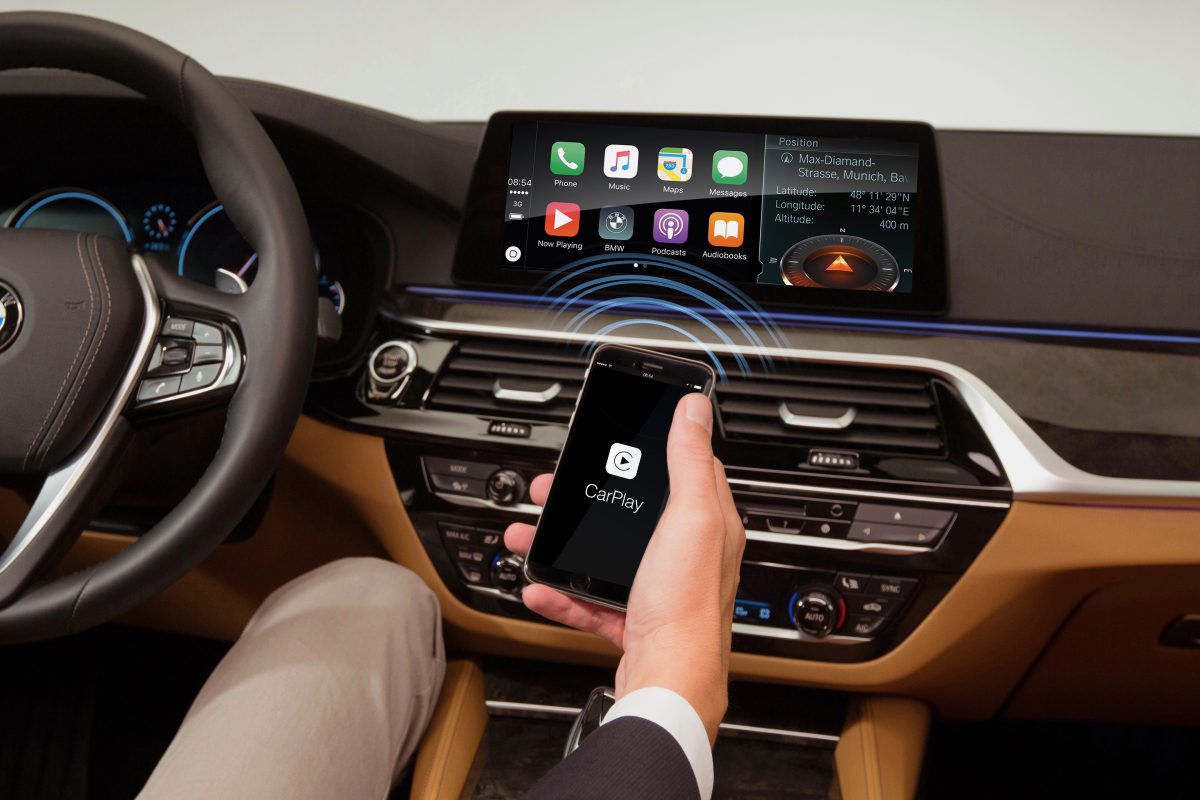
    Volvo Cars is rolling out an important update for Apple CarPlay users in its vehicles worldwide. The over-the-air software update enhances the infotainment system and brings significant improvements to the Apple CarPlay experience. A key enhancement is the integration of Apple Maps and other supported navigation apps directly into the driver display (instrument cluster). This integration allows drivers to access navigation information conveniently while keeping their eyes on the road, improving safety and convenience.

    The update also improves call management by displaying call information on the driver display. Drivers can answer, reject, and end calls using the steering wheel buttons. Additionally, the CarPlay tile in the centre display now provides media information, making it easier to control media playback functions like play, pause, and skip.information

    Speaking on the announcement, Alwin Bakkenes, Head of Software Engineering at Volvo, said, “The latest update on CarPlay features is an excellent example of how we continuously improve and add features and functions together with our technology partners, making our customers’ experience richer over time.”

    In addition to the CarPlay improvements, the update brings various changes to enhance the overall driving experience. Drivers can now switch between different driver support functions using the steering wheel buttons. There is also an option to choose whether the wing mirrors should fold when locking the car. Volvo also says that the update includes minor engine calibration optimizations and bug fixes as well.

    The over-the-air update will become available on Volvo cars with Google built-in.

  • YouTube Music is testing a new style of Artist pages

    YouTube Music is testing a new style of Artist pages

    YouTube Music is one of the major competitors to Spotify. As a music streaming service, it has a wide range of features and even wider selection of artists. But what about the app’s design? Well, huge chunks of it have remained the same for a long time.

    But this is Google we’re talking about. We can see the company’s strive for innovation through products like its Android phones, such as the Pixel 7a and Pixel Fold. So how does that translate into refreshing YouTube Music? Well, with a test.

    Said test impacts the Artist pages in the app, which up until now was pretty straightforward and conventional. With this change, though, users who navigate to an artist’s page will be able to see a new section labeled “Discography” which includes new filters too.

    While users will be able to browse the given discography at leisure, they can also utilize the new filtering options to single out Albums or Singles specifically. As someone who appreciates a full album playlist more than some random selection of songs, I personally welcome this change with open arms!

    That being said, there was a short appearance of another visual mode too: Top Releases. This, of course, features the given artist’s most successful hits, but for some reason the feature was rolled back a few days after release. That being said: some users are still seeing it, which is… interesting?

    That might be because the page launched too early and wasn’t exactly finished, but it also may be due to some other, more dubious reason. Regardless, we’re sure that it will make an appearance again if — and when — the Big G thinks that it is ready.

    This change does limit the content offering on the first page of the artist pane, but in return it is also much easier to navigate. We still don’t know how wide the roll out of this revamp is, so you might want to check for any pending app updates today.

  • Google announces new Android features including a trio of useful new widgets

    Google announces new Android features including a trio of useful new widgets

    Google today announced new features for Android devices that are designed to get information to you faster, protect your devices, and more importantly, allow you to have fun. First, for those learning to read, is a new feature in Google Play Books available now called Reading practice. You’ll find Reading practice on Children’s ebooks marked with a “practice” badge in the Google Play Books app and it will read aloud certain hard-to-pronounce and unknown words. The child reading the book gets to say the word and receives feedback from the device in real-time.
    Hey widget fans, Google is adding a trio of new widgets to Android phones and tablets that are designed to help you track your stocks through Google Finance, view headlines from Google News, and get recommendations for movies and television shows to view from Google TV. I’m looking forward to adding all three to my Pixel 6 Pro home screen. To install a widget on your Android device, long-press on an empty bit of your home screen, tap Widgets, find the one you want, and add it to your home screen.
    You’ll soon be able to press play on your Wear OS-powered watch and hear Spotify’s DJ “spin” your favorite music, play episodes of your favorite podcasts, and more thanks to new tiles from Spotify for Wear OS. In addition, commuters in Washington D.C. and San Francisco can access their SmarTrip and Clipper cards via Google Wallet via their Wear OS smartwatch. All they need to do is “tap and ride” to start their commute.
    Speaking about Wear OS smartwatches, the always useful Google Keep app is being made available for your wrist with Google Keep for Wear OS. You’ll swipe through your tiles until you come to a shopping list, or anything else you’ve pinned from the app.
    I don’t know about you, but I enjoy using the Emoji Kitchen which mixes up two different emoji to create a weird-looking new sticker. Google is adding aquatic-themed combinations that will have you screaming “shark” on a hot day at the beach.
    Lastly, most Android users with Google Accounts in the U.S. can now use the Google One website or app to see whether their email address has been exposed on the dark web. Google will also advise you on what to do if a scan shows that your email address is part of a data breach. Google says that “Google One members in the U.S. are able to scan for additional personal information, such as their social security number. Access will also expand to more than 20 countries in the coming months.”
    And Pixel users should be looking forward to next Monday when the next Pixel Feature Drop is due. Those running the QPR3 Beta will be able to exit the Beta program without a penalty once they have installed the final version of the June Feature Drop on their compatible Pixel handset.
  • Google Chat may receive design updates and Mobile App redesign

    Google Chat may receive design updates and Mobile App redesign

    In recent years, group chats have seen a significant surge in demand, especially with the rise of remote work in specific industries. Communication software like Slack, Microsoft Teams, Chanty, and Google Chat have become go-to platforms, making any news regarding their updates worth paying attention to.

    It appears that Google Chat may be gearing up for some design updates, including a fresh logo and a redesigned mobile app, to improve conversation management.

    The tech giant recently showcased a four-color icon when discussing Google Chat. Google clarified that this was a concept for the future of Google Chat. Currently, the logo consists of overlapping speech bubbles, reminiscent of Google Chat’s predecessor, Hangouts.

    The proposed new logo aligns more closely with other Google features, following the same four-color scheme and graphic layout in the style of Gmail, Drive, Meet, Maps, and more. The new logo looks like a chat bubble with a slight drop-off in the right corner—simple and quite similar to the Google Calendar’s logo, which for some might be a bit confusing, especially when in a hurry.

    9to5Google also suggests the possibility of a redesign for the Google Chat mobile app. Right now, the app includes a bottom bar with two tabs: Chat and Spaces. “Chat” encompasses both one-on-one and group conversations, while “Spaces” are designed for larger teams, similar to other popular communication software solutions.

    The redesigned version may introduce top tabs on the app’s main screen. The “Timeline” tab is expected to comprehensively view all conversations, including chats and spaces. Users may be able to categorize their conversations by labels such as All, Unread, Pinned, DMs, and Spaces.

    Another tab could show conversations where you are mentioned directly, which may be a lot easier in terms of managing your conversations.

    With potential improvements in the form of a new logo and enhanced functionality, Google Chat may be aiming at becoming a more competitive app among the many others out there.

  • Google Fi Wireless rolls out redesigned app with updated branding

    Google Fi Wireless rolls out redesigned app with updated branding

    Google Fi Wireless, which is Google Fi’s new name after the rebrand last month, has updated its mobile app with a redesign that makes it easier for customers to manage their family’s Fi subscription. The new app offers several new capabilities, including the option to check how much data each family member has used, set data limitations, and add new people to the plan.

    The app redesign was also teased last month with a short animation showing off the new family-oriented features. These also include parental controls to protect any minors added to the plan.
    As part of the redesign, a visible “Cycle ends” timer now appears on the top right of the app, alerting you when your plan resets. Right below that, you will see letter avatars representing each member that is part of the plan, which you can click on to check individually. Additionally, there is a “Group” avatar which is where you can check your plan highlights and any offers or deals that may be of interest to you.

    If you’re not on an Unlimited plan, your manager account will show data consumption with Overall and Daily views. The top “Your safety features” or “Help protect” area shows the status of silencing unknown callers or selecting only to receive calls or texts from phone contacts. It also s hows the status of your Location sharing and any Data alerts.

    This family dashboard sports the familiar Material You UI and allows you to check all of your family members’ data consumption in one spot. This can be useful for tracking who is using how much data and ensuring that everyone is staying on track with their usage in the case that you don’t have an unlimited plan.

    This redesign is rolling out with version 85 of the Google Fi Wireless app on Android, however, there is a server-side component that needs to be switched on before the changes can be seen. Fortunately, it appears that this switch has been flipped for more users in the past few days.

  • Google Drive will soon get its own Spam folder just like Gmail

    Google Drive will soon get its own Spam folder just like Gmail

    In an effort to enhance user experience and fortify its security measures, Google announced a new update to Google Drive that those that have been plagued by spam will surely appreciate. This update will introduce a new spam folder within Google Drive, which will work similarly to what we have now with Gmail.

    Unfortunately, spam and malicious attempts are becoming more common in today’s digital world. In fact, according to Google, it is constantly blocking spam from our email inboxes at a rate of 15 billion unwanted messages daily. Thankfully, these same protections are now being expanded to Google Drive, one of the latest targets spammers and scammers alike have gravitated towards.

    To separate legit Google Drive files from potential spam, Google will be adding a new view or folder within the application that will let you sort through and classify them as needed. If an uninvited file finds its way into your spam folder, you’ll be automatically unsubscribed from it, effectively halting any subsequent notifications, such as comments, shares, or mobile push alerts. Once you’ve opted out, the file will be inaccessible from any location in Drive except for the new spam folder, which will live in the left sidebar.

    Just like Gmail’s spam folder, Google Drive will automatically scan and reroute files that are highly likely to be unwanted to the spam folder. However, users remain under control and can always manually move files back and forth between their My Drive and Spam folder. Once a file has been in your spam folder for over 30 days, it will be automatically deleted from your Drive.
    This update to Google Drive will be available to all Google google accounts, including personal ones, starting on May 24th, 2023. The new Spam folder will be visible on Android, iOS, Drive for Desktop, and the Drive homepage on the web. Note though, that it will undergo an extended two-week rollout starting on the launch date.
  • Google Accounts receives a major security feature today

    Google Accounts receives a major security feature today

    Google Accounts already have a few layers of security features meant to protect accounts from multiple types of online attacks. Today, the search giant launched a brand-new security feature, which seems to be the most powerful ever supported by Google Accounts: passkeys.

    Passkeys aren’t just an almost foolproof protection method for those using Google Accounts, but a very convenient way to sign in. If you’re unfamiliar with the term, passkeys have been around for a while, representing an alternative to passwords. Passkeys are used to sign in to apps and websites and are not just much easier to use than passwords, but also more secure.

    Basically, passkeys work the same way as many of the unlocking options that we now have available on just about every smartphone: fingerprint, face scan, or screen lock PIN. Instead of using a password, passkeys allow you to sign in to apps and websites using any of the methods mentioned.

    As you can imagine, passkeys are safer than passwords because they’re resistant to online attacks, including phishing. They’re even more secure than SMS one-time codes.

    Google announced that it’s now rolling out support for passkeys across Google Accounts on all major platforms, including Android and iOS. These will not replace current sign in options, but they will be available as an additional option that users can take advantage of.

    Passkeys aren’t enabled by default, so you’ll have to set them up via your Google Account settings. As far as Google Workspace accounts go, administrators will soon have the option to enable passkeys for their end-users during sign-in for, the company confirmed earlier today.

    The passwordless sign-in experience is certainly something more convenient and more secure than anything Google Accounts offer currently. Considering that most smartphones these days come with a fingerprint sensor or face unlock support, just about anyone will be able to use the new security feature.

  • Google News smartphone app gets limited Material You makeover

    Google News smartphone app gets limited Material You makeover

    Google’s Material You design language has been used to update several Google apps including some very popular ones such as Google Maps, Gmail, and Google Photos. Now the Material You look is coming to the Google News smartphone app. The changes include a pill-shaped indicator highlighting the tab you selected at the page’s bottom. The dynamic theming feature, which changes the color of the app’s interface to match the dominant color of the wallpaper being used on an Android device, is not working yet as the app defaults to a blue color for accents.
    The tablet version of the Google News app has already been through the Material You makeover which added a navigation rail on the left-hand side with buttons for Headlines, Newsstand, Following, and For You. The same blue pill used to highlight the selected tab being viewed on the smartphone version is used to highlight the selected tab on the navigation rail.
    Remember that the Material You additions to the smartphone version of the Google News app has yet to be disseminated to everyone. It did hit the Google News app running on my Pixel 6 Pro running QPR3 Beta 3 but if you haven’t received this app version, you will soon.
    There is no indication from Google when the rest of the Material You features will be available to the Google News app. The app briefs you on top stories, shows you local news from your area, takes deep dives into stories with multiple perspectives, and even shows you stories based on your interests. If you want the Google News app on your Android phone, you can tap on this link to install it from the Play Store. Apple iPhone users c
  • New Google Authenticator update enables one-time codes to be stored in your Google Account

    New Google Authenticator update enables one-time codes to be stored in your Google Account

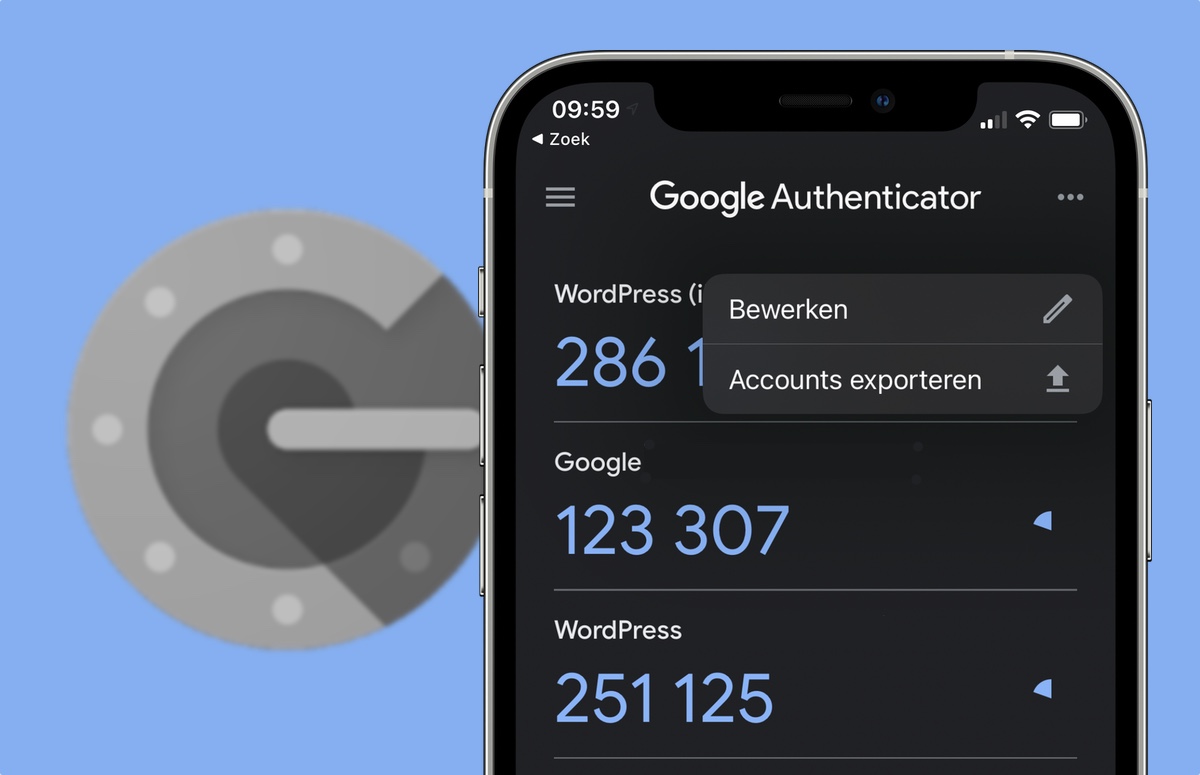
    Google Authenticator, the widely used two-factor authentication app, now allows users to sync their one-time codes in the cloud. This update aims to make it easier for users to switch between devices without losing their authentication data.
    The update was announced today via the Google Security Blog and it affects both the iOS and Android app. Previously, users had to manually transfer their codes from one device to another or disable and re-enable two-factor authentication when switching devices. This process could be cumbersome, especially for users who frequently switch between devices, replace their phones, or had their device stolen.
    The new cloud sync feature will automatically store users’ authentication data in the cloud, allowing them to access it from any device with the Google Authenticator app installed. To enable Google Account synchronization in Google Authenticator, users will need to open the app, tap the menu icon, select “Settings” and tap “Backup to Google Account,” then follow the on-screen instructions to sign in to their Google Account and enable backup.

    Once backup is enabled, one-time codes will be stored securely in the users’ Google Account, so if their device is lost or stolen, they can be restored simply by signing in on a new device and requesting to “Restore codes.”

    Google explains that with this update the company is making one-time codes more resilient by securely keeping them in users’ Google Accounts, improving user lockout protection and allowing services to rely on users maintaining access, which boosts convenience and security.

    Google has long promoted a number of methods for safe authentication across the web in addition to one-time codes from Authenticator, such as Google Password Manager and “Sign in with Google” options across the web. Additionally, Google has been collaborating with the FIDO Alliance to facilitate the move to using passkeys, instead of passwords, which will provide users with even more practical and secure authentication options.