From the account switcher, you can switch which Google account you want to use to view. Keep in mind that switching the account will change what you see on all Google apps from Gmail, to the Google app, Messages, Calendar, and more. With multiple Google account you can have one for your personal life and one for work.
Tag: Google
-

The Google app and account switcher get Material You makeovers
If you happen to have more than one Google account you’re probably familiar with the Google account switcher page. From the page, you can switch between all of your Google accounts. For example, you can have multiple Gmail accounts if you have more than one Google account. To switch between them you tap the profile picture or your avatar (it might just show the first letter of your name) on the right side of the search bar at the top of the screen and that will allow the account switcher to appear.The old Account Switcher look is at left, the new look is at right. Image credit Android PoliceGoogle has released a Material You makeover for the account switcher page that takes the rectangular box found inside the page and changes it to a rounded design. Android Police in Google apps such as Search, Maps, Calendar, Photos, Drive, and Docs have spotted the new look. Not everyone has the updated account switcher yet as this writer has yet to find it on a Pixel 6 Pro running Android 13 QPR2 Beta 2.1. The change to the account switcher page is purely cosmetic since it doesn’t add any new features or capabilities.Speaking of changes, Google has also changed the iconic Google app using Material You theming. With the update, when you select a tab from the bottom bar, that choice (be it Discover, Search, or Collections) will be found inside a small blue pill-shaped enclosure. In Search, you’ll see the carousel of filters near the top of the screen (matching the aforementioned pill shaped enclosure on the bottom) with a more traditional search field on top.9to5 Google says that the changes appear on beta version 14.4 of the Google app. Material You is the design language used by Google. In describing what it means, Google has said that “Material You explores a more humanistic approach to design. One that celebrates the tension between design sensibility and personal preference, and does not shy away from emotion. Without compromising the functional foundations of our apps, Material You seeks to create designs that are personal for every style, accessible for every need, alive and adaptive for every screen.” -

Swiss Banks See Opportunity From Google and IT Layoffs
Tech giants such as Google, Meta, and Microsoft are cutting tens of thousands of jobs worldwide. Swiss financial service providers, desperate for IT talent, are now positioning themselves.
We are seeing candidates with careers at the big tech groups looking for new employment,» observes Stephan Surber.
This should greatly boost the active job market for these sought-after forces, the Switzerland head and senior partner of executive recruiter Page Executive said.
The Swiss financial industry waited a long time for this to happen. Until now, it has been practically impossible to poach IT talent from Google, which has around 5,000 employees in Switzerland. Banks were not only outdone in terms of coolness but also in terms of wages.
But now the winds are shifting. American companies Amazon, Microsoft, and Google parent company Alphabet are planning to lay off 40,000 employees worldwide in the next few months. The Facebook group Meta is said to be cutting 11,000 jobs.
The technology giants are not only correcting the exuberant job growth during the Corona crisis but responding to business model headwinds. Rapid growth has become more difficult in the face of a weakening economy. Investors are not as flush with cash as they once were since the central banks ended loose monetary policies.
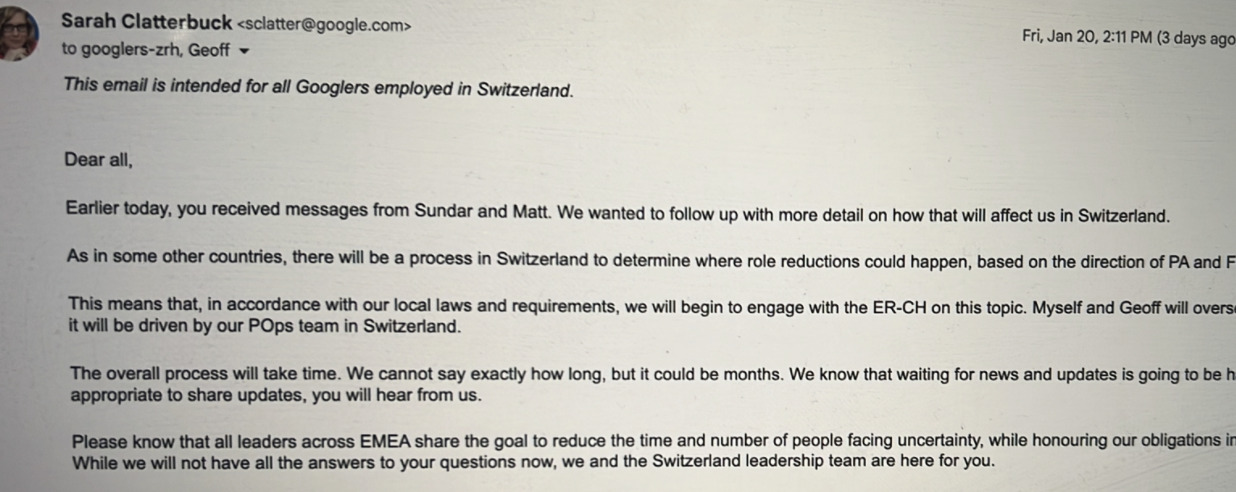
As the financial portal Inside Paradeplatz reported, the wave of layoffs is hitting one of the country’s most sought-after employers: Google Switzerland. According to internal e-mails, management is preparing the workforce for possible job cuts. However, they said this could only take effect in a few months.
Swiss Banking is keeping its ear to the ground, according to Reto Jauch, a managing partner at Zurich-based executive search firm Schulthess Zimmermann & Jauch.
Downsizing at tech firms is already an issue at many Swiss banks, he says. Boards and managements are assuming they can attract talent.
This comes after financial institutions struggled to attract up-and-coming technology talent, like most Swiss industries desperate for IT expertise. A survey conducted by the industry association Arbeitgeber Banken in 2021 showed IT is the only area in which the institutions still plan to create jobs in the next few years, amidst a declining employment trend for the profession as a whole.
Even if the job cuts in tech offer a golden opportunity to poach experts, this will not be a cakewalk for the banks. It is by no means enough to place advertisements. «A clear positioning is needed; these forces demand purpose and a destination from their employer,» says headhunter Jauch.
The search for purpose in one’s work, is often laughed off as a fad by veteran bank managers. UBS CEO Ralph Hamers, a fan of digitization who coined the term in Swiss banking, is seen by more than a few as an irritant because of it.
But the country’s largest bank is not letting anything go to waste in the battle for IT talent. Not only does UBS advertise a culture of engineers it also beckons with continuing education for IT specialists and internal awards. Borrowing from tech industry practices and depending on their level of training, employees can call themselves Certified Engineer, Distinguished Engineer or even Technology Fellow.
It remains to be seen whether UBS will be able to score points with these titles given the cutbacks at Google & Co. For Oliver Berger, partner at search boutique Witena in Zurich, this means that at most one battle has been won, but not the talent war.
This has just started and will continue for the next ten to 15 years, says the executive recruiter. What we are seeing at the moment are just the precursors, he . That’s because he said Switzerland has too few skilled workers, trains too few, and lets too few cross the border.
Accordingly, the layoffs at tech companies are also likely to be short-lived before the market picks up again, he warns. We’re kind of experiencing a bull market rally in a bear market here.
-

Google News app on tablets to get a Material You redesign
Material You has been the de facto design language for Android since its unveiling back in 2021. Since then, Google has been hard at work updating all their apps to fit the new design, including those used in tablets, but there was one app that was partly overlooked, Google News.Back in May, with Google News version 3.53, the Material You design philosophy began to be implemented by making the bottom navigation bar taller, giving it a slight hue, and adding a pill-shaped indicator for whatever tab you’re now viewing. This revamp was still in the early stages at the time, as the Material You features did not yet adhere to the Android theme colors.However, now with version 5.71, the story begins to change. This version brings that same redesign of the Google News app in tablet view. As before, a navigation rail with Material Design 3 (MD3) components was added, even if only available in landscape orientation.The new look was documented with screenshots via the Google News Telegram group, as seen below:In this redesign, the page content is now separated from the header and navigation rail by staying enclosed in its own section with rounded corners on top. The shape of the search bar was also modified slightly, but the navigation rail is visible on tablets and phones if used in landscape orientation.The navigation rail seems to be a common theme for Google when it comes to implementing Material You. It has already used a similar design in Google TV and Google Drive, and if the trend continues it is sure to make its way into other Google apps as well.I happen to like the navigation rail, as I believe it makes the design cleaner and less cluttered. The ability to expand it to view more content per category highlights its flexibility and adaptability to any app it may get implemented on. -

Google widens its testing of WhatsApp-like feature for its Messages platform
Android users, you can’t complain about how messaging on the platform is behind the times if you’re using one of the messaging apps offered by your carrier. If you want features like end-to-end encryption, read receipts, typing indicators, and no character limit (vs. 160 limit with SMS), Android users need to be using the Google Messages app which can be downloaded from the Google Play Store.It sounds a lot like Apple’s Messages app, right? And here’s the thing. When are Android users using RCS Chat to message fellow RCS Chat users, what color their text bubbles are? Did you say blue? And what do you think happens in a group chat when an iOS user joins the convo? All of these features disappear. Sound familiar?Last October Google started beta testing a feature already employed by some of the better third-party messaging apps. Replacing delivery indicators such as Sent, Delivered, and Read (which are all self-explanatory), Google turned to the tried and true checkmark system. One single checkmark in a circle indicates that a message has been sent. Two checkmarks in a circle icons side-by-side reveal that a message has been delivered. And if those two side-by-side checkmarks in a circle icons appear filled out, it means that the message has been read.Android Police notes that Google has extended the beta test to more Android devices and this writer discovered the checkmarks on a Pixel 6 Pro running Android 13 QPR2 Beta 2.1. To see if this feature is available for your phone, simply engage in a chat with one of your Android-using pals (make sure that they are using the Google Messages app) and check to see how the read receipts are being handled on your device. The use of a checkmark system as a delivery indicator can be seen in third-party messaging apps such as WhatsApp, Messenger, and Signal.Google, as you might know, has been asking Apple to support RCS in the hope that both Android and iOS users can live in peace and harmony. As expected, Apple has not agreed to Google’s request. -

Screenshot reveals a new feature is coming to the Google Messages app
Some of the better third-party messaging apps, like WhatsApp, allow you to create a profile that includes a picture or avatar. On WhatsApp you can check out the profile created by one of your contacts by tapping the magnifying glass icon found on the upper right of the display and typing in his or her name in the search bar when that name appears on the top of your chat page, press on it. You will see that person’s WhatsApp profile.It would appear that Google is going to allow Android users employing the Google Messages app to create their own profiles. The page was discovered by going to settings and searching for profiles. We need to point out that Android Police says that Esper’s Mishaal Rahman actually discovered the Profile page, so we should give credit where credit is due. The page, currently, is not functional though.The tipster says that if implemented by Google, Google Messages users can create a profile with a photo, name, and email address. Based on the screenshot, it appears that users will be able to decide who can view their profiles. We’d expect the options to include one setting that would allow anyone who sends you a message to view your profile if you send back a response. Another setting would allow only your contacts to see your profile, and the third and most restrictive option would allow only you to view your profile.Other controls would allow you to receive a notification when one of your contacts makes a change to his/her profile, and one that would send you a notification when a new contact is found.Currently, we have no idea when or if Google plans to launch this feature. It’s probably a good idea since most people are not going to remember every person they’ve ever engaged in an online chat. A quick look at a user’s profile might restore their memories. -

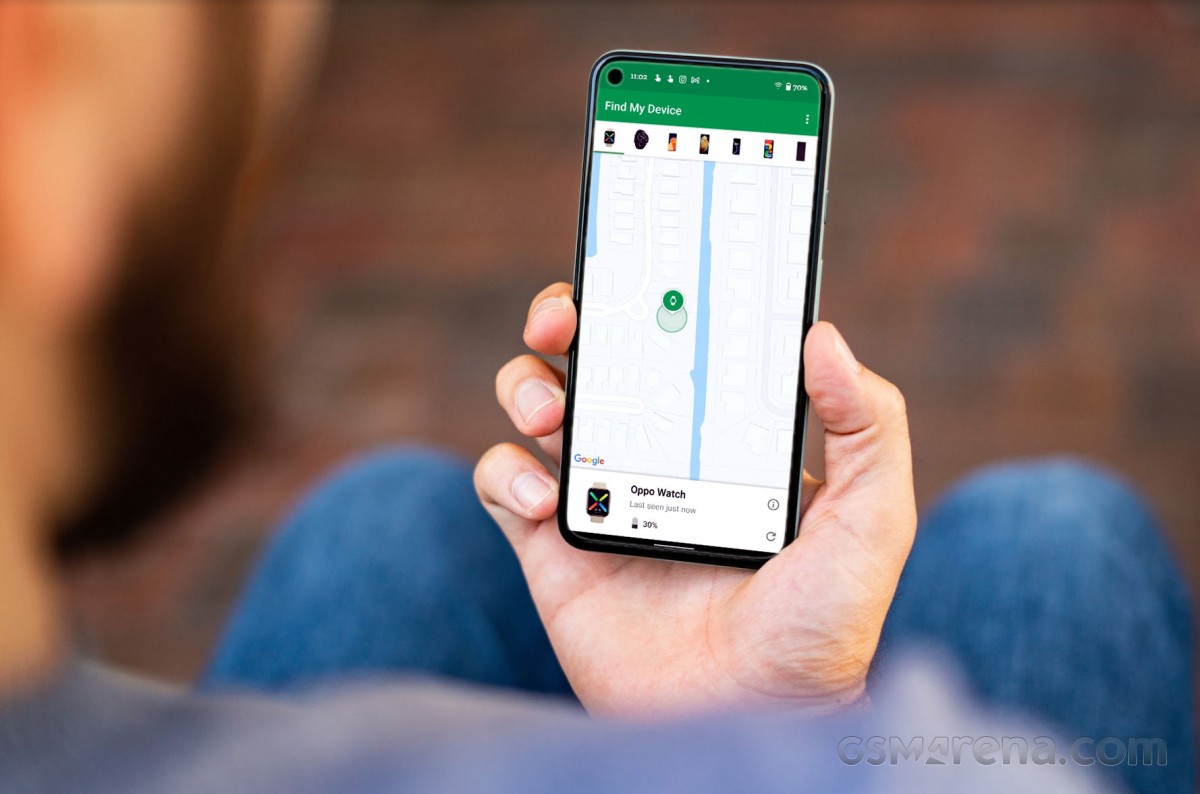
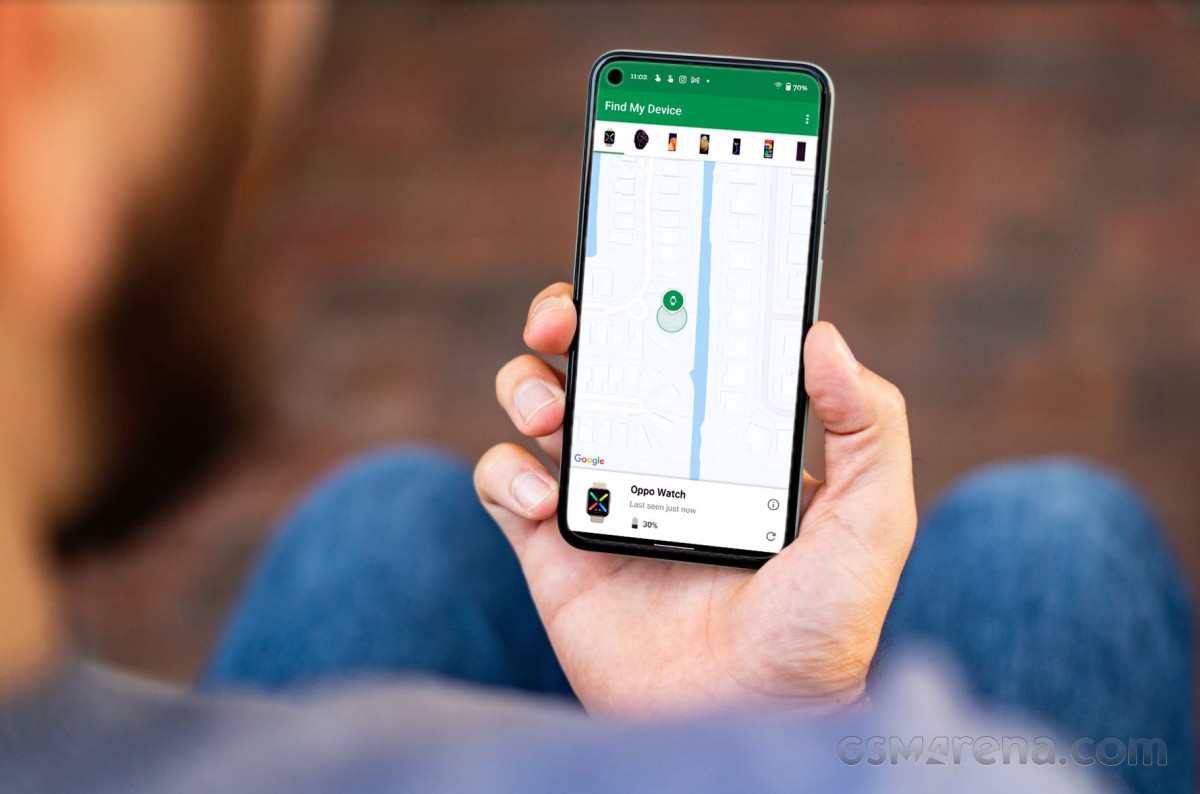
Google’s “Find my Device” app gets a Material You redesign
Google turned to Material You as its official design language back in 2021 and has since then been slowly updating all of its native apps. However, there is one app in particular that had been neglected and never did get its Material You overhaul until now, the “Find my Device” app.
Similar to iOS’ “Find my iPhone” app, Google makes the “Find my Device” app available to Android users who want to be able to track the location of their linked devices. Google has turned its attention to this app and is now pushing out an update to bring the new look to it.As you can see from the above screenshots, the first two images show the outdated design the app has been using since it launched. However, after the installation of version 2.5.001 things start to look more refined and modern.When opening the app for the first time after upgrading, a list of all compatible devices associated with your account will be displayed. Unlike the way it worked with the previous version, this actually makes it easier to choose which device you want to track.In addition, there is support for a dark theme, which corresponds to the system theme. However, the app is still missing support for themed icons, joining the ranks of the YouTube Studio app, which has yet to be updated for some reason.The new redesign appears to be part of this particular app version, not a server-side rollout. However, as it usually goes with any of Google’s apps or features, updates are usually staged and not everyone gets them simultaneously.In the meantime, you can check if the update is available to you by checking the Google Play Store. If it doesn’t -

Google testing new look for Android YouTube app
Some Android users employing the YouTube app might have noticed that a change has been made to the progress bar on the video player when in Dark mode. This is the line under the video that appears when watching streaming content in portrait orientation. The bar moves to the right as a video plays and also shows how much of a video has loaded. Typically, the progress bar is red although some Android users, including this writer, now see a white or gray progress bar instead.With the white/gray progress bar showing, you will no longer see the part of the line that shows how much of a particular video has been loaded on the app. Touching the line to move ahead or to go back (an activity known as scrubbing) will bring back the red color as will tapping on the video to get back the controls. When the progress bar returns to the original red color, it will once again show how much of the currently selected video has been loaded.When watching in landscape orientation, you don’t see the progress bar unless you tap the screen, and then it will appear for a second. The progress bar in landscape is in red and hasn’t been changed-at least not yet. And we need to point out again that the change to the color of the progress bar in portrait is seen only when you are watching YouTube in Dark mode. In Light mode, the progress bar is red so it can stand out. It makes sense that a white/gray progress bar would be more easily seen with a dark background.If your YouTube app doesn’t exhibit this change, don’t fret. This could be the usual A/B test that Google is famous for running. For what it’s worth, the Pixel 6 Pro used by yours truly does have the white/gray progress bar but it is running Android 13 QPR2 Beta 1.
-

Google testing new look for Android YouTube app
Some Android users employing the YouTube app might have noticed that a change has been made to the progress bar on the video player when in Dark mode. This is the line under the video that appears when watching streaming content in portrait orientation. The bar moves to the right as a video plays and also shows how much of a video has loaded. Typically, the progress bar is red although some Android users, including this writer, now see a white or gray progress bar instead.With the white/gray progress bar showing, you will no longer see the part of the line that shows how much of a particular video has been loaded on the app. Touching the line to move ahead or to go back (an activity known as scrubbing) will bring back the red color as will tapping on the video to get back the controls. When the progress bar returns to the original red color, it will once again show how much of the currently selected video has been loaded.When watching in landscape orientation, you don’t see the progress bar unless you tap the screen, and then it will appear for a second. The progress bar in landscape is in red and hasn’t been changed-at least not yet. And we need to point out again that the change to the color of the progress bar in portrait is seen only when you are watching YouTube in Dark mode. In Light mode, the progress bar is red so it can stand out. It makes sense that a white/gray progress bar would be more easily seen with a dark background.If your YouTube app doesn’t exhibit this change, don’t fret. This could be the usual A/B test that Google is famous for running. For what it’s worth, the Pixel 6 Pro used by yours truly does have the white/gray progress bar but it is running Android 13 QPR2 Beta 1.
-

Google Voice update will put users on the best quality Cellular or Wi-Fi network automatically
If you need a second number that will still ring through to your smartphone, you might consider the Google Voice app. Subscribers to the service can also make phone calls using this second number, and send/receive text messages. The second phone number could be used for personal calls, or if you have a business that you don’t want to have connected with your personal number, you can use the second phone number for that. This way, calls made to your business number will be sent directly to your smartphone even if you’re on the go.Using Google Voice for personal use is free anworks withth Android and iOS-flavored devices. It also will work on the web. As long as you use the phone number provided by Google to make or take a call once over a six-month period, you will keep that phone number for the following six months. Once you go more than six months without using the assigned number, it reverts back to Google to give out to another Voice subscriber.Besides using the app to make and take calls and send/receive texts, Google Voice will also save your voicemail. In fact, not only will it save your voicemail, Voice will also transcribe these messages and save the transcriptions or share them with others.If you are using Google Voice for business, pricing for the “Starter” tier is $10 per month per user with a 10-user maximum. Calls can be made to 10 domestic locations. The “Standard” tier with unlimited domestic calls will cost $20 per month per user with no cap on the number of users. And the Premier tier, which offers unlimited domestic and international calls, is priced at $30 per month per user with no cap on the number of users.Google has just made a useful change to Google Voice. According to a Google Workspace support page, “To ensure the best call experience, Google Voice now automatically switches ongoing calls between cellular data service and Wi-Fi when it determines that one network type will lead to better call quality. Previously, Voice identified the ideal network only at the time the call was placed and did not make any corrections for changes in network performance that might occur during the call.”In other words, before the update, if you were in the middle of a Google Voice call made over cellular and the call quality deteriorated, you were out of luck since you could not switch to a Wi-Fi connection in the middle of the call. But now, after the update, Google Voice will switch automatically to the network offering the best call quality. The new feature is now available to all Google Voice users.To install Google Voice tap this link for Android handsets and press on this link for iOS-powered phones. -

Vietnam collects $146M from online platforms such as Facebook, Google
Forty-two foreign suppliers, including Facebook, Google and TikTok, have paid VND3.44 trillion ($146.40 million) in taxes to Vietnam this year, according to the new portal of the General Department of Taxation.
The portal was established in March to make it easier for cross-border giants to pay their taxes in Vietnam, the department said in a report released Thursday.
Vietnam is forecast to collect VND1,460 trillion in taxes and fees this year, exceeding its earlier estimate by 24.3%. This is an 8.5% increase from 2021.
Sixteen out of 19 tax areas recorded growth for the year, such as state-owned companies (up 8.7% year-on-year), foreign direct investment (2.5%), and the private economy (1.4%).
Hanoi and Ho Chi Minh City each collected over VND300 trillion in taxes and fees for the year.
-

Changes are coming to the Google Search UI
The Google Search app user interface is about to get a new look. Google is testing some changes to the app, including a thicker search bar. Icons for voice search and Google Lens will remain on the bar. Also new, besides the girth of the search bar, is a carousel directly underneath with shortcut suggestions such as “Search recent Screenshots from your library,” get help for your homework using your camera and Google Lens, how to identify songs, and more.These suggestions can tell you about things that Google Search can do that perhaps you didn’t know about. They also can start the process and get the ball rolling with a single tap on the screen.
Also new is a bell icon next to your profile picture in the upper right of the screen. Tap on it to see notifications related to all the topics you subscribe to on Google. Other improvements are coming to the app, including showing you search results even before you’ve finished typing. Just to let you know, this is different from showing you suggestions on what to search for as you type as that is currently available on the Google Search app.The difference is that with the new feature, Google Search will try to figure out what you are looking for even before you finish typing it into the search bar and will show you results before you are done. If Google has the correct topic, you will shave valuable seconds off of your session with Google Search. If Google is wrong, the time it takes you to look down on the screen to check and type your query out completely will add a few seconds to your Google Search session. So for this to be useful, Google has to nail the algorithm.Right now it’s still being determined whether Google is disseminating the changes mentioned above to the Search UI to everyone or if it is part of an A/B test (Google is known to run these often).
-

New useful features to hit the Google Play store app soon
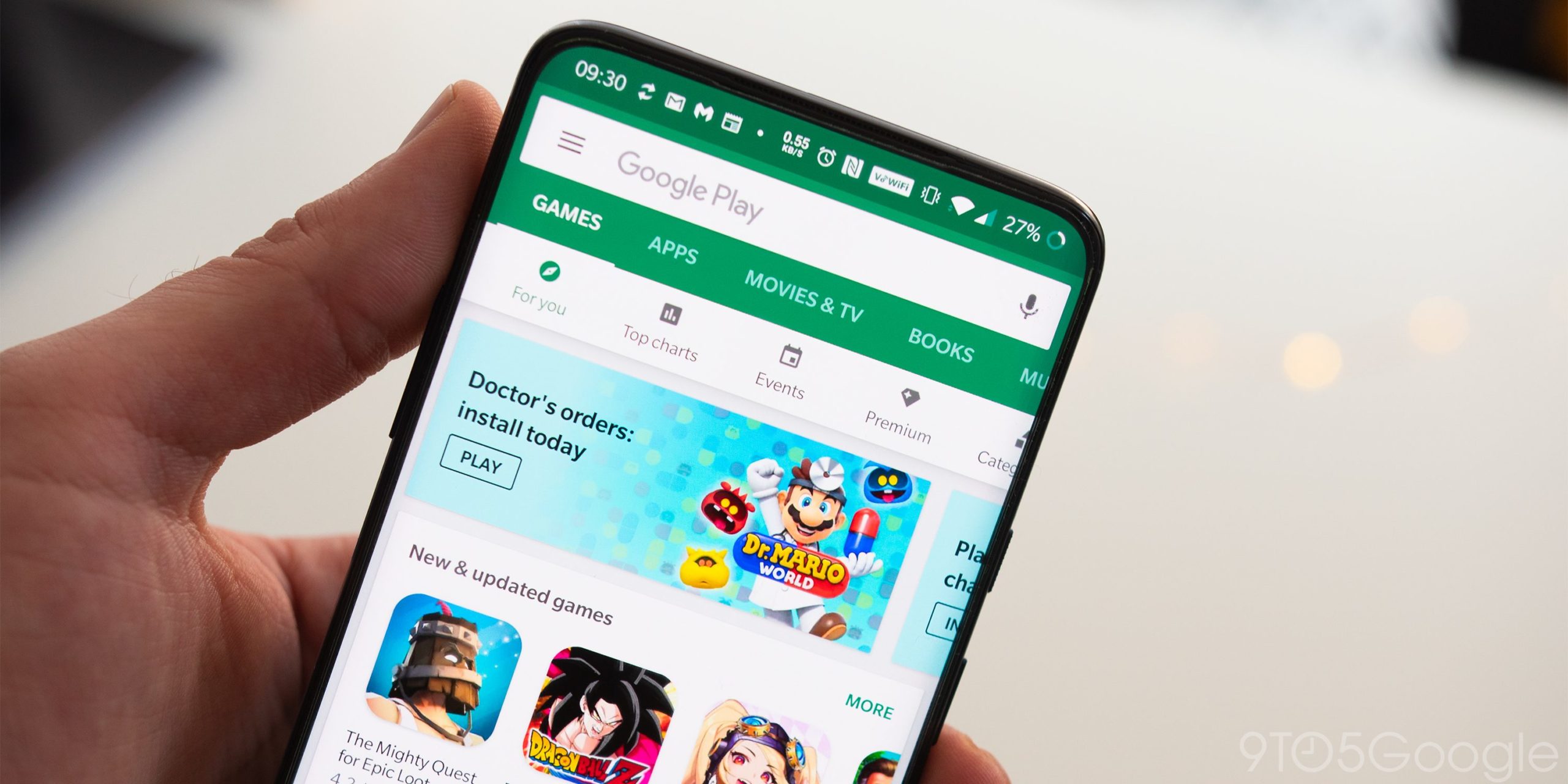
Two new features are headed to Google’s Play store app on Android and they are aiming at improving the user experience in different but notable ways. We’re to see a brand new download progress indicator and the option to archive apps.
Currently, if you want to check how much longer you’ll have to wait before that new app gets installed, you’ll have to bring down the quick settings menu. The download progress will be displayed just underneath it, along with your notifications.
While that is great, it is somewhat limiting, as you don’t have a persistent indicator. Having one always-on screen – or the option to enable it – might help out people with limited connection speeds, who need to wait until one download is done before starting another.
Hence, the new download bubble is the upcoming solution. Reportedly, it will hang around on your screen and showcase your download’s progress, allowing you to browse the store or do something else until the installation is done.
If you are one of those folks who aren’t interested in such a feature: don’t worry! If you don’t want to see it, you can never enable it. And if you do, it allows you to move it or dismiss it, so even if you turn it on, you can always quickly send it away.
Great? Great! What’s better? Having options. Another new feature is expected, namely the ability to Archive apps, instead of outright uninstalling them. This one was also officially announced, so it’s not as much of a surprise.
Archiving basically allows you to delete an app, but keep the personal data associated with it. Personal data typically contains your settings, login information, and, for gamers – save data.
This option is meant to help out users with phones with smaller storage capacities. So, if you ever find yourself in a situation where you are running low on space, you could always Archive an app, without having to worry about losing any progress or settings.
At any point, after you’ve Archived an app, you could visit its page on Google Play and hit the Restore button, which at that point would’ve replaced Install. Whenever you do that, the app will download its missing files, allowing you to use it again fully.
Well, given that we’ve got this info thanks to an App teardown, that would mean that these functions are already in there in some capacity. Though that doesn’t mean that they are ready for release, it means that they are being actively tested.
As such, we can expect these features to become available soon to the public. If you happen to notice that you’ve got an update for the Play store pending, you should make a mental note to check for these in your app settings.
-

Google changes some chimes for its RCS powered Messages app for Android
Google has been spiffing up its Messages app for Android. Last month, it revealed a new icon for the app, and now there are new chimes for sent and received messages. You can change the sound that plays when you get an incoming message. Go to Settings > Sound & vibration > Default notification sound. Tap on the top box, and you’ll see a list of sounds you can pick as the one you will hear to alert you of an incoming message. Be sure to hit “save” on the screen’s upper right after making your selection.But even though you can choose the sound that will play to herald an incoming message, the Messages app determines the sound that will play for incoming and outgoing messages when a thread is open. After going through testing for several weeks, Google has replaced the old incoming, and outgoing messages chime with shorter and softer sounds.Other changes on the way include the ability of the Rich Communication Service (RCS) platform found in Google Messages to allow users to react using any emoji they want to use rather than choose from the limited number include the ability of the Rich Communication Service (RCS) platforms found in Google Messages to allow users to react using any emoji they want to use rather than choose from the limited number of sevenA sent message will show a small circle with a checkmark inside while a delivered message will show two circles each with a checkmark inside. A message that has been read will still have the two circles with the checkmarks, but the inside of the circle will be colored in. This smells like a server-side update that will require Google to flip the switch on its end to disseminate the update; there is nothing that you can do about it on your end to make it arrive faster.Hey! We should also point out that if you have an Android phone and you want the features of RCS which including the ability to send longer messages, higher quality video and images, get read receipts, typing indicators, and use emoji reactions, you need to dump the carrier-based Messages app you’re currently using (like Verizon Messages for example) and download Google Messages found in the Play Store. -

Vulnerability not yet fixed leaves millions of Android phones at risk
According to Google’s Project Zero team of security analysts, millions of Android handsets are vulnerable to an unpatched vulnerability known as CVE-2022-33917. CVE stands for Common Vulnerabilities and Exposures , and each CVE number refers to a specific flaw. The aforementioned CVE is a vulnerability that affects Android devices that are equipped with ARM’s Mali GPU. That means that Google Pixel and Samsung Galaxy handsets are affected along with Android smartphones made by many other manufacturers.Until the patch is disseminated, attackers can potentially exploit the flaw. Google says that this would allow attackers to “continue to read and write physical pages after they had been returned to the system.” Furthermore, the company adds that “by forcing the kernel to reuse these pages as page tables, an attacker with native code execution in an app context could gain full access to the system, bypassing Android’s permissions model and allowing broad access to user data.”Project Zero notes that it told ARM about the vulnerabilities and ARM “promptly” fixed the issues in July and August of this year. ARM assigned the CVE-2022-33917 number to the flaw. But Google later found “that all of our test devices which used Mali are still vulnerable to these issues. CVE-2022-36449 is not mentioned in any downstream security bulletins.” In other words, devices made by Google’s own Pixel team, Samsung, Oppo, and Xiaomi were never patched and still have this exploitable vulnerability.Keep in mind that the phones at risk sport a Mali GPU which eliminates devices powered by a Snapdragon chipset. However, handsets using Google Tensor, Exynos, or MediaTek chips need to be patched. The good news is that Google is testing a patch that is expected to be pushed out “in the coming weeks.” Phone manufacturers building Android devices will also need to include it.Google’s statement reads, “The fix provided by Arm is currently undergoing testing for Android and Pixel devices and will be delivered in the coming weeks. Android OEM partners will be required to take the patch to comply with future SPL requirements.”And Google also has words of wisdom for Android vendors trying to prevent a similar incident from popping up in the future. The company makes it clear that vendors have a responsibility to patch their software flaws just like Android users must download security updates as soon as they are received.“Just as users are recommended to patch as quickly as they can once a release containing security updates is available, so the same applies to vendors and companies. Minimizing the “patch gap” as a vendor in these scenarios is arguably more important, as end users (or other vendors downstream) are blocking on this action before they can receive the security benefits of the patch,” Google wrote.
The search giant added that “Companies need to remain vigilant, follow upstream sources closely, and do their best to provide complete patches to users as soon as possible.”
Google has not said that the vulnerability has been exploited by any attackers but for the time being it remains a flaw that can be used to steal the personal data on certain Android phones. When the update does arrive-and Google has said that it will be coming soon-if you have an Android phone at risk, install the update immediately. You can quickly determine if you device is vulnerable by looking at the specs for your phone on PhoneArena and checking to see the manufacturer of the GPU on the device.If it shows that you have an ARM Mali graphics processing unit (GPU), your device is at risk. Keep checking in as we will update this story when the patch is disseminated.