Tag: Google

  • Google will soon allow Messages users to react using any emoji

    Google will soon allow Messages users to react using any emoji

    If you are messaging a fellow Android user who, like you, uses the Rich Communication Services (RCS) platform that is part of the Google Messages app, you can exchange longer messages, share larger video and image files, get a read receipt, enjoy end-to-end encryption, see a typing indicator, and more. Like Apple’s iMessage, none of these features will work when someone using another platform (like iMessage) is part of a group chat.
    But one thing that Google Messages users can do when talking among themselves, or even texting an iOS user, reacts to a message by sending one of seven emoji: thumbs up, smiley face with heart-shaped eyes, laughing with tears, surprised look, sad face with a tear, frowning face, and thumbs down. While those seven emoji will allow you to respond to many different messages, wouldn’t you prefer a wider range of possible options?
    Before we continue, let’s explain how Android users with the Google Messages app can respond to an RCS or Text message with an emoji. Long press on a chat bubble and you’ll see a pill-shaped popup containing the seven emoji mentioned above. Just tap on the one that best expresses how you react to a comment.

    For example, this writer is a beta tester for the Google Messages app yet the new feature is not showing up on my Pixel 6 Pro. If you are unable to access the emoji picker on your Android phone, don’t worry. Eventually, it will roll out for all Google Messages users.

    You can constantly check for an update by opening the Play Store app. Tap your profile pix or avatar or initials found in a circle on the right of the search bar at the top of the screen. From there, go to Manage apps & device and tap on the green See recent updates link. That takes you to a list of recently updated apps. At the top of the display, there is a tab reading Updates available. Tap on it and then tap on the Update all button.
    Google might end up using a server-side update which means that the company itself will flip the switch and you’ll never know until after it happens. We have no idea when you will receive the update containing the new feature but we have a gut feeling that it won’t be terribly long. Unless, of course, it is.
    You might recall that during the summer Google tried to pressure Apple into supporting RCS in a bid to stop the green bubble bullying that goes on when an Android user joins what was an all iOS group chat. When an Android user joins an all-iOS chat, many of the features of iMessage are no longer available and text bubbles turn green instead of blue. The interesting thing is that the same thing applies to iOS users who join an all RCS group chat on Android.

    The only difference seems to be that Android users don’t insult and bully those iPhone users who join their group chat which disables the RCS features in the same way that an Android user can disable iMessage features.

  • Google notes changes coming to Google Maps including AR-based “Search with Live View”

    Google notes changes coming to Google Maps including AR-based “Search with Live View”

    On Thursday, Google revealed in a blog post that some changes are coming to Google Maps. One new feature, “Search with Live View,” was unveiled in September and will start rolling out next week on both iOS and Android platforms in London, Los Angeles, New York, Paris, San Francisco, and Tokyo. The feature, which uses augmented reality, requires that you use your phone’s camera. Here’s how it works.

    Remember Live View on Google Maps? If you’re walking, the app will overlay arrows on top of a real-world view from your camera to help you navigate from one place to another. Live View will also show you certain landmarks. Search with Live View helps you find places that are close to your current location in certain cities.

    For example, let’s imagine that you are in New York City and you want to run some errands, do some holiday shopping, and, dine with friends. Thanks to AI, AR, and billions of Street View images, you can find the places you need that are mostly right in front of you. From the Google Maps app, lift your phone and tap on the camera icon in the search bar to see stores that are nearby along with coffee shops, banks, and ATMs.
    The user will see arrows and directions in front of a real-world view thanks to AR. And with all of those aforementioned Street View images available, even stores that are around the corner and not accessible to your phone’s camera can show up. And besides showing you the name of each store, bank, or restaurant, Search with Live View will provide you with other important information such as whether a store is open or closed, how busy it might be, whether its prices are cheap or dear, and how high or low the Google Maps community considers the business.
    The filter can also be used to show charging stations that use plug types compatible with your car. These new features are available right now on iOS and Android devices in countries
    that have EV charging stations.
    Lastly, Google reminds us that it has been two years since it started showing wheelchair accessible places in Australia, Japan, the U.K., and U.S. This feature will let you know when a destination is wheelchair accessible. The good news here is that the feature is now available globally on Google Maps regardless of whether you use the iOS or Android platform. To use it, turn on the “Accessible Places” setting in Google Maps. Here’s what you do:
    Open Google Maps and tap the initials, or profile pix on the right side of the search bar near the top of the display. Tap on Settings > Accessibility settings. Toggle on Accessible places which will “Show if places have wheelchair accessible features like entrances, seating, restrooms, and parking when searching or viewing a place.” Google does warn that accessibility information seen on this feature may differ from conditions in the real world.
  • Google launches e-wallet service in Vietnam

    Google launches e-wallet service in Vietnam

    Google launched its e-wallets in Vietnam Tuesday, allowing people to use them with Visa credit and debit cards issued by certain banks.

    Google Wallet would allow Android users to add Visa credit and debit cards to their phones for payment, replacing physical cards. Supported banks are ACB, Sacombank, Shinhan Bank, TP Bank, Techcombank (credit card only), Vietcombank and VPBank.

    Mastercard cards would be integrated to the e-wallet in a few more weeks, Google said.

    Users would need to download the Google Wallet app from the Play Store and fill in necessary info.

    “With millions of Vietnamese now using their phones every day to make payments, Google is excited to bring Google Wallet to Vietnam,” a press release quoted Chen Way Siew, Google Wallet Partnerships Lead of Google Asia Pacific, saying,.

    “Google Wallet is easy to use as you don’t need to transfer money into the app. It acts as a digital container that holds digital versions of physical items found in an actual wallet, such as payment cards,” he added.

    An e-Conomy SEA 2022 report by Google said e-payments were getting more popular and would reach a total transaction value of $143 billion in Vietnam in 2025. According to Visa statistics, contactless transactions account for around 37% of all transactions in Vietnam.

  • It’s now easier to update your apps in the Google Play Store

    It’s now easier to update your apps in the Google Play Store

    The guys over at Mountain View are tinkerers by nature. How else can you explain why there are so many small changes made to the Android UI or the UI on Android apps? These changes are usually made to improve the user experience. And Google has done it again, this time making a small but subtle change to the Google Play Store via a server-side update.
    Such updates are done without the user being involved and typically, a user might spot something different and say to himsel,f “this button didn’t look like this the other day, did it? Or am I seeing things?” The latest such change took place, as we said, in the Google Play Store where the “Update” and the “Update all” buttons have been made larger. The pill-shaped buttons are “plumper” which makes it easier to press when there is a long list of apps to update and there is one specific one you want to have updated first.
    The bigger “Update” and “Update all” buttons can be found on this writer’s Pixel 6 Pro running Android 13 QPR1 Beta 3. If you are still dealing with the “skinnier” buttons, there isn’t much you can do except wait for Google to tap the button that sets off the server-side update for your Android phone.
    To update the apps on your Android phone open the Google Play Store. Tap the round button with your initials or photo on the right side of the search field at the top of the screen. Press on Manage apps & device and you’ll be taken to a page that shows the number of app updates you have ready. Tap on details and you’ll see all of the updates that are ready in a queue. You can tap on each app’s individual (and hopefully plumper) “Update” button or press on the “Update all” button to take care of business with a single press.
  • Google is ending support for its dedicated Street View app next year

    Google is ending support for its dedicated Street View app next year

    It appears that another app will soon see its demise. One of Google’s plans for the next year is to shut down its dedicated Street View application.

    The app does exactly what its name suggests: it lets you browse the world’s streets in 360-degree photos directly from your smartphone. However, if this sounds familiar, it’s because the more popular Google Maps app also lets you do that by just tapping on the image of the place you want to see.

    The dedicated Street View app is mostly used by people who want to contribute their own 360-degree shots, but since Google now offers a “Street View Studio” web app, the Street View app just becomes redundant. So, it’s no surprise that Google has decided to end it.

    The news of the Google Street View app’s demise first came from 9to5Google. The folks there found out that in version 2.0.0.484371618 of the app, the tech giant has composed a few — still hidden from the public — shutdown notices, which say that the application will be shut down on March 21st, 2023.

    A little after 9to5Google’s report, a spokesperson, Madison Gouveia, confirmed that Google is indeed planning to shut down the Street View app in March 2023. However, we must note that the Street View service will continue to function, so you will still be able to explore the streets of your favorite cities, but only through the Google Maps app.

  • Google is expanding the storage capacity of its Workspace Individual plan to 1TB

    Google is expanding the storage capacity of its Workspace Individual plan to 1TB

    Well, we have good news for those who decided to use Google’s Workspace Individual plan in their business. As the tech giant announced in a new blog post, every Individual Workspace account will soon receive an increase in its storage space.

    But the increase won’t be just 100GB or 500GB. Subscribers to the Individual Workspace tier will soon have access to a whopping 1 TB of storage space. The upgrade will be automatically rolled out by Google, so users won’t need to do anything to obtain it.

    Currently, subscribers of the Individual plan have only 15GB of Google Drive storage, just like the free personal Google accounts we all use. But as users grow their businesses, they will need more space to keep their documents, data, and digital assets, so 15GB may not be enough at some point.

    In addition to the storage increase for Workspace Individual users, Google is also rolling out a new feature called “merge tags” to Gmail, allowing eligible Workspace users to send more personalized emails to their audiences from the web version of Gmail.

    When sending mass emails to many people all at once, users can put merge tags like “@firstname” and “@lastname” in their text. Upon sending the messages, these tags will be replaced with the first and last names of the recipient, creating more personalized emails. This feature will be available to users with Google Workspace Business Standard, Business Plus, Enterprise Starter, Enterprise Standard, Enterprise Plus, Education Plus, and Workspace Individual.

  • Google shuts down Stadia, all customers getting refunds

    Google shuts down Stadia, all customers getting refunds

    Google has a long history of killing off its services, despite vouching that they are here to stay. Granted, the search giant is always looking for ways to make its users happier, let’s not forget that the road to hell is paved with good intentions.

    That said, Google’s graveyard includes many services like Hangouts, YouTube Originals, YouTube Go, Chrome Apps, Google Play Movies & TV, Google Play Music, just to name a few. Unfortunately, Google Stadia is going to the same graveyard, too next year.

    I think it’s safe to say that we’re surprised it lasted that long, not that the service is being shut down. The fact that Google Stadia didn’t succeed during a 2-year pandemic that made throngs of people to turn to gaming, or the skyrocketing costs of graphics cards and the shortages, speaks volumes about how well the service was managed by the Mountain View company.

    The bottom line is today’s announcement isn’t a surprise for many of us, but it’s certainly a big surprise for developers that have games launching on Stadia in the coming months. Google did not announce any developers about its plans to shut down the platform, so it’s unclear if these developers will eventually receive any money from the search giant.

    However, if you’re just a Stadia user who bought games and the hardware from Google, you will be reimbursed. Google announced that it would refund all Stadia hardware purchases made through the Google Store, and all game and add-on content purchases made through the Stadia store. As you can imagine, this is a lot of money.

    Google Stadia users will be able to continue to play until January 18, 2023, after which the platform will be shut down. Also, Google confirmed it expects to have the majority of refunds completed by mid-January 2023.

  • Google reiterates cool new features coming to Google Maps

    Google reiterates cool new features coming to Google Maps

    Google is teasing new features that are coming to Google Maps including Immersive View. Using a combination of Artificial Intelligence, Street View, and aerial images, this feature is designed to take you into an area that you’re planning to visit (using your phone’s screen), add the current weather and traffic, and even allow you to virtually enter a store or a restaurant. With Immersive View, you can get used to the restaurant you have reservations for and even know what to expect in terms of the size of the crowd.
    As an example, Google shows how Immersive View can show you what it will be like to view a ball game at Oracle Park. You’ll see in advance where the parking lots and exits are, see what the weather will be on the day of your visit (so you can dress accordingly) and allow you to take a virtual walk around the restaurants near the ballpark so you’ll know where to go to eat before or after the game.
    Immersive View will be available on Google Maps (on iOS and Android) over the next few months in Los Angeles, New York, San Francisco and Tokyo. It will also be available in more cities in the future. Earlier this year we wrote this about Immersive View: “If you want to know what the atmosphere is like inside a restaurant, with Immersive View, you’ll be able to swoop down to street level and get a peek of the inside of the eatery.”
    With Neighborhood Vibe, Google Maps can tell you what makes a particular neighborhood special. Is it an area for foodies? Is it an area with an “artsy vibe?” You can find out by exploring photographs of a particular neighborhood to see what it looks like.
    And using Search with Live View, Google bring Augmented Reality (AR) to your phone. You might be familiar with Live View which allows you to see arrows and directions on your screen layered over a live feed from your phone’s camera. Live View is used to navigate walks in certain cities using Google Maps. Search with Live View will allows you to search and find certain things in your area such as ATM machines.
    Chris Phillips, the VP and GM of Geo at Google told reporters, “You can also see coffee shops, grocery stores and transit stations. You really get a sense of what an area is like at a glance. You can even see the business hours of a place that’s down the street. It’s an amazing way to bring it all together at once, it really simplifies the experience and gives you confidence when you’re trying to see what’s around you in that moment.”
    Over the coming months, Search with Live View will be available in London, New York, Paris, San Francisco and Tokyo for both iOS and Android users. Google, which revealed many of these new features during its I/O developers conference in May, mentioned them again during its Search On 22 event held on Wednesday. Google also released a video of the event for those who might have missed it.
    Google is also allowing developers to include Google Maps eco-friendly navigation with their apps. This will allow food delivery or ride share drivers using Google Maps to help them navigate, take routes that are more fuel efficient. Developers will be able to allow users to select the kind of engine being used to make this feature even more fuel-efficient. This will be available later this year in areas where Google already offers eco-friendly routing such as in the United States, Canada and parts of Western Europe.
    These features will be coming to Google Maps during the coming months. The company says that they are part of its efforts to build a “visual-first” Maps experience so that users can more naturally navigate the world.
  • Google Lens will soon let you search an image directly with Google Image Search

    Google Lens will soon let you search an image directly with Google Image Search

    If you haven’t used Google Lens before, this app lets you scan an item with your phone’s camera and, by using AI image analysis, search for information on the object on the Internet. And now, as the people from 9to5Google spotted, Google is releasing a new feature to its Lens app.

    It appears that the tech giant is rolling out a new button to the Android version of the Lens app that enables you to search a scanned object or an image directly with Google Image Search.

    If you have the new feature, after analyzing an image with Google Lens, you should see a new circular button — with a globe and a magnifier on it — in the bottom-right corner, just below the picture. When you tap it, the app will open Google Image Search and show you results from the search engine regarding the analyzed picture.

    This may be in response to the fact that many users still seem to prefer Google Images instead of trying to work with Lens. The new feature will allow you to try out the Lens result and then swap to the ol’ reliable image search if all else fails.

    Now, keep in mind that Google is still rolling out the new feature, so you may need to wait a while before using it. The new Google Image Search button in Lens will probably come to iPhones as well, but we can’t currently tell with certainty.

  • Google launches YouTube Player for Education in the US

    Google launches YouTube Player for Education in the US

    YouTube considers education very important, which is why it dedicated an entire blog post to the announcement of its Player for Education, a new initiative now available in the United States and South Korea. Meant to improve the YouTube experience in educational environments, the new YouTube Player for Education is basically an embedded player that shows content that’s often used on education apps.

    More importantly, Player for Education does away with ads, external links and recommendations, so there’s absolutely no distractions embedded in the player. To cover as more people and institutions in need of such a tool, Google announced partnerships with edtech companies in the US, such as EDpuzzle, Purdue University and Purdue Global.

    Additionally, YouTube confirmed that its brand-new Player for Education will improve upon the existing YouTube embedded player in Google Classroom to provide users with an even better watching experience.

    As far as creators go, YouTube revealed that starting 2023, “qualified creators” can offer free or paid Courses to provide a learning experience for viewers. These courses can be watched ad-free and played in the background. As mentioned earlier, these learning courses will first be available in the United States and South Korea in beta before expanding to more countries.

    Another interesting tool announced this week by YouTube is called Quizzes, and it will allow creators to help viewers test their knowledge. Creators will be able to post their Quizzes on the Community tab whenever they wish to ask their viewers questions related to one of their previous videos.

    According to YouTube, the new tool will be rolled out in beta over the coming months, with all creators who have the Community tab gaining access to Quizzes sometime next year.

  • What Banks Can Learn From Google’s Toothbrush Test

    What Banks Can Learn From Google’s Toothbrush Test

    Sometimes seemingly mundane insights can help in the digital age, especially since most Swiss banks are «knotty colossi,» as Google Maps co-creator Samuel Widmann finds.

    Can banks learn something from the US tech giant Google? A seminar at the School of Banking (FSB) in Zurich explored this question last week with  Samuel Widmann, co-inventor of Google Maps.

    Zurich-born Widmann, and Swiss Federal Institute of Technology (ETH) graduate, brought his own company Endoxon into Google in 2006, subsequently working for the company for over ten years. During this tenure, he further developed Google Maps, thereby making a significant contribution to Zurich becoming an important location for the US company.

    So much so that those working at the firm in Zurich are dubbed Zooglers. He has since left Google and is active as an angel investor, advisor to startups, and an active board member.

    Missing Guiding Light

    Widmann says he has at least eight banking apps on his phone, none of which he finds convincing. He attributes this to the fact that many banks are «knotty colossi», lacking a North Star, in reference to the brightest star in the «Little Dipper» constellation. In the past, navigators on the high seas in the northern hemisphere oriented themselves by the North Star, Widmann explained.

    This is something that is often lacking among banks’ boards, he said: Many board members don’t know where to go, they don’t have the right mindset. Yet today, banks today are actually IT companies,» the former Google executive said.

    A Costly Bet

    There is a great desire among financial institutions to set new digital standards, especially to reach the younger «Next Gen» or Generation Z clientele. However, current offerers frequently don’t go beyond simple payment services or account inquiries.

    The cancellation of the planned takeover of US digital wealth manager Wealthfront by UBS shows how complex it is to set up and expand a comprehensive digital offering.

    Shifting Winds

    While younger clientele in particular are appearing as blips on the banks’ radar, they don’t yet have the necessary means to be sufficiently attractive as digital customers. Accordingly, any commitment by an established bank to the digital world today is a costly bet on whether enough customers can be acquired over time.

    In times of zero interest rates, such ambitions could be easily financed. But with central banks now having exited loose monetary policy stances, the winds have changed and such investments may no longer be profitable, UBS’ Wealthfront example illustrates. However, the FSB seminar also showed that the demand for digital tools or even for a super app from the banks is not necessarily given.

    Many customers do not want to completely commit themselves to a single bank. Moreover, data protection and privacy pose a high hurdle, especially in Switzerland or Germany, to offering apps that are as comprehensive as they can be, and many Swiss are still unwilling to entrust their data to a financial institution abroad. When a new generation of customers emerges who are more willing to share their data, this may come to pass. But we are still a long way from that.

    Larry Page’s Toothbrush Test

    Swiss banks can certainly learn from what Google co-founder Larry Page once called the «toothbrush test.» A product should be such that it is used as many times a day as possible, as Widmann explained.

    That requires boards of directors with the necessary know-how, and prepared to resolutely promote digital developments, but keeping in mind that the local market is limited in its dimensions. All the more, this requires a vision, just as Google had one to differentiate itself, Widmann says. Indeed, the search-engine race is illustrative.

    First Mover Outpaced

    A look back at the efforts as early as 1995 to establish search engine dominance, two companies, Altavista and Yahoo, entered the market and laid down their markers. Nevertheless, after 1999 Google succeeded in becoming today’s undisputed number one and outshone its two rivals. Altavista no longer exists, and Yahoo is now a niche player.

    In this respect, there are cards still left to be dealt out in terms of banking. With a clear view of the North Star, Larry Page’s toothbrush test, and the willingness of boards of directors to launch digital innovations in a more targeted and user-friendly manner, lessons are to be learned from Google.

    And when it is all over, someone will be smiling brightly at the end of the digital app toothbrush test.

  • Google Opens Third Data Center in Singapore

    Google Opens Third Data Center in Singapore

    Google has opened its third data center in Singapore, marking 15 years since Google’s first office was established in Southeast Asia in the small city-state in 2007.

    Including this data center, Google has committed a total of $850 million in investment in Singapore to build the country into its regional hub for its network of data centers, cloud regions and subsea cables.

    The event was attended by Lawrence Wong, Singapore’s deputy prime minister and minister for finance, as well as other government and industry leaders, to celebrate Google Singapore’s 15th anniversary and Google’s Singapore cloud region’s fifth anniversary.

    The company noted that continued efforts will be reinforced to advance Singapore’s position as a leader in AI innovation. For instance, Google Cloud will partner with the Smart Nation and Digital Government Group to create novel AI solutions that will improve how Singaporeans work and live.

    As the Asia Pacific headquarters, Google Singapore has a team of 3,000 to support 2.5 billion people online across the region.

  • Google Maps unveils three new features, two are rolling out now

    Google Maps unveils three new features, two are rolling out now

    Google released a blog post today explaining how three updates are coming to Google Maps just in time for the warmer months. As the gang in Mountain View wrote, “If the warmer months have you feeling extra inspired — and excited — to get outside and explore with friends, Google Maps can help you transform the way you coordinate plans and stay connected this summer and beyond. Whether you’re checking out top landmarks in a new city, planning to hop on your bike, or hanging out with friends around town, these updates have you covered.”
    To help you plan your summer trips, Google Maps is adding what it calls “photorealistic aerial views of nearly 100 of the world’s most popular landmarks in cities like Barcelona, London, New York, San Francisco and Tokyo.” This is the first step, Google says, toward launching Immersive View which combines AI with Street View, aerial, and satellite images.
    Google previously wrote about Immersive View back in May and explained how it allows users to “fly” above an area to see what it looks like at different times of the day. You can then “glide” down to street level and “peek” inside bars and restaurants to get a look at the atmosphere inside. It’s an exciting new technology that Google is bringing to its iconic app.

    Google says that worldwide, bicycling is up 40% which it notes is no surprise given the warmer weather and the higher gas prices. For over 12 years, Google has provided Maps users with cycling directions based on data from cities combined with AI. With Google Maps’ new bicycle route information, you’ll be able to compare different paths. The data will show you the elevation of the road or trail along your route and you’ll also know in advance if you will encounter heavy car traffic, stairs, or steep hills.

    The third and last of the three new updates is about location sharing notifications. Google explains how this works with a realistic scenario. “Say you’re headed to a concert with a group of friends. If they’ve already chosen to share their location with you, you can set a notification for the concert venue’s address so you can see when they’ve arrived and meet up quickly. You could also set a notification to see when they’ve left the venue — just in case you get split up.”
    To protect users’ privacy, these notifications can only be set for those who have agreed to share their location with you. As Google said, “The person who’s shared their location with you will receive multiple reminders to let them know — including both a push notification in the Maps app and an email, along with recurring monthly emails. As always, you’re in control: you choose to stop sharing your location or block someone from setting notifications altogether.”
    Two of the three new features are rolling out now on the iOS and Android versions of the Google Maps app. Those are the aerial view of landmarks, and the location-sharing notifications. The cycling route information will start rolling out in weeks in the hundreds of cities where cycling directions are made available.
    Google Maps is the default mapping and navigation app on Android and while Apple has its own Apple Maps app, Google Maps can be installed from the App Store for the iPhone. If for some reason you don’t have the app on your Android device, you can get it from the Google Play Store by clicking on this link.
  • Google’s VR/AR headset set to enter the fray

    Google’s VR/AR headset set to enter the fray

    Virtual/Augmented reality is commonly viewed as the next frontier in mobile technology. Hence, many companies are making efforts to engage with it sooner rather than later, so as to ensure that they beat the competition to the punch. And while many are just now entering the market like Apple, some are already veterans in VR/AR… in a way.

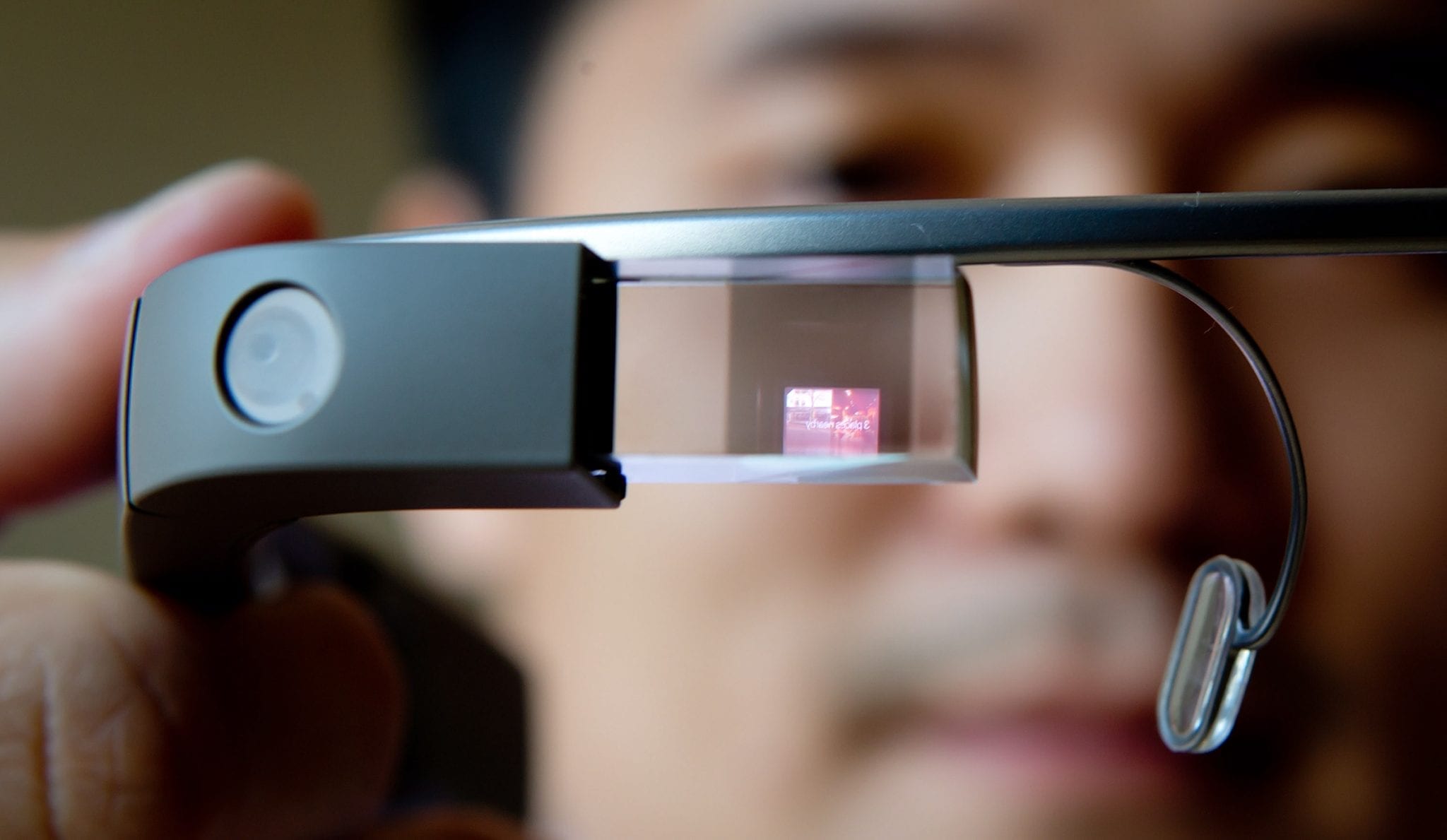
    We are of course referring to Google. The company notoriously flopped nearly a decade ago with Google Glass, but this time around the tech giant is doing its best to get VR/AR right. Some time ago, the first bits of information concerning Google’s “Project Iris”, the codename for the company’s upcoming VR/AR headset.

    In its original report, where we disclosed a number of interesting details about Project Iris, which was then in its early stages of development. It seems that Google’s VR/AR headset has come a long way since, given that field testing is already underway

    Google will be testing a small number of prototype units to better understand how the headset fares under everyday circumstances. Google even published a blog post on the matter. The main features that will be tested are “translation, transcription and navigation”.

    The tests will be conducted according to a set of strict privacy guidelines. The prototype units will resemble ordinary glasses and the testers will have to undergo special training and comply with a number of privacy measures.

    These steps show a decisive move on Google’s part to learn from its mistakes with Google Glass. Whether it will be enough to make Project Iris a success remains to be seen. For reference, most pundits expect Google to release its VR/AR headset sometime around 2024. Hence, there is still a long way to go. We will have to wait and see.

  • Google to boost sound quality in Google Meet, merge Duo

    Google to boost sound quality in Google Meet, merge Duo

    There are changes coming to Google Meet that will boost the sound quality of calls by introducing stereo separation. The guys at 9To5Google have found some strings of code related to binaural audio, and the aforementioned stereo separation in the latest version of the Google Meet and Gmail applications.

    Simply put, this means grabbing two separate audio channels and treating them individually. Google Meet will be able to get different audio channels for different people speaking during a meeting, and then blast them separately into the left and right speaker of the person listening.

    This will help people understand who’s speaking much more effectively, and intuitively – normally these conference call apps just use a mono audio channel, which makes everyone come through the same speakers.

    A couple of days ago, Google announced that it will be merging Google Duo with Google Meet, or more specifically – integrating some Google Duo features into Meet. There are again strings of code that show this is happening.

    With these changes in place, Google Meet will be able to carry out 1-to-1 calls the way Google Duo does, with the call tied to a phone number or Google account.