Tag: Google

  • The tabs used to filter conversations in Google Messages have vanished

    The tabs used to filter conversations in Google Messages have vanished

    Underneath the search bar at the top of the Google Messages UI on Android used to be organizational category tabs that would allow users to run through chats and messages from “All,” “Personal,” and “Business.” This was a quick way to view only those messages that you wanted to see at a given time. Selecting “All” would show, well, all of the conversations you had in your messages conversation list while Personal and Business are pretty self-explanatory.

    This feature first surfaced in 2021 in India and Google said that it was to “roll out first to English users around the globe.” Now, the organizational category tabs are gone for many Messages users. They have vanished from the Google Messages UI as though they were deleted by the Magic Eraser. One interesting note though; 9to5Google said that all of the Pixel models it saw missing the feature were running Beta versions of Android and we don’t know if they meant the Android 14 Beta or the QPR3 Beta.

    Personally, my Pixel 6 Pro also does not show the category tabs anymore and my phone is running Android 13 QPR3 Beta 3. Is this the end of the organizational category tabs or is this a bug? Google is usually pretty good at telling users when it is removing a specific feature and why it is being removed. Still, it is possible that the tabs were not being employed that often by users and Google just felt it was better off to remove them.

    We should make it clear that not all Android users who favor using the Google Messages app are missing the organizational category tabs and Android users employing their carrier’s third-party messaging apps (like Verizon Messages, T-Mobile Messages, or AT&T Messages) wouldn’t be impacted at all. But most Android users know that RCS (Rich Communication Service), available with the Google Messages app, helps to deliver a better Android messaging experience.
    If you don’t have the Google Messages app (ahem, more precisely Messages by Google app) on your Android phone, feel free to tap on this link and install it from the Play Store.
  • New Google Meet feature prevents distractions and can reduce data usage

    New Google Meet feature prevents distractions and can reduce data usage

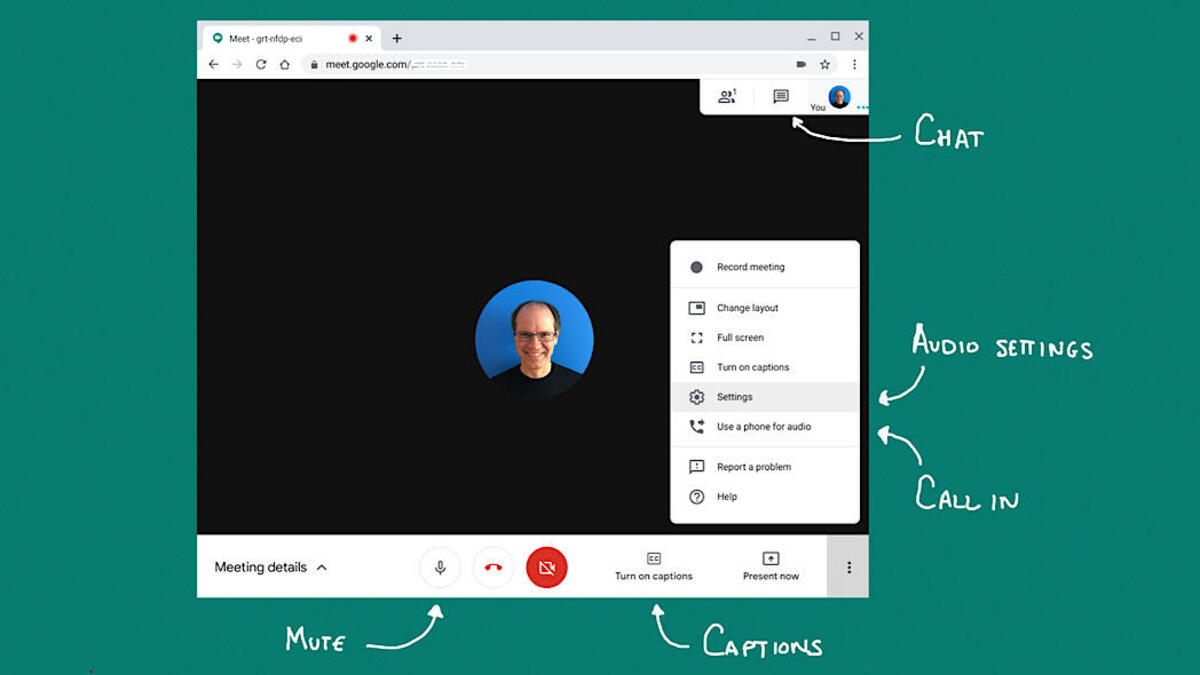
    Recently Google wrapped up its plan to merge the consumer-oriented Google Duo app with the enterprise-focused Google Meet app to create a single app for all of your video needs called (drum roll, please) Google Meet. Just the other day we told you that Google is requesting that users delete the Meet (original) app from their Android and iOS devices. Google has now announced that it allows Meet users in a video conference to turn off the video feed from other participants during a meeting.
    Now why would someone want to do that? Well, perhaps you want to focus on certain participants in the video conference that you’re a part of. Maybe you want to listen to the guy (or gal) who is presenting the meeting, or another participant is distracting you from giving your full attention to what is being said and shown. Or maybe you are on a monthly data plan and you want to reduce the amount of data being consumed by a Google Meet video conference.
    You can shut down the video feeds from certain participants and the best thing is that they will never know (unless you tell them). This feature will be available on the desktop and mobile devices.
    If you’re joining a Google Meet meeting via a mobile device, by selecting “Audio only” all video feeds will be turned off except for those presenting content. On the desktop, you can select whose video feeds you want to turn off by following the following directions: In a Google Meet conference (again, on the desktop), open the People panel. Tap the three-dot menu next to a particular participant, and select “Don’t watch.” To turn the video back on, from the three-dot menu and select “Start Watching.”
    The new feature started rolling out yesterday and it is expected to take 15 days to complete.
  • Google TV has just added 800 free channels to its offering

    Google TV has just added 800 free channels to its offering

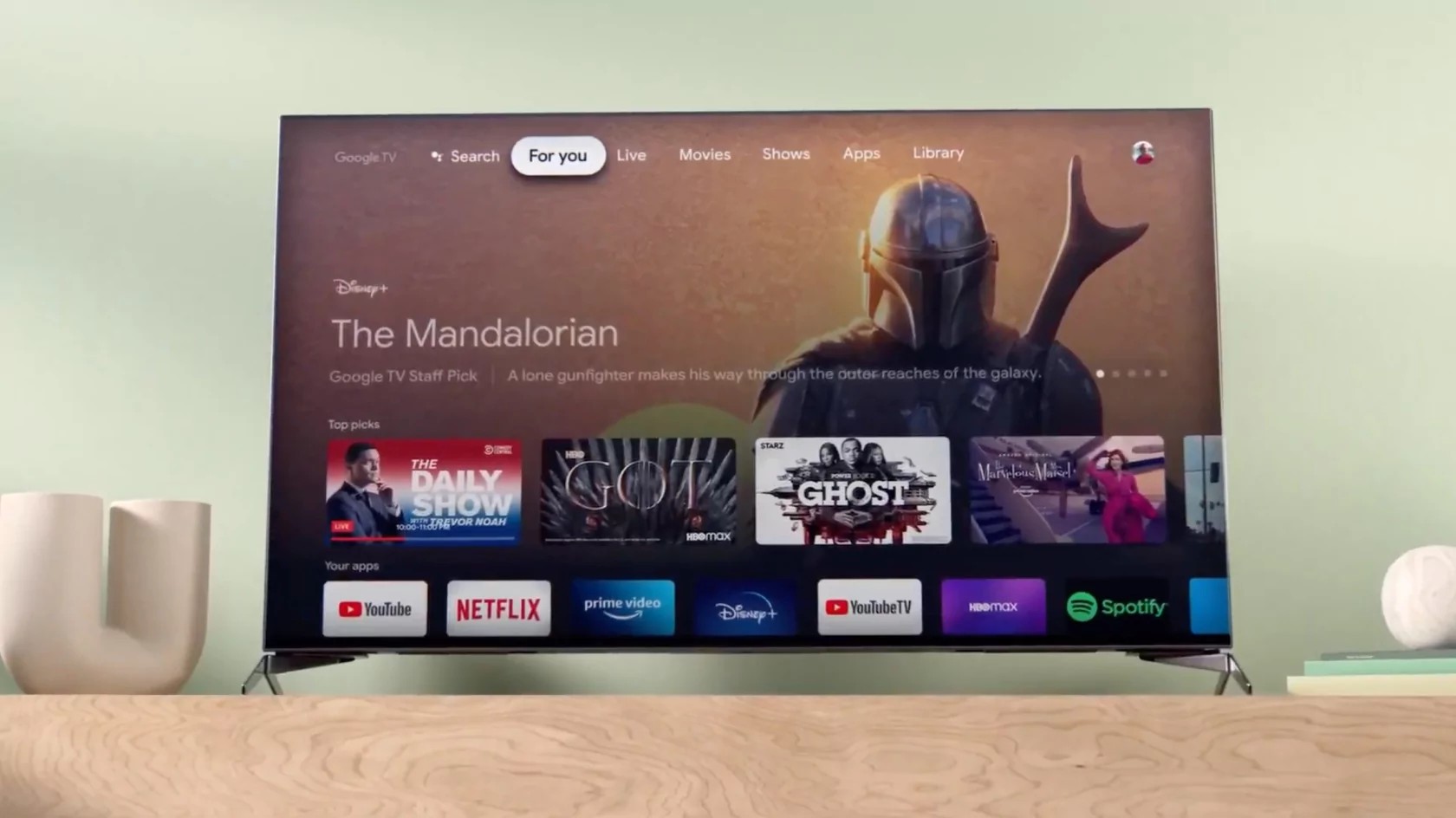
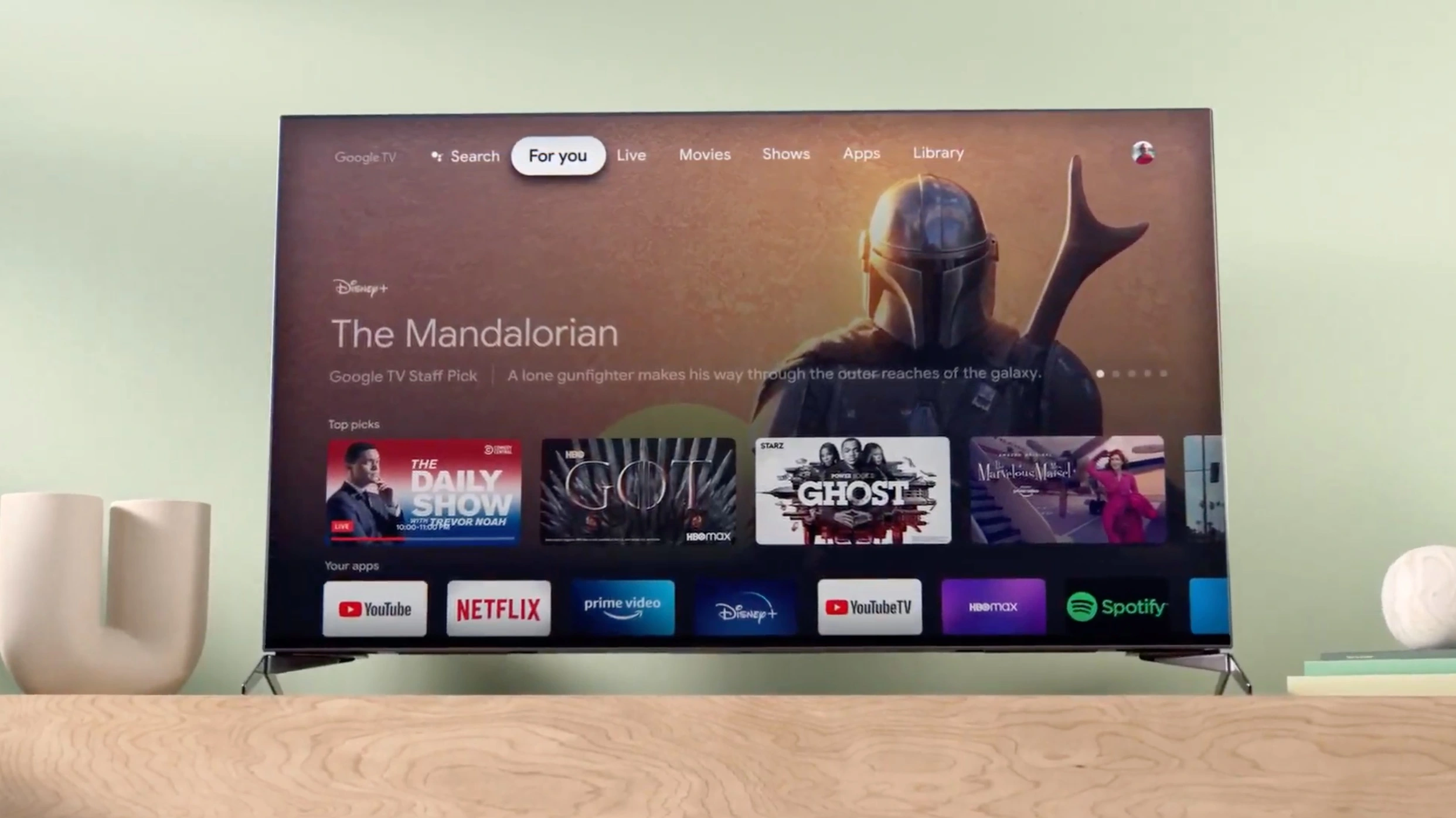
    Google TV is trying to catch up with the competition and has just announced a massive expansion of its offering. Starting today, no less than 800 free channels will be available via the Google TV streaming service.

    The new offering comes with a new live TV experience allowing users to browse the new TV channels across multiple providers, organized in an easy-to-use guide in the Live tab. If you haven’t tried Google TV yet, you might want to know that starting today the streaming service includes access to free channels from Tubi, Plex, and Haystack News directly into the Live tab.

    In addition, Google TV has launched free built-in channels from the streaming service that can be watched without the need to download or boot up an app. Among the 800 free channels added today, Google TV offers access to news channels from NBC, ABC, CBS and FOX. Also, channels worldwide are available too, with programming in more than 10 languages, including Spanish, Hindi and Japanese.

    Long-time users will find that the new TV guide allows them to save their Favorites to the top for quick and easy access at their leisure. Although these are free channels, those with a premium live TV subscription from YouTube TV or Sling TV, or access to over-the-air channels, can now use the Live tab to watch their favorite content.

    Regarding availability, the Mountain View company announced that the new live TV experience will be released on all Google TV devices in the US, including Chromecast with Google TV and TVs with Google TV built-in from Sony, TCL, Hisense and Philips.

    Last but not least, Google TV confirmed plans to bring the new TV guide and free channels to eligible Android TV devices later this year.

  • Google Maps adds four new features aimed at national park explorers

    Google Maps adds four new features aimed at national park explorers

    Google is trying to make it easier for Maps users who love to visit national parks to find and reach their favorite landscapes with ease. To help with that, Google announced four new features will make it to Maps in April, all four meant to make it easier for users to find the information they need when they are going to a national park.

    One of the most important new features coming to Google Maps this month will allow its users to identify the most popular places in a park, including attractions, campgrounds, visitor centers, and trailheads. To receive all this information, you can search for the park you’re interested in, and then tap on any of the photos you got as results for more details. These details oftentimes consist of videos and reviews from people who have already visited the location.

    Another major upcoming feature enables Maps users to see popular trails from start to finish. The app will now highlight a trail’s entire route on the map instead of just showing a pin. In addition, Maps will also provide more details on a trail from the community, such as what type of trail it is, its difficulty, and if it’s suitable for running, walking, or cycling.

    The following new feature coming later this month is meant to provide more detailed directions in US national parks. Park entrances will be highlighted on the map, so you can request walking or cycling directions to a trail and Maps should pinpoint you in the right direction.

    Last but not least, another useful feature coming to Maps in April allows users to bring Maps offline and still be able to check the app. A new way to download an offline map for a park will become available once the app gets updated. Simply tap the “download” button on the park’s Google Maps listing to download it for offline use.

    According to Google, the four new features will be coming to all US national parks in April and will be rolled out to parks around the world in the coming months. Naturally, the features will be available on iOS and Android devices.

  • Google adds “Send photos faster” option for RCS messaging

    Google adds “Send photos faster” option for RCS messaging

    The feature description says, “Resolution is reduced for faster sending.” By toggling on this option, you are giving up your higher-resolution photo sharing via Rich Communication Services (RCS) in exchange for a quicker delivery of a lower-res image. Since SMS already shares low-res images, the toggle should apply to RCS users only in areas with slow data speeds.
    RCS is Google’s version of iMessage that allows two Android users running the platform for messaging to share messages with larger character limits and end-to-end encryption. Higher-resolution pictures and videos can be sent and features like read receipts and typing indicators appear. But should an iOS user dare to get into a group chat, all of these lovely features go away. Sound familiar?
    Remember that all RCS features won’t be found if an Android user isn’t using the Google Messages app. Some U.S. carriers offer their own messaging apps for Android but if you want the best messaging experience on the platform, you need to install Google Messages and stop using the carrier-branded messaging apps.
    The “Send photos faster” option would come into play in areas where mobile data speeds are slower. In these situations, if the feature is enabled, sending a lower-res image would allow a photo to be delivered faster than it might otherwise.

    The feature has not been pushed out to all Google Messages users yet. To see if the “Send photos faster” option is available on your phone, open the Google Messages app and tap the profile picture on the right side of the search field at the top of the screen. Press on Messages settings and the fifth item down from the top should be the “Send photos faster option.” The feature is toggled on by default.

  • Google Search’s new features can help you save money when traveling

    Google Search’s new features can help you save money when traveling

    Travelling provides new experiences and new experiences are the key to keeping stress levels low and happiness levels high. But what do all good trips have in common? That’s right: we take some of the best smartphones on them with us, because they are helpful travel companions.

    How would we make them more helpful though? Well, easy: new Google Search features. Most people are already using the search engine when planning out their trips, so incorporating new tools into it is a simple no brainer.

    And would you look at that? Google was thinking the same thing! The latest update to the platfor has introduced a brand new workflow, consisting of three separate features:

    • Browsing hotels
    • Saving money on flights
    • Discover what the destination holds in store

    Once a user is done with the process, they would effectively have chosen their next travel destination with ease, all from the comfort of their smartphone.

    In order to kick things off, you are expected to search for a location, combined with “hotel”. At that point, Google will present a series of “stories”, as seen on major social media platforms. Each entry will showcase features related to the hotel in question. Once the choice has been made, a helpful button can be tapped to take you straight to that hotel’s booking page.

    Still, you have to get there, and for that we can get help from Google Flights. It monitors flight prices and recognizes if a given ticket price is low, standard or high. The platform will then label the listings it shows accordingly, so that you can pick out the best deal.

    The last thing on the list is choosing what to do once you land and Google can help you optimize that too. If you search for, lets say, a monument, Search will also offer worthwhile sights nearby, so that you can get the most out of your day. Each recommendation also comes with directions and a link to buy tickets if need be.

    Summertime seems far away, but it’ll be here before you know it. If you were hesitant to start planning your trips, because of all the related hassle, this may have been the nudge you needed. Why not take a chill pill and let Google do the heavy lifting?

  • Better late than never, Google Fi’s 5G network now works on iPhones

    Better late than never, Google Fi’s 5G network now works on iPhones

    Google Fi, the company’s MVNO cellular carrier service, has tweeted that it is extending its 5G coverage to include iPhones. This is a major step forward for the company, as only Google’s Pixel phones could connect to Fi’s 5G network earlier.

    iPhone users who are Google Fi subscribers will now be able to utilize the service’s 5G network in 35 cities across the United States due to the extension. Google Fi’s use of numerous wireless networks, including T-Mobile, Sprint, and US wireless, enables this.To use Google Fi’s 5G network, iPhone users must have a compatible smartphone and be in a 5G coverage region.

    The network supports 5G-capable iPhones such as the iPhone 12 or newer.

    Google Fi’s 5G network guarantees customers faster bandwidth and reduced latency. This is especially useful for those who watch video or play games on their phones and companies that require dependable and quick internet connections.

    This late, but welcomed, expansion of Google Fi’s 5G network into the iPhone market is part of the company’s continuing attempts to bring its service to a broader variety of devices. While Google Fi was initially only accessible on Google’s Pixel phones, it has since been extended to include a wide range of Android devices and, most recently, iPhones using 4G.

    Using 5G on existing iPhones that are already on Google Fi’s network will require a few steps which include navigating to your iPhone’s Settings, then accessing the “Cellular” section. Once there, select “Cellular Data Options,” then “Voice & Data” or “Cellular”. Finally, pick “Voice & Data” and “5G Auto” after tapping your phone number.

    Overall, Google Fi’s 5G network extension to iPhones is a major development for both the business and its customers as Google Fi’s 5G network claims to provide a better user experience. Furthermore, the expansion of Google Fi’s service to iPhones is likely to draw new users, cementing the company’s place as a significant participant in the wireless carrier market.
  • Google adds profile pictures from the Contacts app to the Messages UI

    Google adds profile pictures from the Contacts app to the Messages UI

    Google loves to add little things to its apps that might not seem like a big deal but are useful. The latest update to the Google Messages app adds the profile picture from the Contacts listing of the person you’re messaging to the top of the screen. Tapping on the profile picture will take you to that person’s Contact card. To make room for the avatar, Google removed the search function from the top of the display and deleted the magnifying glass icon. If you need the Search tool, tap on the three-dot overflow menu icon to find it as an option.

    To be clear, we are talking about the Google Messages app, which includes the Rich Communication Services (RCS) platform. The latter has the same features as the highly-touted (by iPhone users) iMessage platform. Both include end-to-end encryption, higher-quality images, read receipts, typing indicators, and more.

    Now here’s the thing. What happens in an RCS group chat when an iPhone user joins it? Those lovely features go away which is exactly what happens when an Android user joins an iOS group chat. Yet, you never hear about Android users bullying iPhone users to the brink of emotional distress. And Google has been more than willing to allow Apple to add the RCS platform to Apple’s Messages app. However, Apple CEO Tim Cook would probably prefer hearing his sink drip all night rather than allow a cross-platform messaging app to be developed.
    Also, and this is important for Android users to understand, RCS is available on the Google Messages app. It is NOT available on the messaging apps that your carrier might have pre-installed on your Android phone. For example, if you are using the Verizon Messages app, T-Mobile Messages app, or any other Android messaging app outside of Google Messages, you are not getting the RCS platform.
    For RCS to work, you and the rest of the chat group must all be using the Google Messages app. You can tell if others you are chatting with are using Google Messages by the color of the text balloon that appears when you send a message. If it is a dark blue, you are engaged in a chat over RCS. Also, look at the text field. If it says Text message, you are about to message an iPhone user or an Android user employing a messaging app that is not Google Messages. Instead of using the RCS platform, such messages use old-school SMS.
    If the text field says RCS message, then you are messaging another Android user with the Google Message app and will have all of the RCS features available to you. If you don’t have the Google Messages app on your Android phone, you can install it by tapping on this link.
    The new Google Messages feature that shows the profile picture of the person you are messaging. To see the profile pictures you must be using version version 20230313_01_RC00.phone.openbeta_dynamic of the Google Messages app or later. To see which version you’re running, open the Google Messages app and tap on your profile picture at the right of the search filed at the top of the display. Press on Messages settings and scroll all the way to the bottom.
    The very last option reads About, terms & privacy. Tap on it and the Version info will be the first thing listed on the page that you are sent to. If you haven’t seen the profile pictures on your Google Messages app yet, it might be available to Google Messages beta testers at the moment. To join the beta, go tot he Play Store, open it, and type in Google Messages in the search field. Once you see the listing for Google Messages, scroll down and if Google is accepting more beta testers for the app, you will see a button to press to join.
    Even if you aren’t a beta tester for the app, you should see the profile pictures appear on an upcoming stable version of Google Messages.
  • Google Fi reportedly drops US Cellullar service from main supported network to extended roaming

    Google Fi reportedly drops US Cellullar service from main supported network to extended roaming

    Although not officially confirmed, it appears that Google Fi has dropped US Cellular as main network partner, leaving T-Mobile as the sole provider to choose from when using the MVNO. However, US Cellular is still supported as part of Google Fi’s extended network.

    This was discovered by users of the service when reaching out to Google Fi’s customer service and was then promptly posted on Reddit where other users have chimed in confirming that they are receiving the same information. Chat representatives have responded to each query with somewhat conflicting information, but the one thing they agree on is that T-Mobile appears to now be the only main supported network that doesn’t involve roaming.
    This has been cause for concern for Google Fi customers who live in areas where the US Cellular towers are more prominent. In one chat conversation, Google Fi customer support assured that although US Cellular is not longer an official network for Google Fi, users may still be able to access it through roaming on the company’s Extended Network without incurring roaming charges while using it in the United States. Additionally, the MVNO has removed its dialer code, which was required for manual switching to the carrier.
    What this means for users is that they will no longer be able to manually choose a network as there is no other choice besides T-Mobile. Previously, although the setting wasn’t permanent, Google Fi would allow users to manually select their preferred network. Additionally, it would automatically switch between T-Mobile and US Cellular in locations where both networks were available but one had better coverage than the other. This latest change takes both of these options away.
    Now, T-Mobile will take precedence over US Cellular when both networks are available, despite the fact that US Cellular may have a stronger signal in some areas. This is a big change from when Google Fi started offering its MVNO services in 2015 by utilizing T-Mobile and Sprint, and then subsequently added US Cellular as a third partner a year later. However, options began to shrink once T-Mobile acquired Sprint in 2020, effectively combining those two options into one.
  • Google TV adds new landing pages to simplify navigation

    Google TV adds new landing pages to simplify navigation

    Google announced today via a blog post a set of new improvements coming to the Google TV platform that will add four new landing pages in the United States to make it simpler for viewers to access their preferred forms of entertainment without having to switch between different applications. These updates were considered after recent research has found that the average household subscribes to more than five different entertainment apps.

    These new landing pages, which can be found directly below the row of apps on the “For you” tab, will give you quick access to the best entertainment in the categories of Movies, Shows, Families, and Spanish-language content, without requiring you to navigate from app to app, and make it easier to discover new things. Below are the details:

    The Family page is the new place to go for entertainment that is suitable for families, with content ranging from old favorites to recent releases. It is not difficult to find something suitable for the entire family to watch together if it has a PG or lower content rating. And there’s no need to worry, because even when your children watch their own shows on their own television, they’ll still have access to the kid’s profile where they can watch all of their favorites.

    The Español page is the new home for the best Spanish-language entertainment, including telenovelas, live TV, movies, and shows. You will also have access to well-known apps in Spanish, such as Pantaya and FlixLatino, in addition to a library of dubbed and subtitled movies and television shows. Google is striving to make it much simpler for you to watch the entertainment that you enjoy, regardless of whether you are a native speaker of Spanish, live in a bilingual household, or are simply someone who enjoys content that is presented in Spanish.

    The Movies page allows you to search through thousands of films based on their title, genre, or subject matter, all on one simple page. You will also receive personalized recommendations for films that you might enjoy, in addition to information on recently released films and films that are currently popular.

    It has never been simpler to watch back-to-back episodes of your favorite show, whether it’s “The White Lotus” or “Yellowstone.” You can get new releases from all of your subscriptions in one convenient location by visiting the Shows page, where you can also view popular shows and explore personalized topics. In addition, when one show is over, you will be given suggestions for other shows that you might like to watch afterward.

    Google also states that several improvements are being made to the navigation system, one of which is moving the profile switcher to the top left corner so that you can switch between profiles in a seamless manner. The search bar will also be relocated to the far right of the screen, and a new button for quick settings will be added. These updates will begin rolling out today globally on Chromecast with Google TV and other Google TV devices, such as those manufactured by Hisense, Philips, Sony, and TCL.

  • Google drops “Chat” for “RCS” on Android

    Google drops “Chat” for “RCS” on Android

    The Google Messages app is very much like Apple’s Messages app, When an Android user sends messages to another Android user employing the Google Messages app, the messages enjoy end-to-end encryption, no limit on character capacity, higher-quality image sharing, read receipts, message indicators, and more. And guess what happens when an iOS user joins the group; all of these lovely features are disabled.
    Another issue is that those unaware of RCS can overlook the Google Messages app (which stands for Rich Communication Services). Some Android users might use the Messages app connected to their carrier for no reason other than they are unaware what the differences are. If you’re an Android user and want the same features that Apple gives iPhone users on its Messages app, you need to install the Google Messages app which can be installed from the Google Play Store by tapping on this link.
    Originally, Google called its replacement for SMS by the name of Chat. For example, if an Android user was messaging another Android user and both were using Google Messages, the text field would say Chat. But Google is rebranding Chat using the RCS name. In this situation, where two Google Messages users are messaging, the text field now says RCS message. By the way, when someone using Google Messages is messaging an Android user using, say, Verizon’s Messages app, or an iPhone user, the text field says Text message.
    In areas of the Messages app where Google used to use the Chat branding, it now mentions RCS. The first item on the app’s Settings page (which you can get to by opening the Messages app, tapping on the profile picture in the upper right side inside the search field, and tapping on Messages setting) now says RCS chats where previously it said Chat features.
    Google said that it has started to disseminate the updates necessary for Android users to see the change in branding from Chat to RCS. But we still don’t think that Apple will give in to the pressure that Google has applied to the crew in Cupertino from time-to-time in an attempt to get Apple to support RCS and end the green bubble bullying.
  • Google warns iOS, Android users about an upcoming change to location data

    Google warns iOS, Android users about an upcoming change to location data

    Google is warning both iOS and Android users about estimated photo locations. This feature, which is used with photos stored in the Google Photos app, looks at the background of photographs and videos you’ve taken with your phone’s camera and using landmarks visible in the image, tries to figure out where the picture or video was taken. While Google no longer uses your Location History to figure out where you snapped a photo or recorded a video, it works around this by using other methods.

    Google’s alert pops up in the Photos app and says, “Photos locations come from multiple sources, including locations estimated by Google Photos. We stopped using Location History to estimate photo locations, but we’ll continue estimating using other sources when ‘Estimate missing locations’ is on.” The alert also asks whether you want to keep any existing estimated locations or have them removed.

    As Google notes, “Choosing ‘Keep’ means you can use existing estimated locations to organize and find photos.” If you choose to delete them, you will get a message that says, “Deleting estimated photo locations based on Location History may result in permanent loss of those estimated locations. Your photos will be kept.”

    You might have estimated photo locations toggled on by default. To check, open the Google Photos app and tap on the profile picture in the upper right corner of the screen. Tap on Photos settings > Location > Location sources. There is a toggle for  “Estimate missing locations.” If it bothers you that Google is using landmarks in your pictures to take an educated guess about where you were, make sure that this setting is toggled off.

    You can also edit or remove an estimated location from a picture stored in the Google Photos app by opening the app, and tapping on the picture or video. Tap the three-dot overflow menu and “Edit” (with the pencil icon). Add or select a location from your recent locations or tap Remove location to have any location associated with a picture or video deleted. Pictures that have a location added by your phone’s camera cannot be edited.

    Google Photos users on iOS or Android will have the option of keeping or removing estimated locations before May 1st. If you don’t make a decision before then, Google will automatically remove the existing estimated locations from your Photos app on or after that date.

  • Google Messages’ new icon now appearing for more users in the notification tray

    Google Messages’ new icon now appearing for more users in the notification tray

    The Google Messages icon was updated to a fresh look late last year; however, for most users, the notification icon for the app didn’t quite follow the same design change. This now changing as the notification icon has been changing widely for more users to reflect the new style.

    The reports of the new icon making its rounds initially came from the Google Pixel subreddit where users started noticing the change overnight. It turns out that a subset of Pixel 6 and 7 series users were experiencing an issue where the old Messages icon would appear in the notification tray and on the lock screen, even after the actual app icon had changed.

    The new Google Messages design adopted the same style as the Phone and Contacts app, featuring two overlapping rounded speech bubbles. This was in contrast to the old rectangular briefcase design that felt very outdated.

    The new design was announced as part of the #GetTheMessage campaign Google started to bring awareness to the benefits of using RCS instead of SMS and to encourage Apple to add RCS to its Messages app, complementing iMessage. On top of that, Google also announced a slew of updates to the app that would enrich the experience for RCS users that receive messages from iMessage users, particularly those involving message reactions. Unfortunately, this campaign has had little to no success in changing Apple’s mind.
    As far as the bug where the iconography is inconsistent between the app icon and the notification tray, it thankfully appears to be suddenly resolved with what appears to be an app or server-side update. This isn’t a huge deal as it doesn’t affect functionality, but for those who prefer a more cohesive experience, it was a bit of an eye sore.
  • Google Translate gets new design, new languages and new gestures

    Google Translate gets new design, new languages and new gestures

    Google announced a bunch of new features for its services and the first Android 14 preview the first Android 14 preview, all in just a few days. Google Translate is one of the apps that got some love from the Mountain View company, so if you’re using it regularly, you’ll notice some significant changes.

    In a time when AI has become more prevalent in our day to day lives, companies are trying to power some of their products with artificial intelligence. The most recent Google Translate update introduces many AI-powered features that further enhance the app’s functionality.

    For starters, thanks to the AI-related features added, Translate will now provide users with more contextual translation options with descriptions and multiple examples in the translated language. This will work with several languages, including English, French, German, Japanese, and Spanish, but don’t expect these improvements to be available for a few more weeks.

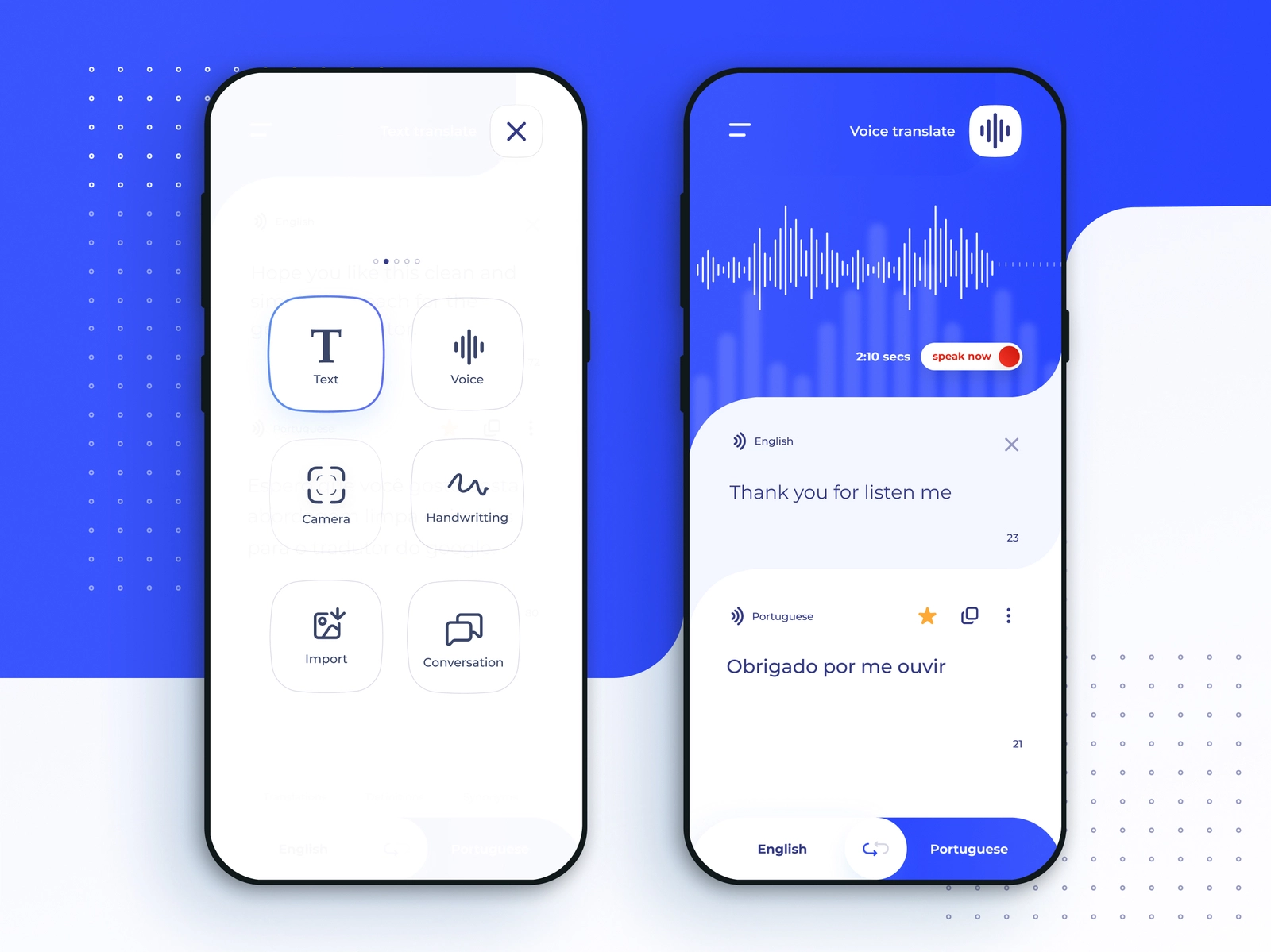
    The most obvious change revealed this week is the new design that Google Translate is getting. The Translate app on Android has just received a brand-new design, while the iOS version will be getting its own fresh look in just a few weeks. The redesign Translate experience includes larger canvas, voice input, as well as Lens camera translation.

    Another important part of the update is related to gestures. To make the app more accessible, Google has added new gestures such as the ability to select a language with fewer taps, holding the language button to pick a recently used language with a swipe, and swiping down on the home screen text area to bring up recent translations.

    Finally, the update expands the number of languages by an additional 33, which are also available on-device in the Translate app. The new languages include Basque, Corsican, Hawaiian, Hmong, Kurdish, Latin, Luxembourgish, Sundanese, Yiddish and Zulu, among others.

  • Google unveils new useful features for Google Maps

    Google unveils new useful features for Google Maps

    Google is constantly looking to improve Google Maps. No longer just an app that helps you get from point “A” to point “B” quickly and safely, Maps will now recommend places to eat, hotels to stay at, and fun things to do when you arrive at point “B.” It will even show you landmarks to visit. And Google Maps will always show you where to get gas, a cup of coffee, groceries, and more.

    Today, Google announced some changes to its Maps app that make it more immersive when it comes to looking around to get the feel of a place or, as some call it, the lay of the land. Immersive view will combine Street View with aerial images and will show weather and traffic info on top to give users “a rich, digital model of the world.”

    Google gives us an example. “Say you’re planning a visit to the Rijksmuseum in Amsterdam. You can virtually soar over the building and see where things like the entrances are. With the time slider, you can see what the area looks like at different times of day and what the weather will be like. You can also spot where it tends to be most crowded so you can have all the information you need to decide where and when to go.”

    Continuing with the example, Google adds, “If you’re hungry, glide down to the street level to explore nearby restaurants — and even take a look inside to quickly understand the vibe of a spot before you book your reservation.” Immersive view starts rolling out today (displayed in alphabetical order) in London, Los Angeles, New York, San Francisco and Tokyo.

    Google’s AR-powered Live View takes a live feed from your phone’s camera and layers huge arrows and other information on top to help those walking get to their destination while at the same time, pointing out interesting buildings and landmarks around them. A couple of years ago, Google added Live View to indoor locations such as airports in the U.S., Zurich, and Tokyo (not displayed in alphabetical order). The feature helps travelers roaming an unfamiliar airport find the bathroom, car rental stands, lounges, and more.

    Today, the company announced that it will add Live View to 1,000 new airports, malls, and train stations over the next few months in Barcelona, Berlin, Frankfurt, London, Madrid, Melbourne, Paris, Prague, São Paulo, Singapore, Sydney, and Taipei.

    Search with Live View uses both AI and AR to help you find ATMs, restaurants, parks, and transit stations while walking. To activate it, hold the phone up while walking the streets. The info you will see is very useful as it will show you “when a place is open, if it’s busy right now, and how highly it’s rated – so you can make an informed decision and maximize your time.”

    Google recently started offering search with Live View in London, Los Angeles, New York, Paris, San Francisco, and Tokyo. Over the next few months, Google will add the feature in Barcelona, Dublin, and Madrid.

    Google Maps will soon give you “glanceable directions.” This will allow a user to track his journey from the route overview or the lock screen. You will see information like updated estimated arrival times and where you will make the next turn.  Previously, this data would only be shown once you unlocked your phone, opened the app, and used the comprehensive navigation mode. This feature will be disseminated to Android and iOS devices in the coming months.

    Google Maps is also adding new features for Electric Vehicles (EV) that have built-in Google capabilities. For example, on any trip that will require a stop at a charging station, Maps will recommend the best place to stop based on the current traffic, the current charge level of the EV’s battery, and forecast battery consumption. If the recommended charging stop is not convenient, it can be replaced with another upcoming stop with just a few screen taps. With this feature, EV drivers won’t have to keep worrying about stopping to charge regardless of the destination.

    EV drivers will also be able to tap the ‘very fast’ charging filter to find stations that use chargers of 150 kilowatts or higher. This should allow most cars to top off the battery and get back on the road in less than 40 minutes. And under search results, Google will now show when places like supermarkets have a charging station to help you pick up your groceries while charging the battery in your EV.