Tag: Google

  • Google is making changes to the Chrome icon for the first time since 2014

    Google is making changes to the Chrome icon for the first time since 2014

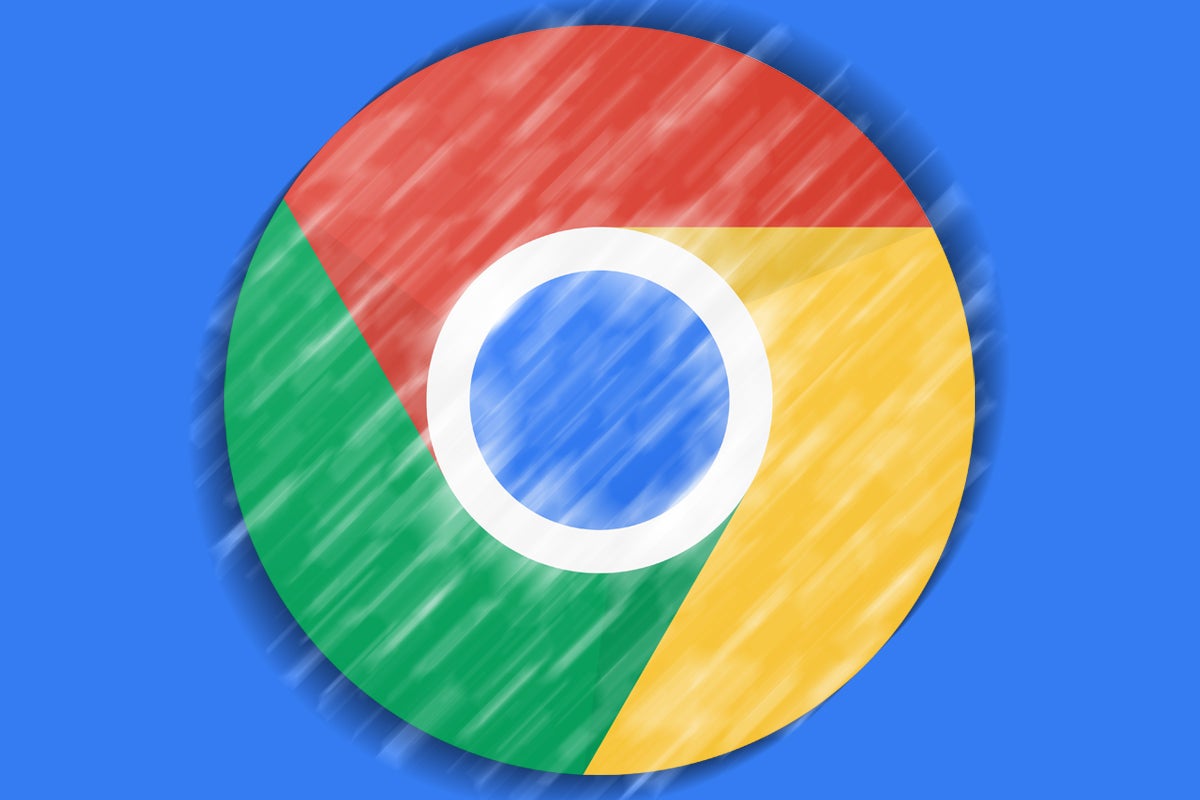
    A tweet from Google Chrome designer Elvin Hu reveals that for the first time in eight years, Google is changing Chrome’s icon. The new look debuted with the update to the Chrome Canary app which is an experimental and unstable version of the browser used by developers and early adopters. Other versions of Chrome that Android users can install are the stable, beta, and Dev versions.

    And not that it has anything to do with the new icon, you still might want to know the difference between each one. As we noted, Chrome Canary offers an untested build of Chrome which might not run at times. Google recommends that only developers and advanced users install it on their handsets since most Canary updates won’t proceed any further.

    Installing the Chrome Dev version of the browser allows you to test out the latest features of the Chrome browser even though, as Google says, they will be “rough around the edges.” Google is hoping that Android users will provide them with early feedback when testing out new features that may never make it to the Beta or stable versions of the app.

    And there is also the Chrome Beta app which is the last step for a new feature before it is added to the stable version. It is not as unstable as the Dev version and features receive their final tweaks on the Chrome Beta app before millions of people use them on the stable version of Chrome.

    Lastly, the stable Chrome app is the safest version of the browser and is the one that you’ll see in the Play Store if you search for Google Chrome. Most of you shouldn’t install Canary or Dev while some of you might have an interest in downloading the Beta version of Chrome on your phone.

    As for the main branding of the Chrome logo, the shadows between the colors (which are easily seen between the red and yellow colors) are being removed. This removes the slight 3D effect that made it appear as though the red area was raised above the yellow. Removing that small shadowy area makes the colors on the newly updated main icon appear flat.

    Chrome’s Hu also noted that “We simplified the main brand icon by removing the shadows, refining the proportions and brightening the colors, to align with Google’s more modern brand expression.” Google found that placing certain shades of Green and Red next to each other created what Hu called “an unpleasant color vibration.” To combat this, Google used a more subtle gradient (so subtle that you might not notice it) in order to prevent the unpleasant vibration from bothering the viewer.

    Interestingly, Google created different variants of the Chrome icon for each operating system. As Elvin said, “We want the icons to feel recognizably Chrome, but also well crafted for each OS. For example, on Windows, the icons take on an obviously gradated look, appearing at home on Windows 10 & 11.”

    On ChromeOS, brighter colors will be used without gradients so that the icon can match the rest of the system icons. On MacOS, a small shadow will soon be employed to give the icon a 3D appearance. On iOS, the Chrome Beta will  show the logo in a blueprint-style background to show that it is a developer-focused app.

    The new Chrome icons are expected to hit your devices soon. Google has been shrinking the size of the Chrome icon going back to 2008 when it had the appearance of a 3D ball. There really is a lot of thought that comes into play even when trying to design a simple app icon.

  • Google Messages update allows users to send Photos links for sharper videos and pictures

    Google Messages update allows users to send Photos links for sharper videos and pictures

    Some changes are rolling out to the Google Messages app and it appears that hamburger is back on the menu. Or perhaps we should say that the hamburger menu is back. The redesign has surfaced for some who are using the beta version of the Messages app and it replaces the three-dot menu in the upper right corner with a hamburger menu on the left side of the display.

    Options currently found in the three-dot menu will be moved to the hamburger menu such as “Messages,” “Starred,” “Archived,” and “Spam & blocked.” Other options such as “Device Pairing” and “Choose Theme” will be listed in a separate section at the bottom of this menu.

    You’ll know when the change has hit your phone because the first time you open the app after the update, you’ll be prompted to enable Google Photos integration for the Messages app. “Share videos as they’re meant to be seen” reads the prompt follow-up with “Preserve sharp video clarity when you sign in and send Google Photos links.” A link at the bottom of the page allows for the use of the Messages app without a Google account.

    You will have a couple of choices that you can toggle on including one that will always send a link to Google Photos when you use Messages to share a video by text (SMS/MMS), and another option that will always send a Google Photos link when you text images via SMS/MMS. By allowing the Google Photos link to be sent with videos and images, you are giving the recipients of such content via Google Messages the ability to view them in a higher quality than if you sent them via MMS.

    While the update is being disseminated to some of those who are members of the app’s beta program, not all beta members are currently receiving it. Certainly, Google will widen the distribution of the update once it hears feedback from users.

    If you’ve received complaints about the quality of the videos and pictures that you’ve shared via Google Messages, this is a clever way to send higher quality content using that app with an assist from Google Photos.

  • Google VPN now available on iPhone

    Google VPN now available on iPhone

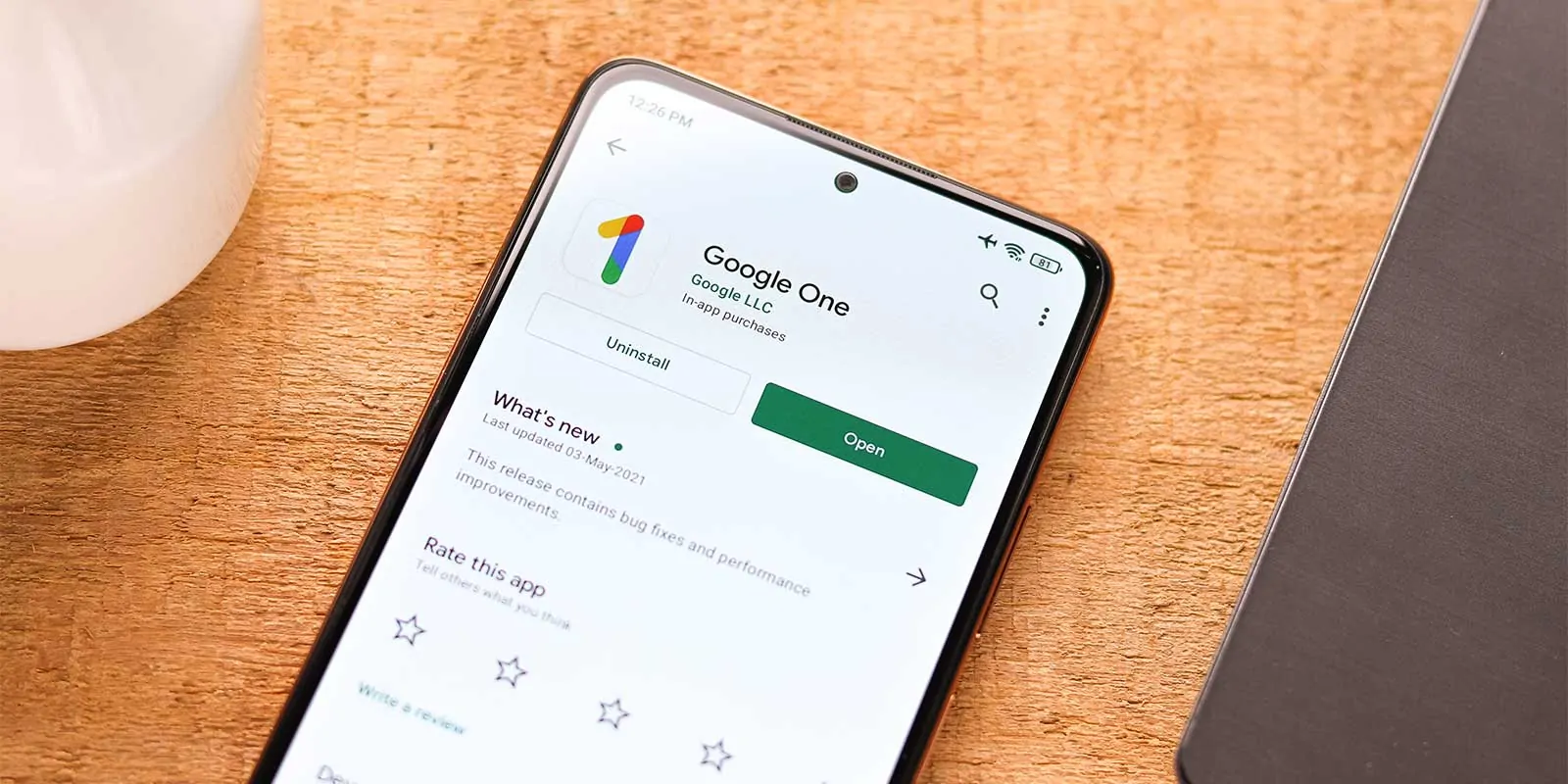
    Google’s VPN feature, part of the Google One service, just received three new features on Android. The new features are:

    • Safe Disconnect enables you to use the internet only when the VPN is active.
    • App Bypass allows you to choose specific apps to use a standard connection rather than the VPN.
    • Snooze allows you to disable your VPN temporarily.

    In addition to these new features, Google has also made its VPN service available on iOS, which means that users can now use Google’s VPN on an iPhone as well. But sadly, the new features mentioned above may not be accessible on an iPhone at this time.

    According to Google’s blog post, privacy and security are ‘always core to everything’ Google makes. In this regard, Google’s VPN utilizes ‘advanced’ built-in security, which prevents anybody from linking you to your browsing activity.

    Google also stated that its VPN service has a ‘full certification’ from the Internet of Secure Things Alliance, and because it is an open-source service, it has been audited by an independent party. So, if you have any doubts about whether you can trust Google with your “private” internet browsing, you can even see the report from the audit.

    Google’s VPN service is available only in 18 countries. Some of them are the US, Canada, the UK, Germany, Spain, Italy, France.

    You can use Google’s VPN on your Android phone or your iPhone by subscribing to Google One’s Premium subscription plan, which costs $9.99 per month or $99.99 per year.

  • Google fixes the issue of Android Auto not displaying messages

    Google fixes the issue of Android Auto not displaying messages

    Google has fixed an issue preventing Android Auto from displaying messages on a car’s screen. To receive the fix, you need to update your Android Auto and Messages app to the latest versions. Google did not explain what the cause of the problem was.

    Google’s fix comes in response to several customer complaints on Android Auto’s support page. Several users reported that after updating their phones to Android 12, their cars stopped showing the received messages.

    A user shared in a post: “For the past three weeks, Android Auto has stopped showing new text or other messages. If music is playing and a new message comes in, the music is turned down briefly as if to allow the new message notification to sound, but no sound and no message comes to the auto display, even though new messages have arrived on the phone.”

    Not showing received messages isn’t the only issue Android Auto users have encountered recently. As we previously reported, users who had updated their Android Auto app encountered a problem with Google Maps not appearing on their cars’ screens when they had their phones connected to their vehicles. Although the issue has been reported, it still remains for Google to roll out a fix for that problem too.

  • Google Drive is restricting users’ files by mistake, Google AI strikes again

    Google Drive is restricting users’ files by mistake, Google AI strikes again

    A little over a week ago, Google announced a new Google Drive policy. It stated that the tech giant would start to actively search for files breaching its abuse program policies and/or Terms of Service and locking the ones that do.

    Simply put, if such a file was found and restricted, the owner wouldn’t be able to send it to others, and all access to the file, except that of the owner, would be revoked. Google stated that this change had the aim to control the spreading of malware, hate speech, explicit content, etc.

    That said, complaints about Google Drive locking files that were neither of those things started piling up recently. From the looks of it, it seems that the AI system in charge of sifting through which files should be deemed dangerous is acting up and failing to do its job properly. Algorithms—the ultimate example of a double-edged sword.

    There are even examples of .txt files containing a single number inside that are falsely marked as inappropriate. One of the best examples comes from a Michigan State University assistant professor Dr. Emily Dolson.

    Dr. Dolson was uploading a large set of files to Google Drive while preparing to send her students’ programming assignments. The files consisted of the “inputs and the expected outputs” of said cases. “Shortly after uploading them,” she explains ”I received a string of emails from Google indicating that those files had been flagged for copyright infringement.”

    Now, in its announcement of this new policy, Google has stated that in situations such as the one with Dr. Dolson, the user should “receive an email with details and potential actions they can take to request a review.” Unfortunately, however, that did not happen in her case.

    After posting her issue on Twitter, a Google engineer going by Misha Brukman replied to Dolson, assuring her that they are working on a solution.

  • Clean up your Gmail inbox to check out the new “Inbox Zero Graphic”

    Clean up your Gmail inbox to check out the new “Inbox Zero Graphic”

    Because most of us never take the time to completely clean out our Gmail inbox, we usually never get the opportunity to reach what is known as “Inbox Zero.” With no email messages cluttering up your inbox, you are rewarded with a special illustration that Google recently revised. Before the change, the image showed a cartoon drawing of a woman without eyes reading a book in the woods with the sun in the background.

    Underneath the illustration, Google wrote “You’ve finished. Nothing in Primary.” We guess that this drawing is not enough of an incentive to get Gmail users to do some landscaping and delete their old and unneeded Gmail.

    It reminds this writer of a cereal bowl that yours truly once had as a kid. On the bottom of the bowl was an illustration of two popular (at the time) cartoon mice from television named Trixie and Dixie. To get to the drawing of the pair, you had to finish everything in the bowl giving you an incentive to eat all of your breakfast.

    Looking for an image that might motivate Gmail subscribers into cleaning out their inbox, a new illustration can be found on the Gmail app. It consists of colorful boxes and rectangles that look like empty cubby holes. Underneath the image, Google wrote “You’re all done. Nothing in Primary.”

    So get to work everyone and start getting rid of those junk emails.

  • Google announces the end of YouTube Originals

    Google announces the end of YouTube Originals

    If we roll back the time to 2016, we will witness one of Google’s many initiatives—to create a new service that would one day stand toe to toe and compete with the likes of Netflix. Well, here we are, in 2022, and it seems this endeavor proved too ambitious even for Google.

    Of course, we are talking about YouTube Originals—a program that was created to provide, as the name suggests, original content in a longer-video format. Alas, YouTube’s Chief Business Officer, Robert Kyncl, shared that the program will be coming to a close. He also announced that Susanne Daniels, YouTube’s global head of original content, will be leaving Google on March 1, 2022.

    YouTube Originals started with a logical first step. It gathered well-known creators that had made a name for themselves on the platform and invited them to take part in said new form factor.

    Later on, however, other content with more budget behind its production started to pop up, such as the now-popular Cobra Kai show. Unfortunately for Google, though, after ending the second season, the show was then taken by none other than Netflix itself, the main competitor of YouTube Originals.

    Thankfully, Kyncl shared that Google will respect the commitments it has already made to certain fund programs, like YouTube Kids Funds and Black Voices. He also mentioned that they will honor already contracted shows that are in progress, as well as the creators associated with them. Kyncl also assured said creators that they will be contacted directly soon.

    Google has a long track record of starting things and then deciding to abandon them out of the blue. With that said, this is not the case with YouTube Originals. The program lasted for about seven years, and the search giant gave it a try. Also, despite rumored new upcoming shows, there were obvious signs that it was all coming to a close.

  • Google, Facebook CEOs sign off on illegal ad deal

    Google, Facebook CEOs sign off on illegal ad deal

    Sundar Pichai and  Mark Zuckerberg, the CEOs of Google and Facebook respectively, allegedly signed off a secret and illegal ad deal according to BuzzFeed. As a result, Facebook was given “information, speed, and other advantages” during auctions for ad space run by Google. Yesterday, unredacted court documents revealed the involvement of the two CEOs in the deal.

    The documents are from a complaint originated by Texas and other states in December 2020 that accused Google of committing “false, deceptive, or misleading acts” while running its buy-and-sell auction system for digital ads. The complaint states that Google teamed up with Facebook in 2018 that Google called “Jedi Blue,” a name that riffs on the Star Wars movie franchise.

    Facebook unnerved Google by promoting a method called “header bidding” that was a threat to Google. With “header bidding,” publishers offer inventory to multiple ad exchanges before calling their ad servers. By hiking demand for limited inventory, publishers make more money.

    According to the complaint that was released on Friday, “Google understood the severity of the threat to its position if Facebook were to enter the market and support header bidding. To diffuse this threat, Google made overtures to Facebook.” The deal was made at the highest level of both companies and the complaint notes that “Google CEO Sundar Pichai also personally signed off on the terms of the deal.”

    The complaint also revealed that Facebook CEO Zuckerberg wanted to meet with the company’s COO Sheryl Sandberg before making a decision. While employees’ names were redacted in the court documents, their titles weren’t.

    Both Google and Facebook are under pressure for using anti-competitive methods. Google says that the lawsuit isn’t accurate, and company spokesperson Peter Schottenfels said, “We sign hundreds of agreements every year that don’t require CEO approval, and this was no different. And contrary to AG Paxton’s claims, the fact of this agreement was never a secret — it was well-publicized. It simply enables FAN [Facebook Audience Network] and the advertisers it represents to participate in Open Bidding, just like over 25 other partners do.”

    Facebook’s corporate parent Meta agreed with Google that the deal between the two tech giants did not call for Facebook to receive any particular advantages that other companies were not being given. “Meta’s non-exclusive bidding agreement with Google and the similar agreements we have with other bidding platforms, have helped to increase competition for ad placements,” said Meta spokesperson Stephen Peters. “These business relationships enable Meta to deliver more value to advertisers while fairly compensating publishers, resulting in better outcomes for all.”

    As you might have expected, Google is planning to ask a judge to toss the case. Both Google and Facebook have been under fire from lawmakers for antitrust issues. Last summer, bills were introduced in Congress with lawmakers worried that firms like Google, Facebook, Amazon, and Apple were using their dominance in businesses like online shopping, search, and entertainment in order to crush their competition.

    Additionally, Congress is concerned that these firms are making acquisitions that never should have received approval from antitrust regulatory agencies. As a result, there has been a call in Washington D.C. to force tech giants to break up into smaller companies.

    Last year, the filing fees imposed on transactions valued at over $1 billion rose while the same fees for transactions valued at less than $500,000 would decrease. The idea is to give tech giants the incentive to purchase smaller firms instead of larger ones. In addition, the higher fees are expected to generate $135 million for antitrust enforcement agencies in its first year.

  • Google’s Ripple Could Bring Tiny Radars To Cars

    Google’s Ripple Could Bring Tiny Radars To Cars

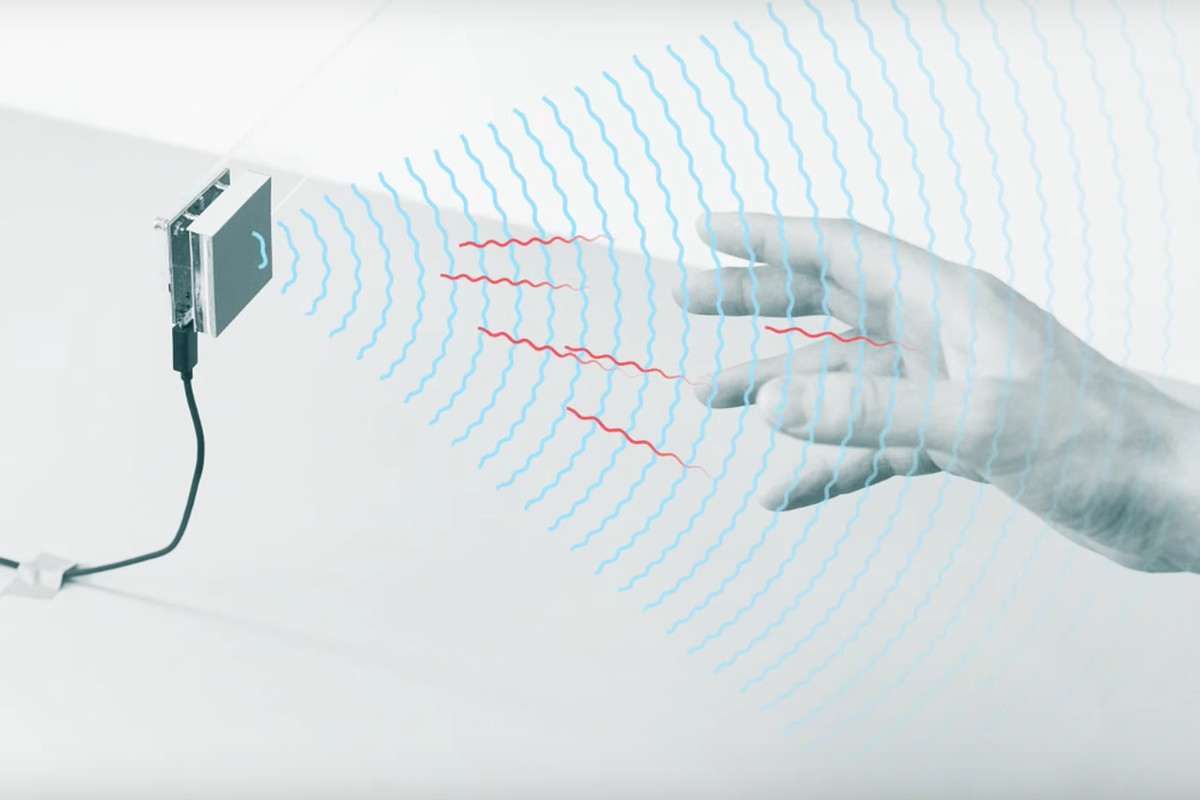
    Google has been building radars for a while. Remember the ill-fated Pixel 4 smartphone which came with the project soli radar that was used for an advanced face unlocking system? That phone was ill-fated as it couldn’t be launched in many countries like India where the 60Ghz mmWav frequency spectrum was not available for public use. In fact, even before 2019’s failure with the Soli radar, Google had been building miniature radar chipsets since 2015. And now, it has its latest effort which isn’t in hardware form but a software platform called Ripple which is fundamentally an application programming interface (API) that allows the use of this technology outside of Google’s device ecosystem.

    Notably, Google is partnering with Ford with whom it already has a relationship for the use of the Android Automotive platform. Ripple was showcased behind the scenes at CES. Ripple will unlock helpful innovation that benefits everyone. General-purpose radar is a key emerging technology for solving critical use cases in a privacy-respecting way,” said Ivan Poupyrev, who was part of Google’s ATAP unit that developed the Soli radar as well.

    Ripple’s libraries have been added to GitHub and is also a rebranding of its Standard Radar API. Soli’s technology could be theoretically repurposed inside a car where it provides privacy benefits – as it can detect whether someone is present, nearby, or telling a device to do something without the need of a microphone or camera. Ford which has joined Google on this initiative hasn’t revealed its plans but has revealed it is looking at an internal radar.

    “We are researching how to use interior radar as a sensor source to enhance various customer experiences beyond our leading Ford Co-Pilot360 driver-assist technologies that use advanced exterior radars today. A standard API, with semiconductor industry participation, will allow us to develop software independent of the hardware sourcing and give the software teams latitude to innovate across multiple radar platforms,” Jim Buczkowski, the head of Research and Advanced Engineering at Ford.

  • Google executive accuses Apple of using peer pressure and bullying to sell iPhones

    Google executive accuses Apple of using peer pressure and bullying to sell iPhones

    Back in October, Google Senior VP Hiroshi Lockheimer suggested that Apple end the blue bubble vs. green bubble battle by incorporating Google’s Rich Communication Services (RCS) into the iOS Messages app. As you might know, features found on iOS such as end-to-end encryption, are broken when an Android user is part of a group chat. Lockheimer, whose official title at Mountain View is Senior Vice President of Platforms and Ecosystems, has more to say about RCS.

    First, for those uncertain what RCS is, it is Google’s attempt to build an SMS/MMS platform to compete with Apple’s Messages app. With RCS, Android users could send larger text messages, share larger media files, and have privacy thanks to end-to-end encryption. Google was even talking about using the platform as an e-commerce system allowing companies to get in touch with customers.

    RCS also gives Android users read receipts, and would allow them to send messages over Wi-Fi and mobile data. With iOS support for RCS, the Google executive notes that there would be less pressure among American youths to purchase an iPhone. With RCS, messaging an Android user would be a more modern and similar experience.

    Before RCS, Google had an Android messaging app and most U.S. carriers also loaded Android phones with their own messaging app bloatware leading to a confusing mish-mash of features on different carrier apps.

    Lockheimer, who is a strong supporter of RCS, tweeted comments related to a Wall Street Journal article about iMessage’s domination among texting teens. This had led young Android users to feel left out when texting iOS users. Lockheimer wrote, “Apple’s iMessage lock-in is a documented strategy. Using peer pressure and bullying as a way to sell products is disingenuous for a company that has humanity and equity as a core part of its marketing. The standards exist today to fix this.”

    Not all Twitter users took Apple’s side of things. A subscriber named Remon (@TheGreatUsurper) stated, “Typical iPhone user missing the point. Android has an iMessage equivalent, it uses a protocol to replace SMS. All major carriers already support the standard. Android users text over wifi & data, (receive) read receipts, great group chats, (and) reactions. Apple intentionally hurts communication.”

    ion not to support RCS is being done so that Apple continues to benefit from the vendor lock-in effect. Back in 2016, Apple’s Phil Schiller said “moving iMessage to Android will hurt us more than help us.” Apple’s software head Craig Federighi stated that “iMessage on Android would simply serve to remove [an] obstacle to iPhone families giving their kids Android phones.”

    The Google SVP believes that with iOS support for RCS, there would be less pressure on teens to buy an iPhone. Along those same lines, there also would be less pressure on the parents of teens to buy them an iPhone instead of an Android phone. And since some Android handsets are much cheaper than iPhone models, not allowing Apple’s Messages platform to integrate with RCS is theoretically costing consumers a large amount of money every year.

  • The French data regulator fines Google and Facebook a total of $238 million

    The French data regulator fines Google and Facebook a total of $238 million

    Google and Meta, formerly known as Facebook, must now pay a $238 million combined fine to France. CNIL, France’s data regulator, fined both companies because they violated the EU’s privacy rules. Both tech giants have made it easier for users to accept cookies on their websites, but they have not made it as simple for users to reject the tracking cookies.

    CNIL stated that the sites: facebook.com, google.fr, and youtube.com offer immediate acceptance for tracking cookies only by tapping a button. However, these websites don’t offer a similar button for rejecting the cookies. Instead, they made it more difficult for users to refuse to be tracked by the websites.

    Making it easier to accept cookies than to refuse them, according to the CNIL’s restricted committee, affects the user’s freedom of consent. When a user visits a website, they want to find what they’re looking for as quickly as possible. By making the acceptance of the cookies easier than the refusal, Google and Meta influence the choice of the user in favor of consent.

    CNIL fined Google €150 million ($170 million) and Meta €60 million ($68 million). In addition to the fines, CNIL mandated that Google and Meta provide a way for French users to reject tracking cookies as easily as they would accept them. Both companies were given three months to comply with the mandate. If they do not comply with the order, both companies will have to pay 100 000 euros ($113 000) per day as a penalty.

    In a statement, Google said, “People trust us to respect their right to privacy and keep them safe. We understand our responsibility to protect that trust and are committing to further changes and active work with the CNIL in light of this decision under the ePrivacy Directive.”

    Meta also made a statement according to the CNIL’s decision, saying, “We are reviewing the authority’s decision and remain committed to working with relevant authorities. Our cookie consent controls provide people with greater control over their data, including a new settings menu on Facebook and Instagram where people can revisit and manage their decisions at any time, and we continue to develop and improve these controls.”

    The CNIL, France’s National Commission on Informatics and Liberty, is in charge of ensuring that the data privacy law is followed in the use of personal data in France.

  • Android Auto is getting a trusty new companion and a bunch of exciting new features

    Android Auto is getting a trusty new companion and a bunch of exciting new features

    Despite technically skipping this year’s Omicron-infected Consumer Electronics Show, Google absolutely bombarded the tech world yesterday with exciting announcements originally designed for a large Las Vegas audience.

    We could even go so far as to say the search giant had one of its strongest CES presences ever… in its physical absence, unveiling (or rather teasing) a whole bunch of potentially groundbreaking, decidedly life-changing, or simply extremely useful features scheduled to hit every platform from Android to Wear OS, Chrome OS, Google TV, and Windows by the end of 2022.

    While we already covered a large part of the company’s bold software plans for this year in fairly extensive detail, several big changes headed to Android Auto managed to escape our radar at first. Arguably the most important thing coming to Big G’s Apple CarPlay rival this very month is actually not developed or manufactured by Google itself, instead hailing from Motorola… licensee SGW Global.

    Although Android Auto can technically facilitate a wireless connection between your (Android 11 and up) phone and your car, the list of vehicles natively supporting the technology remains depressingly short, which means many drivers looking to get valuable assistance (and some much-needed entertainment) behind the wheel have to rely on a good old fashioned USB cable… in 2022.

    Starting January 30, however, you will be able to score a handy and seemingly easy-to-use alternative for this barbaric connection process at just $89.95.

    Enter the Motorola MA1 wireless car adapter, which aims to do exactly what you think and nothing more. Namely, “adapt” your USB-enabled Android Auto vehicle to wirelessly connect to your phone using Bluetooth every time you get into your car.

    Obviously, you will still need to rely on a USB port to activate wireless Android Auto functionality, but you can say goodbye to your trusty cables and maximize the in-vehicle freedom of your handset.

    Just remember to keep your eyes on the road and register your interest in the non-Motorola-made MA1 dongle on the Motorola website to ensure your place at the front of the line. Naturally, it’s unclear how many units that little-known SGW company will manage to manufacture and deliver to early adopters around the world, and you might not want to miss your chance here.

    As for exactly what Google is preparing to deliver on the auto front this year, we should probably kick off our little roundup today with Android Auto’s upcoming Lyft and Kakao Mobility driver apps aiming to make life easier for, well, everybody who uses the two services.

    Then you have a bunch of extremely cool stuff coming (relatively) soon to vehicles with built-in Google technology, starting with “select” Volvo cars. Among other things, those bad boys will allow you to download a multitude of popular apps ranging from Sygic and Flitsmeister to ChargePoint, PlugShare, SpotHero, and ParkWhiz from a special version of the Play Store baked into the infotainment systems of said cars right from the factory.

    Even more… unusually, the same vehicles will be capable of playing YouTube content without you having to lift a finger while also letting you adjust and activate various settings and features like lane keeping assist sans pressing any buttons or doing anything that doesn’t involve your voice.

    Speaking of voice assistance, Google is also partnering with Volvo to make it easy to remotely control your car directly from your smart home. While you obviously won’t be able to drive your vehicle from a distance, your voice will be enough to lock, unlock, warm up, and cool down your car without getting anywhere close to it.

    Pretty much like everything else, these game-changing remote actions are set for a limited launch in the foreseeable future and an expansion to more cars and car brands at some point down the line.

  • Google to add spatial audio, auto-switching, and more to Android this year

    Google to add spatial audio, auto-switching, and more to Android this year

    Google is going to be making some changes to Android this year that according to the tech giant in a blog post, will allow the operating system to pick up some audio features that iPhone and AirPods users already have on their devices. This will reportedly be done by updating its Fast Pair technology to allow for auto-switching and spatial audio. The addition of these features and some others are expected to take place in the coming weeks and months.

    Fast Pair is Google’s system for pairing Bluetooth devices together using a pop-up window instead of forcing users to take a deep dive into the settings menu. With Fast Pair, Android users are able to sync their headphones to multiple devices that are under their account. Whereas Apple’s system for quick Bluetooth pairing is complete and works fine, Google still has some work to do on its version.

    Still, over 100 million users have already used Fast Pair in order to connect their Android phones with Bluetooth accessories. Google says that it wants to “extend Fast Pair’s functionality beyond audio connectivity with wearables, headphones, speakers, and cars by extending it to TVs and smart home devices.

    While you can now unlock your Chromebook with your Android phone, Google will bring this feature to paired Wear OS smartwatches allowing those with such a device on their wrist to unlock and access their Android handsets, Android tablets, and Chromebooks.

    What Google wants to do is put a skin on Bluetooth to make it easier for users to manage their Bluetooth devices. Google says that your Bluetooth devices should instinctively know which of them you want to use and when. The company says that it is building technology for Bluetooth-enabled headphones that will enable them to automatically switch the audio to whatever device you’re listening to.

    For example, let’s say you’re streaming the latest episode of Dexter: New Blood (which has topped all expectations, we might add) on your Android tablet using a headphone and a call comes in on your Android phone. With Auto-Switching, the television show will pause and the headphone audio will switch to your Android phone and switch back to the movie when done.

    To reiterate, when the call comes in, the streaming will pause and the audio from the phone call will be heard over the headphones. When the call ends, the streaming video picks up from where it left off and audio the television show will be heard once again over the headphones.

    Google will also offer spatial audio on Android with sound heard over compatible headphones based on users’ head movements. Which streaming music services, headphones, and versions of Android will support spatial audio is not yet clear. With this feature, audio sounds like it is coming from all of the spaces that surround you.

    Auto-switching and spatial audio will be available sometime in the next few months on supported headsets.

    A digital car key will soon allow you to use your Pixel or Samsung handset to open the door and start your compatible BMW car using your phone. And on Android handsets with Ultra Wideband (UWB) technology, you won’t have to take your phone out of your pocket to use it as a car key. In addition, when your friends and family members need to borrow your car,  the key can be shared remotely.

    Google says that it is working to bring digital car keys to more Android phones and vehicles later this year. The company is also working on developing applications for other platforms including a way to connect Android phones to Windows PCs using Fast Pair allowing users to “quickly setup Bluetooth accessories, sync text messages and share files using Nearby Share.”

    Google has partnered with Acer, HP, and Intel to have the aforementioned features available on select PCs sometime later this year.

  • Google Maps takes drivers down a potentially fatal route following a major snowstorm

    Google Maps takes drivers down a potentially fatal route following a major snowstorm

    By most accounts, Google Maps does a damn good job navigating from point “A” to point “B,” helping users safely get to their destination in the fastest possible time. And once you get to that destination, Google Maps will tell you where to go for dinner, the must-see places in that city, and where you can find a place to stay. But Google Maps does have its moments, as rare as they are when something goes wrong.

    According to SF Gate, travelers in Lake Tahoe were directed by Google Maps to drive on roads that were closed or dangerous thanks to record-breaking snowfall. A tweet from Crystal A. Kolden (@pyrogeog) was sent to Google Maps with a screenshot showing the route between Sacramento, California, and Reno, Nevada.

    Kolden told Google Maps that “This is an abject failure. You are sending people up a poorly maintained forest road to their death in a severe blizzard. Hire people who can address winter storms in your code (or maybe get some of your engineers who are stuck in Tahoe right now on it).”

    The directions recommended by Google Maps take travelers through Marysville Road described as a “narrow two-lane path going through the Tahoe National Forest.” Another Twitter user tried to warn those using the Android version of the Google Maps app by writing, “The Android mobile app does not seem to be showing road closures. This is a big freaking deal and could lead to some dangerous situations.”

    Even the U.S. Forest Service (USFS) got into the act with a tweet that said, “PSA for those trying to use Rollins Lake to sneak past the I-80 closure: You. Will. Not. Get. Through. I-80 remains CLOSED between Applegate and the Nevada state line. You will be turned around and you’re putting crews at risk who are working to clear downed trees, snow, etc.”

    Google Maps is usually quite adept at making route changes if an accident or weather slows down travel, but not in all cases such as this one. The National Weather Service (NWS) says that five to nine feet of snow have fallen in the Lake Tahoe area over the last week and the conditions are not expected to get better soon.

    If you travel or commute in areas of the country where snow, sleet, and icy roads are often an issue, besides installing Google Maps, you should also include a major weather app such as The Weather Channel, or Accuweather. Make sure to allow notifications and this way you’ll receive alerts whenever wintry weather is going to make driving hazardous.

    You might recall that Apple Maps put some of its users in danger back when the app was first released by Apple in 2012. Unlike the current situation, the problem was with the app itself, not the weather. Apple mislabeled a dangerous part of the Outback in Australia which led travelers to drive through an area with very little water, temperatures as high as 115 degrees, with poisonous snakes on the ground.

    Eventually, Apple was able to clear this up. As for the situation with Google Maps, the weather is expected to keep road conditions for this route dangerous for a few days.

  • Google Maps bug prevents useful feature from working perfectly

    Google Maps bug prevents useful feature from working perfectly

    Google Maps has a location-sharing feature that allows you to share your location with others. Users can set a time limit that shuts down this peek at your current location after the set time period has been reached. Or, the user can decide to keep this information available by choosing the setting that shares the current location “Until I turn it off.”

    However, it appears that there is a problem, and some Google Maps users on the app’s support page are complaining that they are no longer able to select the “Until I turn it off” option. This bug is preventing Google Maps users from allowing someone to continue to monitor their current location until they turn off the location sharing feature.

    A member of the Google Maps support page, Loes Frank, wrote, “Hi! I am sharing my location for a long time with my parents and brother. Always ‘until I turn it off’ instead of a limited time. For a while I shared my location with my boyfriend without a time limit but it suddenly doesn’t work anymore.”

    Loes continues, “I am still sharing my location with my family without a time limit but with my boyfriend it’s impossible. Also with new people, it’s impossible. How can I fix this?” In other words, she complains that the option to keep sharing her location until she’s done is still showing up on her phone, but it is not working when she presses on it.

    A Google Platinum Product Expert tried to blame the problem on Loes’ lack of verification which he says prevents Google from knowing her age which blocks her from using “features like enabling location history and browsing your Google Timeline. These features are only available for users whose accounts have been verified to meet the minimum age requirements.”

    But the expert was quickly proven wrong when another Google Maps user wrote, “This is happening for me too, no option to verify the account so it’s already verified. On other family members’ phones they can still see the option saying ‘until you turn it off.’ Any ideas, Google?”

    And another post in the Google Maps support page says, “My fiancés’ phone has been sharing locations with me for years and it stays on, on my phone, but every day his location sharing is set to ‘until I turn it off.’ When he gets near his own home maps, location disconnects yet he can see mine when neither one of us touched it.” The location-sharing feature is a handy tool for those who would like to be tracked as they travel just in case a situation arises where they need help.

    Every person complaining about this issue says that Google Maps runs perfectly on their device with the location sharing issue the only problem that they are having with the navigation and mapping app. The problem started earlier this month and this timing has led some to believe that the bug was introduced via a recent software update. Whatever the cause of this issue, it seems to prevent the ‘until I turn it off’ option from working with certain contacts.

    Google continues to work on Maps as it continues the evolution of the app which started as an application tasked with getting users from point “A” to point “B” safely, and in the fastest possible time. Besides additions to the navigation part of the app that warn you of delays, accidents, speed traps, tolls, and speed limits, Google Maps now helps you find places to eat, places to see, hotels where you can stay and famous landmarks to visit once you get to “B.”