Tag: Google

  • Google adds “continuous scrolling” feature to its iOS and Android Search apps

    Google adds “continuous scrolling” feature to its iOS and Android Search apps

    Toward the end of last week, Google released a blog post about the latest changes it was making to the Google Search app. Results will be more “seamless and intuitive” thanks to continuous scrolling, a new feature that has just been added to the app. Now, when you have reached the bottom of the search results on your phone’s display, the next group of results will automatically load.

    As Google points out, even if you often find the result that you’re looking for in one of the first few responses that appear on the display, most people who want to search for more responses will browse up to four pages of results. Thanks to the update, this will be done automatically allowing users to view more pages before having to tap the button that reads “See more.”

    For example, Google uses the timely question, “What can I do with pumpkins?,” as an example of a query that a user might want to see several pages of results for. Google says that “you may want to consider more results and inspiration before deciding how to move forward. Scrolling through a wider range of results may show you tons of options you hadn’t considered, like no-carve pumpkin decor ideas for Halloween, pumpkin seed recipes that make your pumpkin worth carving and more ideas for how to make the most out of your gourd.”

    The continuous scrolling feature started rolling out last Thursday for most English searches on mobile. On our iPhone running iOS 15, the feature worked like a charm continuing to automatically load the next page full of results. Eventually, as we previously noted, we did run into the “See more” option.

  • Page Zoom is a new accessibility feature in Chrome for Android

    Page Zoom is a new accessibility feature in Chrome for Android

    Google is working on a new Page Zoom accessibility feature for its Chrome browser on mobile devices.

    It appears that the reasoning behind this new feature is that text scaling on mobile devices produces variable results and often causes bugs. There’s a long thread on Chrome support forums concerning the issue, and it seems that Google developers have listened to the users and implemented the new Page Zoom feature.

    Page Zoom works much like the zoom feature in the desktop version of Chrome. Once you choose a zoom level for a certain page it will be stored in the browser and next time you open the same page Chrome will automatically adjust the zoom level for you.

    The feature is already available in Chrome Canary, and will probably roll out to Chrome for Android with the next stable release.

  • Google wants you to think of its search app when it comes to breaking news

    Google wants you to think of its search app when it comes to breaking news

    Twitter, on the other hand, has been able to attract viewers looking for live coverage of breaking news. During such events, anyone with a smartphone can become a photojournalist sharing live video and audio from the scene. In 2015, Google and Twitter reached a deal that elevated tweets to the top of Google Search results for queries related to breaking news. Now, Google would like to be more like Twitter.

    Inside the company, Google’s initiative is called Big Moments and is still considered an experiment. As such, Google isn’t saying exactly how it might display tweets covering breaking news in the future. A small group inside the Google Search team is working on Big Moments and the failure of Google Search to display relevant breaking news during the attack on the U.S. Capitol and the Black Lives Matter protests has insiders on the Google Search team working on ways to fix things.

    “We are continually experimenting with ways to ensure that people who come to Google can find the most authoritative and up to date information when they need it,” a Google spokesperson said in a statement. “Any feature or improvement to our systems goes through a rigorous testing and evaluation process to ensure it delivers value to people.”

    Early last year when word about COVID-19 started to be the big story almost every day, Google revised its Search format so that video and data from medical authorities stood out more in the results. This is what Google would like to do with other timely breaking news events. Still, Google argues that it is not a publisher and should be viewed as a platform.

    The changes that Google wants to bring to Search include the addition of historical context to a story. In addition, Google would add information to a breaking news event that it doesn’t already include such as updating the most recent death and injury counts connected to a breaking news story, in real-time. Currently, those interested in news turn to Google Search after an event is over instead of heading to the app while the event is taking place.

    Twitter has made itself one of the most visited sites during a breaking news event when the event is taking place. As we explained above, part of what makes Twitter so good with breaking news is the way live video from the scene of an event can be posted in seconds and those close to the event can obtain up-to-date information. Google hopes to catch up to Twitter with Big Moments which is being led by Elizabeth Reid, a senior executive who took over as the head of Search experiences in April.

    Big Moments will use algorithms to make editorial decisions instead of having human editors make these decisions. The SearchEngine Journal said that using algorithms to curate news in real-time will be a big challenge for Google especially with stories that are “polarizing.” Google already comes under attack for showing bias is some search results and would probably have to deal with more critics complaining on the bigger news stage.

    Google recently added a notice that appears on Search when a story is moving too quickly to appear on the Search app. The message says: “It looks like these results are changing quickly. If this topic is new, it can sometimes take time for results to be added by reliable sources.” In a situation like this, human curators would take too long to bring the story to Google which is why the company is using algorithms since the goal for the company is to get the latest news out as fast as possible.

  • Google will enable two-step verification by default on 150 million accounts before year’s end

    Google will enable two-step verification by default on 150 million accounts before year’s end

    We are now in Cybersecurity Awareness Month as Google points out in a new blog post, and as the search giant says, “For most of us, passwords are the first line of defense for our digital lives. However, managing a set of strong passwords isn’t always convenient, which leads many people to look for shortcuts (i.e. dog’s name + birthday) or to neglect password best practices altogether, which opens them up to online risks. At Google, we protect our users with products that are secure by default – it’s how we keep more people safe online than anyone else in the world.”
    One of the best things that a smartphone user can use to protect his privacy is two-factor authentication (2FA), or as Google calls it, two-step verification (2SV). This adds another layer of security when logging in to an app. With 2FA/2SV, when entering the password to open an app you will receive a text message on your personal device with a unique one-time code that you type in to verify your identity and open the app.

    As Google points out in the blog, adding that additional layer of authentication sharply reduces the chances that a hacker can break into an account. Google says that two-step verification is “one of the most reliable ways to prevent unauthorized access to accounts and networks.” It combines something you know, such as a password, with something you have such as your phone or a security key.

    Google has made signing in using 2SV as seamless as possible by offering a prompt that requires a single tap to prove that you are who you say you are. Google states that the best way to keep its users safe is to turn on its security protections by default. As a result, it has started to automatically make its users’ accounts more secure and before the end of this year, it will auto-enroll an additional 150 million Google users in 2SV while requiring 2 million YouTube creators to enable 2SV.

    The Alphabet subsidiary admits that 2SV is not for everyone and it is working on developing technology that reduces the reliance on passwords in the long term. At the same time, the company is always seeking to improve the experience of having your identity authenticated. At this moment, Google is auto-enrolling accounts that have the “proper backup mechanisms in place to make a seamless transition to 2SV.”

    Back in 2018, Google said that only 10% of its accounts were using 2FA or 2SV. By the end of this year, that percentage will be much higher. And Google is also partnering with certain organizations to hand out over 10,000 security keys to high-risk users. Google has baked the capabilities of security keys directly into Android and offers iPhone users its Google Smart Lock app.

    Google says that every day it checks the security of 1 billion passwords to make sure that accounts are not getting hacked. This is done using the built-in password manager on Chrome, Android, and the Google app. The password manager is also available on iOS. With iOS, Chrome can autofill saved passwords when logging in to other apps thus allowing iOS users to use just one single tap to log in on a site (instead of having to remember and type in a password).

    Soon, iOS users will be able to use Chrome’s password generator on any iOS app in the same manner that Android users employ Autofill with Google. Also being rolled out is a feature that will allow users to access all of the passwords saved in the password manager from the menu of the Google app.

    If you want to turn on 2SV or 2FA on your Android device and turn on the built-in security key, you must have a phone running Android 7 or higher. From the browser of your Android phone go to myaccount.google.com/security. Under the heading of Signing into Google select two-step verification. Scroll to Set up an alternative second step and tap Add security key. Select your Android phone and then Add. A confirmation that your phone was added as a security key will be sent.

    To turn on two-factor authentication on iOS, follow these steps:

    Open Settings on your iPhone.
    Tap the Apple ID banner at the top of the display.
    Tap Password & Security.
    Tap Turn On Two-Factor Authentication.
    Tap Continue.
    Tap Continue.
    Enter your iPhone’s passcode.
    Tap Done.

  • New Google search feature shows shoppers in-store inventories

    New Google search feature shows shoppers in-store inventories

    Google has unveiled new search functions aimed at improving the online shopping experience, including allowing consumers to see retailers’ in-store inventory from wherever they are using their device.

    The enhancements have been enabled using advances in AI technology, the company said during its livestreamed Search On conference overnight.

    A new addition to search results – an “in stock” filter – will show if nearby stores have specific items on their shelves. In an example provided by the search provider, someone looking for a kids bike helmet can click on the filter to find stores nearby that have a helmet – right down to a specific brand or style – on their shelves.

    The new feature launched overnight in Australia, New Zealand and Japan, along with the UK, multiple European markets, Brazil, and Canada.

    Another feature aimed at creating what Google describes as “a more shoppable search experience” provides visual feeds. For example, search for “cropped jackets,” and Google will deliver a visual feed of jackets in various colours and styles alongside useful information like local shops, style guides and videos.

    “With this new capability, you can tap on the Lens icon when you’re looking at a picture of a shirt, and ask Google to find you the same pattern – but on another article of clothing, like socks,” said Alphabet senior VP Prabhakar Raghavan.

    “This helps when you’re looking for something that might be difficult to describe accurately with words alone.”

    This new feature is powered by Google’s ‘Shopping Graph’ which it describes as “a comprehensive, real-time dataset of products, inventory and merchants with over 24 billion listings”. This experience has been released only in the US for now, but other markets will follow.

    Another feature, called Lens in Chrome will be launched globally during the coming months, allowing consumers to select images, video and text content on a website and see search results in the same tab – without leaving the page they are on.

  • Google winding down traditional Fiber TV

    Google winding down traditional Fiber TV

    Google is trying to be as cost-efficient as possible, especially when it comes to network infrastructure. Early this week, the Mountain View company revealed plans to completely retire its traditional Fiber TV, upgrading customers to streaming options.

    The announcement doesn’t really come as a surprise for some, as Google has started to upgrade its Fiber TV customers to its new TV experience since June. If you’re eligible for an upgrade, you can now get your Chromecast with Google TV and upgraded home Wi-Fi with Google Wifi through your Google Fiber account in just a few clicks.

    Although Google will gradually retire traditional Fiber TV in all markets, those still using the traditional service will get a 90-day notice before their plan will change. Google claims that it has completely upgraded Fiber TV customers in Nashville, Huntsville, Salt Lake City, and Provo, while Raleigh-Durham, Charlotte, and Irvine will finish their transitions by the end of this month.

    Austin and Atlanta will be the next markets to embrace Google’s upgraded Fiber TV at the end of November. Kansas City will follow, but there’s no timeline for this specific market yet.

  • Google and Apple Maps rival explains why their ETA estimates are always off

    Google and Apple Maps rival explains why their ETA estimates are always off

    Ever wonder why your estimated time of arrival (ETA) at a destination that you used Google Maps or Apple Maps to navigate to never matches up with the initial ETA estimate? For example, let’s say that you are traveling from Ludlow, Vermont to Moreau, New York. After tapping the destination into Google Maps, it shows that the drive will take 1 hour and 40 minutes allowing you to get to your destination by 2:45 pm.

    But by the time your journey ends, it is 2:55 pm and you’re ten minutes late. What happened? Google Maps and Apple Maps rival TomTom recently said in a blog post that “We rely on estimated times of arrival (ETAs) now more than ever. Whether we’re waiting on a package, food delivery or taxi ride, an accurate ETA is essential. The problem with ETAs is that they are hard to calculate accurately – and this can lead to both dissatisfied customers and disgruntled drivers.”

    First, why should it matter if your ETA is off by a few minutes? TomTom points out that deliveries could arrive too early or too late which frustrates consumers. A package that arrives too early when no one is home to receive it has a bulls-eye on it that says “steal me.” And a late food delivery could result in food being too cold by the time it gets to your house. And a rideshare that arrives at the airport late might force you to run through the airport as O.J. Simpson used to in television commercials for Hertz back in the day.

    Drivers trying to pick up minutes on their ETA tend to drive faster with no regard to the usual rules of the road. In 2019 Tom Tom spoke with ride-hailing companies (such as Lyft and Uber) and food delivery companies and was told that having an accurate ETA was one of the biggest problems they face in their businesses. That’s because there are so many unpredictable variables that go into figuring out when you will arrive at point “B” after leaving from point “A.”

    Such variables include the weather, driver behavior, and traffic. Part of the problem is that each company has a different reason to provide an accurate ETA. Delivery firms need reliable ETAs while ride-hailing and other firms dealing with commuters want to get their customers from one place to another as fast as possible.

    Inaccurate ETAs can occur because some drivers are aggressive and will speed through yellow lights, drive well above the speed limit, and take other chances. Some drivers are conservative and will stop at a yellow light and drive well below the speed limit. Some companies use algorithms to match deliveries with certain drivers. TomTom says that “These algorithms are the ‘secret sauce’ behind route and ETA planning and perform extremely complex calculations that companies own and may vary from business to business.”

    To improve ETA accuracy TomTom suggests the use of historical data that show how fast traffic flows through certain roads at specific times of the day. Mix that with Real-Time traffic (TomTom has a system that updates real-time traffic every 30 seconds). It is also important to figure information about the road into ETA calculations. The mapping firm points out that “The more accurate the maps, the better for drivers and customers. Road details like curvature, gradient, speed limits, traffic lights, specific traffic rules and lane information are all important to consider.”

    It might sound surprising, but TomTom says that the best route might be one that is longer but is more likely to deliver a more accurate ETA than another route with more traffic lights or accidents. TomTom adds that obtaining an accurate ETA is “both an art and a science.”

  • Google One adds new cloud storage option

    Google One adds new cloud storage option

    Google One is Google’s service offering cloud storage by subscription. The storage is shared between Google Drive, Gmail, and Google Photos. Those with a Google account are gifted 15GB to start. But if you need additional cloud storage, you used to have three options.

    100GB of data costs $1.99 per month, or you could save 16% by paying $19.99 for one year. 200GB of cloud storage is priced at $2.99 monthly or $29.99 for one year, a 16% savings. The latter plan also includes receiving back 3% in-store credit on Google Store purchases. The 2TB option costs $9.99 monthly or $99.99 for the year, saving 17%. It also includes 10% back in store credit on Google Store purchases.

    10TB of cloud storage will run you $49.99 monthly. 20TB and 30TB will cost you $99.99 and $149.99 a month, respectively. Now that Google is no longer providing free storage for photos, depending on how prolific a photographer you are, the free 15GB of storage might not be enough, likewise, the 100GB, 200GB, and 2TB options might not give you enough storage.

    But if you need even more storage, the jump between 2TB and the next step up is a big one. The difference in price between 2TB and 10TB of Google One cloud storage is $40 a month. So the company decided to add a new 5TB option that is priced at $24.99 per month or $249.99 for the year (saving you 17%). The difference between 2TB and 5TB is only $15 per month and the 5TB option still includes the 10% in-store credit you will receive after a purchase made in the Google Store.

    The 5TB subscription also includes access to Google experts, the option to share some of the storage with your family, extra member benefits, and VPN for your Android handset. You can visit the Google One website, or install the Google one apps (iOS, Android).

  • China’s move to fight video game addiction will hurt Apple and Google in their pocketbooks

    China’s move to fight video game addiction will hurt Apple and Google in their pocketbooks

    If you love playing mobile video games, China is not the place to be. At the end of last month, the country issued new Draconian rules that severely limit the amount of playing time that kids and those under 18 can spend each week playing video games. The new rules announced by China’s National Press and Publication Administration limit video gameplay by those under 18 to one hour per day between 8 p.m. and 9 p.m. on weekends and legal holidays.

    This is a huge reduction from the previous rules that were out in place back in 2019 which allowed those under 18 to play video games for an hour on most days. Niko Partners senior analyst Daniel Ahmad said, “There are over 110 million minors that play video games in China today, and we expect the new limits to lead to a decline in the number of players and a reduction in the amount of time and money spent in-game by those under 18.”

    A publication related to the state ran an article with a headline referring to video games as “opium.” This comment was later removed and the article revised. Niko’s Ahmad says that there are 720 million gamers in China with 110 million under the age of 18. “Gaming addiction has affected studies and normal life…and many parents have become miserable,” the National Press and Publication Administration said in a statement.

    China has stopped handing out licenses to video games so that they can be listed online. This includes games available on the App Store. Regulators made the decision to stop issuing the necessary licenses. Sources who were briefed on the meeting said, “everything is on hold.” One source said that regulators halted licensing video games because they felt that approval of new games had been “a bit too aggressive” during the first half of this year.

    While the move is believed to be temporary, one source says that the plan is to keep the new rules in place “for a while.” China is hoping to reduce video game addiction in the country and the state believes that cutting the number of available new games will help it achieve its goal. Another source stated that there were discussions related to delaying the issuance of licenses for video games so that China could undergo “a smooth and successful deployment” of its plans to reduce video game addiction.

    From March 2018 to December 2018, China refused to issue any video gaming license. And again, last month, the country refrained from awarding a license to any video game. While the previous ban on video games lasted 9 months, there has been no time frame announced for the current ban.

    China requires video game developers to have a license issued by the Chinese government. While Android-based app stores like the Google Play Store started checking for the license in 2016, the App Store didn’t require that developers had the license until last year.

    When the country stopped issuing video games licenses for most of 2018, there was some financial impact on App Store earnings according to Apple CEO Tim Cook and CFO Luca Maestri. The executives commented again when China had resumed licensing games and said at the time that the company was having fewer issues with App Store revenue. While Apple and Google will see a decline in revenue for their iOS and Android storefronts respectively, Chinese video game companies like Tencent and NetEase will also be affected financially by China’s crackdown on video game addiction.

    Chinese state-run media have not yet disseminated the news about the country’s latest efforts to keep teens away from what the Chinese see as a highly addictive pastime.

  • Google Photos launches more print and canvases size options, home delivery

    Google Photos launches more print and canvases size options, home delivery

    Google Photos is getting some much-needed improvements for users in the United States. Google confirmed that it’s now rolling out larger photo print sizes, a new option to get prints delivered home, as well as new canvas print sizes.

    First off, Google Photos users in the United States will now have the option to have photo prints delivered directly to their home, whereas until now they would need to visit a CVS, Walmart, or Walgreens location to get them.

    Customers in the US can choose between exists 4×6, 5×7 or 8×10, or four additional sizes: 11×14, 12×18, 16×20 and 20×30 prints. To have them delivered to your home, you’ll have to pay $0.18 per print plus shipping. If you don’t want to wait, you can still pick them up from the local CVS, Walgreens or Walmart in the US or 7-Eleven in Japan.

    Additionally, Google announced that in the next few weeks, it will add six more canvas print size options to the Google Photos print store: 8×10, 16×16, 20×30, 24×36, 30×40 and 36×36.

  • South Korea set to ban Google, Apple in-app payment dominance

    South Korea set to ban Google, Apple in-app payment dominance

    South Korea is likely to bar Google and Apple from requiring software developers to use their payment systems, effectively stopping them from charging commissions on in-app purchases, the first such curbs on the tech companies by a major economy.

    An amendment of the Telecommunications Business Act, dubbed the “Anti-Google law,” that takes aim at app store operators with dominant market positions, is being considered by lawmakers in South Korea, who have pushed the issue of the commission structure since mid-2020.

    In a statement, Apple said the bill “will put users who purchase digital goods from other sources at risk of fraud, undermine their privacy protections, make it difficult to manage their purchases.”

    The iPhone maker said it believes “user trust in App Store purchases will decrease as a result of this proposal — leading to fewer opportunities for the over 482,000 registered developers in Korea who have earned more than KRW8.55 trillion to date with Apple.”

    Adam Hodge, the spokesman for the U.S. Trade Representative’s office, said U.S. officials were still considering how to balance the views of the U.S. tech companies with the Biden administration’s push to increase competition in the industry.

    “We are engaging a range of stakeholders to gather facts as legislation is considered in Korea, recognizing the need to distinguish between discrimination against American companies and promoting competition,” Hodge said.

    Both Apple and Google have faced global criticism because they require software developers using their app stores to use proprietary in-app payment systems that charge commissions of up to 30% on in-app purchases.

    “For gaming apps, Google has been forcing app developers to use its own payment system … and it wants to expand its policy to other apps like music or webtoon,” said Kwon Se-hwa, a general manager at the Korea Internet Corporations Association, a nonprofit group representing Korean IT firms.

    “If the new bill becomes the law, developers will have options to use other independent payment systems,” Kwon said.

    Naomi Wilson, vice president of policy for Asia at the Information Technology Industry Council, a trade group that includes Apple and Google, said the legislation would violate South Korea’s multilateral and bilateral trade commitments.

    “If enacted, the bill would present challenges both for app developers and app stores seeking to do business in the Korean market,” she said, urging Korean legislators to re-examine the obligations for app markets and ensure they do not disproportionately affect U.S. companies.

    The European Union last year proposed the Digital Markets Act, taking aim at app store commissions. The rules are designed to affect large companies, but some European lawmakers are in favor of tightening them to specifically target American technology giants.

    Earlier this month in the United States, a bipartisan trio of senators introduced a bill that would rein in app stores of companies that they said exert too much market control, including Apple and Google.

    In South Korea, the home market of Android phone maker Samsung Electronics, Google Play Store earned revenue of nearly 6 trillion won ($5.15 billion) in 2019, according to a government report published last year.

    Earlier this year, Google said it would lower the service fee it charges developers on its app store from 30% to 15% on the first $1 million they earn in revenue in a year. Apple has made similar moves.

    For Apple too, commissions from in-app purchases are a key part of its $53.8 billion services business and are a major expense for some app developers.

    In May, an antitrust lawsuit filed by the maker of the popular game Fortnite against Apple revealed that the game maker paid $100 million in commissions to Apple over two years.

  • Google Maps faces a new Russian rival on Android Auto

    Google Maps faces a new Russian rival on Android Auto

    Earlier this spring, Google made the smart move to permit its Android Auto app-mirroring dashboard display software to become compatible with third-party apps. This was after it was fined $123 million in Italy, for its monopolistic actions in refusing to allow Italian navigation app JuicePass (which directs electric vehicle drivers to the nearest charging station) access in favor of Google’s own Maps app.

    Once the gates were open, naturally, there was an influx of navigational and other car experience-enhancing apps rushing in to compete with Google’s native navigational offerings. It was finally all healthy, fair competition, and Russia has joined the fray with one particular recent candidate: Yandex.Maps.

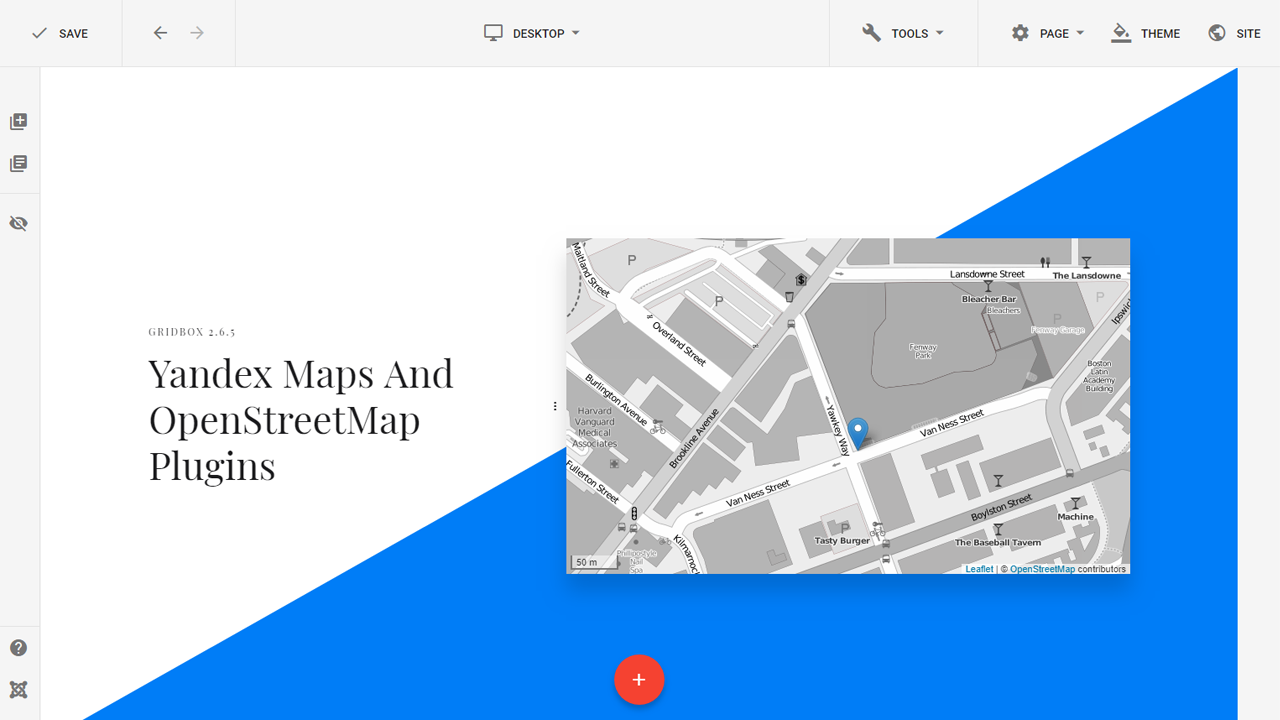
    Yandex is a Russian machine-learning navigational tech company, which seems to have created a perfect alternative to Google Maps, with its 10 years of experience in navigation and transportation services. Yandex.Maps offers it all to rival Google Maps, including voice prompts, alerts for upcoming speed limits and traffic cameras, and traffic congestion info updated in real-time.

    The new software even has the option to download directions into an offline mode, for when you run out of data or venture out on an off-road adventure in the bush somewhere.

    Yandex.Maps is currently only available in Russia, and requires a paid “Yandex Plus” subscription if drivers want to make use of the novel dashboard-navigation experience.

    The company does offer Russians a three-month free trial to test it out before buying, though. And for all we know, the $2.30 equivalent of the 169 Russian rubles that are charged as a monthly usage fee may just be worth it if it outperforms Google Maps in precise road mapping and route calculation.

    Google Maps isn’t always updated to reflect the opening up or blocking off of smaller streets, or acknowledge the existence of some legitimate off-road routes, for example, especially outside the USA—so it’s possible Yandex.Maps could be a truly worthy alternative.

    Even if it’s only a Russian breakthrough at the moment, it’s also a breakthrough in the sense that more developers are showing an interest in taking advantage of the free Android Auto app market and looking for ways to compete with Google in the car-optimized navigational software sphere.

  • Google makes its apps safer and more private for teens and pre-teens

    Google makes its apps safer and more private for teens and pre-teens

    Google announced today some changes made to give teens and pre-teens more control over some of Google’s most popular apps. Over the next few weeks, Google will debut a new policy that enables anyone under 18 years old or their parent or guardian to request the removal of the child’s image from Google Image results including Search. As Google itself points out, “Of course, removing an image from Search doesn’t remove it from the web, but we believe this change will help give young people more control of their images online.”

    Over the next few weeks, the following changes are coming to Google apps for those under 18. YouTube will change the default upload settings for those 13-17 to the most private option available. Some useful digital wellbeing features will be promoted by Google and Google will provide safeguards and educate teens about commercial content from the app. Those 13-17 will have autoplay turned off by default while bedtime and break reminders will be enabled by default.

    As the Alphabet subsidiary says, “We regularly engage with kids and teens, parents, governments, industry leaders, and experts in the fields of privacy, child safety, wellbeing, and education to design better, safer products for kids and teens. Having an accurate age for a user can be an important element in providing experiences tailored to their needs.

    Yet, knowing the accurate age of our users across multiple products and surfaces, while at the same time respecting their privacy and ensuring that our services remain accessible, is a complex challenge. It will require input from regulators, lawmakers, industry bodies, technology providers, and others to address it – and to ensure that we all build a safer internet for kids.”

    Teens using Google Search can be protected by SafeSearch which prevents the kids from seeing search results not meant for their eyes when enabled. It is on by default for users under 13 whose accounts are managed by Family Link. With the latter, parents can decide at what time their kid’s device shuts off for the day. Google plans in the coming months to turn SafeSearch on by default for existing users under 18 and make it the default setting for teens setting up new accounts.

    When it comes to teens using Google Assistant, the company says, “We’re always working to prevent mature content from surfacing during a child’s experience with Google Assistant on shared devices, and in the coming months we’ll be introducing new default protections. For example, we will apply our SafeSearch technology to the web browser on smart displays.”

    Children using supervised accounts don’t have the option of turning on Location History which is turned off by default for all accounts. Soon, Google will prevent users under 18 globally from being able to turn on Location History. In addition, a new safety section for the Play Store will allow parents to know which apps meet Google’s Family policies. Apps will also have to disclose how they use the data they collect in greater detail allowing parents to decide whether to allow their kids to install the app.

    Google will also prevent age-sensitive ad campaigns from being shown to teens and those under 18 will not be allowed to be targeted by advertisers based on age, interests, and gender. New digital wellbeing tools will allow parents to “block news, podcasts, and access to webpages on Assistant-enabled smart devices.”

    Anne Collier, executive director of the Net Safety Collaborative stated, “Being mindful about tech use is key to everyone’s wellbeing. These new defaults for teens are protective; they increase safe, mindful tech use by making teens think about what they want to see and who they want seeing their content.”

  • Google is bringing a huge change to the Play Store

    Google is bringing a huge change to the Play Store

    As of this month onwards, Google is completely changing the game when it comes to the development and functionality of applications published on the Google Play store.

    Until now, most Android apps have been submitted to the Play Store packaged in the traditional APK format, or Android Package Kit. In this form, an app is packaged into one single bundle that goes up on the Play Store, and is then downloaded in that same compact form to desiring Android customers, with all the odds and ends included.

    As simple as it sounds, this is hardly the optimal delivery standard, mainly because it may burden the user with much more than they will need or use on their particular device.

    From August 1, however, Google is obligating Android software developers to deliver all their applications via the newer AAB (Android App Bundle) framework. The good news is that the shift won’t constitute a huge hassle for developers, as they don’t have to change too much on their end between the two standards.

    Now, you may be thinking that this probably only concerns developers, and won’t affect the everyday end user—but that would be far from the truth. The new app delivery format allows for much greater compartmentalization of components within the app, prioritization, and optimization in order to deliver the smoothest experience to whichever Android device you are using.

    Here is what this all means:

    1. No unnecessary app clutter

    In the older APK format, if a developer wanted their Android app to be usable on multiple Android device types (smartphones and tablets, for example), they would go one of two routes. In the first scenario, they would create all the necessary particularities and differing graphics for each device that will use the app, and bundle them all together into a single application on the Play Store.

    When a user downloads the APK app on their phone, then, they often end up with unnecessary odds and ends that are particular to other devices, which they’ll never use or need on their own phone.

    Alternatively, developers could also create and publish separate APK’s for each Android device the app will be run on, but that’s obviously inconvenient and a general hassle.

    But with apps bundled in the AAB framework, the Play Store is able to smartly split up the bundle into separate APK’s, recognizing which one is right for your device, and thus only downloading what’s necessary. These optimized APK’s are 15% more compact than their old counterparts, Google claims.

    2. Effective Compartmentalization

    The AAB framework allows apps to be broken down into components with differing targets and priorities, which may be downloaded one at a time to the end user, as needed. The Play Store will then automatically know which version or components to deliver to a user’s specific device, without cluttering them with unnecessary packages.

    Games or other heavier, multi-layered apps will also have the ability to be downloaded to your phone part by part, as the need arises. If you start a new graphics-heavy game, then, the Play Store could download it to your device level by level (or a few levels at a time), for example—so you don’t have to bother with insane loading times every time you open the app.

    Developers also have the freedom to play around with optional add-ons, such as augmented reality—which may work on some devices but not others—which come separately and are only downloaded to the appropriate device, when needed.

    3. Reduced load on cheaper phones

    While the Google Play Store changes will certainly streamline the average app user experience even on the newest of flagships, those with older or slower phones should see a significant difference in load times and reduced device strain.

    Because older or low-tier phones generally have weaker processors and less storage space, they will see the biggest improvement in the way newer AAB apps behave.

    Google created AAB in 2018

    The new AAB format was actually launched along with Android 9 in 2018, and has been free for developers to use at their own discretion this whole time. It’s also completely open-source and available for other application libraries to adopt if they choose.

    Google reports that already one thousand of the most popular apps are built on AAB’s, and there are already over 1 million live apps using the newer format.

    While AAB is not a novel framework in and of itself, with the new requirement that all Google Play apps be submitted in AAB’s, Google is simply enforcing the already trending, more efficient format across the Android platforms for the benefit of the end user, and at no serious cost on the development side.

    Traditional APK’s that are already on the Play Store will stay and work just fine, as only future apps will be impacted.

    The one downside, as noted by Wired, is that because AAB is Google’s handiwork, and Google controls the full packaging and verification process, the tech giant is tightening the rains on the Play Store ecosystem, wielding complete control over app distribution in the foreseeable future.

  • Google Play Pass gains a bunch of new games in July

    Google Play Pass gains a bunch of new games in July

    The gaming industry is a money-making machine having exceeded the movie industry, one of the most profitable entertainment businesses. There are many ways to make money in the gaming industry, but the simplest way is via subscriptions. Google and Apple recently adopted the subscription-based system that Microsoft and Sony have been offering to their customers for a very long time.

    Xbox Game Pass and PlayStation Plus are some of the most popular subscription services in the gaming industry, but if you’re using a mobile device to play, you won’t benefit from these services. Well, technically, you could get Xbox Game Pass Ultimate and play console games on your mobile device, but you won’t get access to mobile titles.

    Google Play Pass offers subscribers access to hundreds of apps and games without ads and in-app purchases for just $5 per month or $30 per year. Obviously, the catalog of curated titles available under the service becomes bigger and bigger as Google adds new games to the offering.

    Starting this week, Google Play Pass subscribers are getting a bunch of new games that they can enjoy while on the move. Looking at the list of new titles added, it feels like there’s something for everyone.

    Tesla vs Lovecraft

    • An epic showdown between man vs monsters.
    • Price: $9.99 Free with Google Play Pass subscription

    Delight Games (Premium Library)

    • 70+ interactive volumes to immerse you in new worlds.
    • Price: $29.99 Free with Google Play Pass subscription

    WHO IS AWESOME

    • Fall, chase and flip your way to victory in this two-directional platformer!
    • Price: $0.99 Free with Google Play Pass subscription

    Starman

    • Recover the light, and bring life back!
    • Price: $4.49 Free with Google Play Pass subscription

    Super Glitch Dash
    The ultimate twitch runner has arrived.
    Price: Free (No in-app purchases with Google Play Pass subscription)

    Cytus II

    • From the makers of Cytus, experience a whole new chapter.
    • Price: $1.99 Free with Google Play Pass subscription

    Summer Catchers

    • Embark on an epic road trip adventure of a lifetime.
    • Price: $3.99 Free with Google Play Pass subscription

    Dandara: Trials of Fear Edition

    • The world of Salt is on the brink of collapse. Its only hope is Dandara.
    • Price: $5.99 Free with Google Play Pass subscription

    The nine titles above add to the nearly 80 new games and apps that have been added to Google Play Pass since June 1, 2021. Of course, we expect more to be added in the coming months, so it seems like Google Play Pass might become a good subscription service if you’re into mobile gaming.