Tag: Google

  • Apple Maps doesn’t collect data that can identify you on the iPhone like Google Maps does

    Apple Maps doesn’t collect data that can identify you on the iPhone like Google Maps does

    Unlike Google Maps, which is available on most of Apple’s devices, Apple Maps is only available to those using iOS, iPadOS, watchOS and macOS devices. In other words, Apple gets paid by device sales to help cover the costs of developing Apple Maps.

    Google, on the other hand, gets paid for Google Maps the same way it gets paid for anything it does-by selling advertising. If you look at the Privacy Labels on the App Store versions of Apple Maps and Google Maps, you can see that Apple Maps collects data from users, like Health & Fitness, Search History, Diagnostics, Location and User Data. But none of the data collected by Apple Maps is linked to a user’s identity.

    Google Maps’ Privacy Label for its iOS app shows that the app collects financial and contact information, User Content, Browsing History, Usage Data, Other data, Location, Contacts, Search History, Identifiers, and Diagnostics. This data can be collected by Google and linked to your identity. You could block this with the use of incognito mode which will prevent Google from collecting your data, but also limits some of the app’s functionality.

    To enable incognito mode on the Google Maps app, tap the profile icon in the upper right of the screen and tap  “Turn on incognito mode.” With this enabled, browser or search history is not saved, Location History is not updated, and Maps cannot be personalized.

    “Google Maps is designed to protect your information. We provide controls to easily manage your settings and use industry-leading technologies like differential privacy to keep your data safe. We continue to make Google Maps the best and most accurate way to navigate and explore the world—providing rich local business information, best in class search and navigation, and helpful features like the COVID layer and live business information.”

    Apple Maps has come a long way since its launch in 2012 when countries and streets were mislabeled and some users in Australia looking for directions to Mildura, Victoria was sent on a 24-hour trek across the outback to an area filled with poisonous snakes, no food, water or cell service. But Apple Maps is much improved and that improvement will continue with iOS 15.

    If you’re an iPhone user with a long memory, the time has come to give Apple Maps another shot. One of the features that we’ve found useful is the one that alerts us when a red light camera is in our path ready to look for drivers who commit a moving violation. And another feature will tell us whether to turn at the next light or to continue driving forward until we reach the light after the next one.

    And if you wear an Apple Watch, the integration between Apple Watch and the timepiece is outstanding. When you need to make a turn, you will feel haptic feedback on your Apple Watch that feels just like an automobile’s turn indicator against your wrist. This prevents you from missing a turn.

    Talking about the next build of iOS, Apple says that it is “committed to building the world’s best map and iOS 15 takes Maps even further with brand new ways to navigate and explore. Users will experience significantly enhanced details in cities for neighborhoods, commercial districts, elevation, and buildings, new road colors and labels, custom-designed landmarks, and a new night-time mode with a moonlit glow.”

    Google Maps has always been the first choice for mobile device users looking to navigate from point “A” to point “B,” but it appears as though Apple is ready to provide a strong challenge to Google.
  • Google is still being unclear on support for the new Wear OS

    Google is still being unclear on support for the new Wear OS

    It became clear how uncertain the future of current smartwatches is with the new Wear OS by Google and Samsung. We initially thought that the wearables we have now are not equipped with the horsepower to support the update.

    In a recent report from Qualcomm, however, we found out that is not the case. The chipset manufacturer confirmed the Snapdragon Wear 3100 and Snapdragon Wear 4100/4100+ have what it takes to run Wear OS 3.0.

    This then begs the question, why so many of the devices out now are not confirmed to receive it? One example is the Fossil Gen 5. The company recently opened up and stated that none of their intelligent timepieces will be getting the upgrade to the next version of Wear OS. Unfortunately, no further reasoning was given after that announcement which only arose further suspicion.

    On the other hand, wearables like the TicWatch Pro 3 have a decent chance to make the transition, as we got a leaked conversation with a representative from their customer support earlier this month. Although, given the source, the information does not carry much weight and leaves us with little reassurance.

    “User experience is a top priority for us. We have not confirmed eligibility or timeline on whether any Wear OS smartwatch will update to the new unified platform. There are many technical requirements in order to run the unified platform that ensures all components of the user experience are optimized.”

    If we translate this message, it seems Google has very politely disagreed with Qualcomm’s statement. The big G is basically saying there is no guarantee current Wear OS devices can comfortably handle it. Despite that, the tone and wording do leave room for possibility and dare I say… hope.

    Nevertheless, it seems Googe is being very tight with their plans and details on the topic. Your best course of action would probably be to wait a little while for the air to clear up if you are in the market for a new wrist buddy.

  • Google opens its first NYC store

    Google opens its first NYC store

    Five years ago, Google started making its own smartphones and voice-assisted speakers. Now, Google has a store to sell them in.

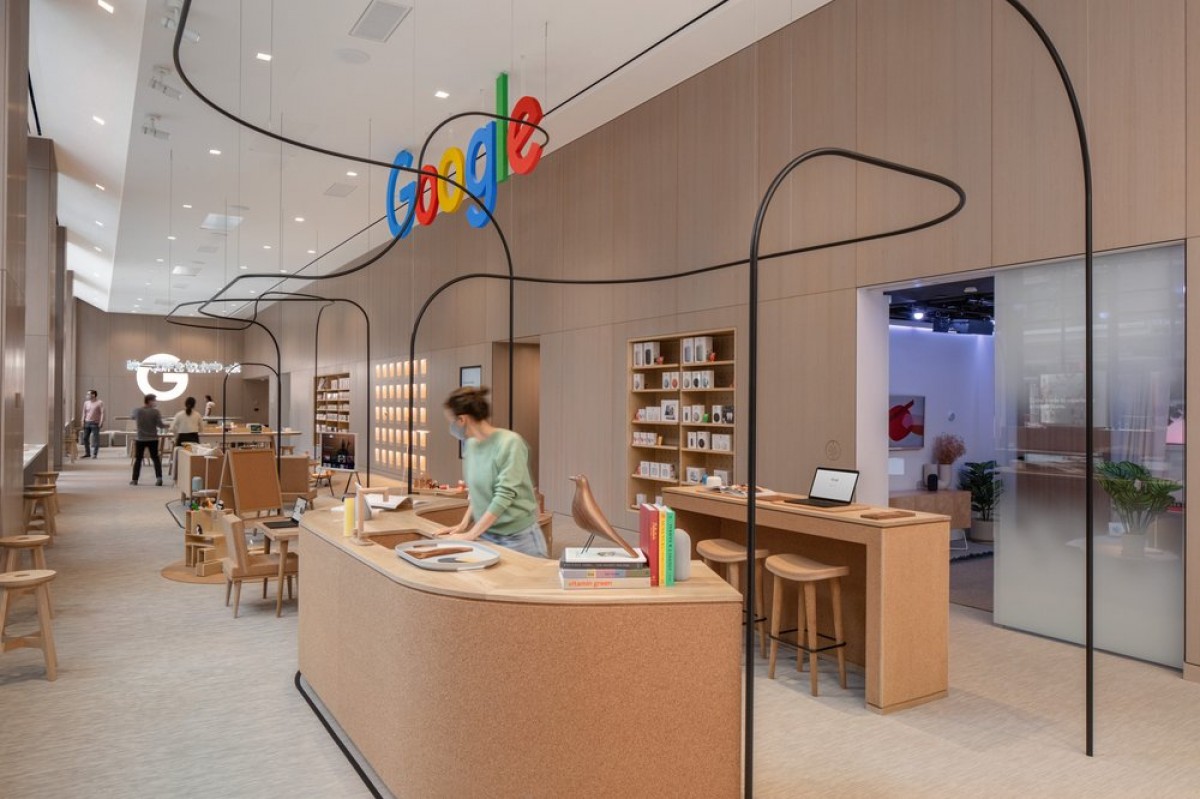
    The company is set to open its first-ever physical store on Thursday on the ground floor of its Manhattan headquarters in the Chelsea neighborhood. The store will carry a full array of Google’s gadgets, including Pixel smartphones, Nest home devices and Fitbit’s wearable fitness products, the company said.

    Inside, shoppers can try out devices and subscription services, while existing customers can get on-site repairs of broken products. The 5,000-square-foot store will include rooms where customers can experience “real-life scenarios” in which Google products can be useful, the company said.

    Some non-Google products and Google-branded gear, such as T-shirts, hats and dog toys, will also be sold.

    The store is Google’s latest attempt to give its fledgling hardware division a shot in the arm and an extension of pop-up stores that the company opened in the last few years.

    Since Google started selling Google-branded smartphones in 2016, it has expanded the kinds of devices it sells. It has also acquired Fitbit and integrated Nest, a maker of devices like thermostats. Nest had been a separate subsidiary of Google’s parent company, Alphabet.

    Although Google has invested heavily in the hardware division, it is still an afterthought to the company’s main advertising arm and its fast-growing cloud-computing unit. Google would not comment on whether it had plans to open more stores.

    The track record of technology companies that have opened retail stores is mixed. Apple’s stores stand out as a major success, elevating the brand and offering a showcase for new products. Microsoft, on the other hand, said it was shuttering all of its stores last year, more than a decade after it started opening retail outlets to augment its own push into hardware.

  • Android version of the Google Assistant app has been installed over 500 million times

    Android version of the Google Assistant app has been installed over 500 million times

    If you look up the listing in the Google Play Store for Google Assistant, you’ll see a note near the bottom of the page that says, “You do not need this app to use the Google Assistant if you already have the Google Assistant on your device.” Since the Assistant is found on just about every Android phone that uses Google Mobile Services, the app really doesn’t need to be downloaded by the vast majority of Android users.

    The dedicated Google Assistant app has reached the 500 million installs milestone. And you can’t give credit to all of those iOS users who recognize Siri as being the absolute mess that it is and have installed the iOS Assistant app to use instead; those installations are done through Apple’s App Store and are not part of the half a billion credited to the Play Store.

    Over 500 million installs of Google Assistant have taken place via the Google Play Store

    Downloading the app will allow Android users to add it to their App drawer or home screen. There are other ways for Android users to activate Google without tapping on an app icon. The Pixel Active Edge feature allowed users to squeeze the sides of their phone to activate the Assistant although this was removed on the Pixel 4a, Pixel 4a 5G and the Pixel 5.

    Saying the hot phrase “Hey Google” will also get the assistant open without having to tap the icon or squeeze the phone. With 500 million Google Assistant installs from the Google Play Store, the app is halfway to a billion and could get there sooner than you might think.

  • Qualcomm sheds light on which smartwatches support Google’s new Wear OS

    Qualcomm sheds light on which smartwatches support Google’s new Wear OS

    The reveal of a new Wear OS fully supported by Samsung was a big surprise for the wearable industry. In fact, it was such as surprise that many smartwatch manufacturers don’t know whether or not their products support the platform that’s said to combine the best of Wear OS and Tizen.

    Not even Google was willing to offer a straight answer when asked which of the current smartwatches can be upgraded to Wear OS 3.0, and which ones will remain on their current version of the OS.

    Qualcomm on the other hand has been more generous and shared some info on the matter. XDA reports that a spokesperson for Qualcomm confirmed that Snapdragon Wear 3100 and Snapdragon Wear 4100/4100+ are the only chipsets that would be able to run the new Wear OS 3.0.

    We are working with Google on bringing Wear OS 3.0 to Snapdragon Wear 4100+ and 4100 platforms. Snapdragon Wear 3100, 4100+ and 4100 platforms are capable of supporting Wear OS 3.0, but we are not discussing any specifics at this time.

    Although that doesn’t necessarily mean that all smartwatches equipped with these specific chipsets will receive the Wear OS 3.0 upgrade, at least we know which ones are more likely to be updated.

    Of course, if you’re using a Fossil smartwatch, then you already know you won’t be getting the new Wear OS 3.0 update, as the company has already issued an official statement on the matter not long ago.

  • Google rolls out Messages end-to-end encryption to everyone

    Google rolls out Messages end-to-end encryption to everyone

    Google Messages is finally getting end-to-end encryption, which means your messages will be secure from prying eyes. Google has been testing improved security for its Messages app since last year, but only a limited number of users had access to end-to-end encryption.

    Starting this week, Google is rolling out end-to-end encryption to all Messages users. However, to take advantage of the new feature, a few aspects are required. First off, you and the person you message must both use the Messages app and have chat features enabled.

    Secondly, you must use data or Wi-Fi for RCS ( messages. Keep in mind though that end-to-end encryption does not cover SMS/MMS messages and group messages. You’ll be able to tell when end-to-end encryption is enabled if you have an arrow icon with a lock on it on the send button when you write a message.

    When you lose chat features and end-to-end encryption will no longer be enabled, you won’t have a lock icon next to the timestamp of the conversation’s latest message or on the send button when you write a new message.

    According to Google, this type of encryption converts data into scrambled text, which can only be decided with a secret key. The latter is a number created only on your phone and the device you message. The secret key is not shared with Google, anyone else, or other devices, and it’s generated again for each message.

    Last but not least, the secret key is always deleted from the sender’s device when the encrypted message is created, as well as from the receiver’s device when the message is decrypted.

  • RCS becomes a little more Apple-flavored after adding end-to-end encyption

    RCS becomes a little more Apple-flavored after adding end-to-end encyption

    When Google first started disseminating Rich Communication Services (RCS) to Android users, Google tried to copy several iMessage features. Because it uses a data hook up instead of a cellular connection, RCS can deliver much larger messages (8,000 characters up from 160), handle larger video and image files, show read receipts and more.

    One thing that RCS didn’t have that iMessage did was end-to-end encryption. With this feature, a message you send could only be read by the recipient. In May 2020, the buzz around the water cooler was that Google was testing end-to-end encryption for RCS and today the beta label was removed.

    As Google Senior Vice President Hiroshi Lockheimer (@lockheimer) posted on Twitter today, one to one messages on RCS now are equipped with end-to-end encryption. Keep in mind that this means group messages are not included. The first bunch of RCS users to get the feature are those who had not opted into the Google Messages beta indicating that this could be part of a new wide RCS rollout.

    for end-to-end encryption to work with RCS, both ends of the conversation need to have RCS enabled, and you’ll know if a message you’re sending is encrypted end-to-end if you see a lock icon on the send button.

    Little by little, Google is trying to end the blue bubble jealousy that Android users have suffered with through the years. If two RCS users are exchanging a chat, both will have blue text bubbles just like when an iPhone user is sending an iMessage to another iPhone user.

    Originally, all of the major carriers were going to be involved in the Cross Carrier Messaging Initiative (CCMI) allowing each wireless provider to offer a single new RCS app. Ironically, Google was not part of the CCMI which seemed strange in the first place considering that RCS was its baby.

    And earlier this year, the CCMI was canceled as Verizon said, “The owners of the Cross Carrier Messaging Initiative decided to end the joint venture effort. However, the owners remain committed to enhancing the messaging experience for customers including growing the availability of RCS.”

    T-Mobile also released a statement at the time that stated, “We’re committed to delivering RCS interoperability and are working with other providers to make it happen. T-Mobile customers with Android devices can currently enjoy RCS messaging across our network as well as with many other customers worldwide by interoperating with Google.”

    The major U.S. carriers were hoping to profit from the monetization of the CCMI by allowing their customers to chat with their favorite brands without having to switch apps. Users would be able to schedule appointments, pay bills, order rideshare and more through RCS thanks to the CCMI

    Analyst Lynnette Luna of GlobalData noted that RCS is really important to Google, but pointed out that because of Apple’s iMessage platform, there is no reason for Apple to get involved in RCS, and Apple has half of the U.S. smartphone market. She did say that Google continues to push RCS in the U.S. and that is because the company hopes to make money by pushing business to consumer ads.

    Luna added at the time that she didn’t expect Verizon, AT&T or T-Mobile to make a big push for RCS in the states. Consider though that in Japan, 60% of RCS messages are clicked on compared to the 0.001% that click on mobile banner ads. You can understand why Google has such high hopes for RCS as a platform for business.

    And with 1 to 1 chats now encrypted end-to-end, Google could still use RCS to pad the top line some more.

  • Google’s Android app returns blank search results thanks to bug

    Google’s Android app returns blank search results thanks to bug

    Over the last few weeks a bug has affected the Google app on Android. When conducting a search, the user gets a blank response. The bug work its magic on several devices including handsets made by Samsung, Google, and OnePlus.

    If this happens to you, you could get annoyed, jump up and down on your phone and start cursing out the Google app. Or, you can handle this like the calm, cool and collected person that you are and request the search for a second time. You might also consider force closing the Google app since that appears to solve the issue, at least temporarily.

    Additionally, it appears that using the Chrome URL bar to run a search doesn’t result in a blank response, so you might want to use the search feature on Chrome if getting a blank response is not what you’re looking for from your search request. We should point out that receiving blank search results has nothing to do with the strength of your network or Wi-Fi connection.

    Dare we assume that Google is aware of this bug and hopefully is working on an update to exterminate this rather strange issue?  Yes we do because Search is Google’s most important business unit and was responsible for $104 billion in revenue for the company last year. That made up 71% of Google’s advertising gross and 57% of parent firm Alphabet’s total 2020 revenue.

  • Google releases Android 12 beta 2 to compatible Pixel models

    Google releases Android 12 beta 2 to compatible Pixel models

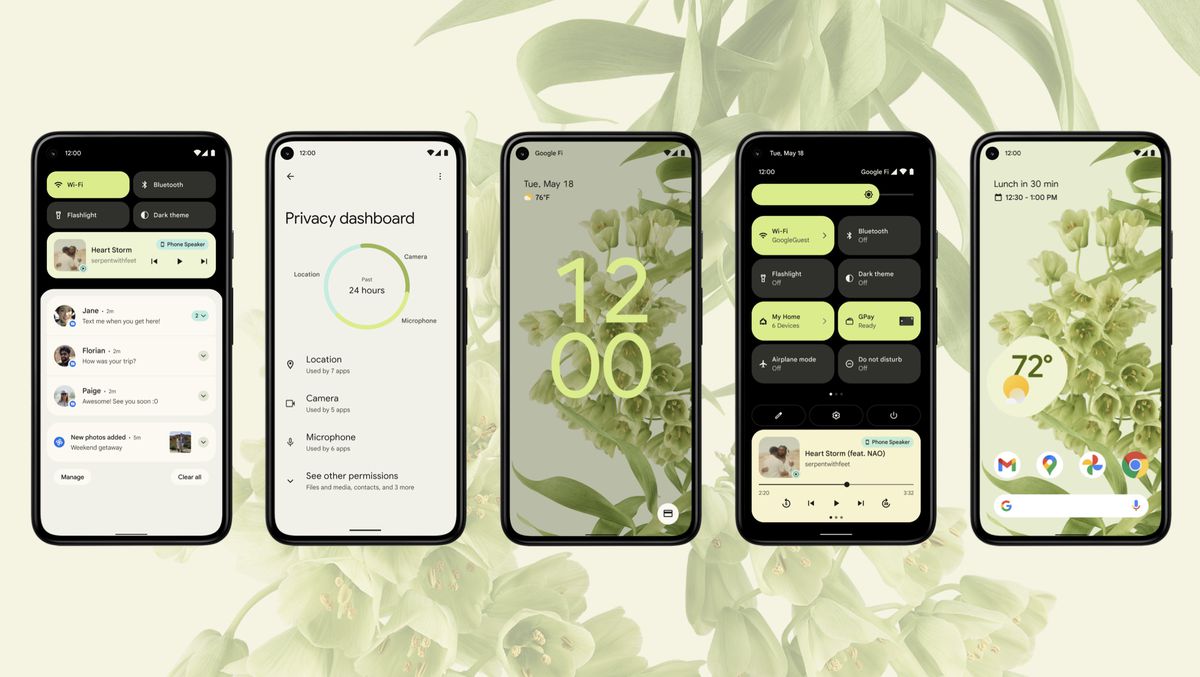
    Pixel owners are another step closer to receiving Android 12 as said today that Google has started to push out Android 12 beta 2 to Pixel users. The update includes several of the new privacy features being added to the operating system with the new build including a 24-hour timeline showing which apps have accessed your phone’s camera, microphone, and location data.

    Another feature found in the new beta is a message that pops up to alert you when an app is reading your clipboard. Since users often copy important account numbers or passwords on their clipboards, it is important to know who is getting to read this data. The only time this message doesn’t appear is when the data on the clipboard that an app can read was copied from that very app.

    Similar to the Orange and Green dots found above the cell signal bars on an iPhone (which indicates when an app is using your handset’s microphone and camera respectively), Android 12 beta 2 users will see microphone or camera indicators when apps are using those two sensors.

    A new “Internet” tile in Quick Settings will show you your phone’s online connections including the name of your Wi-Fi network. Tapping on the Wi-Fi icon will allow you to quickly disable your Wi-Fi connection and will also show you a list of nearby Wi-Fi signals and give you the option to turn off/on your cellular network. The update also adds a GPay tile to Quick Settings to replace “Cards & passes.”

    To become an Android 12 beta tester for your Pixel, open the Android Beta Program site and tap the button that says “View your eligible devices.” Follow the directions and you’ll receive the Android 12 beta 2 update OTA. Once you receive notification that the update is on your phone, go to Settings > System > Advanced > System update.

    If your Pixel is your daily driver, you might want to wait for the final version of Android 12 before installing it. After all, the Android 12 beta 2 update is not stable and apps that you might need for work or play might not be working at full capacity during the beta testing.

  • Test allows YouTube viewers to watch in full-screen mode while also viewing comments

    Test allows YouTube viewers to watch in full-screen mode while also viewing comments

    Google has been testing a revision to the comments section for the Android version of YouTube. With the test, Google will allow YouTube users to view and scroll comments on Android even when in full-screen mode. Previously, in full-screen mode users would not be able to read comments because of the lack of room. With the update, the video is minimized allowing users to view the content while the comments appear on a sliding panel.

    After viewing all of the comments that a user might care to read, swiping down on the screen from the top of the banner will hide these comments and once they are swiped away, the screen returns to its usual size. Now we should point out that you can also read comments and view a YouTube video at the same time if you’re watching the video in portrait mode.

    If Google is pleased with the response from the testing and decides to roll this out to all Android-powered YouTube users, we might get a good idea what Android users think about certain content on the app. Instead of having to choose between watching full-screen YouTube content and getting to read comments from those fellow YouTube users, you’ll be able to do both. It’s called multitasking!

    Again, the testing by Google appears to be limited in scope, but we won’t object if you decide to see whether you and your phone are part of the test.

  • New Google Maps feature directs drivers away from accident-prone routes

    New Google Maps feature directs drivers away from accident-prone routes

    Earlier this year we told you that instead of giving you the fastest route between two points by default, Google Maps will suggest a route that is more environmentally friendly and uses less energy. Now, looking to prevent accidents, the Google Maps app will route users away from roads where drivers are known for braking hard which can lead to accidents. Google will then give other drivers an alternative route to prevent accidents from happening.

    If a driver on the road slams on his brakes, a car behind him might not be able to stop in time causing a chain reaction of crashes. Keeping users away from those roads were slamming on the brakes is typical, Google hopes to see fewer accidents, fewer injuries, and safer driving. According to Auto-Evolution, over 100 million hard-braking events can be eliminated a year if Google Maps directs drivers to take safer routes.

    Google says, “For example, if there’s a sudden increase in hard-braking events along a route during a certain time of day when people are likely to be driving toward the glare of the sun, our system could detect those events and offer alternate routes.” The new feature will be available on both the Android and iOS versions of Google Maps.

    To determine which roads are dangerous because of drivers who are braking hard, Google turns to sensors that are placed inside drivers’ mobile devices. Accelerometers and gyroscopes can spot areas of the road where there is sudden deceleration pointing to hard braking. But even Google has to admit that just relying on sensors can lead to a false alarm.

    Slamming a phone into a cup holder can create a false alarm and Google Maps might read that sudden stop as a car whose driver just slammed on the brakes. To improve the accuracy of the feature, Google turns to AI and analyzes Google Maps to see whether the driver slammed on the brakes along the route that was taken. Google can also analyze the actions taken by other vehicles taking the same road at the same time in order to determine the reason why a driver slammed on the brakes.

  • Google Assistant to replace dialogue bubbles and small text with large bolded print

    Google Assistant to replace dialogue bubbles and small text with large bolded print

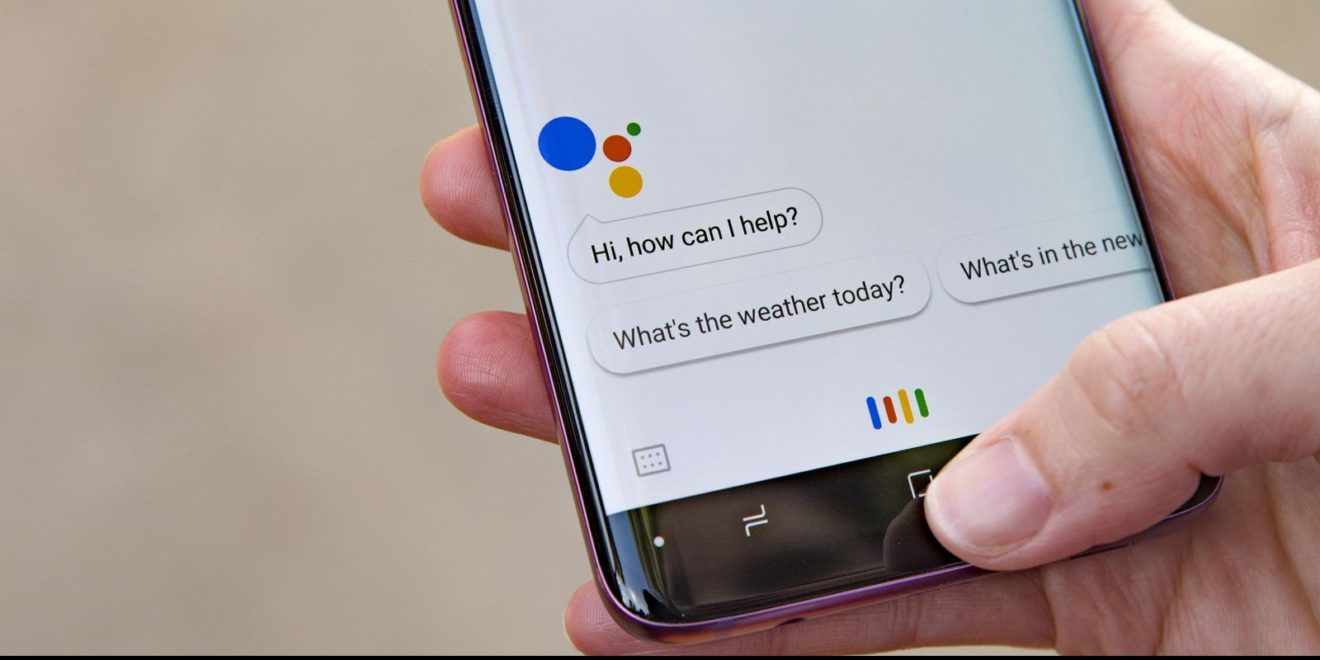
    Google is testing a major change to Google Assistant that makes the digital assistant look better on an Android phone. Right now, responses made by Google Assistant include showing the user appropriate cards, posting web results, opening an app, or showing a text response. Instead of showing the latter using a dialogue balloon with tiny print, Google is making a change.

    Some users are seeing text responses in larger bolded print without the comic strip-style dialogue balloons. For those who believe that seeing is believing and would rather see Google Assistant’s response to an inquiry than hear it, this is a positive change. Older responses on the screen will shrink and gray out.

    You won’t see the bolder, larger text for replies related to a weather-inspired task, a response that is put on a card, or on inquiries that return a list of web results. Instead, it appears that the change is more apt to appear when asking Google Assistant to tell a joke or for other tasks that might be considered “fun.” The hope is that the new response interface will eventually be used for other topics since it is easier to read.

    The larger, bolded text has been spotted with the latest build of the Google app from the Google Play Store. It also has been seen with the latest version of Google Assistant for Pixel models, and with the light bar version of Assistant on other Android devices.

  • Google is testing two features for mobile YouTube users

    Google is testing two features for mobile YouTube users

    Google has been busy testing new features on the mobile version of YouTube. Remember back in 2007 when one ad for the Apple iPhone said that “maybe the biggest surprise is finding YouTube on your phone.” But these days, every iOS and Android phone has access to the streaming video site and Google continues to improve the UI and functionality of the app.

    For example, a limited number of Android users are in the process of testing a feature called Loop video that is already offered to those running the desktop version of YouTube. With this feature, a video will automatically continue to play over and over again. This really isn’t meant for a long movie like Titanic (which runs for three hours and 30 minutes), but for short music videos that can be over in under four minutes.

    If you have an Android device, you can look for the Loop video option by tapping the three-dot menu button. The feature does have an icon consisting of a right-facing arrow on top, a left-facing arrow at the bottom with the number “1” sandwiched in between.

    Also being tested is another feature called Clip that allows YouTube users to create 60-second video clips from existing videos. The clip you create can then be shared with others. Clip, which uses the image of a scissor for its icon, is being tested on both Android and iOS devices which means that you might not see it on your device at the moment.

  • Important Google Photos storage policy changes rolling out in June

    Important Google Photos storage policy changes rolling out in June

    It’s no secret that Google will no longer offer unlimited free photo and video backup at “high quality” come June 2021. The Mountain View company announced late last year a change to its high-quality storage policy, which will drop as early as June 1.

    So, starting next month, Google will roll out the new changes so that any new photos and video users back up will count toward the free 15GB of storage that comes with every Google Account or the additional storage purchased as a Google One member.

    However, there are a couple of things that Google Photos users should know before the new storage policy change comes into effect on June 1. First off, any photos or videos that you backed up in high quality before June 1, 2021, will not count toward your Google Account storage. Yes, these photos and videos will remain free and exempt from the storage limit.

    Another important aspect that Google Photos users should be aware of is that Google estimates that more than 80 percent of its users should still be able to store roughly three more years of memories in high quality with the free 15GB of storage.

    If your storage nears 15GB, you’ll receive a notification from Google directly in the app, as well as via email. All Google Photos users should see an estimate that takes into account how frequently they back up photos, videos, and other content to their Google Account.

    Furthermore, Google announced it will roll out a new tool in the Photos app that will help users manage the photos and videos they’ve back up that count toward their storage quota. The new storage management tool will display photos and videos that can potentially be deleted due to being blurry or too large.

    Last but not least, to make it less confusing for Google Photos users, the search giant will rename its high-quality storage tier to Storage saver. Until this change is deployed, all photos and videos will continue to be stored at the same high quality.

  • Android 12 Beta is now available for download on these phones

    Android 12 Beta is now available for download on these phones

    Android 12 was officially announced during Google’s I/O 2021 event, offering a colorful Material New design and more fun changes. To those curious to try it out – you already can!

    Granted, you’ll need an eligible smartphone and it’s worth noting that running a developer Android beta version is not a good idea unless you’re actually an Android developer yourself. Beta software can be quite unstable, and your phone’s functionality will become limited, so proceed at your own risk or simply wait for the public Android 12 release later this year. In any case…

    Google

    During the I/O event, Google announced that the first smartphones to be getting access to the Android 12 beta will unsurprisingly include Pixel phones. You will need to be using the Google Pixel 3, Pixel 3 XL, Pixel 3a, Pixel 3a XL, Pixel 4, Pixel 4 XL, Pixel 4a, Pixel 4a (5G) or Pixel 5. Google has provided Android 12 beta downloads for each of those phones here.

    Asus

    If you have an Asus Zenfone 8, you can download the Android 12 beta for that phone from Asus’ website. That website also has step-by-step instructions on how to install it, and which features don’t work yet, such as the fingerprint sensor and face unlock.

    OnePlus

    Those using the OnePlus 9 and OnePlus 9 Pro can get the Android 12 developer preview from OnePlus’ website here. The site also explains the installation process for those particular phones.

    Warning: We’ve had reports that the Android 12 beta gets OnePlus devices stuck in a bootloop.

    Xiaomi

    Xiaomi users who own the Mi 11 Ultra, Mi 11, Mi 11i and Mi 11X Pro can download the Android 12 beta for those phones from this Xiaomi page. There Xiaomi has also listed what to expect in terms of bugs.

    Vivo

    Right now only the Vivo iQOO 7 can get the Android 12 beta. If you own that phone, please refer to Vivo’s Android 12 beta download page.

    Oppo

    Currently the OPPO Find X3 Pro can get the Android 12 beta from OPPO’s website.

    Others

    If you’re using a recent Android phone made by Realme, Sharp, Tecno, TCL or ZTE, you can refer to Google’s “Partners and eligible devices” page for relevant Android 12 beta downloads and instructions.

    If your smartphone or brand isn’t included there, then the Android 12 beta isn’t available to you right now, but it could be in the future. You can inquire with your phone’s manufacturer on when and if you can expect an Android 12 beta to become available.