Tag: Google

  • Google TV Android app update adds support for more streaming services

    Google TV Android app update adds support for more streaming services

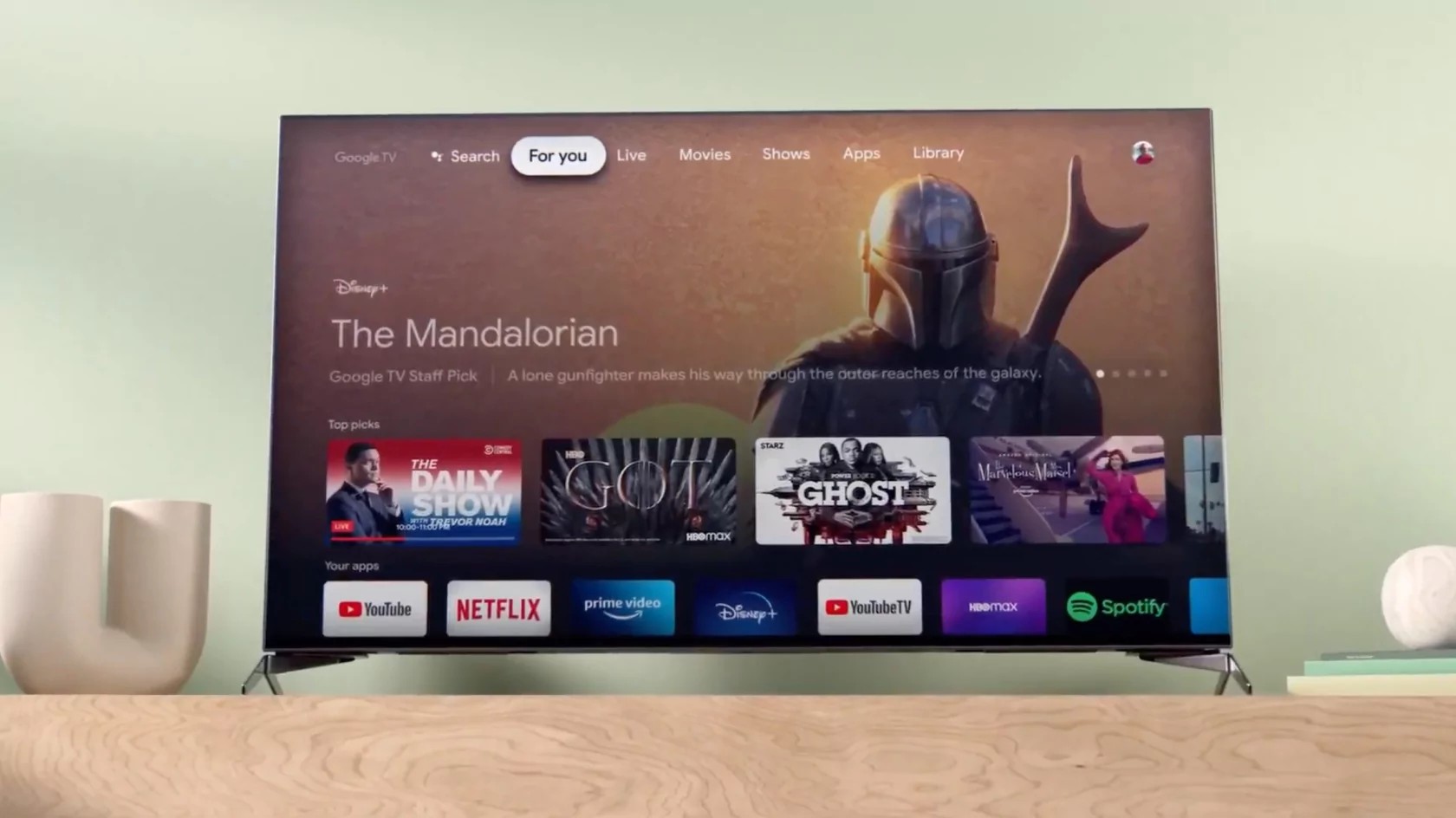
    Great news for Google TV app users, as a new update is now making its way to Android devices in the coming days. Google has just announced that the TV Android app in the US is going to receive a new update this week and brings changes to the interface, better recommendations, and more ways to watch.

    The most important change included in the update is the addition of a new 16:9 widescreen movie and show posters. Also, Rotten Tomatoes scores have been added under each poster. Users will now be able to mark shows they have already seen by tapping the “watched” icon to get updated recommendations in their “For you” tab in their place.

    The update also introduces more rows of personalized recommendations that will allow Google TV users to browse for their next movie or show. Google also revealed that it made improvements to the app’s recommendation system to make it easier to find something that fits a user’s interests.

    Last but not least, the Google TV app now features support for even more streaming services, including Discovery+, Viki, PBS kids, and Boomerang. Also, support for on-demand content from live TV like YouTube TV, Philo, and fuboTV is available too.

    Keep in mind that the update will not remove the Watchlist feature, and all previously purchased movies and shows will still show up in your Library tab.

  • Update to produce a more colorful Google Keep

    Update to produce a more colorful Google Keep

    Google Keep is a free note-taking app found on iOS, Android, and the desktop. Currently, Keep’s interface is nothing that users would get excited about as it shows the drawn image of a light bulb. Whether Google received complaints about the coma-producing UI or it decided unilaterally to freshen up the look isn’t clear, but citing a source who discovered the change.

    Users will be able to select from different background colors by tapping on the icon of an artist’s palette found at the bottom of the screen. Clicking on the icon will also reveal the different background images that the Google Keep app and website will show. Options include a plain background in various colors, a checkered umbrella, a fork retreating from a bowl of spaghetti with pasta intertwined on its prongs, and some others.

    We have yet to see the new background surface which points to the updated UI being rolled out via a server-side update. If you’ve never opened the Keep app before, it allows you to take and save written notes and lists, keep photos, and audio. You can use the app to produce a shopping list, create a to-do list, and more. And these reminders can be set to go off at certain locations.

    You can set the app to display your shopping list when you enter the supermarket or create a time-based reminder to help you get a particular task done without completing it too late. You can install Google Keep from the Google Play Store, or the Apple App Store.

  • New helpful features are added to Google Maps

    New helpful features are added to Google Maps

    Google continues to work on Google Maps as the app matures from one that gets you safely and quickly from point “A” to point “B” to one that not only gets you to point “B” but also shows you where to go, stay, eat and more once you do arrive at point “B.” Today, Google announced some new features for Maps that are designed to help users deal with some of the pains of travel whether it is the daily commute to the office,  a vacation, or just a jaunt to the local supermarket to stock up.

    The new features for Google Maps include one that will come in handy for commuters and others. If you happen to rely on public transit for the majority of your trips, you can now get the lay of the land and discover how crowded your subway car, bus, or train will be. This is important if you hate getting squeezed inside a subway car with sweaty, irritable commuters.

    If Google Maps informs you that you should expect a cramped ride, you can always wait for the next subway car, bus or train so that you can enjoy some space and perhaps more importantly, some peace and quiet on your journey. The information is computed using machine learning AI and will soon be expanded to cover more than 10,000 transit agencies in 100 countries around the world.

    In New York and Sydney, Google is testing the release of this information for the individual car levels on trains. This will allow Google Maps users to choose where to stand on the platform in order to find the least crowded part of the train.

    With new variants of COVID like Delta and the deadly Lambda versions keeping the pandemic alive, Google knows that it is still important for people to know the latest news about COVID-19. The COVID layer on Google Maps will provide information about what is happening in your area about COVID including restrictions that you need to know about and local resources that you might find helpful.

    Google suggests that before you leave for your destination, go to Google Maps, search for your destination and scroll down to the Business Profile to see how busy the place is right now. This way you can adjust your plans if your destination is mobbed. Some businesses allow you to schedule an appointment through Google Maps. All you need to do is search for the business, check availability, and reserve your time. You can make changes and manage your appointments via the app’s Saved tab.

    Google Maps will soon allow you to look back in order to plan ahead. All Android users can use the Trips tab to revisit past trips. Google notes that you can export this information and share your past travels with others.

    The Business Profile will also show a location’s operating hours, current COVID-19 safety precautions, trending dishes, and reviews. Speaking of dishes, tapping on prompts inside Google Maps will allow you to share information for any restaurant in the U.S. including the eatery’s average price range or whether you ate in or took the meal home to consume.

    Lastly, Google Maps will allow users to pay for things like street parking or public transit directly from the app. For the former, type in the meter number and then hit pay and refill to make the contactless payment. When you arrive at any public transit, your phone will show an option to make a payment which you can tap to initiate.

  • Google Maps is giving out potentially fatal directions to mountain climbers

    Google Maps is giving out potentially fatal directions to mountain climbers

    When Apple launched its own mapping and navigation app in iOS 6, the goal was to replace Google Maps on the iPhone. But Apple Maps was such a fiasco that just weeks after the launch, CEO Tim Cook apologized for Apple Maps’ shortcomings and suggested that iOS users turn to alternatives like Google Maps, Waze, and other navigation apps until the issues were fixed.

    One particular mistake put Apple Maps users in real peril and led Inspector Simon Clemmence of the Victoria Police in Australia to call the app life-threatening. It turned out that the directions that the app provided to at least six people driving their vehicles to Mildura took them through the Outback with temperatures as high as 115 degrees. The area is lousy with poisonous snakes and cell reception is spotty.

    The problem was that Apple Maps had Mildura 43 miles away from its actual location. Australian cops put out a warning telling iPhone users that drivers who used the app to get to Mildura ended up driving for over 24 hours without food, water, or cell service. One person had to walk over 24 hours before finding cellular connectivity for his handset. Apple Maps has been greatly improved since and now it is Google Maps’ turn to disseminate potentially deadly directions.

    At the end of last week, the John Muir Trust and Mountaineering Scotland, the organizations that watch over mountain climbing, hill walking, snow sports, and similar activities in Scotland, released a warning. The organization expressed concern that climbers and hikers were using navigation apps to get directions to Scotland’s highest mountain named Ben Nevis.

    It seems that Google Maps is giving directions to hikers that could be lethal. At least that is the opinion of Heather Morning, Mountaineering Scotland’s mountain safety adviser. Morning says that “For those new to hill walking, it would seem perfectly logical to check out Google Maps for information on how to get to your chosen mountain…even the most experienced mountaineer would have difficulty following this route (from Google Maps).”

    Morning adds that “the line goes through very steep, rocky, and pathless terrain where even in good visibility it would be challenging to find a safe line. Add in low cloud and rain and the suggested Google line is potentially fatal.” Both organizations wish to speak to Google about removing any life-threatening routes. However, Google has reportedly yet to respond to appeals from John Muir.

    A Google spokesperson did comment about the possibly life-threatening directions and said, “We built Google Maps with safety and reliability in mind, and are working quickly to investigate the routing issue on Ben Nevis and surrounding areas.”

    Google said that it examining the issue and said, “To help both novice and experienced hikers more easily find trails that suit their level of expertise, we’re now updating our driving routes to take people directly to the visitor center, where they’ll be able to speak with staff about the best trail to take.” But the directions to Ben Nevis are not the only directions from Google Maps that could end up killing someone who follows the app’s directions.

    Mountaineering Scotland’s Morning states “Modern navigation technology brings some amazing advantages for hill walkers, but this example is clearly not one of them. Walkers and climbers with even a little experience will know to read information from a map, whether digital or paper, and if they are looking for downloadable routes know to use reputable sources and check several sources to ensure the information they are accessing is the right route for their level of experience and ability.”

    She goes on to say that “…especially on Ben Nevis, many people are not aware of where to get reliable information and may quite naturally assume that Google Maps, which got them from their home to the foot of the mountain, can carry on and do the job right to the top. This is not the case.”

    A couple of paragraphs ago we hinted that there is another possible fatal set of directions offered by Google Maps. According to Mountaineering Scotland,  a route shared by Google Maps to Scotland’s An Teallach mountain “would take people over a cliff.”

  • Google replaces Backup and Sync with new Google Drive desktop app

    Google replaces Backup and Sync with new Google Drive desktop app

    Google has just released a brand-new version of its Google Drive desktop app, bringing Google Backup and Google Sync together with Google Photos and other features, along with additional improvements. It will be replacing previous home and business versions alike, aiming to make many of the regularly used Google Workspace features easily accessible in a single space.

    We know some of the main highlights of what the new Google Drive app will feature:

    • Uploading and syncing photos to Google cloud storage—including automatic compression and resizing, for those choosing “Storage saver” rather than original image quality
    • Syncing external storage devices (thumb drives, USB hard drives, and SSDs) to Google Drive
    • (Optional) two-way file and folder synchronization—automatically download files to local folders and vice versa
    • Locally mounted Drive folders in either Stream or Mirror mode—automatically downloading files on-demand or automatically prefetching all files from the cloud
    • In-app support for shared Google drives (new feature, was not present in Backup and Sync)
    • Integration with Microsoft Outlook and Google Meet scheduling

    The download size is rather hefty for the new Google Drive app, coming in at 238 MB and a reportedly fairly long installation time.

    For people who are eager to replace their old Sync and Backup app with this upgrade, they will soon start seeing the in-app prompt to download the new, unified version very soon, when they open either of the old apps.

    Users of the two apps will be supported by a guided transition to the new Google Drive starting July 19, and in-app push notifications reminding you to upgrade will start appearing as of August 18.

    Google recommends that users complete the transition by the end of September in 2021. That’s because on October 1, both the Google Sync and Backup apps will stop working and lose all support from the company. Both business and personal Google Workspace users benefit equally from the simplified workflow made possible in the new, unifying Google Drive app, so it may be better to go ahead and switch sooner than later.

  • Users in the States will now be able to pay in stores with a Google Pay virtual card

    Users in the States will now be able to pay in stores with a Google Pay virtual card

    A new and welcome change to Google Pay users in the US is now coming: you will be able to use your Google Pay balance to pay in stores. The new feature is currently only available in the States, but it should be available to all Google Pay users soon.

    Starting this week, users in the States will be able to pay using their Google Pay balance via NFC. The app will offer a virtual card that you can use in-store. Of course, this feature will only work on phones that support NFC and in stores that have NFC as a payment option.

    This new feature will allow users to pay with money that they earned from rewards or were sent to them via family and friends in Google Pay. Before this change, you could use the app to send money, buy products or services online or in the Play Store, or transfer money out to your bank account.

    However, you could not use Google Pay to pay in physical stores. And on top of that, when you transferred the money to your bank account, you couldn’t pay with it right at the moment as most banks need 1-3 days for the transferred funds to process.

    Starting this week, if you live in the States, you can get the Google Pay balance card that you can request from the app itself. Google has not given a precise rollout date to users outside of the States, but the company has stated that the feature will be coming to “all Android users” soon.

  • US states allege Google ‘unlawfully’ preserves Play Store monopoly

    US states allege Google ‘unlawfully’ preserves Play Store monopoly

    Thirty-seven U.S. state and district attorneys general sued Alphabet. Google on Wednesday, alleging that it bought off competitors and used restrictive contracts to unlawfully maintain a monopoly for its app store on Android phones.

    The allegations about Google’s Play Store stem from an investigation involving nearly every U.S. state that began in September 2019 and have already resulted in three other lawsuits against the company. The cases threaten to force major changes to how it generates billions of dollars in revenue across its businesses, including advertising, in-app purchases and smart home gadgets.

    Google said on Wednesday the litigation was about boosting a handful of major app developers that want preferential treatment rather than about helping small businesses or consumers. It maintains that unlike Apple with its App Store on iPhones, Android supports competitors to the Play Store.

    “Android and Google Play provide openness and choice that other platforms simply don’t,” the company said in a blog post.

    The states, led by Utah, New York, North Carolina and Tennessee, argue that Google has generated “enormous profit margins” from the Play Store by engaging in illegal tactics to preserve monopolies in selling Android apps and in-app goods.

    In the United States, Google Play accounts for 90% of Android apps downloaded, according to the lawsuit.

    “Google leverages its monopoly power with Android to unlawfully maintain its monopoly in the Android app distribution market,” the lawsuit stated.

  • Google Maps’ Insights feature is rolling out in more countries

    Google Maps’ Insights feature is rolling out in more countries

    Google continues to work hard on improving Google Maps. The app does so much more than just help take you quickly and safely from point “A” to point “B” as it gives you the names of places to visit, where you should go to eat, events that you should attend while in town, and more. And now a newly redesigned feature named Google Maps’ Insights provides users with data about their travels that they might find helpful.

    Insights can show you the places that you’ve been traveling to and whether you got there by walking, biking, or by driving. You’ll see your travel history along with interesting information that reveals the busiest day of each month, the name of the attractions you’ve been visiting, the hotels where you’ve been staying, and the stores where you have been spending money.

    This might sound typically Google with all of your information being gobbled up, even if it is supposed to be for your benefit. But you can keep the information of your travels to yourself by using Google Maps while in incognito mode. You can also keep your privacy while using Google Maps by not logging in before you start to use the app.

    Keep in mind that if you do decide to use incognito mode on Google Maps. you will be unable to save your search or browsing history or send notifications. You also won’t be able to update Location History or shared location or personalize Google Maps.

    Insights is part of the Google Maps Timeline feature which can be found by tapping on your profile icon on the upper right corner of the Google Maps screen. The redesigned Insights is now rolling out to more regions around the world and Germany’s SmartDroid posted an image of the feature appearing in Germany containing all the statistics and data that Insights provide. The feature is also now rolling out in the U.K.

  • Facebook, Google, Twitter considering quiting Hong Kong

    Facebook, Google, Twitter considering quiting Hong Kong

    US tech giants Facebook, Google, and Twitter have privately warned the Hong Kong government that they could stop offering their services in the city if authorities proceed with planned changes to data protection laws, the Wall Street Journal reported on Monday, citing a letter.

    The laws could make the tech companies liable for the malicious sharing of individuals’ information online, the newspaper added.

    A letter sent by an industry group that includes the internet firms said companies are concerned that the planned rules to address “doxing” could put their staff at risk of criminal investigations or prosecutions related to what the firms’ users post online, Journal reported.

    Doxing is an act of revealing people’s personal information such as real name, home address or workplace online without the user’s permission.

    Facebook, Google, and Twitter did not immediately respond to Reuters’ requests for comment.

    Hong Kong’s Constitutional and Mainland Affairs Bureau in May proposed amendments to the city’s data-protection laws that it said were needed to combat doxing, a practice that was prevalent during 2019 protests in the city, the newspaper said.

    According to the newspaper, the letter dated June 25 was sent by the Singapore-based Asia Internet Coalition.

    “The only way to avoid these sanctions for technology companies would be to refrain from investing and offering the services in Hong Kong,” the Journal reported, quoting the letter.

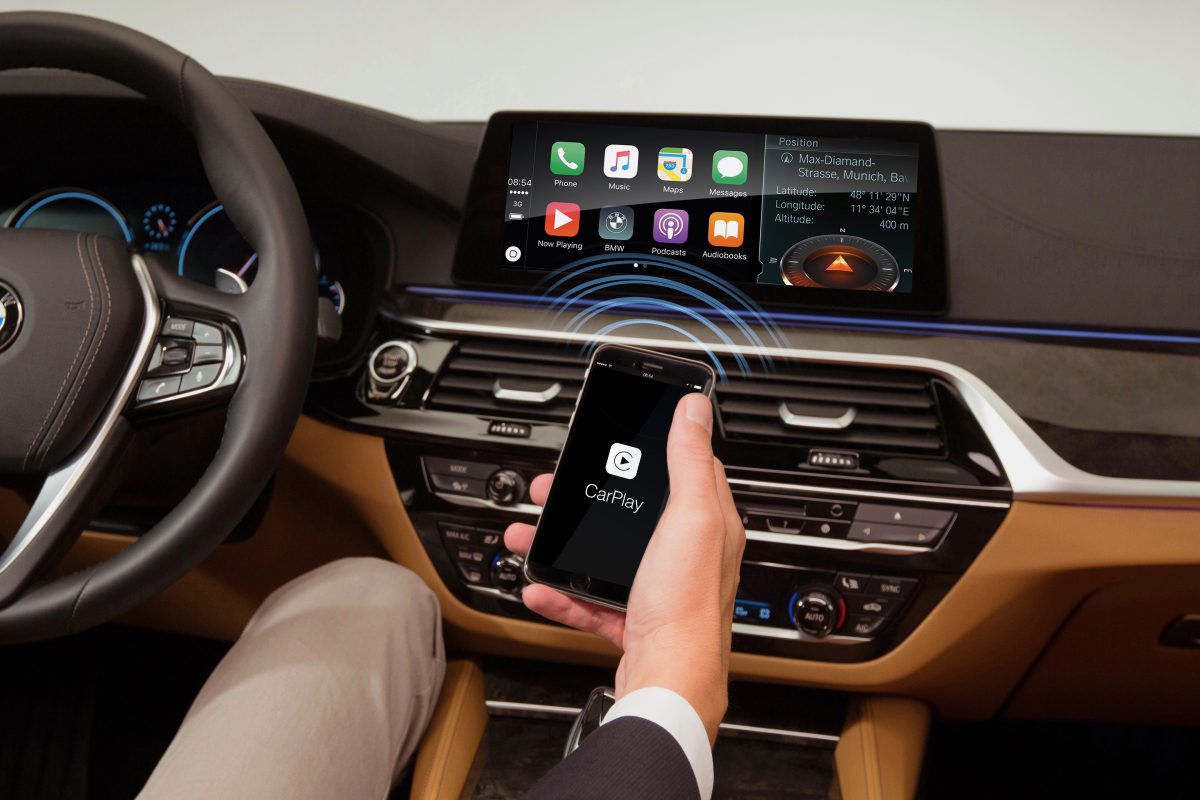
  • New patch for Google Maps on CarPlay addresses annoying issue

    New patch for Google Maps on CarPlay addresses annoying issue

    If you own an iOS device and use any Google apps on it, you are probably no stranger to them being less optimized and maintained than their Android counterparts. One of the more recent cases was a particular bug in the Google Maps app where your chosen route would not show up on the screen when using CarPlay.

    The issue was first spotted during February this year in Google Maps for Android Auto. Many users reported that the blue line highlighting their chosen route had disappeared. The only indicators that remained were the guiding white arrows and the audio.

    Thankfully, the search giant acted somewhat quickly, and after a few weeks, the issue was resolved for Android Auto users. However, almost as an infectious disease in the code, the problem migrated to the CarPlay app for iPhone.

    In the middle of June, Google released patch 5.71 for Maps on CarPlay, partially taking care of the missing blue line issue. Now with patch 5.72, the problem seems to have disappeared entirely. This statement comes purely from users’ feedback, as Google has made no official comment on it.

    Apart from the missing blue line, some had also been reporting inconsistency in the GPS tracking of the app. Simply put, Maps would randomly stop following your location, almost as if it gave up. With the latest update, this issue looks to have gotten resolved, and the app no longer loses the person’s location.

    For those of you out there who are not sure which version of Google Maps you have, here’s how you can find out:

    1. Open Google Maps
    2. Tap on your profile at the top right
    3. Select Settings
    4. Tap on About, terms and privacy
    If you don’t yet have the latest update, just tap on the option in the App Store to manually search for it.
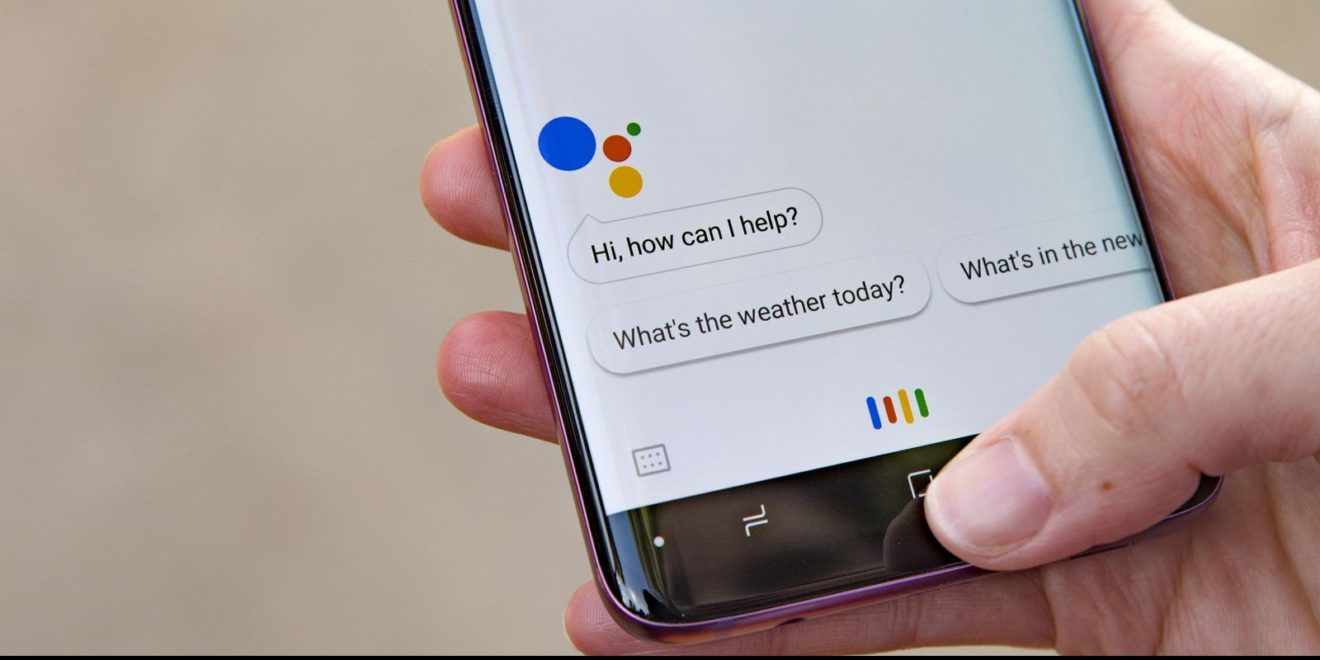
  • Google Assistant is secretly listening to you, it turns out

    Google Assistant is secretly listening to you, it turns out

    In a strange turn of events, Google allegedly confirmed that Google Assistant on your phone or smart speaker may be recording your audio without your knowledge, but just “at times”.

    Google representatives on Tuesday told the Parliamentary Standing Committee on Information Technology that Google employees listen to some recordings of conversations between users and Google Assistant.

    Back in 2019, Google confirmed that its employees occasionally listen to conversations between users and Google Assistant. “We take a number of precautions to protect data during the human review process-audio snippets are never associated with any user accounts and language experts only listen to a small set of queries (around 0.2 percent of all user audio snippets), only from users with VAA turned on,” Google stated at the time.

    That’s all in the fine print but as it turns out, sometimes audio was recorded by the Google Assistant on a smartphone or smart speaker even when a user had not triggered the AI by saying Ok Google. IndiaToday sources claim that in response to a question from BJP MP Nishikant Dubey, the Google team confirmed the aforementioned.

    Google’s privacy policy states, “Occasionally, the Assistant will activate when you didn’t intend it to because it incorrectly detected that you wanted its help. If that happens, just say Hey Google, that wasn’t for you, and the Assistant will delete the last thing it sent to Google.”

    That’s all fine and dandy but there’s nothing about the times when Google Assistant is secretly listening to your conversations. How would you know in the first place? It’s a major scandal that has the potential to blow way out of proportion! We’re monitoring the situation closely and we’ll keep you posted if there’s any further information.

  • Google Messages will become the default messaging app for AT&T Android users

    Google Messages will become the default messaging app for AT&T Android users

    RCS (Rich Communication Services) is not something new, it’s just that many smartphone users don’t have access to the feature. AT&T and Google want to change that by making Messages the default messaging app for all the carrier’s customers in the United States who use Android phones.

    Google announced that it has teamed up with AT&T to upgrade the SMS experience with enhanced messaging features included in Messages. That means that AT&T Android users will benefit from expanded chat features based on RCS, as well as other enhanced features.

    Just to recap, RCS makes it possible for users to send higher-quality videos, share full-resolution pictures, send and receive messages over Wi-Fi or data, as well as participate in group chats that are easy to manage. Also, with the Messages app, users can see when someone is replying to a text.

    But wait, there’s more! Google confirmed that it’s now rolling out end-to-end encryption for one-on-one RCS conversations between people using Messages and those who have chat features enabled, another step forward to making messaging more secure for everyone using Android devices.

  • Google adds “Lock screen” settings for the Android version of Assistant

    Google adds “Lock screen” settings for the Android version of Assistant

    in version 12.24 of the Google app,  “Lock screen” settings for the Android version of Google Assistant can be found. It’s part of a group under the heading of Popular Settings and it appears after Voice Match and Languages. With the settings enabled, Google Assistant can be used even when the phone is locked.

    The first time you try this feature out, Google will show you a splash screen that allows you to decide whether to enable your phone to use Google Assistant without unlocking the handset, or you can choose to opt-out. In other words, you can “Get hands-free help from your Assistant when your phone is locked. You can always turn this off in your Assistant settings.”

    When your phone is locked, you will need to employ Voice Match to use Assistant hands-free to obtain personal information and to call or message your contacts. With Voice Match, the phrase “Hey Google” is required to wake up and activate Google Assistant without the use of your hands. If you decide to opt-in, you will be able to obtain “Assistant responses on lock screen” including personal info such as contacts and messages.

    You can also obtain personal information from Google Assistant by activating it through a tap on the screen without saying “Hey Google.” To arrange this, tap on Popular Settings > Lock screen and toggle on the second option.

  • Google Chrome delays removal of third-party cookies to 2023

    Google Chrome delays removal of third-party cookies to 2023

    Google has moved to an updated time frame for fulfilling its 2020 plan to eventually remove all third-party cookies from its official browser, Chrome. That annoying third-party data collection prompt asking you to “accept” or “reject” cookies, on most websites we visit these days, will soon be a thing of the past.

    This new leap is just one of Google’s recent initiatives to associate its brand name with a bit of privacy awareness, although everyone knows how Google gets its big bucks: AdSense and advertising services. And that goes hand-in-hand with the fact that the more Google uses tracking and data collection to target audiences, the more money there is to be made.

    It’s a bit of a catch-22 situation, but with the Privacy Sandbox initiative announced back in 2019, Google has seemingly been trying to work towards a slightly less privacy-invasive balance.

    Today, Google announced that by the end of 2023, we can expect third-party cookies to be gone entirely from Chrome. More specifically, they will be phased out over a period of exactly three months, “starting in mid-2023 and ending in late 2023.” The original plan was to remove them in early 2022.

    The reason for leaving two years in between is because, Google wants to have certain “key technologies” in place by the end of next year. Among these key technologies is the “widely disabled FLoC” (an algorithm that allows ad selection without sharing individuals’ browsing behavior), as well as other APIs driven by privacy.-

    Google has shared the following two-step plan for phasing out third-party cookies in Chrome.

    • Stage 1 (Starting late-2022): Once testing is complete and APIs are launched in Chrome, we will announce the start of stage 1. During stage 1, publishers and the advertising industry will have time to migrate their services. We expect this stage to last for nine months, and we will monitor adoption and feedback carefully before moving to stage 2.
    • Stage 2 (Starting mid-2023): Chrome will phase out support for third-party cookies over a three-month period finishing in late 2023.

    It’s already been over a year since Google began searching for ways to limit personally identifying data while still being able to deliver ads to the right groups of people “sufficiently large enough to maintain anonymity,” with the Google Sandbox. We can’t fool ourselves that the search will ever be on the same level as Apple when it comes to browsing and privacy, but it’s definitely taken a couple of steps in the right direction.

  • Google Fi enables VPN service on Apple’s iPhone

    Google Fi enables VPN service on Apple’s iPhone

    Google Fi has been offering customers a VPN service to protect their data while they’re browsing the internet for quite a while. Unfortunately, the said service was only available to those using Android devices.

    Today, Google Fi announced that it’s expanding the VPN service to iPhone. Those using Apple’s smartphone will be happy to know that Fi’s VPN service is included in all the carrier’s plans. It will allow Fi’s customers to stream, browse and download on an encrypted, private connection.

    More importantly, the service is meant to protect Fi customers against hackers on unsecured networks, as well as prevent websites from using their IP addresses to track their location. To enable Fi’s VPN service on an iPhone, you’ll have to go to Phone settings, tap Privacy & security, and enable Protect your online activity.

    You’ll get a pop-up, so make sure to choose Got it, and then Allow. You will then be required to enter your device passcode or fingerprint. If everything went well, you should see a VPN icon in the status bar when you’re connected.