Tag: Google

  • Google introduces an AI tool that diagnoses skin conditions

    Google introduces an AI tool that diagnoses skin conditions

    At Google I/O the company introduced a web-based feature for smartphones that helps diagnose skin conditions. The feature uses AI (artificial intelligence) to detect dermatological conditions. The company also announced plans for its AI to be used by doctors for diagnosing breast cancer and tuberculosis as well.

    Previously, Google shared a preview of the AI-powered dermatology assist tool, and now the official version is ready. The tool will be native for Google Search and use your phone’s camera to take three different pictures from various angles of the part of your body that you’re concerned with. The tool will not only work with skin, but also with nail and hair dermatological conditions.

    After you take the pictures of the body area in question, you’ll be asked a couple of questions from the tool itself. These questions will regard your skin type, how long you’ve had the issue and if you’ve had any other symptoms. This will help the AI tool with your diagnosis.

    The tool will show information for each matching condition and photographic examples, as well as official information from a dermatologist. It has 280 dermatology conditions in its database. It also uses many of the same techniques used to detect diabetic eye disease and lung cancer in CT scans.

    Google says that the diagnosis from the tool is only a suggestion and its point is to give you more information. You should still seek medical help if you have a problem.

    According to the company, each year they see around ten billion Google searches about skin, hair and nail conditions. Two billion people suffer from such issues worldwide. The new dermatology AI tool will be available in the EU at first later this year. It has passed clinical validation and is marked as a Class I medical device in the EU, but not yet in the USA.

  • Google lets you delete last 15 minutes of search history with two clicks

    Google lets you delete last 15 minutes of search history with two clicks

    In today’s Google I/O Livestream, the search giant announced a new little Google feature that was very briefly skimmed over, but it certainly caught our attention.

    Along with announcements about the upcoming Android 12 and many new features Google is bringing to its platforms, the company has said it will be adding the new ability to instantly delete the last 15 minutes of your search history, leaving no trace.

    This is now as simple as two clicks, with no hassle on your part whatsoever, and could likely save you many an uncomfortable moment in the future. (Otherwise, how would you keep your awesome secret Christmas gift ideas away from prying eyes, am I right?)

    The way to do this on a smartphone device is as easy as it gets: you simply need to click on your profile image on the top right of the Google home page, scroll down a little, and—voilà! The last 15 minutes of browsing on the website will be gone forever.

    This is only one of plenty of new additions Google is making to its platforms, such as a hidden “locked folder” for Google Photos, password security enhancements, vastly improved shopping functions—some of which were only teased at today’s Livestream—and more. We’ll keep you informed on any juicy new tidbits, we promise!

  • Google Pay gains international money transfer support at last

    Google Pay gains international money transfer support at last

    Launched all the way back in 2015 as Android Pay on the underlying technology of Google Wallet and rebranded as Google Pay a little over three years ago, the search giant’s Apple Pay-rivaling digital wallet platform has been slowly but steadily expanding to more and more places around the world and more and more US banks in the last 12 months or so.

    At the same time, the official Google Pay app has received a major redesign that the company really wants its users to embrace as soon as possible, and on top of it all, the mobile payment service is now getting a huge new feature everyone with family abroad will undoubtedly appreciate.

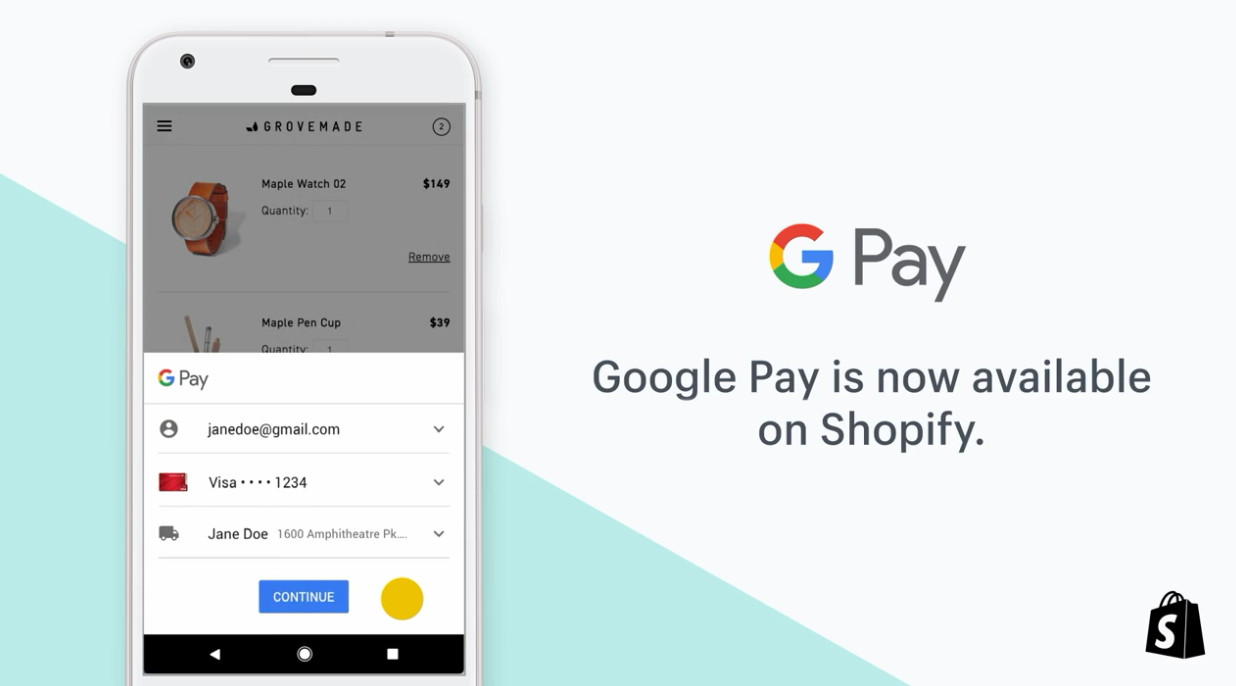
    Yes, ladies and gents, international money transfers are a thing starting today, at least for folks in the US looking to send funds to fellow Google Pay users in India and Singapore. Those are the only countries supported right off the bat, which is far from impressive, but Big G aims to expand the functionality to “more than 200 countries and territories” with Western Union’s help and “more than 80 countries” through Wise (all for US users only) by the end of 2021 alone.

    Both Western Union and Wise (formerly known as TransferWise) are integrated for sending money from the US to India and Singapore, and the involvement of the two financial services giants suggests Google might in fact be serious about those aforementioned global launch plans.

    Of course, international money transfers are not exactly a groundbreaking feature for a digital wallet platform, having been supported on Samsung Pay since 2019. Samsung’s Google Pay alternative made it possible to send funds from the US to nearly 50 countries right from the start, which means Google still has plenty of catching up to do.

    On the bright side, Western Union is offering unlimited free transfers through Google Pay until June 16, with Wise waiving its own standard fee for a single transfer of no more than $500 per “new” customer. That being said, it’s unclear if the fees and things like exchange rates will make this service competitive against other such products developed by individual banks and financial companies.

  • Video from Google shows an unreleased Pixel smartphone

    Video from Google shows an unreleased Pixel smartphone

    An unreleased Google Pixel smartphone was spotted on the Instagram story of Made By Google, reports Android Authority. The story has now expired, but the outlet has shared a screenshot that shows the phone.

    The device in question appears to be a white variant of the Pixel 4a. Like the Clearly White Pixel 3a, it has an orange power button.

    The Pixel 4a was delayed by months due to the pandemic. At launch, only the Just Black variant was available. A few months later, a Barely Blue option was also released. Maybe Google had originally planned to release a white model as well but decided to drop it because of production challenges posed by the pandemic.

    The Pixel 4a is one of the best affordable phones around. We are unlikely to see the alleged Clearly White model as Google is now gearing up to launch the Pixel 5a, which will probably be announced in August. It will have a very limited release.

    The phone will apparently stay close to the Pixel 4a 5G and Pixel 5. It will reportedly also have the same Qualcomm Snapdragon 765G chip under the hood. Other details remain scarce at this point, but it appears that Google is disproportionately focused on the Pixel 6 and 6 XL – which are rumored to feature a 5nm in-house chipset and the Ultra-wideband tech, amongst other upgrades – and its first foldable handset.

  • New guidelines from Google aim to fix listings of Android apps in the Play Store

    New guidelines from Google aim to fix listings of Android apps in the Play Store

    In a post published today on the Android Developers Blog, new guidance has been created to help developers give the Play Store the information it needs to make sure that their apps get attention from Android users. Images, video, descriptions and even the app name itself play an important role in determining whether an app stands out from among the millions of apps and games available in over 190 countries.

    Google says, “Google Play is increasingly showing more of your assets front and center, surfacing graphic assets and descriptions right on Apps and Games home. To make sure that the store listing assets are giving users ensure that your store listing assets can help users anticipate your in-app or in-game experience and drive meaningful downloads, we are pre-announcing a policy change for app metadata and introducing new guidelines on Store listing preview assets.”

    The changes being made to app metadata will limit the title of an app listed in the Play Store to 30 characters. Google also does not want graphic images and texts to promote an app’s ranking in the Play Store. For example, an icon that says “#1 stock market app” is a no-no. Text and graphic elements can not be used to promote a deal, and capitalized letters are out unless it is part of how a company stylizes its name.

    There are also new preview asset guidelines for feature graphics, screenshots, videos, and short descriptions. Google says it wants to know whether the preview assets accurately represent the app or game and whether they deliver enough information to help users reach a decision about installing the app. The preview assets cannot use buzzwords like “free” or “best,” and must focus on “providing meaningful information” about the things that make your app or game unique.

    The guidelines will be valid starting in the second half of the year. Google says that “Assets that don’t meet our guidelines may be ineligible for promotion and recommendation on major Google Play surfaces like Apps and Games home.”

  • Google parent Alphabet reports record-breaking first quarter

    Google parent Alphabet reports record-breaking first quarter

    Now that we are in the midst of earnings season, Google parent Alphabet announced its results for the first quarter of 2021. Alphabet said that it garnered a record $55.3 billion in revenue from January through March which was a healthy 34% gain from the $41.2 billion that the company grossed during the same quarter last year.

    Net income soared from last year’s $6.84 billion (or $9.87 per share) to this year’s $17.93 billion (or $26.29 per share). Advertising revenue was $44.68 billion from last years’ $33.76 billion for a 32.3% increase. YouTube ad revenue for the quarter rose 48.8% to $6.01 billion from $4.04 billion.

    Google and Alphabet CEO Sundar Pichai said, “Over the last year, people have turned to Google Search and many online services to stay informed, connected and entertained. We’ve continued our focus on delivering trusted services to help people around the world. Our Cloud services are helping businesses, big and small, accelerate their digital transformations.”

    Ruth Porat, CFO of both Google and Alphabet, also weighed in on the release. Porat stated, “Total revenues of $55.3 billion in the first quarter reflect elevated consumer activity online and broad-based growth in advertiser revenue. We’re very pleased with the ongoing momentum in Google Cloud, with revenues of $4.0 billion in the quarter reflecting strength and opportunity in both GCP and Workspace.”

    Google spent a little more to obtain more business. For the quarter, its Total Acquisition Costs (TAC) were $9.71 billion compared to last year’s $7.45 billion. That works out to a 30% increase on an annual basis.

    Alphabet shares (GOOG) closed Tuesday’s regular trading session down $19.62 or .84% to $2,307.12 per share. After the earnings were released, the stock rose $106.28 or 4.61% to $2,413.40.

    Clubhouse is becoming an extremely popular social media app on iOS. If you don’t know what it is or how to get an invite, read this.

  • Google accidentally spills the beans about its Guacamole feature for Assistant

    Google accidentally spills the beans about its Guacamole feature for Assistant

    A new feature for Google Assistant called “Guacamole” is coming to Android. At first, it wasn’t clear what the “guac” will add to the digital helper, we now have an idea of what this feature does. It allows users to perform “time-sensitive quick tasks” such as silencing their alarms or answering their calls without having to say “Hey Google.”

    Interestingly, Guacamole appears only in version 12.5 of the Google app beta running on Android 11, not on the Android 12 Developer Preview. While Google wasn’t exactly forthcoming with information, it originally released a description about “Guacamole”: “Quickly get things done with Guacamole.”

    The feature accidentally was discovered in the main Assistant settings under “Guacamole” where it says “Skip saying Hey Google” for help with quick tasks. For example, you can cancel a ringing alarm by saying “Stop,” or “Snooze.” Handling an incoming call is as easy as saying “Answer/Decline the call” without having to say “Hey Google.”

    These settings were not meant to be viewed by non-Googlers.

    Google was testing Guacamole internally and the Assistant menu that accompanies this story was not meant for viewing by non-Googlers. A toggle switch can be used to enable the feature under Voice shortcuts.

  • Hidden code reveals very useful feature for Google Assistant users

    Hidden code reveals very useful feature for Google Assistant users

    XDA Developers just discovered an interesting string of code on version 12.15.7.29 of the Google app from the Play Store. One of the changes will allow Google Assistant to complete a voice command even if the user is offline. In addition, Google apparently plans on adding a new feature called “My Actions” that will allow users to create shortcuts for their favorite Assistant requests.

    The strings found by XDA mention the creation of custom actions such as one that lowers the volume to 50% and another one that responds with the current weather. Another pair of strings said “start custom action creation” and “save this new custom action,” while another gives recommendations through a heading that says, “Actions you might like.” Google already allows users to create a chain of events, a routine if you will.

    The upcoming “My Actions” will allow users to press on a button to activate shortcuts. Where this button will end up is not known at this time and one possibility is that the controls for “My Actions” might be found on the home screen. In the past, Google put on the home screen a feature allowing users to create shortcuts for the aforementioned Google Assistant routines.

    XDA was able to bring up the setup screen for “My Actions” and it gives a couple of suggestions that can be used to try out the feature such as “set the volume to 50%” and “what’s the weather.” The most intriguing part of this discovery is the line on the setup screen that says, ” My actions can be configured to do anything Google Assistant can do, in just one tap.”

  • After update, Google Maps will no longer give you the fastest route by default

    After update, Google Maps will no longer give you the fastest route by default

    Google is also working on improving how public transportation in being handled on the app. Along with the previous information that Google Maps would display for buses, trains and the subway, an update done on the QT in some regions has resulted in the dissemination of more detailed route information. The bottom line is that those taking public transportation will be able to see step-by-step information along with timing estimates to help give Maps users a more accurate estimated time of arrival (ETA).

    Recently, public transportation updates for Google Maps was pushed out for both Lyon and Lille, France. Google is working with the public transportation agencies in different regions to provide the aforementioned enhanced public transportation data. Many large cities throughout the world already have worked with Google on this feature which allows those without a car to benefit from Google Maps.<

  • Google Meet is now more engaging thanks to the latest update

    Google Meet is now more engaging thanks to the latest update

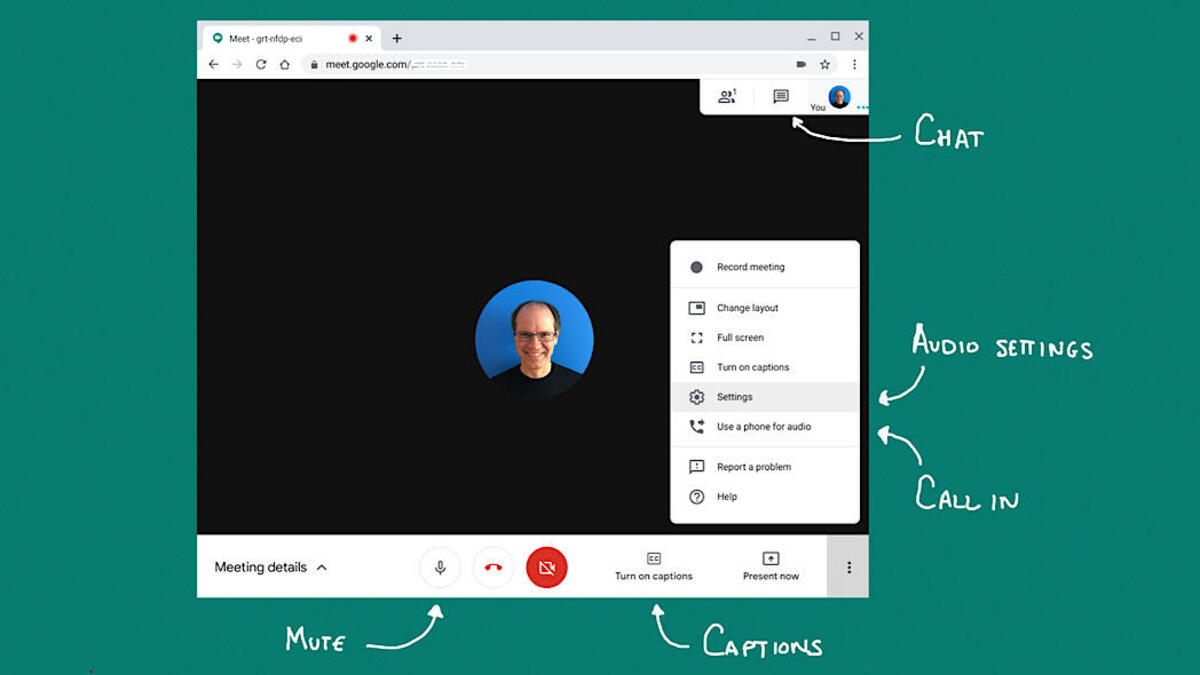
    It’s not the first time that Google Meet is getting a refreshed look, but if you’re using the app, you’ll be happy to know that this time it’s got a handful of new features too. Most of the improvements revealed today by Google will be available starting next month, so if you don’t see them now, that’s the reason.

    First off, Google Meet will soon be able to accommodate more content and others’ video feeds on the screen. A new option to pin and unpin Meet windows has been added too. Google announced that this specific feature will be expanded further to allow users to pin multiple tiles on their screen.

    More importantly, Google Meet users will be able to resize, reposition or hide their own video feed to make room for others people’s video feeds. Also, starting this month, Google will add a Data Saver to the Meet app, which will limit data usage on mobile networks.

    The upcoming update will also add a new AI feature called Autozoom, which should help others see you more clearly by zooming in and positioning you squarely in front of the camera. Sadly, Autozoom will be available to Google Workspace subscribers in the coming months.

    Last but not least, Google announced that it will add the ability to replace the background with a video to help maintain privacy. Initially, three options will be available for Google Meet users to choose from: a classroom, a party, and a forest.

    While many of these changes aren’t yet available in Google Meet, keep your eyes peeled for these new features in the coming weeks.

  • Google Photos now lets users add media files to albums when they’re offline

    Google Photos now lets users add media files to albums when they’re offline

    To add pictures or videos to your albums in Google Photos, you’ll need to be online. But that’s about to change, as Google is now rolling out a small update that makes it possible to upload content to albums even when a user is offline.

    The new feature isn’t something that you can force on your Android smartphone, so you’ll have to wait for Google to push it out to your device. Once you add your pictures and videos to an album, they will be synchronized to Google servers immediately after your smartphone goes online.

    Although there are plenty of Google Photos alternatives out there, Google’s app probably remains the best solution when it comes to sharing and storing media content online. Although you’ll soon have to pay for Google Photos storage, occasional users will still be able to take advantage of its benefits free of charge.

    Those of you who can’t wait to try out the new feature might want to download the latest version of Google Photos, but if the option to add picture and videos to albums while offline is not available even after updating, you’ll most likely have to wait for a server-side switch to flip.

  • Google Assistant driving mode now rolling out to more countries

    Google Assistant driving mode now rolling out to more countries

    If you live in the United States and use an Android smartphone, chances are that you’ve already seen Google’s new Android Auto-like experience for mobile devices. Although not a full-fledged experience yet, the new Assistant driving mode meant to replace Android Auto was limited to just one market: United States.

    After several months in development, it looks like Google is confident that the Assistant driving mode is ready to be shared with more audiences. Beginning this week, Android users in more countries will start seeing the new Android Auto-like experience.

    Google’s support page mentions that this preview of Google Assistant driving mode will now be available to Android users in the following countries: Australia, Great Britain, Ireland, India, and Singapore.

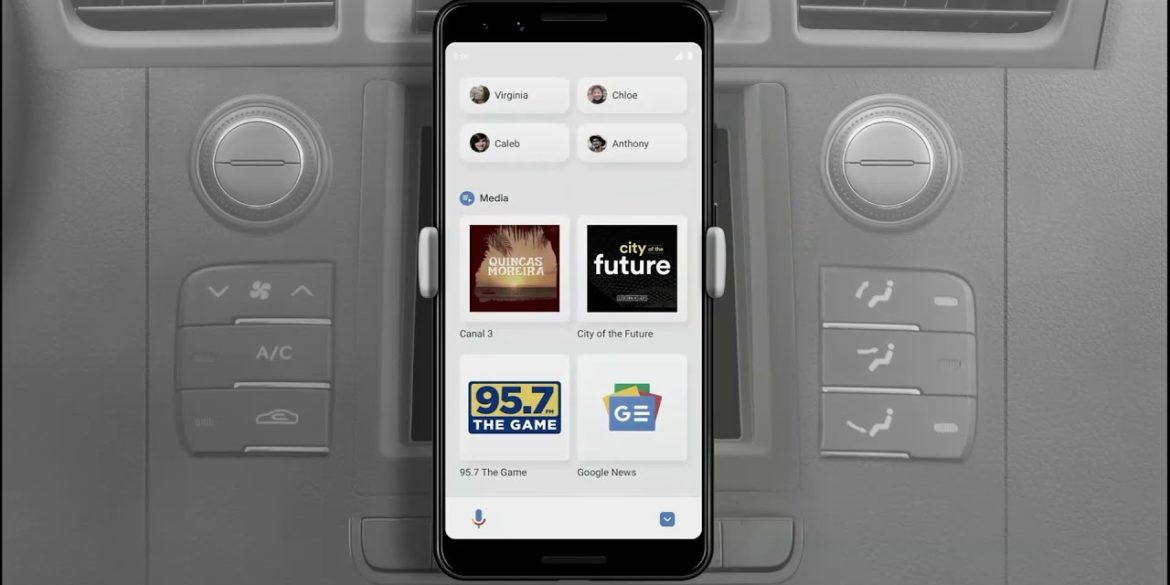
    Just like Android Auto, Google Assistant driving mode should let you use voice to send and receive calls and texts, as well as alert you to an incoming call to allow you to answer or decline it with voice. Naturally, you can also use the driving mode to play your favorite music from whatever streaming service you’re subscribed to (i.e. Spotify, YouTube Music).

    Keep in mind that if you live in one of the countries where Google is now rolling out the Assistant driving mode, you’ll need a smartphone running Android 9.0 or higher with at least 4GB RAM.

  • Google’s redesigned Play Store could be on your Android device right now

    Google’s redesigned Play Store could be on your Android device right now

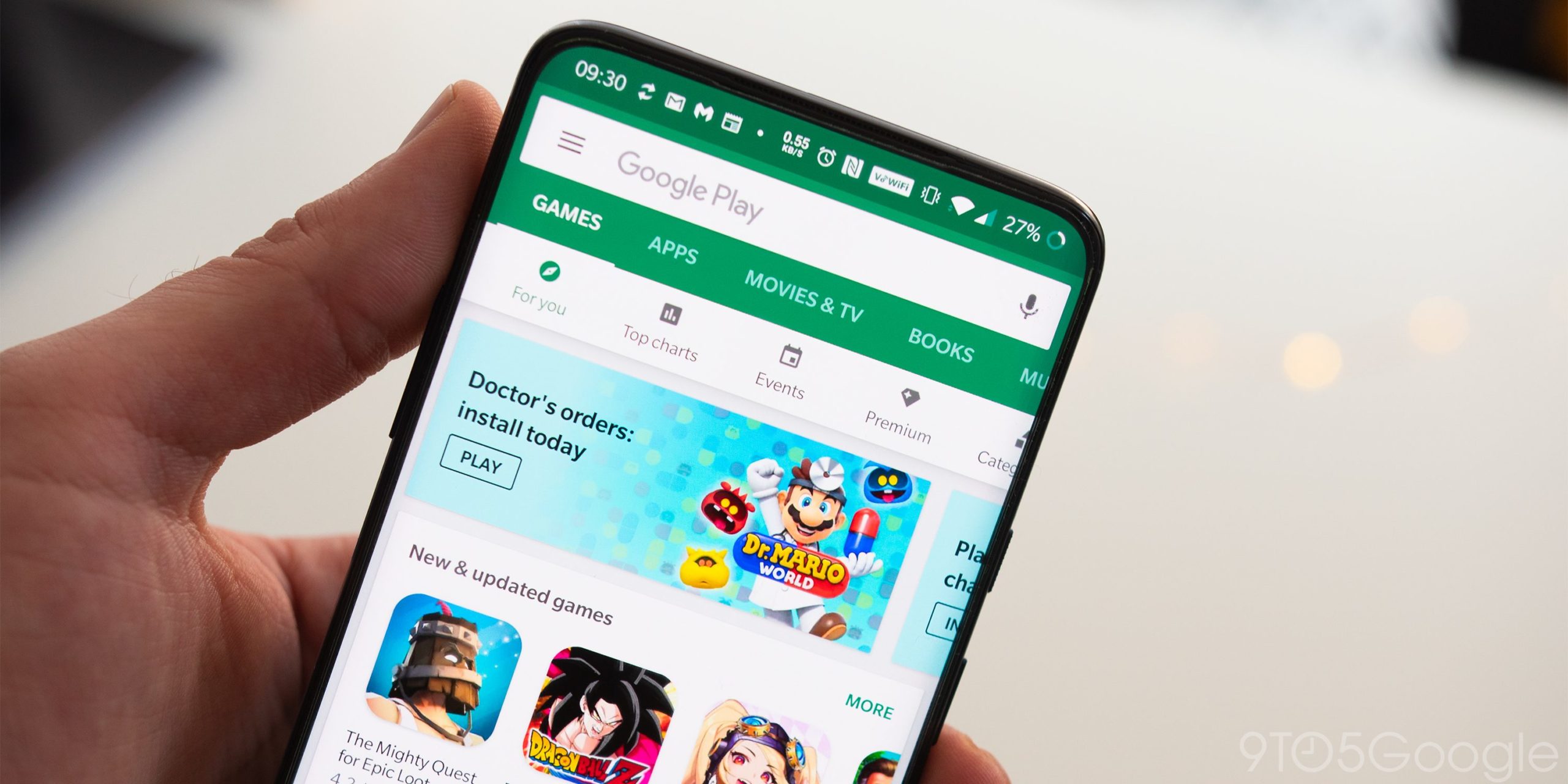
    Google has started to disseminate the next major redesign of the Google Play Store. The big change is the removal of the hamburger menu to the left of the search bar. Tap the profile photo in the upper right corner and you’ll see a menu that gives you access to your apps, games, payment methods, Google Play points and more.

    The settings menu is now broken up into four different categories such as General (information pertaining to your account, auto-update, auto-play video options, and a lot more different preferences you can choose from), User Controls (fingerprint controls and purchase authentication), Family (parental control and a parent guide), and About. The latter gives you information like the version of the Play Store installed on your device.

    Google has been rolling out the redesigned Play Store for weeks and the distribution of the new design is getting wider. If for some reason you don’t have the new version, you can try and force the issue by long-pressing on the Play Store app on the home screen to get the App info page. Tap on “Force Stop” and the next time the Play Store app is opened, it should feature the new design.

    Yesterday, we learned that Google I/O will once again be a streamed affair. The event will take place May 18th through the 20th and we should learn then about what Google has up its sleeve for Android 12.

  • Updated Gmail for Android now includes animated swipe action

    Updated Gmail for Android now includes animated swipe action

    After reading your email on the Android Gmail app, users can use “Mail swipe actions” to delete, archive, mark as read/mark as unread, snooze, mark as, and move to messages. Each swipe is a different color. Each action is accompanied by a different color, but to make it even easier to tell the different gesture actions apart, Google has added some animation. For example, mark as read will show the fold of an envelope closing. Delete an email and the trash can lid rises, and snoozing an email will spin the clock.

    You should soon have the latest version of Gmail for Android installed on your phone. Google has been adding little things here and there in order to improve the app. For example, in February Google added confirmatory vibration feedback so that users don’t make an accidental swipe on the wrong spot. To make sure that your Gmail app is completely up to date, your Android phone should be running version 2021.03.07 which was released just last week. It is important for you to understand that the animations are not available on the iOS version of the app.

    Google is adding animation and other swipe action to its Gmail for Android app.

    You can find the Gmail for Android app in the Google Play Store. These are small things that might not seem like a big deal but they are important to users.

  • Google Assistant driving mode slowly rolling out to more countries

    Google Assistant driving mode slowly rolling out to more countries

    After introducing the Assistant Driving Mode in the United States last year, Google has decided that it’s finally time to make the feature available to users in other countries too. If you’re not living in the US, chances are that you don’t know what’s this Google Assistant Driving Mode.

    Google launched the Assistant Driving Mode as a replacement solution for Android Auto’s mode from smartphones. The feature is meant to allow drivers to get their notifications read to them out loud, so they can continue to drive without having to check their phones.

    Google Assistant’s driving mode can not only read messages to drivers, but it can also send messages and make calls for you. Not to mention that you’ll be able to control your music by simply using your voice.

    Currently, we know for sure that the Assistant’s driving mode is slowly rolling out to users in the UK, but it’s safe to assume that the feature will soon be available in other countries too. As per Google’s support page, some of the features of Assistant’s driving mode “aren’t available in all languages or countries,” whereas previously it stated that it’s only live in the US.

    Of course, Google Assistant’s driving mode is limited to just one language at the moment: English. As far as the hardware requirements go, you’ll need a smartphone powered by Android 9.0 or higher, which packs 4GB RAM or more. Also, Google’s Assistant driving mode only works in portrait mode.