Tag: Google

  • Microsoft Joins Google, Amazon, Others In Canceling In-Person Presence At CES

    Microsoft Joins Google, Amazon, Others In Canceling In-Person Presence At CES

    Microsoft Corp said on Friday it will not participate in person at the Consumer Electronics Show (CES) 2022 in Las Vegas, joining a list of companies opting not to have a physical presence at next month’s event on concerns over the rapid spread of the Omicron COVID-19 variant.

    The U.S. software giant added that it will continue to participate at CES remotely, according to an emailed statement. The Verge was the first to report on Friday that Microsoft will not participate physically AT CES.

    Several other companies including U.S. automaker General Motors Co, Alphabet Inc.’s Google, and its self-driving auto-technology company Waymo, Facebook parent Meta Platforms Inc, Twitter Inc, Lenovo Group, AT&T Inc, and Amazon.com Inc dropped in-person attendance plans earlier this week.

    CES officials on Thursday said the event will still be held in person Jan. 5-8 with “strong safety measures in place,” which include vaccination requirements, masking and availability of COVID-19 tests.

  • Google and Disney kiss and make up, YouTube TV members still getting a discount

    Google and Disney kiss and make up, YouTube TV members still getting a discount

    A few days after Google announced that its YouTube TV service lost all Disney-owned channels, the search giant is back with another statement that confirms it has reached an agreement with Disney to return its content to YouTube TV.

    Obviously, that means that the YouTube TV price will return to $65 for all subscribers. Google also announced that it has started to restore access to Disney networks like ESPN and FX, including their live and on-demand content, as well as recordings that were previously stored in the Library.

    Additionally, YouTube TV will start broadcasting the local ABC stations over the course of the day, so if you don’t see them available in your channel list, be patient.

    Now, the big surprise is that Google will still honor a one-time $15 credit for all YouTube TV subscribers affected by the issue. Even those who have not yet received the $15 discount will receive the one-time credit on their next bill.

    The announcement was published on YouTube’s blog today, December 19, so throughout the remainder of the day, access to Disney’s channels should be restored.
  • Google threatens to fire employees who refuse to get vaccinated

    Google threatens to fire employees who refuse to get vaccinated

    Almost two years have passed since the beginning of the COVID-19 pandemic, but that does not mean that things have cooled off. That is why companies, including those in the tech industry, are still practicing the work-from-home approach when it comes to their employees.

    It seems, though, that some of the major players in the game, such as Google, are starting to tighten their grip over the rules revolving around the pandemic. A report on an internal Google memo reveals the tech giant telling its employees they could get fired if they don’t follow the company’s COVID-19 vaccination rules.

    Exceptions would be made for those with a granted special exemption based on medical or religious reasons. Each exemption would be approved on a case-by-case basis. Based on what the report says, Googlers (the way Google refers to its employees) had up until the 3rd of December to present their vaccination status.

    In the case of denied exemption and no uploaded proof of their vaccination on the internal systems, Google would then start contacting those employees. January 18th, 2022, would then be the final date until which a Googler would have to comply with the vaccination rules. If not, they would then be put on “paid administrative leave” for the next month.

    Further refusal to comply with the rules would result in “unpaid personal leave,” which could last up to six months. For the initial 92 days, said employees would still have access to their work benefits. However, if the six months passed and their vaccination status remained the same, the result would be them getting dismissed from Google.

    “We expect that almost all roles at Google in the US will fall within the scope of the executive order. Anyone entering a Google building must be fully vaccinated or have an approved accommodation that allows them to work or come onsite. Frequent testing is not a valid alternative to vaccination.”

    As one might guess, not all Googlers agree with this mandate. A few hundred of them have written a manifesto in opposition to the vaccine rules and requirements and signed it. As a reply to this, Google has suggested that the employees look at different roles at the company, which wouldn’t conflict with the executive order.

  • Google TV gains 300 free live TV channels, offers Peacock Premium for free

    Google TV gains 300 free live TV channels, offers Peacock Premium for free

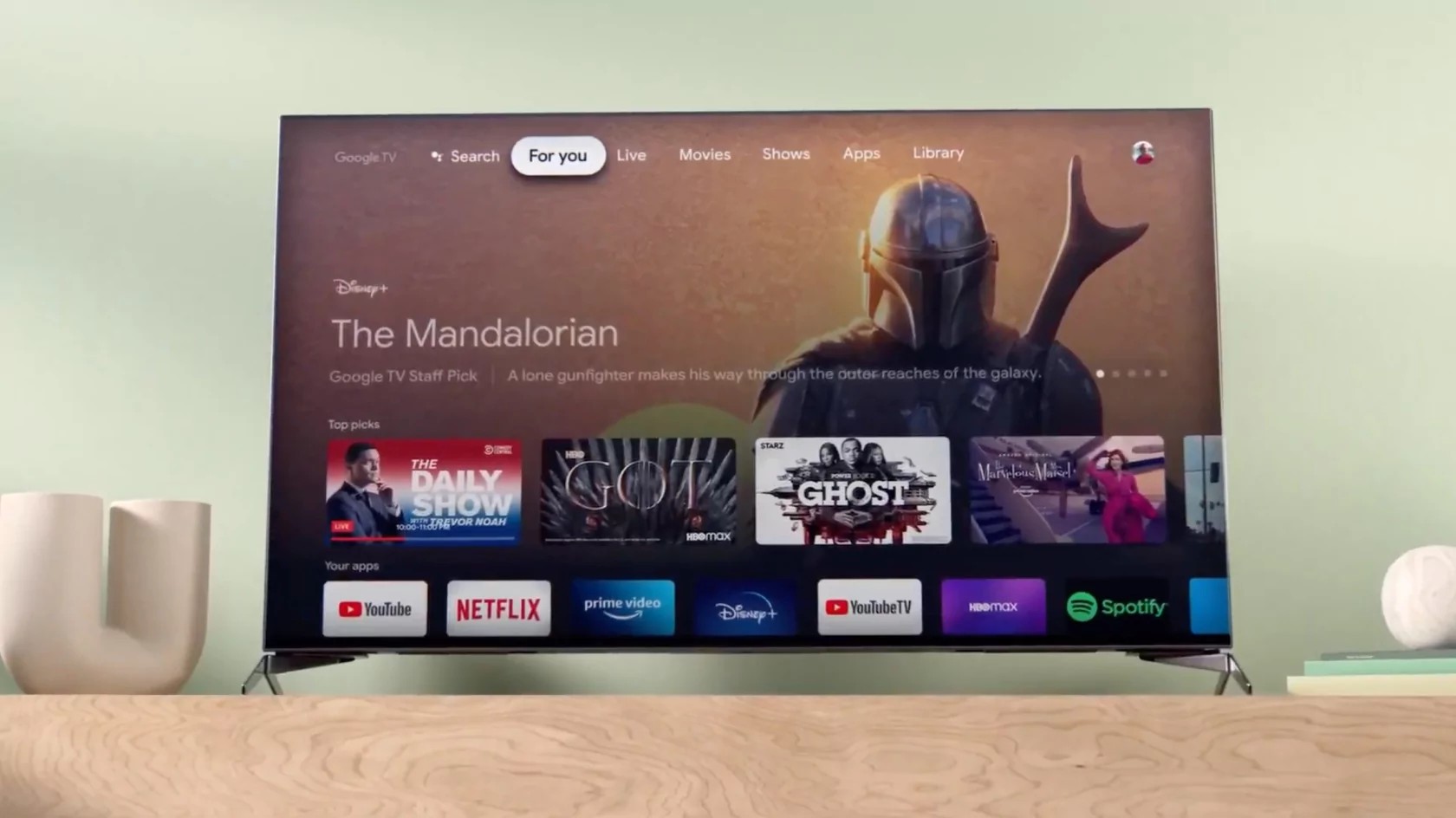
    Google made a surprising announcement early this week concerning its Google TV service in the United States. The Mountain View company teamed up with Pluto TV to offer Google TV users access to more than 300 free live TV channels.

    The new channels will be available via the Live tab, but Google TV users can also check out the Free Live TV recommendations in the For You tab. According to Google, the integration with Pluto TV will be accessible on all Google TV devices in the coming weeks.

    In other news, Google now offers six months of Peacock Premium at no extra cost. For a limited time, those who activate a new Google TV (or other Android TV OS device) in the United States will get the Peacock Premium service for free for six months. After the deal runs out, customers will have to pay $4.99 per month plus tax, but the subscription can be canceled at any time.

    If you’re a Google TV user, expect even more nice surprises next year, as Google plans to bring more ways to watch for free. Meanwhile, check out the new free live TV channels and enjoy the Peacock deal if you’re a new Google TV user.

  • Google Chat in Gmail now lets users call someone directly

    Google Chat in Gmail now lets users call someone directly

    Google teased some upcoming features for the Google Chat in Gmail a few months ago but didn’t exactly say when they will be made available to the general public. With less than a month left until the end of the year, Google revealed that the ability to ring someone directly using Google Chat in Gmail is now available on mobile.

    Gmail users on Android and iOS can start or join meetings and audio calls from 1:1 chats in Google Chat within the mobile app. The new feature doesn’t work on anything else other than 1:1 chats at least for the moment.

    Simply select the phone or video icon in the top right cornet of a 1:1 chat to ring someone directly. Keep in mind though selecting “Join a call” from the Google Chat app will redirect to the Gmail app since this is where the call will take place.

    To join a call, select the phone or video within the 1:1 chat. You should be able to see a banner of the person you’re on a call with while on a call. Also, the call duration and a Meet icon are visible in the chat roster. Finally, the red phone or video icon within the conversation and the chat roster are used for missed calls.

    The new feature is available by default on Android and iOS devices, but you’ll need to install the latest version of Gmail. According to Google, the updated version of Gmail is now rolling out to users on both Android and iOS platforms, although it will take around two weeks to reach everyone.

  • New feature reveals whether your Android phone spots the latest version of the Google Play Store

    New feature reveals whether your Android phone spots the latest version of the Google Play Store

    It could just be that this writer is in the minority, but yours truly always preferred calling the Android app storefront the Android Market instead of the Google Play Store. The change was made in March 2012 as Google sought to unify the Android Market and Google in one brand. Just two years before the name switch, the Android Market contained just 30,000 apps, up from 10,000 in September 2010 and 16,000 in December 2010.

    Perhaps you remember the original Android Market icon which was a white shopping bag with the green Android bug on the front. When Google changed the name to the Play Store it created a new icon that resembles the triangular play icon found on many apps including Google’s own YouTube and YouTube Music.

    19 months later, the Android Market was home to half a million apps and Android was on its way to becoming the most popular mobile operating system on the planet. At last count, there are over 2.5 million apps in the Google Play Store.

    Coming to the Google Play Store via a server-side update is a new quick and easy way to make sure that your Android phone is running the latest version of the Play Store. Simply open the app and tap on the profile picture on the right side of the search bar at the top of the screen. From there, tap on Settings > About and when you scroll down toward the bottom of the display, you’ll see the words “Update Play Store” in green text.

    Tap on that link and if your version of the Play Store is the most recent available, you’ll get a message that says “Google Play Store is up to date.” If you need to update the app, you will be given that opportunity. While not all Android or even Pixel users have received this update, we see it (as you can tell from the image that we’ve included with this article) on our ancient Pixel 2 XL running Android 11.

    Before adding this feature, tapping on the version number from the About screen would check to see if your Android phone was sitting on an update for the Play Store. The problem is that unless you knew about this, there would be no reason for you or anyone to tap on the version number on the About screen. We should point out that the newly added link has been placed right underneath the Play Store version number.

    By July 2013, the Play Store hit one million apps overtaking the 900,000 listed in the App Store for the first time. As of last month, approximately 71% of smartphones used worldwide run Android with 29% powered by iOS. Despite this huge advantage, the revenue of the Play Store always falls well short of the amount spent on iOS.

    One theory is that in developing economies like India, the world’s second-largest smartphone market, lower-priced Android models are in demand. And in regions like India, many Android phone buyers are not financially equipped to spend much money on apps. Or to look at it another way, those able to afford to buy a new iPhone are most likely able to spend money on the purchase of iOS apps from the App Store.

    Because this is a server-side update, Android users don’t have to worry about manually updating the Google Play App. Just keep an eye out for the new link and eventually, you should find it in the Play Store app on your Android phone. In case you were wondering, the version of the Play Store on our Pixel 2 XL, which does include the new feature, is 28.2.10-21.

  • Search bar placement and design changes are being tested for the Google app

    Search bar placement and design changes are being tested for the Google app

    Changes are taking place behind the scenes for the popular Google app. According to Mishaal Rahman, former Editor-in-Chief at XDA and currently the Senior Technical Editor at Esper, members of the Google News-Telegram group are seeing different placements and designs for the search bar in the Google app. There are both positives and negatives to these changes.

    For example, one design change puts your profile picture inside the Google app’s search bar where it can be tapped to access the settings (see image at the top of this article). Of course, the downside here is that the search bar is placed at the top of the display requiring you to have Jimi Hendrix’s legendary fingers to reach it. The integration of the settings with the search bar is no different than what you’ll find on Gmail and the Google Play Store.

    Another change being tested is one that moves the search bar to the bottom of the display. However, images show that in this test, the user’s profile picture, and thus access to the Google app’s settings, is no longer integrated inside the search bar.

    Google loves to run so-called A/B tests where in this case we’d assume that some Android users will get the new search bar with the integrated settings access at the top of the screen, and others get the version with the search bar on the bottom of the display without the settings integration.

    After the test is run over a period of time, Google grills Android users to find out which one they would like to see made permanent, “A” or “B.” Which change will Google select, or will it decide to keep the status quo? Right now, it is anyone’s guess.

  • Google Store checkout issue spoils Black Friday for many people

    Google Store checkout issue spoils Black Friday for many people

    The laws of Murphy strike again, as an issue with Google Store checkout prevented some buyers from using any store credit when making purchases. The issue was reported by a number of people on Twitter.

    Even though users had a positive store credit balance in their Google Store accounts they weren’t able to use it and they had to pay the full price on their purchases. The issue has been reported mainly at Google Store UK but other regions see problems too, such as an error message reading “OR_FGPMH_26”, preventing people from completing a purchase or adding a payment method.

    The most troublesome part is the way the issue manifests itself. When you add an item to your cart and proceed to checkout, you’ll still be able to select the option “apply shop credit”, and subsequently see the discounted price of the item. When you hit “confirm purchase” however, Google Store will attempt to take the whole payment, disregarding the discount.

    The guys at 9to5Google have been able to replicate the issue, and what’s more – even when the checkout amount showed “£0.00” due to the store credits applied during the purchase. There’s no official statement from Google at this time but it’s really unfortunate, especially at this time of the year and with the huge demand for Pixel 6 phones in the past couple of weeks.

  • Update for Google Messages rolls out now turning iMessage reactions into emoji

    Update for Google Messages rolls out now turning iMessage reactions into emoji

    It’s the modern, digital version of the Hatfields and McCoys. We are talking about the blue text bubble vs. the green text bubble. When an Apple iPhone user is sending iMessages to another iPhone user, the text is inside a blue “balloon.” But if even just one Android user joins a group chat, the bubbles turn green and outrage follows. Yes, iMessages and Google Messages are not compatible.

    Just a few days ago we told you that Google was planning on sending out an update to Google Messages that will allow reactions from iPhone users using iMessages to appear as an emoji on Android Messages. Currently, a reaction sent by an iPhone user appears as words on Google Messages such as “Liked an image” or “Emphasized “We’re on our way”.

    According to 9to5Google, the update has slowly been rolling out. Screenshots provided by Twitter user jvolkman (@jvolkman) show that reactions sent from an iPhone user resulted in the appearance of the same emoji showing up in Google Messages as though the reaction was sent from an Android user messaging from the RCS platform. Tapping on the reaction on an Android phone shows that it was “Translated from iPhone.”

    Not all reactions from iMessages can be perfectly matched to an RCS emoji. For example, the “love” reaction on iMessage becomes the heart-eyes emoji on RCS and the laugh reaction sent from iMessages becomes the laughing face emoji.

    RCS or Rich Communication Service is Google’s attempt to provide the iMessages experience for Android users. Instead of using a cellular network, RCS runs through the data network which means that it can be used on Wi-Fi  even if there is no internet connection. Because RCS uses a data connection, messages can contain as many as 8,000 characters as opposed to the 160 character cap on SMS.

    With RCS, users can send longer video files and GIFs. They also get read receipts and can see when someone is in the process of typing a message to the. RCS to RCS messages also use blue text bubbles similar to iMessages and end-to-end encryption has been added. Right now, only one-to-one RCS messages can be encrypted which means that group RCS messages are not covered.

    Another new feature reportedly being worked on for Google’s Messages app is a birthday reminder that will alert you if the person you are having a conversation with is celebrating his or her birthday on this very day.
    It is important for Android users to know that the messaging and texting apps offered by carriers do not have RCS features. To have RCS on your Android phone, you must go to the Google Play Store and install the beta version of the Messages app from there.

    With the update beginning to roll out now, you might want to give a call to one of your iPhone-wielding friends and ask them to react to a message that you send them. If you see an emoji attached to that message, the update has reached your Android phone (assuming that you are using the Google Messages app in the first place). If not, you can reinstall the Google Messages app from the Play Store and check with your friend again to see whether the emoji appear when your buddy sends a reaction to a message that you’ve sent.

    Is the start of some sort of cooperation between Apple and Google that could lead to a universal iOS and Android messaging platform? Probably not. Apple relies on iMessage as a differentiator and there are some iPhone users who selected iOS over Android-primarily on the strength of its messaging system.

  • Korean lawmaker says Apple and Google need to do more to comply with new law

    Korean lawmaker says Apple and Google need to do more to comply with new law

    Apple and Google are both failing to fully comply with South Korean legislation that prevents app store operators from forcing developers to use their own payment platforms. As you already know, Apple and Google, with the App Store and Play Store respectively, forced developers to route all in-app payments through their own systems to collect as much as a 30% slice of in-app payments.

    When legislation in South Korea passed, it became the first country to pass a law in an attempt to block the tech giants from imposing this “tax” on developers. An official at the Korea Communications Commission (KCC) said that tomorrow (Wednesday), South Korea will reveal what changes tech firms will need to follow in order to comply with the legislation.

    Korean lawmaker Jo Seoung-lae is the person who directed an amendment to the Telecommunication Business Act in August in an attempt to prevent Apple and Google from taking a cut of in-app payments. While the law went into effect in September, the Korea Communications Commission (KCC) still has to announce what tech firms have to do to be considered in compliance with the law.

    Google said that it would allow third-party payment processing systems to run Play Store charges in South Korea. But the Alphabet subsidiary also said that it would reduce the cut that it takes by four percentage points when such a platform is used instead. Apple told the South Korean government that it was already complying with the law and that no changes had to be made.

    Jo, the South Korean lawmaker who helped get the legislation passed, said, “Frankly, we are not satisfied… Apple’s claim that it’s already complying is nonsensical. Excessive fees take away developers’ chances for innovation … parliament is to be closely informed as the government drafts detailed regulations to make sure there is accountability.”

    Epic Games CEO Tim Sweeney, who dared to take on Apple and Google by including a link to Epic’s own payment system inside the app for its popular Fortnite game, is a vocal critic of both tech firms. Fortnite ended up getting kicked out of both the App Store and the Google Play Store. The executive said, “This is the first legislation worldwide with the chance to transform the market from a duopoly with Apple and Google.

    But Sweeney won’t be pleased just being able to promote third-party payment platforms in the App Store and Google Play Store. He wants Apple and Google blocked from charging any fees to developers promoting third-party payment platforms. This is what Google is doing in South Korea and “ruins the point of competition,” the CEO says.

    The KCC is preparing the details of an ordinance that will be reported to a parliamentary committee tomorrow according to KCC Vice-Chairman Kim Hyun. At this stage though, it is not clear what penalties tech firms like Apple and Google will face if they do not follow the law. An early draft called for a penalty of up to “2% of revenue” for app store operators who fail to abide by the law.

    But that penalty is certainly not clear. Is it based on global revenue, in-country revenue, or app store revenue? The wording here can be the difference between a stiff but affordable fine, and a hefty payment that actually takes a bite out of a company’s financials. Still, no matter what the fine is based on, Apple and Google are big enough that any fine won’t feel like anything more than a mosquito bite.

    That is the point of Meghan DiMuzio, executive director of advisory group Coalition for App Fairness who says, “We’ve seen in other jurisdictions that these monetary penalties actually don’t deter companies like Apple and Google because to them, it’s a drop in the bucket.”

  • Google tests new notification dots inside the Google Messages app

    Google tests new notification dots inside the Google Messages app

    Android’s notification dots allow users to see which of their apps has a notification that they have yet to open. With iOS, the number of unread notifications is placed inside the dots. A tipster named Nick Cipriani has revealed how Google is looking to use notification dots inside Google Messages to highlight the messages that the user has yet to open.

    In the latest beta version of Google Messages (version 10.6.240), a bright blue dot can be seen to the right of the time when a message has not been opened. At the same time, the unread message is in bold type similar to how the subject line of unread emails appears in bold print in the Gmail app. The update is apparently being sent out via server-side update so it will be up to you to see if you notice this change when you open the Google Messages app.

    It isn’t clear when or even if this will roll out to all Android users. It might not be a very important new feature since you will still see the notification dot on the home page next to the Google Messages icon alerting you to at least one unread message. That alone should give you the motivation to open the app whether or not you know how many messages are unread.

    Sometimes if the number of unread notifications in an iOS app is too large, you could get overwhelmed with the number of notifications to read and you might decide to skip opening that app completely. Google is known for running through a number of tests which means that not everyone will end up making it to a future build of Android.

  • Dark Mode arrives on the iOS version of Google Maps

    Dark Mode arrives on the iOS version of Google Maps

    Back in August, Google announced that the iOS version of Google Maps was getting Dark Mode. The feature has been available since September. We should point out that if you set your iPhone to system-wide Dark Mode by going to Settings > Display & Brightness and tapping on Dark, Google Maps will not go to Dark Mode. So if you want the app to run on the latter, follow these directions.

    Open Google Maps (which goes without saying although we just said it anyway, didn’t we?). Tap on the circle with your profile picture or first initial in it located on the right side of the Search bar at the top of the screen. Tap on Settings and under the USING MAPS headings, you’ll see a listing for Dark Mode.

    When you tap on Dark Mode, it will open a page with three options: On, Off, Same as device setting. Tap on On and the entire app goes into Dark Mode immediately. Menus that have black text on a white background will show a black background with white text which isn’t as likely to burn a hole in your retina as that intense white background is.

    Tap on Off and Dark Mode will not turn on at all. The last option is the Same as device setting. This means that the app will follow the settings you have chosen for your iPhone. Using Dark Mode reduces the strain on your eyes, makes the screen easier to read, and if you have an AMOLED display, it can save battery life.

    Since an AMOLED display doesn’t require a backlight, the color black is created by turning off the appropriate pixels.

  • Google Fi is fi-nally getting end-to-end encryption for phone calls

    Google Fi is fi-nally getting end-to-end encryption for phone calls

    If you’re concerned about the privacy of your voice communications, Google has a new way to guarantee that no one can snoop in on your calls anymore.
    Of course, there’s only so much the search giant can control, so the newly announced end-to-end encryption feature will merely work on the company’s own Fi MVNO (mobile virtual network operator) starting sometime “in the coming weeks.”

    Both the caller and the callee will need to be Google Fi subscribers and use Android phones for everything to work as advertised, at least to begin with. There’s not a lot to the technology that Big G plans to deploy before long, and all you have to know is that everything discussed during fully encrypted one-to-one voice calls will stay between you and the person you’re talking to.

    To avoid potential confusion or misunderstandings, a bunch of new “audio and visual cues” will make it crystal clear both before engaging in and during end-to-end encrypted calls that you’re wholly and entirely protected from spying ears.

    Namely, look for a lock symbol and straightforward “Encrypted by Google Fi” text on your phone’s screen or be aware of a “unique ringing tone” to make sure the functionality is indeed up and running. Obviously, the feature itself is hardly groundbreaking, as Google points out by highlighting that end-to-end encryption has become an “industry standard” in recent years for messaging apps.

    Slowly but surely, things are moving in the right direction from a privacy and security perspective as far as voice services are concerned as well, thanks to the likes of Facebook and now Google. The search giant’s Duo app actually launched with built-in end-to-end encryption for audio and video calls all the way back in 2016, so if anything, we’re surprised it took so long to implement this for Fi users.

  • Google unveils the developer preview of Android 12L

    Google unveils the developer preview of Android 12L

    The last time there was a dedicated tablet version of Android, it was 2011 and Android 3.0 Honeycomb was running tablets such as the Motorola XOOM. But once Android 4.0 Ice Cream Sandwich was released in October 2011, the days of having a dedicated operating system for Android slates were over. That is, until now.

    You might recall that there was talk about Google releasing Android 12.1 later this year for foldable phones that open to show off large tablet-sized screens. But today, Google introduced the first developer preview of Android 12L (“L” for larger screens) and what was at first thought to be Android 12.1 turns out to actually be Android 12L; the first developer preview of the operating system has been released.

    This build of Android is designed for tablet-sized glass. As Google points out in its release today, “There are over a quarter billion large screen devices running Android across tablets, foldables, and ChromeOS devices. In just the last 12 months we’ve seen nearly 100 million new Android tablet activations—a 20% YoY growth, while ChromeOS, now the fastest growing desktop platform, grew by 92%.”

    Google adds, “We’ve also seen Foldable devices on the rise, with year on year growth of over 265%! All told, there are over 250 million active large screen devices running Android. With all of the momentum, we’re continuing to invest in making Android an even better OS on these devices, for users and developers.”

    One of the hot new features for Android L is a taskbar at the bottom of the screen that can automatically switch to ‘favorite apps.’ And to enter split-screen mode, all you need to do is drag an icon from the taskbar onto either the left or right half of the display. In split-screen mode, the two sides of the display are separated by a divider that can be resized. While the icons on the dock are square, the corners of the app windows are rounded.

    What killed Honeycomb? Some believe that a lack of Android apps created specifically for tablets was the problem; Google failed to inspire third-party developers by creating apps for Android tablets. But if Google can create its own apps for Android 12L, it might inspire third-party developers to spend the time and money on the creation of third-party tablet apps for Android.

    Google says that it expects to release Android 12L “early next year, in time for the next wave of Android 12 tablets and foldable. We’re also offering the features to our OEM partners to bring to their existing large screen devices,” Google says.

    So what’s in Android 12L? Google writes “In 12L we’ve refined the UI to make Android more beautiful and easier to use on screens larger than 600sp — across notifications, quick settings, lock screen, overview, home screen, and more.” According to Google’s Android 12L Timeline, four beta releases of Android 12L will take place in December, January, and February followed by a final release of the operating system in March 2022.

    While Google has talked about eventually releasing Android 12L for regular-sized handsets, right now it’s a no-go because “most of the new features won’t be visible on smaller screens.” The Alphabet subsidiary adds, “Today we’re bringing you a developer preview of 12L, our upcoming feature drop that makes Android 12 even better on large screens. With the preview, you can try the new large screen features, optimize your apps, and let us know your feedback.”

    “In 12L we’ve refined the UI on large screens across notifications, quick settings, lock screen, overview, home screen, and more.” Google continues, “For example, on screens above 600dp, the notification shade, lock screen, and other system surfaces use a new two-column layout to take advantage of the screen area. System apps are also optimized.
  • Google Calendar adds new feature: Focus Time

    Google Calendar adds new feature: Focus Time

    Many of us rely on Google Calendar for a huge portion, if not all, of our work schedule. Meetings, important calls, even coffee with a coworker or friend—for plenty of us, it’s all slotted in right there on our Google Calendar profile, with notifications reminding us at all the right times. But sometimes, it can get a little overwhelming.

    And Google is aware of our reliance on its calendar app and working to further enhance users’ experience by introducing a new feature called Focus Time.

    It’s essentially something like an unobtrusive office manager who keeps everyone away to give you a quiet place to work, while also taking care of some of your scheduling for you.

    The main function of Focus Time is to allow you to section off important time for personal work that needs to get done, come what may. This keeps it visible on the calendar for you and anybody the calendar may be shared with, and also prevents your being assigned meetings during your scheduled heads-down time.

    Focus Time will be logged in Time Insights, where your time spent in meetings is also tracked—it will feature a headphone icon and you can assign a different color to your focus time, to set it apart from other events.

    Other than changing up the appearance of your work calendars, Focus Time can also automatically decline conflicting events while you slog away, without your lifting a finger.

    One scenario where we could see this going wrong is, you’ve got a tentative or rather arbitrary event scheduled in, such as “Coffee with Kate Tuesday 2pm maybe??” And unbeknownst to you, your boss requests an important meeting with you at the same time while you’re MIA in Focus Time—and he is automatically denied, because Google hasn’t quite reached the intelligence of differentiating varying levels of priority.

    But don’t worry, the “automatically decline events” feature is optional. The primary function is simply the ability to block out time for personal, uninterrupted work.