Tag: Google

  • Google’s latest build allows Android users to forget some passwords forever

    Google’s latest build allows Android users to forget some passwords forever

    Google announced that starting with the Pixel handsets, you can verify your identity with some Google services on the web by using your fingerprints or a screen lock instead of a password. While the Pixels will get this new feature today, over the next few days it will be pushed out to Android devices running Android 7 Nougat and higher. Using the FIDO2 standard, designed to improve authentication on the web (as opposed to on an Android app) users will only have to register their fingerprint or screen lock on their phone once to use it for a native app or the compatible Google services sites on the internet.

    Google points out to those worried about privacy, that fingerprints are never sent to Google’s servers and are stored securely on the user’s phone. Google’s servers do receive proof that you correctly scanned your fingerprint via a message that is disguised using cryptography. And you can test out how well this new system works by running a little test on your Android device. First, your device must be running Android Nougat or higher and contain your Google Account. The device must have a valid screen lock like a fingerprint scanner, a PIN or a pattern lock. Then, you follow these directions:

    • Open the Chrome browser on your device and go to  https://passwords.google.com.
    • Choose a site to view or a password to manage
    • Follow the instructions to verify that it is you signing in.

    So what is the advantage for Android users? Glad you asked. You won’t have to worry about having to remember a password when signing onto certain Google services sites on the web. That means that the part of your brain that stored these passwords can be freed up for more important things like pop culture trivia.

    “An important benefit of using FIDO2 versus interacting with the native fingerprint APIs on Android is that these biometric capabilities are now, for the first time, available on the web, allowing the same credentials be used by both native apps and web services. This means that a user only has to register their fingerprint with a service once and then the fingerprint will work for both the native application and the web service.”-Google

    There is nothing you need to do to set this up on your Android phone. So just sit back and clear your mind of some passwords that you won’t need to remember any longer.
  • Google Flights now guarantees refund for price difference

    Google Flights now guarantees refund for price difference

    In an attempt to make its Flights app more trustworthy, Google announced a couple of nifty new features that, hopefully, will offer users more peace of mind when they book a flight through the app.

    Up until now, Google Flights would show users whether prices for a flight route are high, low or typical. However, starting today, the app is getting a new feature that will show you the same insights for your exact itinerary. On top of that, for some flights, the app will be able to show you how the price has changed over the past few months.

    Google Flights will also notify users when it predicts the price may go up soon or won’t get any lower so that they can book their flights as soon as possible. And to give Google Flights more confidence when they book a flight, when the app predicts the price won’t decrease for select routes booked between August 13 and September 2, Google will guarantee the price won’t drop and will refund you the difference if it does.

    Yes, Google will monitor the price and if the price drops any time before your departure, you’ll receive an email to inform you once your flight takes off. According to Google, this feature is only available for select routes originating in the United States with domestic or international destinations.

    Google Flights is also getting some improvements when it comes to trips. Starting this week, the app will assist users with recommendations for the next steps after they booked a flight and received a confirmation in Gmail. These recommendations cover everything from searching for hotels to restaurants and other things to do.

  • Changes force all Android reminders to go through Google Assistant

    Changes force all Android reminders to go through Google Assistant

    In addition, Google is now forcing all reminders to go through Google Assistant. Android users were once able to add a reminder or edit one through the Google app if Assistant was disabled. Now, if you try to do this, a prompt appears telling you to turn on Google Assistant since the virtual digital assistant “is ready to help you get things done.” You won’t be able to do anything reminder-wise unless Google Assistant is turned on. If you have your phone set to a language not supported by Google Assistant, you won’t be able to set reminders on the phone.

    Also changed is the user interface which is now done up in Material Design. The new UI eliminates the gray dividers, and the blue floating button is now in Google’s four-color plus sign. Each reminder includes a checkbox replacing a swipe. And reminders that are overdue will jump out at users thanks to a big red badge that says “OVERDUE” in caps. Additionally, the UI for creating a reminder no longer automatically asks you to choose a place where you want to be reminded. If you want the reminder to appear at a certain location, you will have to ask Assistant to “remind me to (fill in the blanks) when I get to (a specific location).”

    The changes have already hit our Pixel 2 XL and could very well be on your Android phone as well.

  • Google Maps AR navigation is rolling out in beta on Android and iOS

    Google Maps AR navigation is rolling out in beta on Android and iOS

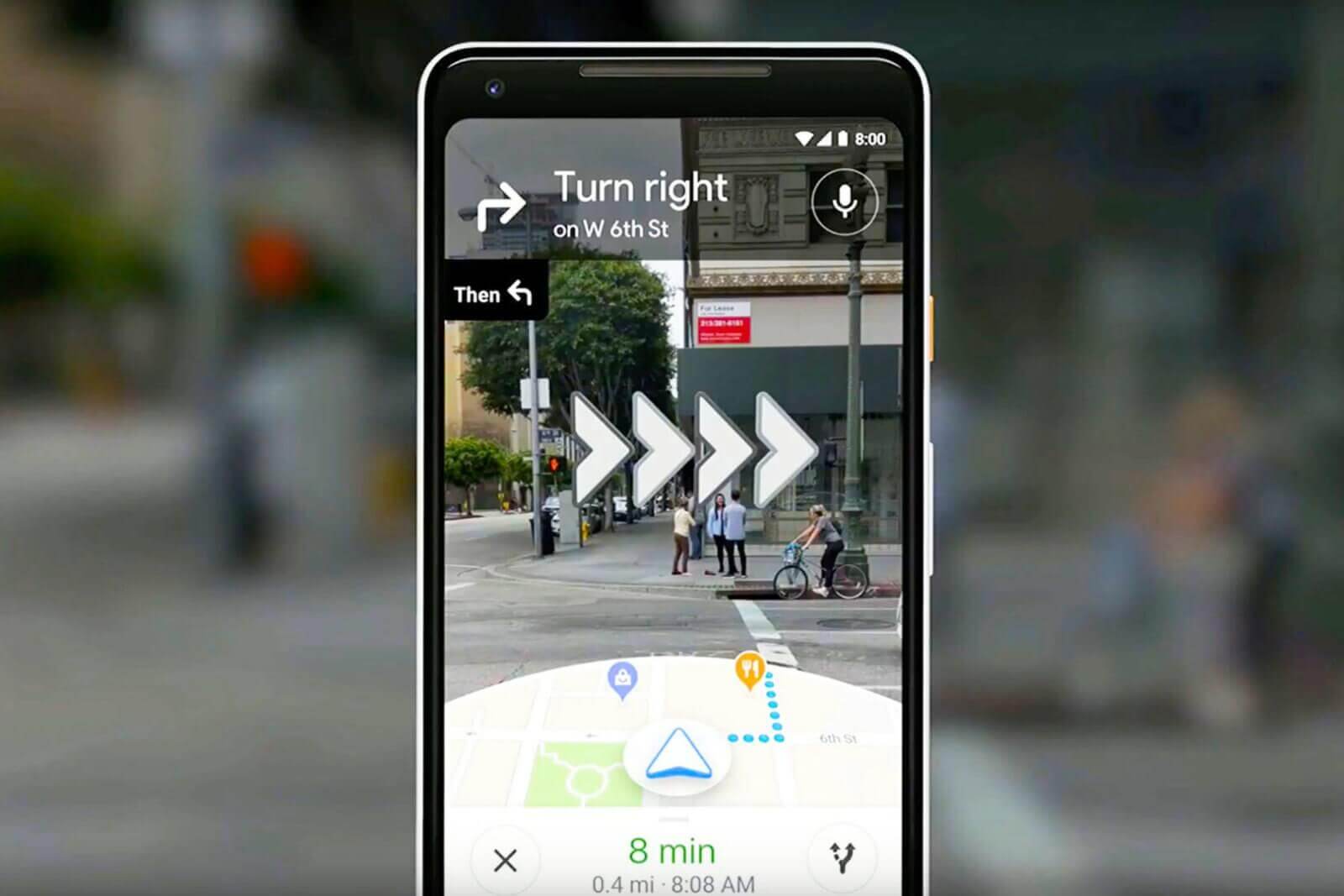
    Google Maps Live View—a new AR navigation mode that uses imagery from your phone’s camera—will be rolling out in beta on Android and iOS in the coming weeks. Live View takes advantage of your phone’s camera and Google Maps’ vast database to deliver a unique AR (augmented reality) navigation experience that layers the Maps interface over a real-time feed from the camera. It was previously demoed last year, and has been available to Google Local Guides level 5 and up, as well as Pixel phone owners, but it’s about te see a broader release later this month.

    To use Google Maps Live View, you’ll need a phone that supports ARKit, in the case of iPhones, and ARCore, in the case of Android devices. Of course, Live View is also going to be available only in regions where Street View is available, TechCrunch reports.

    To use Live View, you’ll need to tap the “Start AR” button and hold up your phone like a viewfinder. This brings up a screen that’s quite reminiscent of a video game, in that you’ll see the world around you, but with virtual elements (like arrows and signs) layered over your surroundings.

    To pinpoint your coordinates, Maps uses your phone’s rough GPS location and Street View’s vast image database to determine exactly where you are. To achieve this, the app takes a series of images, which have a known location, and analyzes them for key visual features (like the outlines of buildings and bridges), in order to create a large-scale index of these features. Then, to localize you, the system compares features in the database to imagery from the live camera feed. Using machine learning, it is able to discern between transient features, such as dynamic lighting and construction work, and the permanent features of the scene.

    Google warns that using Live View in Maps will lead to slightly increased battery and mobile data consumption. The feature is expected to roll out in beta on Android and iOS in the coming weeks.

  • Google Search update lets users find their favorite Podcasts easier than ever

    Google Search update lets users find their favorite Podcasts easier than ever

    The Search app is getting even more changes, Google announced earlier. This time all the changes are aimed at those who are often looking for podcasts to listen to via Search. Currently, there are more than two million podcasts on the web, which makes it harder to find the one you want.

    Luckily, the latest update makes searching for podcasts easier than ever. Starting today, those who search for a podcast about a specific topic on Google will get results in the form of playable episodes alongside web pages, news, images, and videos.

    According to Google, these results will be displayed based on the company’s understanding of what’s being talked about on a podcast, which will provide users to even more relevant info about a topic in audio format. Moreover, Google says that we’ll soon no longer need to use the term “podcasts” when we search to see episodes.

    But there’s more, as Google confirmed that the same feature will come to Google Assistant and Google Podcasts for web, which will allow users to ask the Assistant for podcasts about a certain topic.

    It’s important to mention that these new features will be available starting today, beginning with people using English in the United States.

  • Google Assistant can now read texts from third-party apps

    Google Assistant can now read texts from third-party apps

    Google Assistant is at the center of the Google ecosystem, which is why Google keeps giving it more and more things to do. It used to be that when you summoned Google Assistant and asked it to read your messages, you’d hear the content inside SMS texts that you received from Android Messages and Hangouts. But it wouldn’t read messages that you received from third-party apps like WhatsApp and Telegram.

    According to this tipster, Assistant will now read the text messages sitting in third-party messaging apps such as WhatsApp, Telegram, Slack, Discord, GroupMe and more. Not only will the virtual digital helper read these messages to you, but it will also allow you to dictate a response to these missives. To set up your phone to do this, awaken the Assistant and say “read my messages.” You’ll have to allow the Google app to have access to your notifications. Once this is done, asking the virtual helper to read your messages will show a card that pops up containing the last text message received. Assistant will read it and include the name of the sender and the app that it came from. Google Assistant will then give you the option of dictating a response or typing one out. When your response is completed, it is immediately sent out and the text marked as read.

    There is a caveat that you need to know about. A text message containing media, such as a photo, a video or audio will not be read. Instead, Google Assistant will tell you that “the message just contains an audio attachment.” Hopefully, Google plans on having Assistant read such audio attachments in the future.

    This feature is apparently just rolling out now. Unfortunately, we couldn’t get it to work on our Pixel 2 XL running Android 9 Pie. We kept receiving a message that said: “Something went wrong.” We will continue to try it again from time to time, and if there are any changes we will update this story.

  • Google makes a subtle but important change to the Search app

    Google makes a subtle but important change to the Search app

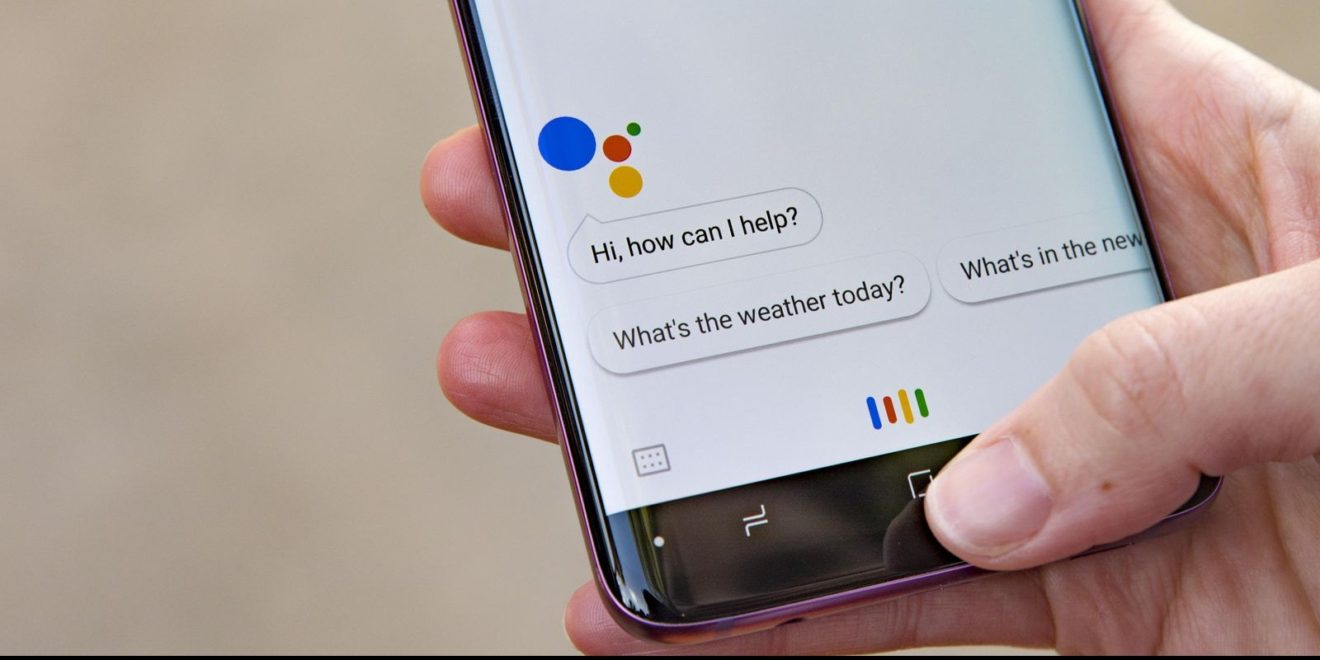
    A look at the updated version of the Google Search app reveals that Google is phasing out its Voice Search feature in favor of the Google Assistant. Voice Search could be found in the Google Search app and on the app’s widget. The iconic microphone icon, when tapped, would allow the user to verbally request a search. But now, Google wants its virtual digital assistant to take over all voice searches.

    A subtle change can be found in the Google Search app (aka the Google app) in version 10.24 or 10.28 beta. The microphone icon once found on the right-hand side of the search bar has been replaced with the Google Assistant icon. In addition, the old search bar included the words “Say Hey Google” while the updated version now reads “Ask any question.”

    Google Assistant is at the heart of the Google ecosystem. It is considered to be the best digital assistant among the top four, a group that also includes Amazon’s Alexa, Apple’s Siri and Microsoft’s Cortana. According to Google, there are now over 1 million actions that Google Assistant can handle. And with Assistant available on all of the Google Home smart speakers and the Nest Hub smart displays, replacing Voice Search with Google Assistant is a way for the company to bring all of its apps and devices in sync with each other.

    Google hasn’t finished rolling this update out to everyone yet, but it is easy to check to see if it has hit your phone. Simply open the Google Search app and check out which icon is in the search bar.

    The first virtual assistant found on a smartphone was Siri, which debuted with the Apple iPhone 4s on October 4, 2011. Apple had acquired the technology when it purchased Siri Inc. in 2010. At the time, Siri was a concierge app in the Apple App Store and its developers planned to offer it for Android and BlackBerry devices. Even though Apple had a head start in this space, some of the company’s former employees said last year that Apple lost its vision for Siri the day after it was first introduced on the iPhone 4s; that was the day that Steve Jobs died.

    Meanwhile, several tests have shown that Google Assistant recognizes questions and gives appropriate responses better than Siri. An extensive test was conducted last year of the four major digital assistants by venture capital firm Loup Ventures and its analyst Gene Munster. The test showed that Google Assistant answered correctly or performed the correct actions better than its rivals in all five categories that were being tested (Local, Commerce, Navigation, Information and Command). Siri finished last in three of the categories and only got 12% of navigation queries correctly. Alexa finished second in four of the categories while Cortana finished third in three of the classifications.

    The aforementioned test was conducted on smart speakers. So a few months later, Loup put the assistants through the paces again, but this time it used different smartphones. Google Assistant on a Pixel XL understood all 800 of the questions asked. Siri misunderstood 11 queries while Alexa and Cortana missed 13 and 19, respectively. Google Assistant won four out of the five categories (Local, Commerce, Navigation and Information) while finishing second in one of them. Siri placed second in four categories, topping Google Assistant in Command. Alexa was all over the place with a second-place finish (Information), three third-place finishes (Local-tie, Commerce, Information, Command) and wound up last in one category (Navigation). Cortana was ranked last in three categories (Commerce, Information, Command), and finished third twice (Local-tie, Navigation).

  • Tinder swipes left on the Google Play Store’s payment platform

    Tinder swipes left on the Google Play Store’s payment platform

    Dating app Tinder has a UI designed to allow users to make quick decisions on whom to meet. In fact, it has become part of pop culture. Swiping to the right on a profile indicates that you are interested in that person while swiping to the left means that you have no interest. According to Bloomberg, which cited research done by Macquarie analyst Ben Schachter, Tinder’s parent company is swiping left on the Google Play Store’s in-app subscription platform. Similar to music streamer Spotify’s complaint against Apple, Tinder’s parent company, the Match Group, objects to Google taking a 30% cut of in-app revenue generated in its app storefront.

    Spotify took its complaint to the European Union’s competition commission which has opened an antitrust investigation against Apple. But there is a huge difference between iOS and Android. Those using the former are essentially forced to use the App Store while Android users can easily sideload apps. That could be the difference between being called a monopoly or just an opportunist.

    Apple responded by noting that the 30% cut that Spotify CEO Daniel Ek keeps mentioning actually drops to 15% after a year. As a result, Apple claims that a cut of 15% is being applied to only 680,000 Spotify members. These are subscribers who upgraded from the free tier to the premium tier of service between 2014-2016. After that time period, Spotify stopped allowing iOS users to upgrade through Apple’s in-app payment system (iAP). Instead, payments for upgrades must be through Spotify’s website.

    Similarly, those using Tinder are being asked to enter their credit card information directly into Tinder’s own payment platform. While Tinder is free, you are limited to 100 right swipes a day. With Tinder Plus and Tinder Gold, you get unlimited swipes and a few other perks as well. Tinder Gold also allows users to see who has swiped right on their profile. The latter costs $12 per month for a six-month subscription or $10 per month for a year’s subscription. And Match Group has included an ingenious plan to keep subscribers wedded (see what we did there) to its own platform. After the first payment is made through Match Group, every subsequent payment will automatically take subscribers to the platform bypassing the Google Play Store’s payment system.

    If all of this sounds familiar, and for reasons other than Spotify’s complaints against Apple, it could be that what is happening with Tinder reminds you of what Epic Games did with Fortnite. One of the most popular video games ever, Fortnite had to be sideloaded from Epic Games’ own website to be installed on Android devices. This was done to avoid the 30% cut of revenue that Google would have taken on in-app subscriptions.

    More companies are looking to avoid both the App Store and Google Play Store in-app payment systems. Last December, Netflix stopped allowing new and returning subscribers using iOS to pay for their subscriptions using the App Store. And even Apple’s own customers are concerned that the tech giant is forcing them to pay more for apps because of its 30% cut. In fact, a large number of iOS users are part of a class-action suit that claims Apple’s role as a monopoly is forcing them to pay more for apps. The U.S. Supreme Court ruled in May that the suit can continue. Apple argued that it merely distributes apps sold to iOS users by third-party developers. That position helped it win a unanimous verdict from the United States Court of Appeals for the Ninth Circuit, in San Francisco. But the Supreme Court decided that Apple is actually more than just a distributor of apps and cited the contracts it signs with these developers as proof of that.

    Both Google and Apple argue that they are providing a high-profile storefront for developers to sell their apps and that they aren’t being unreasonable for asking them to make contributions to the eco-systems that allow their apps to thrive.

  • App adds Google Assistant functionality to your Samsung Galaxy Watch

    App adds Google Assistant functionality to your Samsung Galaxy Watch

    So let’s say that you’re currently rocking the Samsung Galaxy Watch and you’re not happy with the virtual assistant on the timepiece. After all, Bixby is an acquired taste. And since the watches are running Tizen, well the Google Assistant is out. Or is it? According to Android Police, the GAssist.net app can help you put much of the Google Assistant’s functionality on your Tizen powered timepiece. You will need to visit the Galaxy Store to load the app on your watch and the Google Play Store to load the companion Android app on your phone.

    Installation is a bit complex It will require you to store on your phone a file generated from the Google Cloud Platform website. A YouTube video was created to show you how this is accomplished. You can find that video in the slideshow at the bottom of this article. Once that is done and the correct apps are stored on the watch and phone, the apps themselves will guide you through the remainder of the setup.

    Keep in mind that you won’t be able to access the Assistant by saying a hot word. Activation is accomplished by opening the app and tapping on the word ‘Listen.’ You also can’t use the app to control other functions on the watch, like timers and alarms. But you can use it to handle the requests and demands that you would normally turn over to Google Assistant including turning on or off smart appliances and get the weather. Some Reddit posters say that it opens faster than Google Assistant does on Wear OS devices. And you can allow your watch to receive personal results on the GAssist.net app (after installation of course) by opening Google Assistant on your phone and clicking on the icon at the bottom left of the screen. From there, click on your profile at the top right of the display. Tap on the Assistant tab and scroll down to Assistant devices. You should see a listing for Galaxy Watch. Tap on it and allow personal results.

    The Samsung Galaxy Watch Active 2 could be introduced during the same August 7th Samsung Unpacked event that will unwrap the Galaxy Note 10 line. The device will come with an electrocardiogram (ECG) monitor, although that feature requires FDA approval which might not come until the middle of 2020.

  • Google removes seven spying apps from the Google Play Store

    Google removes seven spying apps from the Google Play Store

    Security firm Avast’s mobile threat researchers found seven “stalker” apps from the Google Play Store. The apps were most likely designed by a Russian developer and spied on their targets. All of the apps were subsequently removed by Google, but not before they had been installed a total of 130,000 times in aggregate. Two of the apps, Spy Tracker, and SMS Tracker, were installed over 50,000 times each.

    The apps were made to help users stalk their kids, significant others, employees and others. They tracked the target’s location, collected his/her contacts, SMS and call history. However, for these apps to work, the person doing the stalking had to have access to the target’s phone and install one of the apps on that device. The snoop then used his email address and password to have the same app sent to his own phone. Once placed on the target’s phone, the app showed the spy how to eliminate any sign that it had been installed. No icon appeared to alert the person being stalked that an app had secretly been loaded on his or her phone.

    “These apps are highly unethical and problematic for people’s privacy and shouldn’t be on the Google Play Store. They promote criminal behavior and can be abused by employers, stalkers or abusive partners to spy on their victims. We classify such apps as stalkerware, and using apklab.io we can identify such apps quickly, and collaborate with Google to get them removed.”-Nikolaos Chrysaidos, head of mobile threat intelligence and security, Avast

    The apps that were removed included:

    • Track Employees Check Work Phone Online Spy Free
    • Spy Kids Tracker
    • Phone Cell Tracker
    • Mobile Tracking
    • Spy Tracker
    • SMS Tracker
    • Employee Work Spy
  • Google Maps update brings two new important features for commuters

    Google Maps update brings two new important features for commuters

    Google launched two new features for Maps, which will greatly help those using public transportation to commute every day. The new features, live traffic delays for buses and crowdedness predictions, will help Google Maps users to plan better for their transit ride.

    Since transit schedules aren’t always accurate due to real-time traffic conditions, Google has decided to launch live traffic delays for buses, a new tool that will feed Maps users with real-time info directly from local transit agencies.

    It will allow Google Maps users in select cities to see if their bus will be late, how long the delay will be, as well as more accurate travel times based on live traffic conditions along their route. The new feature will be visible on the map too, as you’ll be able to see exactly where the delays are on the map so you know what to expect before you get your bus.

    The second new features announced today is transit crowdedness predictions, which will allow Maps users to see how crowded their bus, train or subway is likely to be based on past rides. That way you’ll be able to take a more informed decision when taking a bus or waiting for the next one to arrive.

    Starting today, both new features will be available in Google Maps in nearly 200 cities around the globe on both Android and iOS.

  • Google now allows users to auto-delete user data

    Google now allows users to auto-delete user data

    Google is making it possible for Android and iOS users to auto-delete location history and activity data starting today. Although the search giant already provided the ability to turn on or off the Location History and Web & App Activity directly from the Google Account, including the option to manually delete the data recorded, there was one feature that makes it so much easier to get rid of this data.

    Starting today, a new set of auto-delete controls are available in the Google app, which will allow users to manage their data easier than before. Simply choose a time limit for how long you want your activity data to be saved, and any data that’s older than that will be automatically deleted from your account.

    Google mentions that you’ll be able to set a time limit for how long your activity data to be saved from anywhere between 3 and 18 months, so there’s that.

    According to Google, users should start seeing the new auto-delete controls soon, and that they will come first to Location History and Web & App Activity. A broader rollout should happen in the coming weeks, so if you don’t see the new feature right away, you’ll have to wait.

  • Google announces customers can now use PayPal with Google Pay

    Google announces customers can now use PayPal with Google Pay

    Google has just announced it has expanded its partnership with PayPal to provide merchants with more ways to accept payments online. Starting next week, Google Pay will benefit from PayPal integration in all 24 countries where customers can link their PayPal account to Google Pay.

    Merchants that enable PayPal as a payment method on their Google Pay integration will allow consumers to seamlessly check out on their website or app. Basically, users will no longer have to sign in to PayPal when they use it with Google Pay once they link their PayPal account.

    With the new option, customers will be able to switch between debit cards, credit cards, their PayPal account, and more just by choosing Google Pay at checkout.

    Enabling PayPal integration in Google Pay will let merchants keep all the benefits they currently have, including the ability to receive payments directly to their PayPal Business Account within minutes, no minimum processing requirements, as well as seller protection on select transactions.

    Now, if you’re a merchant who can’t wait to enable the option to pay with PayPal in Google Pay, there are a couple of things that you need to do before customers can use the new feature. However, instead of going too technical, we’ll just redirect you to Google’s developer blog, which has all the information needed to enable PayPal in Google Pay.

  • Apple and Google are the top two most valuable brands in wireless tech

    Apple and Google are the top two most valuable brands in wireless tech

    Quick. Name the most valuable brand name in the world. Apple? nope. Google? That answer is so 2018. According to the 2019 BrandZ Top 100 Most Valuable Global Brands rankings computed by WPP and Kantar, Amazon is the most valuable brand with a value of $315 billion. Since the report considers Amazon to be a retailer, Apple is the leader among tech brands just edging out Google with valuations of $309.5 billion and $309 billion respectively. Google was the most valuable overall brand last year.

    Besides Apple and Google, other wireless giants in the top ten include Microsoft (#4, valued at $251.2 billion), Facebook (#6, $159 billion), and AT&T (#10, $108 billion). The value of Microsoft’s brand rose 25% from last year while more modest gains were seen for Apple (+3%) and Google (+2%). The value of brands in the tech sector rose 4% on an annual basis while telecom providers saw their brands increase by 1%.

    Looking at the remaining names on the list, those with a connection to the wireless industry include Verizon (#11), Xfinity (#20), T-Mobile (#25), China Mobile (#27),  Intel (#36), Samsung (#38), YouTube (#39), Instagram (#44), Adobe (#45), Huawei (#47), Vodafone (#49), LinkedIn (#58), Xiaomi (#74) and HP (#93).

    Xiaomi made the Top 100 for the first time at number 74. The brand is estimated to be worth $19.8 billion. Among the fastest rising brands, Instagram led everyone with a 95% year-over-year increase that took the valuation of the Instagram name to $28.2 billion. Adobe (+57% to $27.9 billion) and LinkedIn (+46% to $22.8 billion) also were among the brands having the largest increase in value from 2018 to 2019.

  • Dark mode starts showing up in Gmail for Android

    Dark mode starts showing up in Gmail for Android

    Gmail is one of the not so many Google apps that hasn’t yet received a proper dark mode. Meanwhile, Drive, Keep and Google’s app have all received the highly-anticipated dark theme so that everyone can enjoy it.

    Well, it looks like Google is working hard to make Gmail users happy as well. The long overdue dark mode is starting to show up in Gmail for Android. Unfortunately, it’s not yet correctly implemented and lacks a toggle that would allow users to disable or enable it.

    The dark mode seems to be available in settings only for the time being and pops up randomly whenever it wants. This is more of an indication that Google is close to nailing it down rather than an official release, but it’s what we have at the moment to keep you hyped.

    Gmail is probably one of the most popular Google apps for Android devices, so it’s kind of a bummer that the Mountain View company didn’t think that it should implement a dark theme yet, while other less used apps have been treated with a dark mode a long time ago.

    Apparently, the dark mode appears in Gmail v2019.06.09, so if you have this specific version installed on your Android smartphone, you might sporadically enjoy the new implementation of dark mode, at least until a full-fledged version will be released.