Tag: Google

  • Google adds new Maps features that offer some users rewards and perks

    Google adds new Maps features that offer some users rewards and perks

    Google has just announced a new set of features for business owners that will allow them to give Maps users an incentive to follow and, eventually, buy from them. Five years after launching Google My Business, which supposedly helped more than 150 million local business connect with people who are looking for them online, Google has decided to evolve it by adding new features and brand new design for mobile.

    The most important changes are aimed at Maps users who will now be able to find a business much easier. For example, business owners can now claim a short name and URL for their business, and in the coming months, people will be able to search short names directly in Maps.

    Moreover, starting today, businesses will be allowed to reward customers who follow their business on Google Maps with welcome offers, including discounts and other rewards. To make their businesses more appealing to potential customers, Google introduced the option to set the preferred profile cover photo.

    Also, businesses will be able to add photo captions to their profiles, which will tell the stories behind the pictures. A new logo feature has been revealed as well, which will allow businesses that completed their core info to have their logo displayed at the top right-hand side of their profile.

    Maps is one of the first apps that gets these new features for businesses, but Google might bring some of them to other apps or devices like Assistant and smart speakers, which would be in line with the company’s voice strategy.
  • Google Assistant brings back handy parking location functionality

    Google Assistant brings back handy parking location functionality

    Google’s industry-leading virtual assistant can be of great help not only when you’re actually behind the wheel, but also to remind you where you’ve parked your car at the end of a nice day walking around town. There are in fact a number of ways in which Google Assistant can lend a hand with locating your parked vehicle, and one feature, in particular, has caught our attention after first being spotted.

    That’s because this was apparently a thing back in the Google Nowadays of 2014, going away for some reason several years ago only to recently return in modernized fashion. You don’t have to actually do anything to get your digital assistant to estimate where you probably stopped driving and started walking.

    Based on your location history, your Android phone will let you know where you may have parked, and although the feature is unlikely to wow you with its accuracy, the fact it can loosely determine the whereabouts of your car with absolutely no effort on the user’s part is pretty cool… and a little scary. Of course, if you happen to often forget where you’ve parked or need perfect precision from this Google Assistant skill, you can always manually save your exact location by saying “Ok Google” and one of several magic phrases before leaving your vehicle behind.

    That’s especially useful if you want to keep a record of your precise parking spot in a crowded lot, but otherwise, the automatic feature is likely to prove fairly convenient as well. Particularly if you forget both where you parked and to manually command your voice assistant to save the location of your car, in which case this could prove an outright life-saver.

    As always, not everyone appears to have gained access to the newly added revived functionality straight off the bat, so for the time being, it might be wise to continue using the manual parking location reminder.

  • Amazon is making Alexa easier to use

    Amazon is making Alexa easier to use

    Imagine being able to arrange a night out in advance through Alexa by engaging in a naturally flowing conversation with the virtual assistant. This is what Amazon showed off last week at its re: Mars conference when it unveiled a preview of Alexa Conversations. Found in Amazon’s Alexa Skills Kit, Conversations allows developers to combine voice apps in order to streamline certain functions.

    Amazon showed off what Conversations could do at the conference by showing a clip of a woman using Alexa to purchase a movie ticket, reserve a table at a nearby Chinese restaurant, and order an Uber to pick her up. The whole process took less than a minute. Amazon says that this “night-out” scenario is the first of many that will allow users to quickly move from one voice app to another inside one conversation. The Conversation feature is designed to reduce the number of interactions it takes to get things done. For example, with the “night-out” scenario, approximately a dozen instructions were required to arrange the whole evening compared to the 40 or so that it would have taken without the new capability. And to make Alexa even more conversational, the virtual assistant can order an Uber by saying “Get me a ride,” instead of “Alexa, launch the Uber skill.”

    Last year, Amazon introduced Follow-up Mode so that users can ask Alexa to handle multiple tasks without having to repeat the “Alexa” hotword every time they want to add a task or request. This can be enabled by opening the Alexa app on your phone and swiping to the right to reveal the app’s menu. From there, go to Settings > Device Settings and tap on the appropriate device. Scroll down to Follow-up Mode and toggle it on. This should make asking Alexa to do multiple tasks a lot easier and quicker. Google launched something similar to Continued Conservations for Google Assistant. This allows users to continue a conversation without having to continually say “Ok, Google.”

    “If you make customers repeat information again and again and again, you are forcing them to believe that they are talking to a dumb entity, and if that’s the rapport you’re building with them from the get-go, the chances are they’re never going to delegate higher order tasks to you, because they will never think you’re capable of solving higher-order problems for them.”-Sanju Pancholi, Alexa AI senior product manager, Amazon.

    Eventually, Amazon could add different Skills for Alexa that will allow users to order food to be delivered, buy a present, or view content at home. Alexa currently is on over 100 million devices and users have more than 90,000 skills that can be enabled for the platform. With 325,000 developers using the Alexa Skills Kit, we can expect many more Skills to be available in the future.

  • Google sends $50 off code to Pixel 3a owners

    Google sends $50 off code to Pixel 3a owners

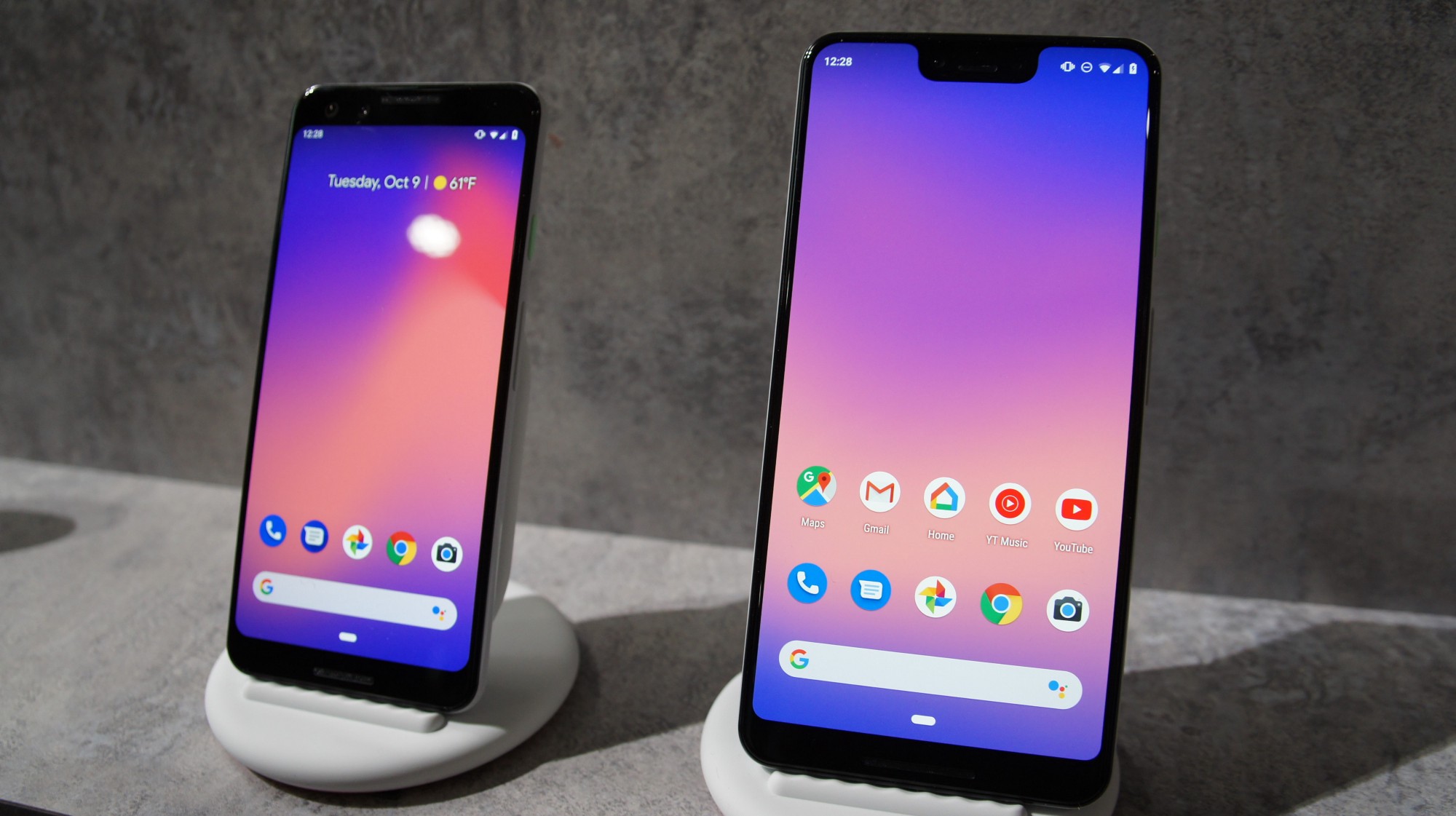
    Good news Pixel owners, as Google has decided that it’s time to sell even more Pixel 3a phones by sharing a huge number of discount codes for one of its most recent handsets. These codes are only sent to those who already own a Pixel 3a phone and it’s meant to be shared with friends.

    Multiple Pixel 3a owners report they have received $50 off discount codes in their email inbox, which they can share with their friends. According to the email, you and a friend both get $50 to spend in the Google Store when your friend buys a Pixel 3a using the code received, Droid-life reports.

    Although Google mentions that this is an exclusive Pixel 3a offer, it’s unclear whether or not it’s available outside the United States. But if you’ve bought your phone in the US, chances are you’ll be getting the $50 off code very soon.

    Once your friend buys a Pixel 3a using the code provided, you should be notified about the $50 credit from the Google Store. We also don’t know if the $50 off code can be combined with another discount on Google Store, but that’s easy to verify if you plan to purchase a Pixel 3a and already have a code.

  • Google app soon to receive dark mode

    Google app soon to receive dark mode

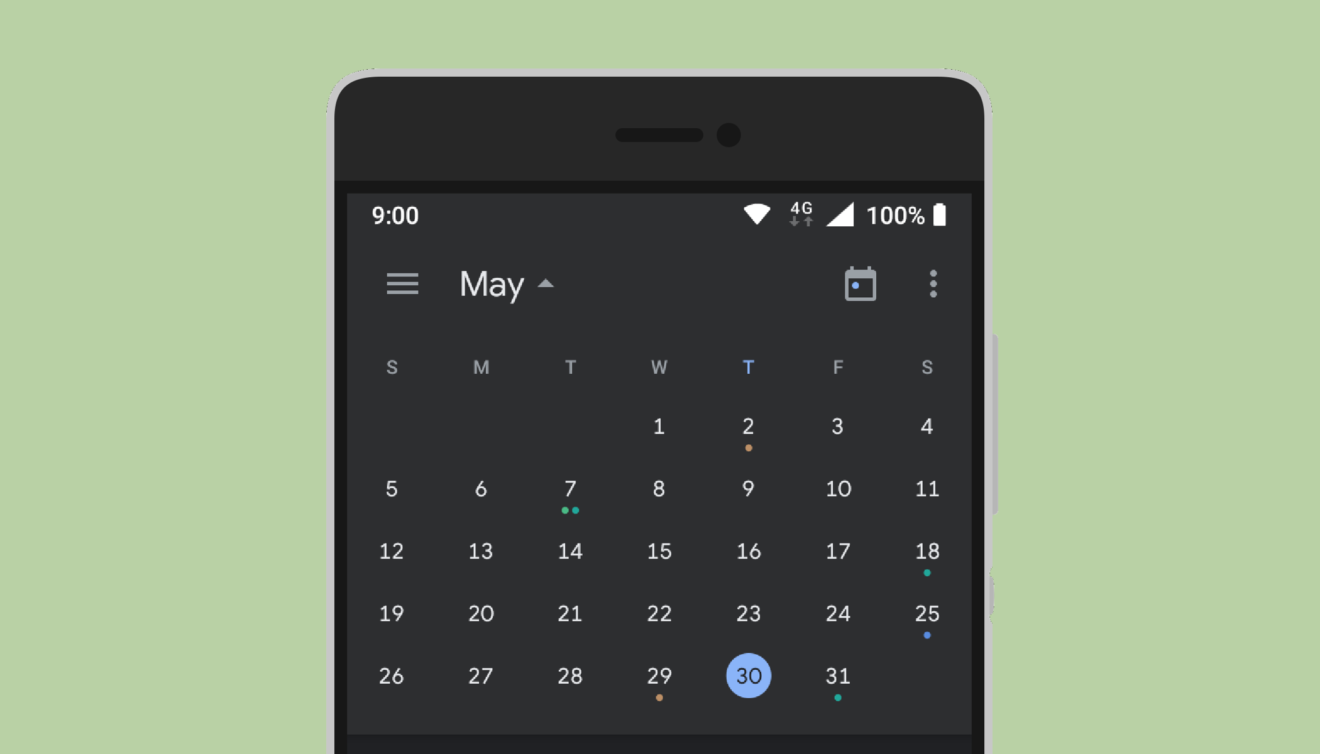
    Google is determined to bring the dark theme to all its apps by the time Android Q is officially released. A couple of Google apps such as Calendar and Keep have already been updated with a dark mode, but the Google app has yet to receive a similar function.

    The good news is the Mountain View company isn’t very far from delivering a full-fledged dark mode to the Google app.

    Google app beta v10.4.3 is the most recent version that should include the new dark theme, although it doesn’t seem that all users who have it installed are able to see it. Since this is a server-side update, the availability of the new feature is randomized among users.

    Anyway, if you have the Google app beta mentioned above, you can head to More / Settings / General and check whether or not a Dark theme option is available. If it’s there, you can choose to enable, disable or simply make it follow the system setting.

    Apparently, this is a full-fledged dark theme, which means the dark grey color will appear in searches, the in-app Discover feed, collections, recent searches, and, of course, all settings. Moreover, all Google Assistant related features benefit from the same dark mode, along with the Explore area.

    Even though the new dark mode isn’t widely available yet, the update is a clear sign that the Google app will soon get the highly-anticipated feature.

  • Amazon listed as most valuable brand

    Amazon listed as most valuable brand

    E-commerce giant Amazon has clinched the top spot in the world’s most valuable brand ranking, surpassing Google and Apple, according to a recently released ranking of global companies.

    The Seattle-based retailer has been valued at US$315.5 billion, up 52 per cent on last year with tech giant Apple coming in second, valued at $309.5 billion and Google in third place at $309 billion, Brand Z’s Top 100 Most Valuable Global Brand 2019 ranking (compiled by WPP research agency Kantar) revealed.

    Google and Apple had spent a combined 12 years at the top of Brand Z’s list, with Google taking the top spot last year.

    “Amazon’s smart acquisitions that have led to new revenue streams, excellent customer service provision and its ability to stay ahead of its competitors by offering a diverse ecosystem of products and services, have allowed Amazon to continuously accelerate its brand value growth,” Brand Z’s report indicated.

    Chinese e-commerce company Alibaba has overtaken Tencent for the first time to become the most valuable Chinese brand, moving up two places to number seven, growing 16 per cent to $131.2 billion.

    Tencent dropped three places to number eight, declining by 27 per cent to $130.9 billion year-on-year.
    Social media platform Facebook has retained its sixth spot while Instagram, at number 44, was named as this year’s fastest riser, climbing 47 places with a massive 95 per cent growth in brand value with $28.2 billion.

    Athleisure retailer Lululemon was named the second fastest riser, showing a 77 per cent growth year-on-year to $6.92 billion.

    “We’re seeing a move from individual product and service brands to a new era of highly-disruptive ecosystems,” said David Roth, CEO of The Store WPP EMEA and Asia and chairman of Brand Z.

    “Brands need to understand the value this type of model can create and should embrace its approach to be successful in the future,” Roth said.

  • Google Search results are improved in response to user feedback

    Google Search results are improved in response to user feedback

    A series of tweets from the Google SearchLiaison Twitter account indicates that Google is making a small change to Google Search in response to user feedback asking for more variety in its Search results. The tweak is designed to prevent a search result from containing multiple listings from the same site. As Google says, the changes are “designed to provide more site diversity in our results.”

    Google says that with the new site diversity change, top results will show no more than two listings from the same company. But Google adds that “…we may still show more than two in cases where our systems determine it’s especially relevant to do so for a particular search….” Despite the new diversity for Google Search results, the way sites are ranked will not change. So while highly ranked sites will continue to appear near the top of search results, they just won’t be repeated as often. This is good news for smaller companies looking to drive more traffic to their sites.

    While the update is being disseminated now, it shouldn’t be confused with the June 2019 Core Update that makes changes to the algorithms used by Google Search. Nor should it be mixed up with an update that was sent out last month by Google. The latter update improves mobile search results by adding the name, URL, and logo of the website that certain information was sourced from. For example, let’s say that you were searching for some news on President Donald Trump. Depending on your political leanings, you could scan through the results and either ignore or read information pertaining to your search from Fox News.

  • Google Maps is getting new features

    Google Maps is getting new features

    Over the past couple of years, software and technology have become considerably more aware of the user. This extends from using biometrics to unlock your phone, to having your vitals regularly checked by a smartwatch on your wrist, to getting pestered by a digital well-being assistant. Health monitoring as a whole has proven to be potentially life-saving many times on an individual scale. But what about large groups of people, possibly the populations of entire cities, who may be at risk?

    Google Maps already provides relevant information during times of crisis with SOS alerts. These include real-time updates on the situation, a map of the affected area, emergency contact information, and translations for common phrases in the local language. With the latest update to Maps, SOS alerts are expanding with more detailed visuals and a new crisis navigation system will try its best to get you—and potentially hundreds, if not thousands of others—out of harm’s way.

    For example, in the case of a hurricane, you’ll automatically get a crisis notification card on Google Maps in the days leading to the expected disaster. The map will also display the predicted trajectory of the storm, alongside times when the hurricane is expected to hit certain areas in your vicinity. If you happen to be driving through an affected region on the day of the storm, you’ll get a suggestion for a safer route alternative. Such suggestions will be offered for all types of disasters while driving, starting later this summer.

    In the case of an earthquake, the crisis notification card will display a shakemap, which is a visualization of the earthquake’s epicenter, magnitude, and how surrounding areas were affected. Flood forecasts will notify you of possible floods, as well as where they are likely to occur, and where the waters are expected to flow. Google says this is especially important in regions like India, where over 20 percent of global flood-related fatalities occur.

    The revamped SOS alerts system will start rolling out to Android, iOS, and the web version of Google Maps in the coming weeks. Flood visualizations will first launch in Patna, India, and will spread to neighboring regions, and eventually globally, though curiously they won’t be coming to iOS, at least initially.

  • Gmail Smart Compose feature rolling out to G Suite users

    Gmail Smart Compose feature rolling out to G Suite users

    One year after it revealed the Smart Compose feature for Gmail, Google is finally making it available to G Suite users. Since most of you have been probably using the feature for a few months now, you already know that it’s been pushed out to consumer accounts first.

    If you haven’t yet used Smart Compose, then you’ll want to know that the new feature is meant to intelligently autocomplete emails that you write, on both Android and iOS devices. According to Google, Smart Compose is being deployed to iOS users over the next two weeks, while Android users will be getting the new feature immediately.

    It’s also worth mentioning that Smart Compose will be enabled by default for all G Suite users, but you will be able to turn it off if you don’t like it by heading to Gmail’s general settings and disabling the Writing suggestions option from Smart Compose.

    If you didn’t know, Smart Compose supports a handful of languages, such as English, Spanish, French, Italian, and Portuguese, so there’s really a large pool of Gmail users that will benefit from the new feature.

  • Google just says no to marijuana apps

    Google just says no to marijuana apps

    While more states are passing laws legalizing marijuana, Google is trying to make it harder for smokers to connect with sellers. Earlier this week, the company announced that it will no longer allow apps in the Google Play Store that “facilitate the sale of marijuana or marijuana products regardless of legality.” In other words, even in states where weed is legal, Google will ban these apps.

    This new policy is now listed in the Google Play Store Developer Center website and gives three examples of violations. These include allowing users to order marijuana through an in-app shopping cart feature; assisting users in arranging the delivery or pick up of marijuana; and facilitating the sale of products containing THC. Before Google updated the page, there was no policy specifically related to marijuana apps.

    “These apps simply need to move the shopping cart flow outside of the app itself to be compliant with this new policy. We’ve been in contact with many of the developers and are working with them to answer any technical questions and help them implement the changes without customer disruption.”-Google

    At the same time, Google promised to make the Google Play Store safer for children and families. In a blog post made Wednesday, the company wrote “At Google Play, we’re committed to providing a positive, safe environment for children and families. Over the last few years, we’ve helped parents find family-friendly content through the Designed for Families program and empowered them to set digital ground rules for their families with Family Link parental controls.” And that apparently means making the Play Store weed-free.

    Back in 2015, we told you the names of some of the apps that smartphone owners could use to find the nearest dispensary. But thanks to Google’s new policy, that has all gone up in smoke.

  • Google Maps speed camera alerts and speed limit indicators rolling out

    Google Maps speed camera alerts and speed limit indicators rolling out

    One of the important features that differentiate Waze from other navigation apps like Google Maps is the possibility to see in-depth traffic information and get alerts about speed cameras and speed limits indications.

    Surprisingly, the feature didn’t make it to Google Maps yet, even after the search giant acquired Waze. Well, the anomaly is about to be completely dissipated as Google Maps users in a bunch of countries report they are now getting speed camera alerts and can now see speed limit indicators.

    Speed camera alerts should now be available for many users in the following countries: Australia, Brazil, Bulgaria, Canada, Czech Republic, Finland, Greece, Hungary, India, Indonesia, Israel, Italy, Mexico, the Netherlands, Portugal, Romania, Russia, Saudi Arabia, Slovakia, Slovenia, South Africa, Spain, Sweden, the UK, and the US.

    Furthermore, another new Google Maps feature, the option to see speed limits while driving, is now live in Denmark, Poland, the UK, and US. However, we expect these features to roll out to all Google Maps users worldwide, it’s just that this appears to be a released gradually, so we’ll just have to wait until Google enables it for more people.

  • Google to shut down YouTube Gaming App

    Google to shut down YouTube Gaming App

    Google announced last year that the YouTube Gaming app will go away at the end of March. However, for reasons that elude us, Google has decided to prolong YouTube Gaming’s life for two more months.

    Today, the Mountain View company announced that it will shut down the YouTube Gaming app on May 30. Since we’re so close to the deadline, we doubt that Google will further delay the closure of the app.

    The YouTube Gaming app will go away on May 30, but you’ll be able to find all of your favorite gaming videos in the YouTube main app at www.youtube.com/gaming.

    If you’re using YouTube Gaming app on a regular basis, then you should know that Google plans to merge it with the standard YouTube platform. After May 30, all YouTube Gaming visitors will be directed to a new channel for games on the may YouTube website.

    Unfortunately, any content that you might have saved or viewed on the YouTube Gaming will be gone after May 30, as Google announced that it’s not possible to transfer games between platforms. According to YouTube, the merger of the two platforms will allow the company “to build a stronger home for the gaming community” on YouTube, not just the YouTube Gaming app. In other words, YouTube is putting all the eggs in one basket to better compete with the likes of Twitch.

  • Google Chrome on Android is getting a seriously useful new feature

    Google Chrome on Android is getting a seriously useful new feature

    Opening a ton of tabs in Chrome, even the mobile version, is something that many of us are all too familiar with. The current card-style interface of the Chrome app is alright when you have only a few opened tabs, but going over 10 often leads to confusion and excessive scrolling to find what you’re looking for. A new feature headed to Google Chrome on Android aims to resolve this issue by introducing tab grouping and a redesigned tabs screen.

    The long-press menu will offer a new option, “Open in new tab group,” that allows you to bunch sites together in groups. Starting a group makes a bottom navigation bar appear where the various tabs in the group are displayed as favicons for easy switching between them. Tapping the “Tab” icon next to the search bar brings you to the new tabs screen. The card stack interface is gone, and in its place is a thumbnail view that shows snapshots of where you left of on different pages in a vertical gallery style.

    Tab groups are displayed like folders, each showing the total number of tabs inside the group, alongside thumbnail previews and favicons for the first four pages. Taping on a group opens an expanded view, which is very similar to the tabs screen. This really helps when you have quite a few tabs opened in Chrome, and you want to group some of them based on topic.

    The new interface is currently a work in progress, so it’s lacking some polish, but should be ironed out in the near future. Like most other features added to Google Chrome, this one is already accessible in the Canary version on Android. As such, it is still in the testing stages and may not perform as it will in the final release. Still, if you’re eager to try it out, you can do so by typing “chrome://flags” in the URL bar in Chrome Canary, and searching for “enable-tab-groups-ui-improvements.” Enable the option, restart the browser twice, and you should be ready to go.

  • Google Drive users on a discontinued plan

    Google Drive users on a discontinued plan

    It’s getting harder and harder to complain about running out of storage space on today’s high-end and even mid-range smartphones, especially if you also add in an ultra-affordable or insanely hefty microSD card. At the same time, it’s generally a good idea to back up some of your most precious stuff in the cloud, where storage has gotten cheaper and cheaper in recent years as well.

    For instance, the 2018-released Google One subscription service provides two whole terabytes of digital hoarding room at a monthly fee of only $9.99 or an even more reasonable price of $99.99 per year. A couple of lower-cost options can hook you up with a 100 or 200 gig cache for $1.99 and $2.99 a month respectively (or $19.99 and $29.99 a year), while every free Google account gets a 15GB storage allotment to use across Google Drive, Gmail, and Google Photos platforms.

    This is all extremely well and good, but you know what can be better? Even more free cloud storage, which is exactly what subscribers on a discontinued Google Drive plan are reportedly receiving. Basically, instead of forcing users to upgrade from a $5 a year subscription that’s no longer a thing to one of the aforementioned $20, $30, or $100 plans, Google is letting people keep their digital depositories without ever needing to pay a dime.

    We’re obviously not talking about a great deal of storage space, but 20 gigs for free is certainly nothing to sneeze at, especially when you combine that number with the entry-level 15GB allotment. That’s right, these lucky Google Drive users will get a grand total of 35 GB of space in the cloud at no monthly charge whatsoever going forward. Unfortunately, if you weren’t subscribed to the grandfathered $5/year plan, there’s nothing you can do to take advantage of a similar special offer.

  • Google faces a huge fine for violating privacy rules

    Google faces a huge fine for violating privacy rules

    Last year, the European Union adopted the General Data Protection Regulation (GDPR) designed to boost privacy rights in the union. Under this regulation, companies in the EU cannot use a consumer’s personal data without informed, explicit consent. A company found to have violated the GDPR can be socked with a fine as large as 4% of the company’s prior year global revenue.

    With Google’s European headquarters based in Ireland, the company is now being investigated for GDPR violations by the Irish Data Protection Commissioner (DPC). The genesis of the complaint is interesting. The developers of an app called Brave Browser were among those claiming that Google is not playing by GDPR rules when it collects personal data for advertisers. When someone using the Browser visits a website, the app’s developers state that personal information belonging to the user is sent out to hundreds of companies without the user’s knowledge. These companies use this data in order to place bids to place targeted ads.

    “We will engage fully with the DPC’s investigation and welcome the opportunity for further clarification of Europe’s data protection rules for real-time bidding. Authorized buyers using our systems are subject to stringent policies and standards.”-Google

    If Google is found to have violated the GDPR, it could be fined as much as $5.52 billion based on the company’s 2018 global revenue of $138 billion. And Google is not the only tech firm under investigation by the DPC. As it turns out, Ireland is where many tech giants hang their hats in Europe and 17 tech firms are under investigation there for possible GDPR violations. Among them are Apple, Twitter, LinkedIn, Facebook and some of its units including WhatsApp.