Tag: Google

  • Google Maps is Adding Yelp Features

    Google Maps is Adding Yelp Features

    Over the past couple of years, Google Maps has transformed from a simple navigation app to one of the most powerful information databases for travelers and commuters around the world. Booking a hotel room, reserving a table at a restaurant, or simply checking working hours are all things made increasingly easy through Google Maps with its community-driven spirit. Soon, a new feature will be added to that ever-expanding list that will challenge Yelp.

    Crowd-sourced reviews are nothing new on Maps. As is, the app sends notifications to users, prompting them to rate places they’ve visited, and encourages them to share pictures. However, Google is looking to implement a new, dedicated food review system into the app, thus allowing users to rate individual dishes when visiting restaurants. The system will take a few factors into consideration, such as pricing, quantity, and quality, and will ask users whether they’d recommend the dish or not. And, of course, everyone will be encouraged to snap some photos of the impressive (or otherwise) dishes that they got served.

    Select venues on Google Maps already offer a “Menu” tab that can give you a rough idea of what to expect and how much it will cost, but the update aims to expand this functionality and put crowd-sourced reviews at the forefront. Ultimately, the goal is to have detailed menus for each venue, divided into sub-tabs based on popularity and the type of dish.

    Currently, dishes in the “Menu” tab are presented in a simple list form, but in the future, they will appear in card form alongside user-made photos. You will be able to tap on them to see others’ reviews, leave your own, suggest edits, and so on. Google has already started an initial testing phase of the feature. A wider roll-out can probably be expected in the coming months.

    With the implementation of food reviews in Maps, Google has Yelp in its sights. Both apps have long offered similar features, including restaurant reservations and user reviews, but Yelp had the edge when it came to detailed, crowd-sourced food reviews. With Maps adding this feature to its roster, it has the potential of becoming a viable Yelp competitor on all fronts.

  • Angry Birds augmented reality mobile game Launched

    Angry Birds augmented reality mobile game Launched

    Rovio, the Finnish company behind the Angry Birds smash hit, announced last month that their first augmented reality mobile game is available for pre-order. Dubbed Angry Birds: Isle of Pigs, the game has now been released in the App Store and is available for free.

    Angry Birds AR uses Apple’s ARKit framework and is fully compatible with iOS devices like iPhone 6s and newer, as well as iPad 5th generation and later. Since this an Apple prime exclusive, it’s not available on Android and won’t be for a while. However, Rovio says that it’s exploring other platforms like Android, so we can expect the Finnish developer to expand the game’s availability to Google’s operating system too.

    As far as the gameplay goes, Angry Birds: Isle of Pigs takes players to a remote island where the greedy green pigs vacation in over 40 levels. You’ll meet some of the birds you already know and love, but in a more realistic environment that brings Angry Birds to life like never before.

    Thanks to the augmented reality technology, players can physically walk around structures overlaid onto objects in their own environment to find weak elements, identify different angles for the best accuracy, or discover hidden surprises that will allow them to take on the green pigs, earn more points, as well as unlock additional content.

    Keep in mind that the game may require internet connectivity and subsequent data transfer charges may apply. Even after the initial download, additional content may be downloaded, which may include data charges.

  • Google adds Tiles to Wear OS To Show Useful Information

    Google adds Tiles to Wear OS To Show Useful Information

    From a totally redesigned UI and battery life improvements to faster Google Pay and bug fixes, no matter how big or small the update there’s no denying Wear OS by Google, as it’s now called, has come a long way since it was first introduced back in 2014 under the Android Wear branding.

    Today, to help improve the overall experience even more, the Silicon Valley-based giant has announced another pretty big update to its wearable-focused OS.

    Around eight months ago, as some of you may remember, a new Wear OS design was introduced that provided users with swipeable access to a variety of things. A swipe from the bottom of the screen showed recent notifications and Quick reply suggestions, while a swipe down displayed a variety of Quick Toggles. Similarly, a swipe over to the left side of the panel brought up the Google Assistant and over on the right sat Google Fit.

    The response to this new design since its launch last summer appears to have been largely positive, and now Google is building upon it with a cool new feature that it’s calling Tiles.

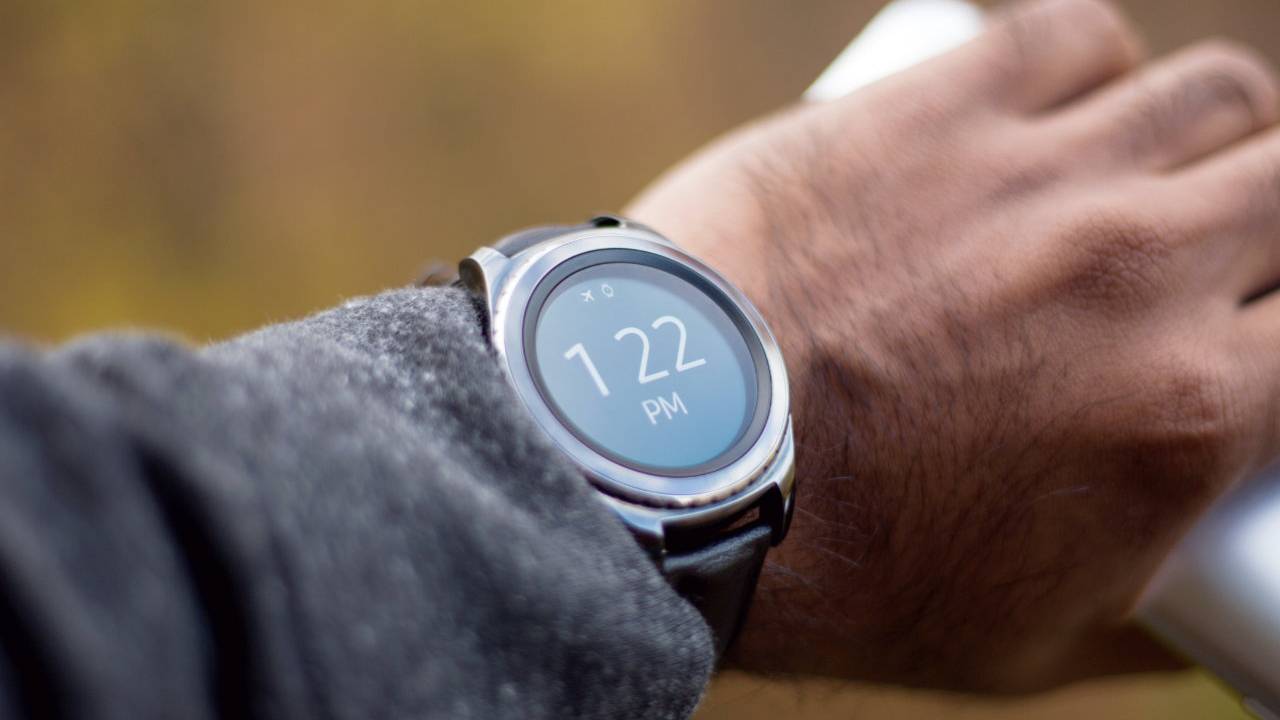
    As the name suggests, Wear OS by Google will soon integrate a number of tile-like cards into its UI that users can easily swipe through to see various bits of information that may interest them. Tiles are accessible by simply swiping to the left and, if users aren’t happy with the default order, they can be rearranged freely by long-pressing them and dragging each one individually until they are in the desired order. Alternatively, smartwatch owners can switch them around inside the Wear OS by Google app on their smartphone.

    According to Google, the initial rollout will include a total of six individual tiles. The first, called Goals, works just like the current Google Fit screen, allowing users to view their daily workout goals and start a physical activity with a simple tap.

    Another fitness-focused feature comes in the shape of the Heart rate Tile which, as expected, shows users their current heart rate. However, in order to use this one, consumers need a smartwatch with a built-in heart rate monitor. Alternatively, Bluetooth heart rate sensors such as straps can also be used.

    Joining Heart rate will be Next event and Forecast. The former does exactly what it says on the tin by displaying the next event in the calendar, while the latter allows users to prepare for the day by providing the local weather forecast.

    Completing the lineup of Tiles is Headlines which will constantly display the latest news headlines from a variety of different sources throughout the day. Also arriving as part of the update is the Timer tile which, as its name suggests, allows users to quickly set timers on their respective smartwatches.

    The new Tiles feature will begin rolling out to Wear OS watches across the globe over the course of the next month. An exact start date for this is yet to be confirmed, but Google does plan on showing the feature off at Google I/O next week where it’s also expected to announce the Google Pixel 3a and Pixel 3a XL, which will act as the company’s first mid-range smartphones.

    Regarding the future of Tiles, Google has confirmed that, over time,it’ll expand upon the current list of six by introducing new ones that center around different features. Eventually, users should have a Tile for every need.

  • New Google Feature will Automatically Delete your Personal Data

    New Google Feature will Automatically Delete your Personal Data

    It isn’t a secret that Google tracks your location, activities and web usage through your phone. By allowing the company to monitor your Location History, Google can recommend a nearby restaurant, and allowing the company access to your personal data makes other Google apps more useful to you. At least that is what Google says. There already is a way for you to manage this information, but in a new blog post that Google published today, the company said that it has received feedback from users who want an easier way to manage or delete their personal data.

    You can already manage this data using your Google Account. On an Android phone, go to Settings > Accounts > your Gmail address > Google Account > Manage your data & personalization. From there you can opt-out of Web & App Activity, Location History, Voice & Audio Activity, Device Information and YouTube Search History. Click on the section titled Manage your activity controls to stop Google from tracking your use of Chrome and other apps.

    But the auto-delete tools that Google announced today will allow you to select how long you want Google to save your personal data. You can choose to save it for 3 months, 18 months, or until you manually delete it. If you pick 3 months or 18 months, any data older than the option you select will automatically be deleted on an ongoing basis.

    “Whether you’re looking for the latest news or the quickest driving route, we aim to make our products helpful for everyone. And when you turn on settings like Location History or Web & App Activity, the data can make Google products more useful for you—like recommending a restaurant that you might enjoy, or helping you pick up where you left off on a previous search. We work to keep your data private and secure, and we’ve heard your feedback that we need to provide simpler ways for you to manage or delete it.”-Google

    This new feature will first be made available for Location History and Web & App Activity and Google will start pushing it out in a few weeks.

  • Google struggled to sell Pixel 3 smartphones

    Google struggled to sell Pixel 3 smartphones

    Apple, Samsung, LG, Sony, HTC… The list of smartphone manufacturers that have experienced a decline in sales at some point throughout the past year is already pretty long but today it grew by one.

    During Alphabet’s earnings call earlier today, the company’s Chief Financial Officer Ruth Porat revealed that Google experienced a year-on-year decline in Pixel smartphones sales during the first quarter of 2019. Specific numbers weren’t provided, but the negative results do appear to have dragged down the company’s hardware business as a whole.

    Regarding the cause of this drop, Google didn’t mention any concrete details but it did highlight the general “pressures in the premium smartphone industry” at the moment. Moreover, it noted the “heavy promotional activity” by competitors which have been struggling to keep sales up recently.

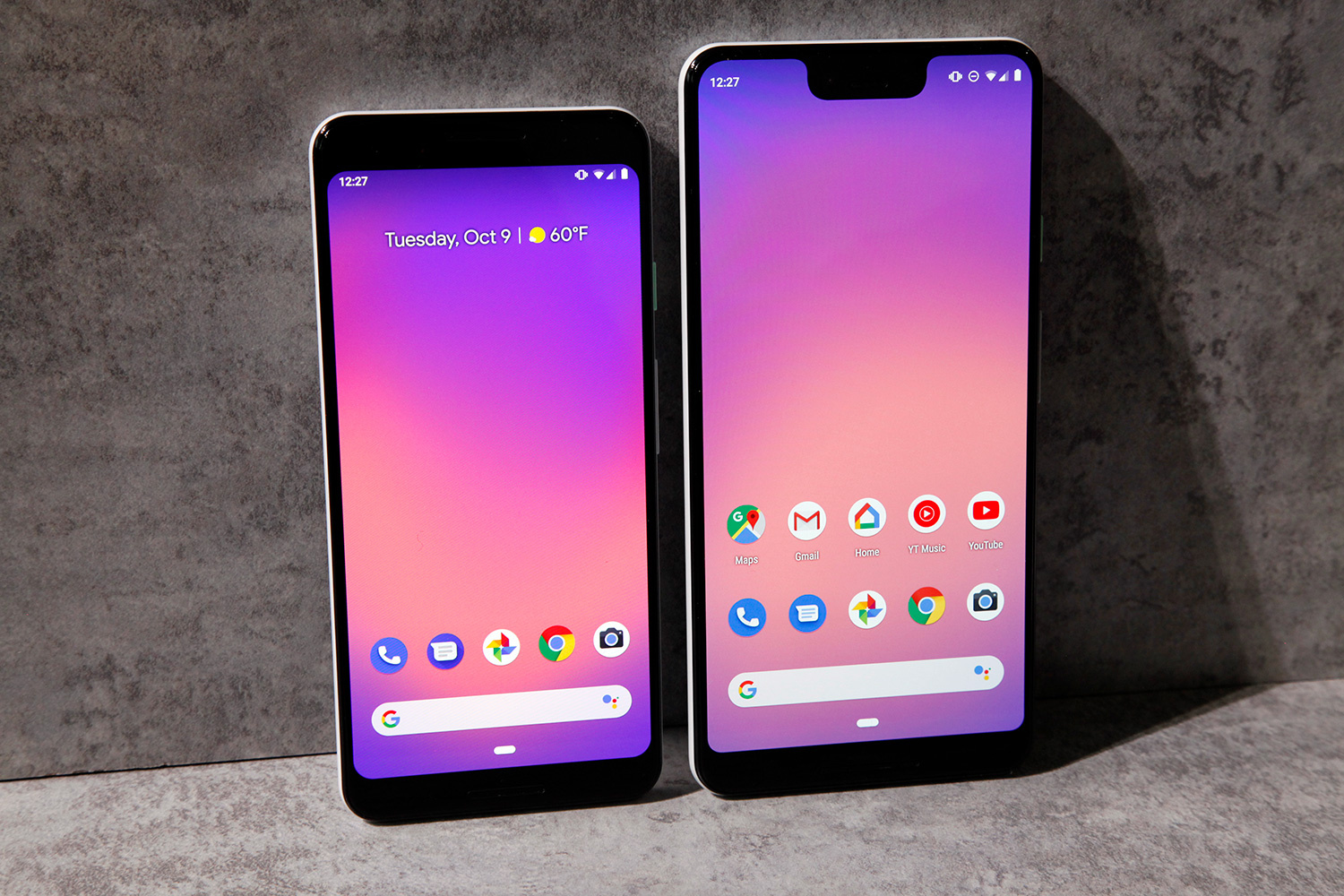
    Another factor that wasn’t mentioned but one that may have negatively affected Pixel 3 smartphone sales is design. Although Google’s smartphone cameras have once again received almost universal praise, the larger Pixel 3 XL has been heavily criticized since before it even launched due to the large notch and huge chin that it features.

    The Google Pixel 3 and Pixel 3 XL were also plagued with memory management issues, something that affected day-to-day use by prematurely closing apps running in the background.

    Despite the lack of Pixel sales, Google pointed out that it was pleased with the “momentum for Assistant-enabled home devices, particularly the Home Hub and Mini devices.” It also mentioned plans for hardware announcements on May 7th at Google I/O, essentially confirming the Pixel 3a’s debut at the event.

    The Google Pixel 3a and Pixel 3a XL, for those of you that don’t already know, are expected to represent Google’s first entries in the mid-range smartphone segment. Building upon the reputation of flagship Pixels, both Pixel 3a smartphones are expected to carry the same rear camera as the Pixel 3 and support software features such as Night Sight. But in order to keep costs down, a number of modifications have been made internally.

    Rather than utilizing Qualcomm’s flagship-level Snapdragon 845, the Pixel 3a duo is expected to include the Snapdragon 670 which will be paired with 4GB of RAM and either 32GB or 64GB of internal storage. This will then be accompanied by stock Android 9 Pie, eSIM support, Google’s dedicated Titan M security chip, and the Active Edge squeezable frame. The smartphones also look set to support 18W fast charging. Speaking of which, the 5.6-inch Pixel 3a will carry a 3,000mAh battery while the 6-inch Pixel 3a XL should feature a larger cell, although its capacity is yet to be specified.

    Pre-orders for the Google Pixel 3a and Pixel 3a XL are expected to commence immediately after their announcement at Google I/O next week. Regarding official pricing, US market details are yet to leak. However, previous information has pointed towards price points of $400/€450 for the Pixel 3a and $500/€550 for the Pixel 3a XL.

    In terms of availability, the devices were previously rumored to be Verizon exclusives. However, more recent reports suggest T-Mobile will also carry them. And for those of you out there that aren’t fans of carriers, the smartphones should be sold unlocked via the Google Store too.

    At the price points mentioned above, the Pixel 3a and Pixel 3a XL probably won’t become runaway successes. But with Google’s smartphone business currently struggling, a boost from the mid-range segment could be all it needs to get back on track.

  • Google adds Dark mode to an Android Apps

    Google adds Dark mode to an Android Apps

    If your eyes feel strained at the end of every day, it could be because of Google’s Material Design, which it is using on many of its core apps. Because Material Design uses plenty of bright white background, it can be blinding to look at at night or in a dark room. Not only can the light hurt a phone user’s eyes, but it can also be annoying to other people in a dark room.

    To combat this, Google started adding a Dark mode feature on apps that it gave a Material Design makeover. This changes the appearance of an app from having black text on a white background, to show white text on a black background. While many only use Dark mode at night or in a movie theater, others just like the look and keep the setting enabled on all compatible apps at all times.

    And thanks to the use of the black background, those using a phone sporting an AMOLED screen could end up extending their battery life. The color black is created on an AMOLED display by turning off the RGB sub-pixels in the screen. This means that battery power is not needed to make an OLED panel display the color black. An LCD screen uses a backlight and when the color black is called for, the pixel turns opaque blocking the LED light from being seen on the display. In this case, there is still a draw on the battery to power the backlight.

    The latest Android app to receive the Dark mode option is the Google Calculator app for Android. This is a must-have for the calculator, which has a huge white box that covers the top 40% of the screen. Dark mode can be found in version 7.6 of the utility app, although only version 7.5 is currently available from the Google Play Store. Once the new version is installed on your Android phone, open it and tap on the three-dot overflow menu in the upper right corner. You’ll see a box with several options; click on Choose theme. You can select from the regular retina melting Light theme, Dark theme or Set by Battery Saver. The latter is supposed to turn on the Dark theme once the battery saver feature is enabled.

    Android Q and iOS 13 are both supposed to include a system-wide Dark mode. We should learn more at Google I/O and WWDC, which start May 7th and June 3rd, respectively.

  • Google Assistant brings its bedtime stories to Smartphones

    Google Assistant brings its bedtime stories to Smartphones

    One of the major Google Assistant features aimed at children, the ability to tell them stories, made its way to Google Home smart speakers about two years ago. Starting this weekend, the so-called Tell Me a Story feature, which is available in English, will be coming to Android and iOS phones in the US, UK, Canada, Australia and India.

    To activate the feature, simply say “Hey Google, tell me a story,” but you can also use the “Hey Google, tell me a bedtime story” if you want to get your kids ready for bed. Before you’ll be able to do that, make sure that you have the latest version of Google Play Books for Android or iOS installed.

    In addition to being able to listen to bedtime stories, families in the United States will be given access to a feature called read along, which is available on all Google Home smart speakers, including Home, Mini, Max, and Hub. Thanks to this feature, your bedtime stories will be more immersive since Google Assistant will add sound effects as you read select Disney Little Golden Books aloud, such as Coco, The Three Little Pigs, Alice in Wonderland, and many more.

    If you want to use read along, you’ll have to use a different command: “Hey Google, let’s read along.” You’ll also be able to ask Google Assistant to read an audiobook on Google Play by saying “Hey Google,” and you’ll hear a free sample if you don’t already own the audiobook.

    Keep in mind that audiobooks are available on Google Assistant in English in the US, Australia, Canada and Great Britain, in addition to German and Japanese.

  • Google Earth Timelapse Finally arrives on Mobile

    Google Earth Timelapse Finally arrives on Mobile

    The zoomable time-lapse video feature that allows Google Earth users to see how the planet’s surface has changed in the last 35 years, Google Earth Timelapse is now available on mobile. The Mountain View company has just announced it has released a new update that adds two additional years of imagery, as well as mobile support and visual improvements to make exploring more user-friendly.

    Besides being able to see how various parts of the Earth have changed in the last 35 years, Google Earth Timelapse allows more in-dept geospatial analysis since it includes more than 15 million satellite images coming from the US Geological Suvey/NASA Landsat and European Sentinel programs.

    Naturally, Google Earth Timelapse is available tablets as well, not just on smartphones. Apparently, mobile browsers would disable the ability to autoplay videos, which is absolutely mandatory for Timelapse. However, Chrome and Firefox have reinstated support for autoplay (sound muted), which is why Google was able to add mobile support with the latest update.

    Along with support for mobile, Google also added the new Material Design to Timelapse, which features simple, clean lines and clear focal ares to make is easier for usersd to navigate Google Earth Timelapse’s huge imagery database. Also, a new “Maps Mode” toggle is now available for mobile users to enable them to navigate the map using Google Maps.

  • Google launches its health-tracking app For Iphones

    Google launches its health-tracking app For Iphones

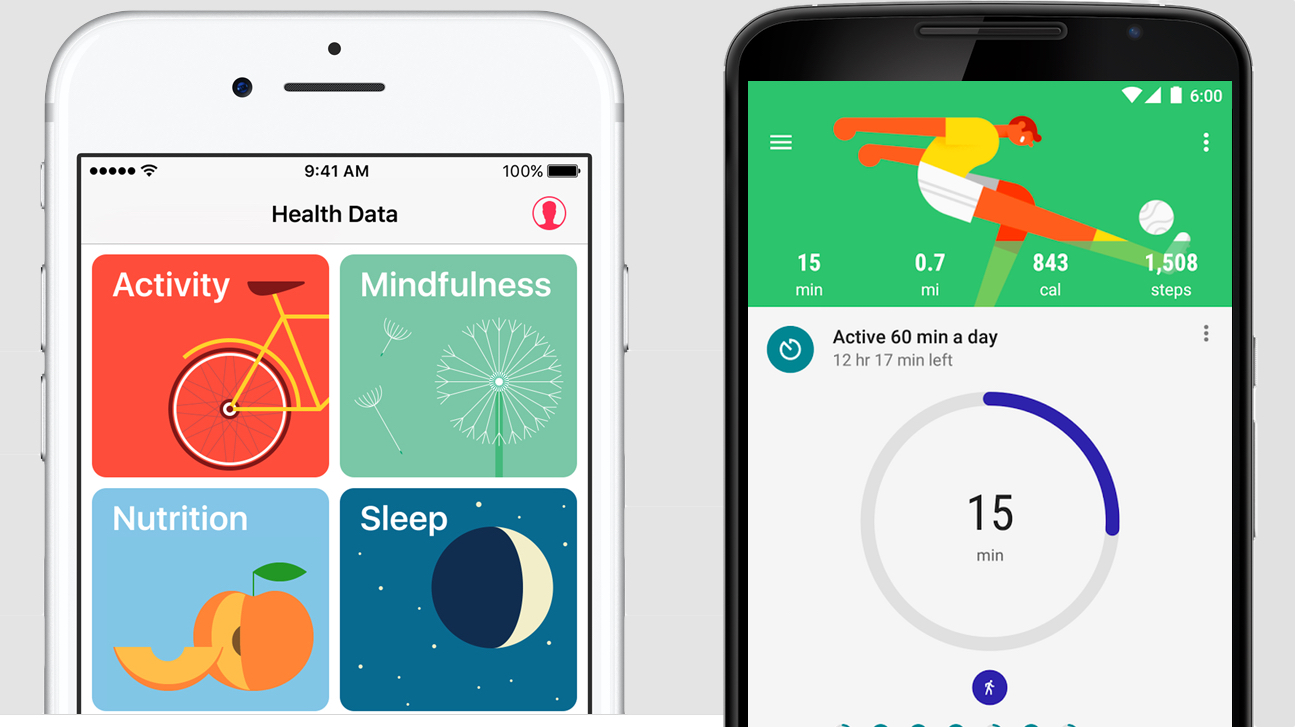
    Google Fit, the health-tracking app that made its debut on Android four years ago, has now been released on iOS. The app has gone through multiple overhauls since its launch back in 2014, but the last major update released last year made it extremely simply to use.

    Starting today, iOS users will be able to track their Heart Points and Move Minutes, the best way to build smarter, healthier habits throughout the day. Google Fit awards users so-called Move Minutes and Heart Points the more they move and the more intensely they move. Based on the scores, you’ll be closer to reach the recommended amount of weekly physical activity and reap the health benefits.

    It’s purely motivational, but very helpful if you’re trying to exercise but don’t find the courage to do it regularly. More importantly, Google Fit allows users to track their progress throughout the day using various apps.

    For example, app connected to Apple Health, such as Sleep Cycle, Nike Run Club and Headspace, can be synced with Google Fit to offer a more holistic view of your health. You’ll also be able to see how many Heart Points and Move Minutes you earn through other activities.

    Moreover, if own an Apple Watch as well, Google Fit will keep track of all your workout sessions too. Just don’t forget to check the app’s journal to see what you need to do to sleep better and get more active. You can download Google Fit for iOS right now via the App Store.

  • Google removes apps from the Play Store for Ad fraud

    Google removes apps from the Play Store for Ad fraud

    A successful Android app developer with over half a billion installs to its credit is having its apps removed by Google from the Play Store. DO Global, based in China, has had 46 apps erased from Google’s Android app storefront after an investigation conducted by BuzzFeed found serious issues with the apps. Before Google started taking action against the developer, DO Global had approximately 100 apps in the Google Play Store making this one of the biggest actions ever taken against an app developer by Google. The remaining apps will be removed shortly. DO Global had been a wholly owned subsidiary of well know Chinese internet firm Baidu. But last year, the unit was spun off and Baidu kept a 34% stake.

    The initial report from BuzzFeed said that at least six of the apps from DO Global would click on ads even if the app was not being used. Online security firm Checkpoint, in partnership with BuzzFeed, found the apps loaded with malware that it dubbed PreAMo.That’s because the apps fraudulently clicked on banner ads served up by mobile ad networks Presage, Admob, and Mopub. Checkpoint states that the malware was installed from these six apps a total of 90 million times.

    Some of the apps involved were credited to developers like “Pic Tools Group” and “Photo Artist Studio,” and their true ownership was hidden by DO Global. That’s another violation of Play Store rules. The developer contact information was also different on several of the apps, obfuscating their true owners. The actual titles include apps like RAM Master-Memory Optimizer; Photo Editor-Makeup Camera & Photo Effects and Crashy Cops. DO Global claims that its apps have 250 million monthly active users, and said that its mobile ad platform reaches 800 million people.

    “We fully understand the seriousness of the allegations. Therefore, after reading the reports about our apps, we immediately conducted an internal investigation on this matter. We regret to find irregularities in some of our products’ use of AdMob advertisements. Given this, we fully understand and accept Google’s decision. Moreover, we have actively cooperated with them by doing a thorough examination of every app involved…moving forward, we will strictly follow relevant regulations and continue conducting a comprehensive review of our products. Lastly, during this process, we have caused misunderstandings and great concern due to our being unable to communicate in a timely manner and provide complete information. We offer our sincere apologies.”-DO Global

    In a statement, Google said that it will always investigate malicious behavior by apps. When it finds violations, it will prevent a developer from monetizing an app through AdMob and/or remove an app from the Play Store.

  • Google’s Curie cable reaches Chile

    Google’s Curie cable reaches Chile

    Google’s submarine cable empire now hooks up another corner of the world. The company’s 10,000km Curie submarine cable has officially come ashore in Valparaiso, Chile.

    While there are a few steps left before RFS I’m sure, the Curie cable system now connects Chile with southern California. it’s a four-fiber-pair system that will add big bandwidth along the western coast of the Americas to Google’s inventory.  Also part of the plans is a branching unit with potential connectivity to Panama at about the halfway point where they can potentially hook up to systems in the Caribbean.

    Subcom’s CS Durable brought the cable ashore on the beach of Las Torpederas, about 100km from Santiago. In Los Angeles the cable terminates at Equinix’s LA4 facility, while in Chile the company is using its own recently built data center in Quilicura, just outside of Santiago.

    Google has a variety of other projects going on around the world as well, as the company continues to invest in its infrastructure.  Google’s projects tend to happen pretty quickly, as unlike the rest of us they don’t necessarily have to spend time finding investors to back their plans.

  • New features added to the official Google I/O 2019 App

    New features added to the official Google I/O 2019 App

    You know that the annual Google I/O developers conference is just around the corner when the latest Google I/O app becomes available in the Google Play Store. With Google I/O taking place this year from Tuesday, May 7th through Thursday, May 9th, the app is now ready to be installed on your Android phone. Now laid out in Google’s Material Display (bright white backgrounds, Google Sans font), the app allows attendees and the curious alike to view the schedule of sessions for the conference. In fact, those planning on making the trip to Mountain View can reverse seats for each event through the app.

    In addition, the Google I/O app allows attendees to create a schedule that they can view, and set reminders to go off before each session starts. This custom schedule can be synced between a developer’s mobile devices and the Google I/O website. This year, the app also adds events to the user’s personal calendar and allows those attending the conference to view the grounds using Augmented Reality. Individual sessions can now be found by looking under topics and speakers, and the home page will show upcoming events, announcements and more. For those interested in the Keynote, it will take place at 10 am PDT (1 pm EDT) on May 7th.

    With the use of Material Design, Google has added a Dark mode for the app that shows up once the Battery Saver has been enabled on an Android phone. This will change the app from showing black text on a white background to white text on a black background. Dark mode has been added as a feature on many of Google’s core Android apps over the last year and protects users’ eyes from the blinding white background when the app is viewed in the dark.

    When you install the app, make sure it is for the 2019 Google I/O conference. Even though the Google Play Store listing showed that we were installing the 2019 app, we received last year’s app instead.

  • Google launches its health-tracking app for Iphone Users

    Google launches its health-tracking app for Iphone Users

    Google Fit, the health-tracking app that made its debut on Android four years ago, has now been released on iOS. The app has gone through multiple overhauls since its launch back in 2014, but the last major update released last year made it extremely simply to use.

    Starting today, iOS users will be able to track their Heart Points and Move Minutes, the best way to build smarter, healthier habits throughout the day. Google Fit awards users so-called Move Minutes and Heart Points the more they move and the more intensely they move. Based on the scores, you’ll be closer to reach the recommended amount of weekly physical activity and reap the health benefits.

    It’s purely motivational, but very helpful if you’re trying to exercise but don’t find the courage to do it regularly. More importantly, Google Fit allows users to track their progress throughout the day using various apps.

    For example, app connected to Apple Health, such as Sleep Cycle, Nike Run Club and Headspace, can be synced with Google Fit to offer a more holistic view of your health. You’ll also be able to see how many Heart Points and Move Minutes you earn through other activities.

    Moreover, if own an Apple Watch as well, Google Fit will keep track of all your workout sessions too. Just don’t forget to check the app’s journal to see what you need to do to sleep better and get more active. You can download Google Fit for iOS right now via the App Store.

  • Google Maps adds real-time info for EV charging stations

    Google Maps adds real-time info for EV charging stations

    There are so many reasons to love Google Maps right now, some of which have very little to do with the core functionality of the world’s most popular web mapping service or the numerous handy navigation features borrowed from Waze over the past few months.

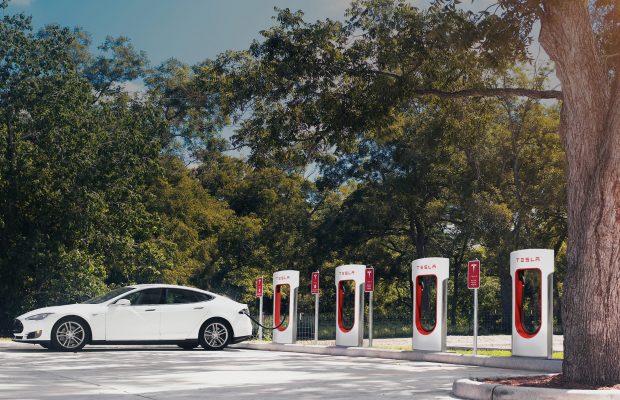
    One extremely convenient thing you’ve been able to do since last fall with Google Maps is easily find electric vehicle (EV) charging stations around the world, and now the feature is further improved to save you some hassle and avoid wasting your time. In addition to just showing you nearby charging stations and helping you reach them by taking the fastest route, the wildly successful app can also provide real-time information on the availability of actual charging ports.

    No more waiting in line for “anywhere between minutes to hours”… unless, of course, you don’t mind taking your chance or don’t have much of a choice of EV charging stations in your area. But if you do, Google Maps will display exactly how many ports are actually available at any given time in stations from Chargemaster, EVgo, and SemaConnect networks. Keep in mind that the expanded functionality is only supported in the US and UK at the moment, with Chargepoint slated to join the aforementioned list of partners “soon.”

    As you can imagine, it’s incredibly easy to locate the closest electric vehicle charging station. You simply enter “ev charging” or “ev charging stations” in the app’s search box, which will bring up a list of relevant places from where you can access the number of available ports, their types and charging speeds, as well as other driver-provided info about a specific station, like photos, ratings, reviews, and questions.

    Don’t forget to update Google Maps on your Android handset or iPhone to the latest version published to Google’s Play Store or Apple’s App Store. The new feature should already be live for users of both mobile operating systems.

  • Server-side update brings new look to Google Search

    Server-side update brings new look to Google Search

    Google has made a number of changes to the cards it serves up for certain search results. The headers are now pastel, and the cards feature new tabs that can provide more information about the subject. Categories ranging from the weather to sports, celebrities, and even food ingredients have these new cards. For example, the weather card has a smaller illustration but includes the temperature graph and the precipitation chances for the next day right at the bottom. Athletes have new cards with a stat tab that allows users to see how a player performed in recent games.

    Looking for a movie to see? Ask Google Search to show you movies in your city and you’ll see a list of films. Switch to the performance times tabs to see when and where the movies are playing near you. Search for a specific movie or television show and a new tab called People also search for will show sub-tabs containing related titles. Similarly, when you search for a book title, you can now hit a tab marked get book to purchase it, and more by author to see other books written by the same person.

    If you look up the name of a fictional character, the new Google Search result cards show more details. One of the new tabs will show you the name of the actor who portrayed this character in the movies or on television and the name of the television show and movies that the character appeared in.

    The update containing these changes are being pushed out to Android users via a server-side update, and there is a possibility that your phone has also received it.