Tag: android

  • Producers of flexible and punch-hole AMOLED displays Facing Roadblocks

    Producers of flexible and punch-hole AMOLED displays Facing Roadblocks

    Flat panel display producers in China are eager to start selling flexible AMOLED displays, and AMOLED displays with punch-holes. At this year’s China Information Technology Expo 2019 (CITE), which wrapped up earlier this month, companies like BOE Technology, Visionox, Tianma Microelectronics, Everdisplay Technology and China Star Optoelectronics Technology (CSOT) displayed their flexible screens for use in foldable phones. Also showing off its flexible AMOLED panels was Royole, which uses the screens for its own foldable FlexPai smartphone.

    All of these manufacturers are monitoring what is going on with Samsung and its Galaxy Fold device. Earlier today, the company delayed the U.S. launch of its foldable phone by at least one month due to issues with the interior display and the hinge. The Huawei Mate X outward folding device is expected to launch later this year. Other companies that could release a foldable phone in 2019 include Oppo, TCL, Motorola and Xiaomi.µ

    Meanwhile, companies turning out smartphone displays in China are now offering punch-hole panels with resolutions as high as 1080p (Full HD). The punch-hole is a small opening punched into a display allowing a front-facing selfie camera to be housed inside a phone’s screen. Some phones, like the Samsung Galaxy S10+, have two punch-holes in the screen for a dual selfie camera setup. The use of the punch-hole allows phone manufacturers to offer handsets with a high screen-to-body ratio and thin bezels without the use of a notch.

    CSOT is said to be shipping through hole and blind hole panels to Samsung. The latter has a punch-hole that goes completely through the display to the other side, while the latter has a hole that is drilled down to a certain depth. The company also showed off its self illuminating displays, while Tianma exhibited a back-lit smartphone panel. Both of these depend on mini-LEDs as a source of light. These are light emitting diodes that are smaller than 100 micrometers.

  • Google gives more options for Call Blocking

    Google gives more options for Call Blocking

    Google has had the automatic spam call warnings available for a while now, to the point where many we know have simply begun ignoring calls when the Red Screen of Spam pops up on their phone. But, there have also been some missing options in terms of call blocking on Android. Google allowed for blocking specific numbers, but now there are even more options to let users block calls.

    Previously, the only option for blocking calls was to add numbers to a call block list from the Phone app’s Recent calls page, but now there are four new options for blocking calls. If you want, you can block all calls from numbers that aren’t in your contacts list, block calls from private or unknown numbers, or even block calls made from pay phones. That last one is a bit surprising because as mobile phones have taken over and become commonplace, pay phones have slowly been removed from public spaces. There are likely still places around the world with pay phones, but it’s been quite a long time since we’ve seen any in the U.S.

    Oddly enough though, the new options won’t be found in the Phone app. Instead, Google put the new options in the Contacts app all the way at the bottom of the Settings page, under the Manage contacts header. That will give you toggles for the new call block features as well as a list of numbers you’ve already blocked.

  • Google starts rolling out Android updates via Play Store

    Google starts rolling out Android updates via Play Store

    What started as a rumor last week has now become a certainty, as Google is now rolling out Android Q betaupdates through Play Store. The main benefit is that you’ll now find Android updates much easier, or let’s say that they will find you faster and easier than before.

    A couple of Pixel users have taken to Reddit to confirm their Android Q beta updates have arrived via Google Play Store. Those with Pixel phones that run the previous Android Q beta build should start receiving notifications like the ones you usually get for an app update. Once the update is downloaded and installed, your phone will restart automatically.

    Aside from the fact that the whole process of find and downloading an update is quicker and easier, it’s also faster than previous updates. We doubt the new update method will become available to those using phones other than Pixels anytime soon, but we can safely assume that Google will reveal in-depth details about how it’s done in early May at Google I/O.

    If Google pushes for the standardization of the Android OS updates via Play Store, it could mean a more user-friendly method of updating your phone, but it certainly doesn’t guarantee that these important updates will be released faster and at the same time for everyone.

  • Google Pay update brings Gmail integration

    Google Pay update brings Gmail integration

    Google is trying to build an entire ecosystem that will allow users to access any important information from just about every Google app. Gmail has been integrated with many other Google apps, but other developers noticed the benefits and added integration with the email app.

    The newest app that benefits from Gmail integration is Google Pay, which doesn’t come as a surprise since the changes were spotted a few months ago. Now Google Pay has been updated with Gmail importing, which means that the mobile payment app will browse through your emails and add the relevant information to its system.

    For example, whenever you receive loyalty cards, movie tickets, and boarding passes in the Gmail inbox, they will be automatically added in Google Pay. Keep in mind though that if you delete the email containing the information, it will disappear from Google Pay as well.

    The improvement makes it easier to access loyalty cards, tickets, and more without having to go through your emails every time you want to know something about them. It’s also easier to find coupons and boarding passes that are being sent to your Gmail inbox and make use of them.

    It’s worth mentioning that the new Gmail import feature is disabled by default, so you’ll have to enable it in Google Pay by heading to Settings / General / Gmail Imports and using the toggle available after the latest update.

  • Popular Pixel widget will gain new options

    Popular Pixel widget will gain new options

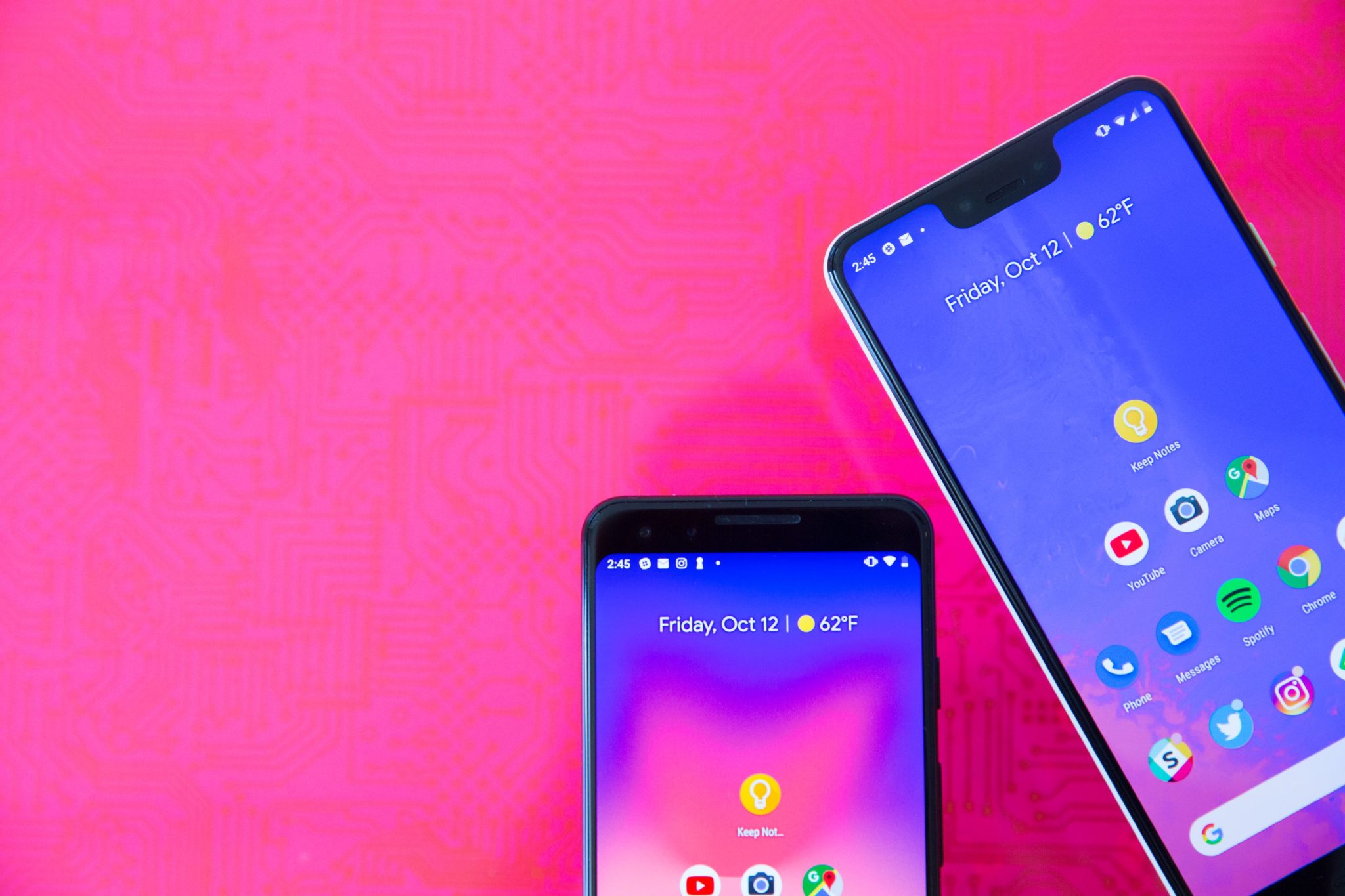
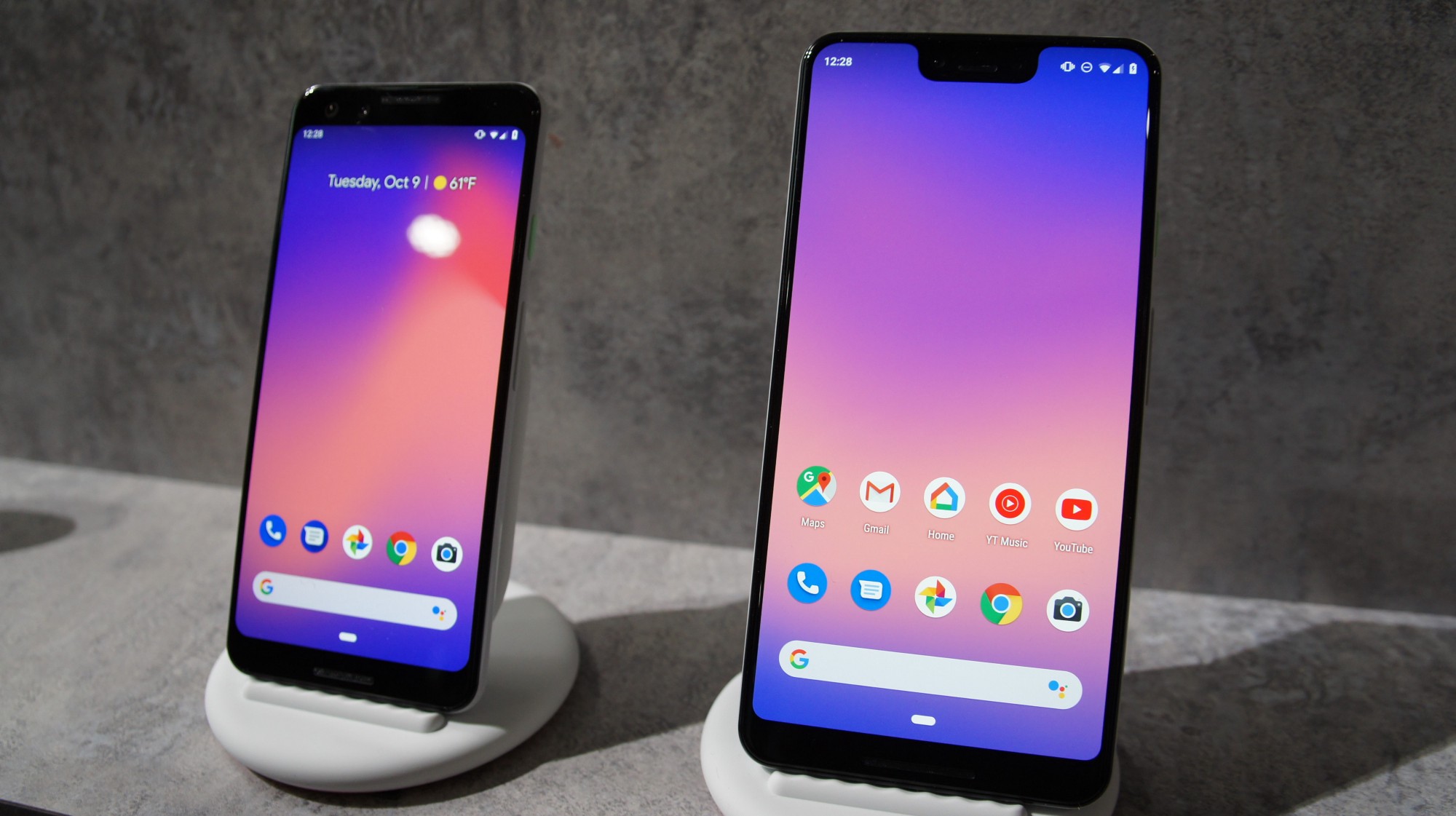
    The Pixel Launcher’s At A Glance widget shows the day, date and information related to the weather, including the temperature. Tapping on the day and date will open the calendar while tapping on the weather information will take you to Google’s weather app. The widget also alerts you to a calendar appointment, an upcoming flight (including the boarding time) and unusual traffic changes.

    Now, the At A Glance widget has some new features. Long press on the widget and tap on preferences and you’ll see all of the available information that the widget can display. This includes Calendar events, Upcoming flight information, and Traffic information along with two new features: Reminders and Intelligent tips. The former will show you the next upcoming reminder alerts. For example, let’s say you set a reminder to alert you when you can take Tylenol again; this will show up on the widget. The latter reveals intelligent tips powered by Google Assistant.

    We’re guessing that these are suggestions about what features available on your phone use should use in certain situations. Right now, both of these new features are not working even though they are listed as preferences for the widget.

  • Surprise New Model Introduction by OnePlus

    Surprise New Model Introduction by OnePlus

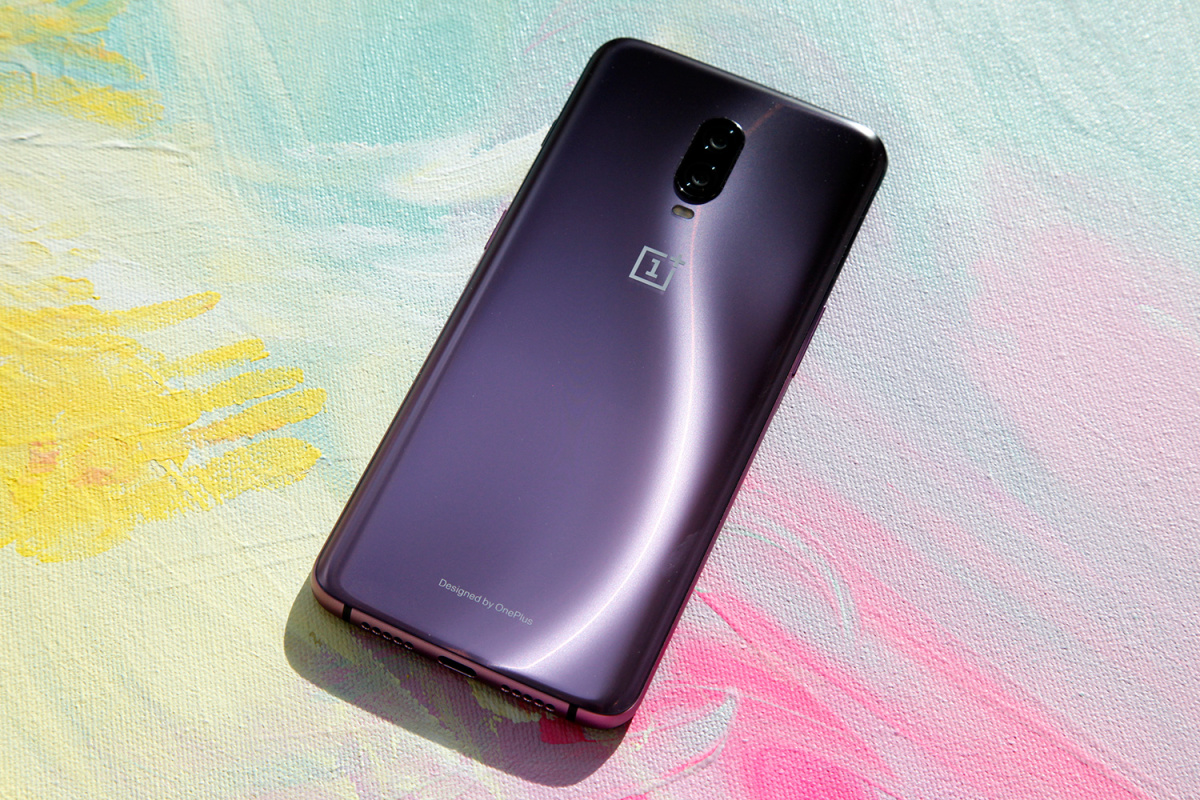
    Sparking rumors that the unwrapping of the OnePlus 7 is imminent, OnePlus today cut the price of its current model by 400 Yuan ($60 USD) in China only. This means that the OnePlus 6T now starts at 2,299 Yuan in the country. That is the equivalent of $342 USD based on current foreign exchange rates. This across the board price cut is a permanent one and is a move typically done by phone manufacturers to clear out inventory of a model that is about to be replaced by a newer device.
    That newer device would be the OnePlus 7. Exactly one month ago today, e-tailer GizTop listed the unannounced device revealing a treasure trove of possible, if unconfirmed, specs. If the leak was legit, we expect to see the latest OnePlus model feature a 6.5-inch AMOLED display. The device will be powered by Qualcomm’s latest and greatest chipset, the Snapdragon 855 Mobile Platform. Apparently, there will be three configurations, one with 8GB of memory and 128GB of storage, one with 8GB of memory and 256GB of storage and the top-of-the-line unit sporting 12GB of memory along with 256GB of storage. A triple-camera setup is said to adorn the rear of the device (48MP + 20MP + 5MP depth sensor) and we should see a 16MP pop-up front-facing selfie snapper. Keeping the lights on will be a 4000mAh battery with 44W rapid Dash charging, and OnePlus’ Oxygen OS 9 (based on Android 9 Pie) will be pre-installed. The price posted was $569, but the listing could have been a placeholder.
    After the price cuts are calculated, the OnePlus 6T with 6GB of memory and 128GB of storage is tagged at 2,299 Yuan. The model with 8GB of memory and 128GB of storage now costs 3,199 Yuan, and the variant with 8GB of memory and 256GB of storage will now run you 3,599 Yuan. In the U.S., the OnePlus 6T model with 8GB of RAM and 128GB of native storage is available from T-Mobile for $550 (or 24 monthly payments of $22.92). At the moment, that price is unaffected by the move made today by OnePlus. There have been rumors calling for a May release of the OnePlus 7, which makes the timing of today’s move rather intriguing.
    T-Mobile is the first U.S. carrier to team up with OnePlus and the partnership has proven to be beneficial to both firms. Even though the OnePlus 6T wasn’t available to T-Mobile subscribers until last November, the carrier sold enough units for OnePlus to finish fifth among phone manufacturers selling premium models in the states. As a result, we would certainly expect to see the OnePlus 7 offered by T-Mobile.
    What U.S. consumers won’t get this year is the first 5G enabled OnePlus phone. Back in February, OnePlus founder and CEO Pete Lau said that the company has long term goals regarding 5G in the U.S., but it won’t be shipping such a model into the U.S. this year.
  • Android users should now have a better performing Snapchat

    Android users should now have a better performing Snapchat

    Snapchat disseminated a tweet today announcing that it has released its new Android app. The app was rebuilt from the ground up so that it could be faster for Android users. In rebuilding its Android app, Snapchat had to take into consideration the many different cameras and chipsets used on various Android handsets. The decision made to revamp Snapchat’s Android app came in 2017 when it became clear that the messaging app’s iOS version was superior.

    In early 2018, Snapchat staff realized that the Android app was always trying to run code in the background, leading it to act laggy. Thus, the decision was made to rebuild the Android app from scratch. The challenge facing Snap’s director of engineering, Gustavo Moura, was how to make the messaging app run the same on flagship Android devices and lower-end models alike. Eventually, the Snapchat development team was able to get it done and the app’s Android subscribers should see Snapchat run faster once the new version is installed. In addition, better performance should be seen on lower-end phones. To make sure that updates are running bug-free now and in the future, Snapchat is testing them on a larger number of Android-powered devices.

    “Android devices don’t all behave the exact same way, right? It’s very easy for us to build an Android app that will work well on flagship devices like the Pixel 3. It’s more challenging when you have to capture the whole ecosystem, especially when the camera works very differently from manufacturer to manufacturer.”- Gustavo Moura, Director of Engineering, Snapchat.

    Those installing the updated Snapchat app on their Android device won’t notice any changes to the UI. Instead, Snapchat concentrated on improving things under the hood so that the Android app could run as fast as its iOS app. And while the new version of Snapchat for Android has begun rolling out to some now, it won’t be fully available until the end of this year.

    Originally known for its self-destructing messages that would automatically delete after ten seconds, Snapchat developed the Stories feature in 2013. Users can post a series of images that remain on Snapchat for 24 hours to help them convey a story. In addition, the popular Snapchat Lenses feature uses AR to help add cartoonish features to a member’s selfie.

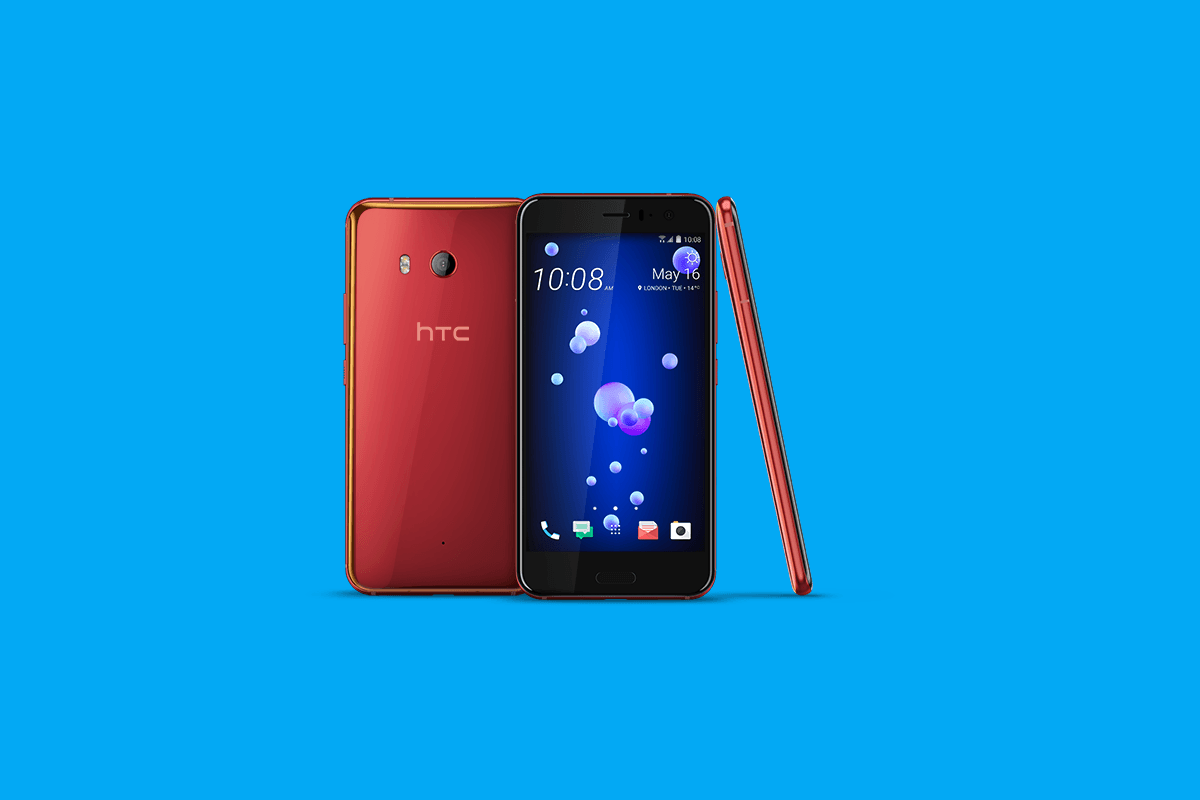
  • HTC is doing something with its Play Store apps

    HTC is doing something with its Play Store apps

    While we have yet to see HTC release a new smartphone for 2019, data from AppBrain reveals that 14 apps from the manufacturer have been unpublished from the Google Play Store. This month alone, HTC has removed the Sense Home Launcher and HTC People. The former was a launcher that showed apps that users might want to open depending on their current location. There were three different options available: home, work, or out. The latter was an app that helped users manage their contacts, dialer and call logs.

    In February, apps like HTC Calendar, HTC Mail and HTC Dot View were unpublished. Calendar and Mail are pretty self-explanatory, and the Dot View app worked with the case of the same name. Tap on the front of the case, and a pixelated view (or a dot view) of the time and temperature would appear as well as information about incoming calls.

    Some of the unpublished apps had gone a long time without being updated and probably were no longer supported by HTC. But others, like HTC Calendar, HTC People and HTC Mail were pre-installed on HTC handsets. This doesn’t necessarily mean that HTC has given up on the smartphone industry. In fact, that is a rumor that the company denied late last year. HTC is expected to deliver its first 5G phone in the second half of this year.

    HTC’s decision to unpublish some of its apps would make sense if it decided to make its upcoming handsets run Android One. This is a near stock version of Android that keeps out bloatware from manufacturers.

    The last phone HTC released was its Exodus 1 Blockchain phone designed for cryptocurrency investors. Launched in December, the device comes with a secure wallet and a 6-inch QHD+ display. Powered by the Snapdragon 845 Mobile Platform, the Exodus 1 features 6GB of memory and 128GB of storage. There is a dual-camera setup on back (12MP + 16MP), dual 8MP selfie snappers, and a 3500mAh battery. The price of the Exodus 1 is $699.

  • Poptel V9, the largest videophone with Android

    Poptel V9, the largest videophone with Android

    It’s not often that a videophone comes along, let alone one with a huge, Android-driven display, but the ever-enterprising Poptel just introduced the intriguing V9 to cover that homey dream. Equipped with a SIM card slot, the Poptel V9 nevertheless lets you take calls the old-fashioned way, like on home phones of yesteryear by simply picking up the receiver. Needless to say, it is rechargeable, so you can roam with it freely around the house and even outside in the yard or down the street.

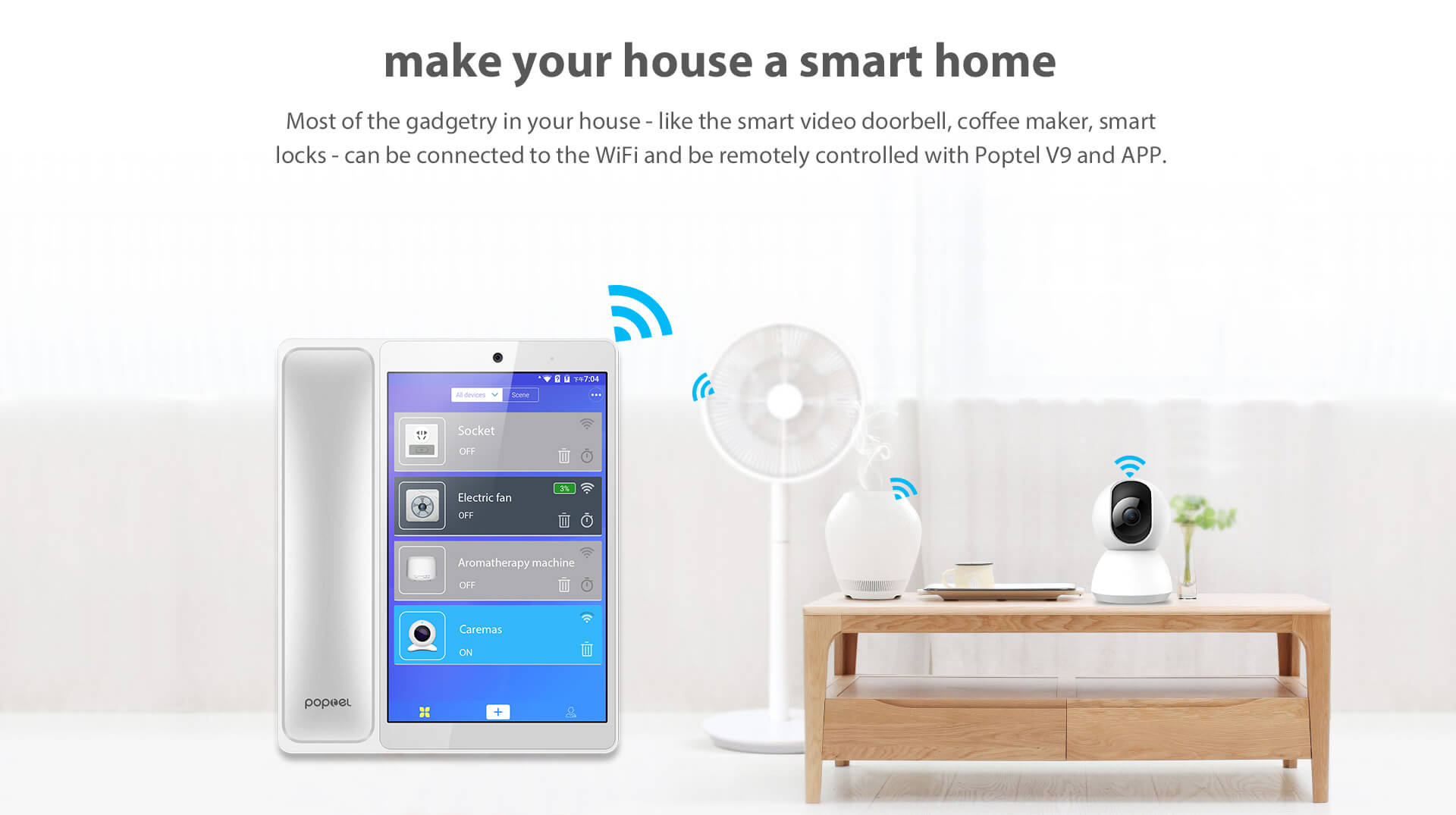
    The biggest asset of the Poptel V9, however, is its screen – literally. Equipped with a tablet-sized display, it is the biggest among all videophones with Android and allows you to gobble media content, glean caller info, use it as a digital clock and picture frame, or control your smart home appliances from the touchscreen.

    That last feature is an extra added value when it comes to the eventual home security cameras you outfitted your house with, as it can display what they are showing at any given time. Is dinner ready, where exactly did the FedEx guy leave your package on the porch, and why is the neighbor’s dog pissing on the lawn again are all pressing questions one can answer with the Poptel V9 videophone and a streaming camera.

    The specifications of the device are in line with its extremely affordable $130 price tag – 2GB RAM/16GB of storage space for apps, and 5MP front-facing camera for video chat, but that sweet 8″ display is what makes it the largest Android-laden videophone in an admittedly narrow category. The only ho-hum part is the 1800mAh battery pack and the 300 mAh one in the receiver that is good for about 3 hours of talking but you shouldn’t be yapping more than that daily anyway, you social butterfly, you.

    The SIM slot is neighboring a microSD card on for storage expansion should you need the V9 to cycle more photos than the ones you uploaded for picture-framing duties. Poptel puts an extraordinary focus on the smart home supervisory abilities of its new videophone, and with a good reason. You can prop the V9 on the kitchen table, discuss that YouTube recipe video that worked so well for the neighbor the other night, and at the same time run the robotic vacuum cleaner upstairs, check out who’s ringing at the video doorbell, turn on the floodlight outside to see them clear, and if it’s the neighbor, command the app-controlled coffee maker to start pouring a brew.

    In addition, you can control the lighting, thermostat, AC unit, smart locks, or any other home automation gizmo you have equipped your house with from the comfort of your own videophone. It’s the 90s family soap opera dream come true in a quirky, refreshingly old-fashioned looks with a modern twist. At $130, just the retro experience of walking around the house with a receiver sounds like a steal when we add the Android media machine it is attached to.

  • Fitbit partners with Snapchat to make Apple Watch owners jealous

    Fitbit partners with Snapchat to make Apple Watch owners jealous

    Fitbit may have joined the “true” smartwatch game a bit late compared to Samsung or Apple, but after a somewhat slow start in this potential-brimming market, the Versa seems to have put the company on the right track. The world’s second-largest smartwatch vendor took quite a risk by developing its wearable software from scratch rather than adopting Google’s Wear OS, but this proprietary platform continues to grow at a healthy pace in terms of capabilities and ease of use.

    Of course, everyone needs high-profile partners to boost the appeal and trendiness of today’s wearable devices, and Fitbit’s newest ally in its fight against Apple and Samsung is as high-profile as they come. We’re talking about Snap, the company behind one of the world’s most popular social networks.

    Snapchat users who just so happen to own a Fitbit Versa, Versa Lite, or Ionic as well can now connect their Bitmoji account to their smartwatch to display their “personal emoji” on their wrist. For those unfamiliar with the Bitmoji app, we should probably mention the experience is very similar to what Apple offers with Memoji and Animoji on iPhones and Samsung’s own AR Emoji experiments for recent high-end Galaxy handsets.

    Obviously, the main difference is you can have fun with Bitmoji on both Android and iOS, as well as on Fitbit devices starting today. Your cartoon avatar will show up on the “first-ever” Bitmoji clock face (once you download it from the Fitbit App Gallery, that is), aiming to motivate you to be more active, help you create healthier habits, and celebrate personal achievements.

    While unlikely to be as expressive as its smartphone counterpart, your wrist Bitmoji promises to support more than 50 fun clock face variations, changing throughout your day to reflect your activity and progress towards your fitness goals. For instance, your personal emoji will wave hello to start your day, dance with your alarm clock to annoy help you wake up in a better mood, throw confetti after you hit your daily step objective, meditate when you’re totally relaxed and zen, carry an umbrella if there’s a chance of rain, and much more.

    That definitely sounds like something Apple Watch and Samsung Galaxy Watch owners could also appreciate, but for the time being, all we can do is wait and see if there are any Memoji or AR Emoji expansions planned for the near future.

  • Android Q will bring an iconic Apple iPhone feature

    Android Q will bring an iconic Apple iPhone feature

    Introduced in 2015 with the Apple iPhone 6s and iPhone 6s Plus, 3D Touch allows iOS users to press the screen to see previews, details, and shortcuts. Some applications allow users to Peek and Pop. For example, you can get a preview of an address in the Maps app. That’s a “Peek.” Applying a little harder force will “Pop” you into the app. Note that for technical reasons related to the Liquid Retina display on the iPhone XR, that model does not feature 3D Touch.

    In Android 8 Oreo, Google added a long press gesture that allows Android users to see shortcuts related to certain apps. That feature was continued on Android 9 Pie. For example, press hard on the YouTube icon in either build, and you’ll see shortcut options that can take you to the app’s search feature, and a list of your YouTube subscriptions. Documentation for Android Q reveals that the next Android build will allow users to see the same information, only faster, with a “deep press.”

    Found inside documentation for MotionEvents is a statement that says a touch on the touchscreen can be classified as a “deep press” when a user presses harder on the screen intentionally. This will “accelerate the long press behavior.” In other words, a “deep press” will reveal the same information as a long press, only quicker. Unlike 3D Touch, it doesn’t appear that Android devices will be able to distinguish between a light press, a medium press, and a hard press.

    Google could turn to algorithms to determine whether a user is using enough force to count a touch as a “deep press.” Or, the new feature might require specialized hardware. Either way, we could hear more about this during Google I/O. The annual developer conference will run from May 7th through May 9th. During the conference, Google traditionally reveals new features that will be found on the upcoming Android build.

    Just the other day, Google disseminated the second beta preview for Android Q. This included a foldable device emulator to help developers see how their apps will look on one of the new foldable phones that will be released soon. That includes the Samsung Galaxy Fold, due out on April 26th, and the Huawei Mate X. That model will be launched sometime this summer. Another feature called Bubbles allows you to take the functionality of certain apps with you from screen to screen on Android Q.

    Google plans on releasing six beta versions of Android Q with the final version scheduled to drop during the third quarter. If you have a Pixel handset, you can quickly sign up to receive the Android Q beta versions OTA. Simply head to the Android Beta for Pixel website and click on the Devices tab. Scroll down to “Your Eligible Devices” and tap the Opt-in button. Expect to wait up to 24 hours before the update arrives. When you’re ready to return to the public version of Android, repeat the process and tap on the Opt-out button. Keep in mind that the beta versions of Android are unstable and many of the features that you might depend on could fail to work. As a result, you might want to think twice before signing up to receive the Android Q beta previews.

  • Google will allow Pixel owners to customize the icons

    Google will allow Pixel owners to customize the icons

    It appears that Pixel users will soon get more customization options for their phones. XDA opened the product image for the Google Pixel 3 XL in the Android Q Beta 2 update revealing that a future app called Pixel Themes will eventually be listed in the Google Play Store. The themes will allow users to change the colors, icon shapes and fonts used on Pixel handsets.

    Right now, Pixel Themes is a “stub,” or an empty shell of an app already pre-installed in the Google Play Store. This is done so that when the time is right, the app can be instantly launched in the Play Store. There was some code found in the stub that contains previews of what each theme will look like. Three different themes were discovered:

    • Anthony: Rounded or Squircle shaped icons, Black accent, Rubik font.
    • Johanna: Filled icons, Green accent, Arvo and Lato font.
    • Reiko: Circular/Teardrop shaped icons, Purple accent, Arbutus font.

    These are the customization overlays that will be available from the Pixel Themes app

    When the app is ready to launch, you’ll find it in the Google Play Store right here. Until that day comes, clicking on this link will show you nothing more than an error message. And we would be remiss if we didn’t point out that Pixel Themes will use overlays to make the changes based on the theme selected. It also appears that Pixel users will get a small selection of new wallpapers to choose from once this app officially is released.

    With the app, users will be able to change icon shapes in additional locations related to the Settings, SystemUI, and Android framework. That can be seen from the image below.

  • Call Screen support is officially coming to Motorola One

    Call Screen support is officially coming to Motorola One

    Motorola has today announced that Google’s Call Screen feature is coming to the Moto G7 family and the Motorola One lineup. Until today, the feature was exclusively available on Google’s Pixel smartphones.

    Call Screen basically lets you use the Google Assistant to screen incoming phone calls, with the idea being that it’ll help avoid any scammers or unwanted callers. If you choose to use the feature, the Google Assistant will first ask callers why they are calling and relay the ongoing conversation in real-time on the screen. If you wish to answer the call yourself, you can do so at any time. Alternatively, you can choose to hang up or select another response such as “Is it urgent?” or “Tell me more.”

    Motorola says that it already “began rolling out,” although it didn’t specify when or how long it will take. Nevertheless, these things typically take a couple of weeks before everyone receives the update so if you own a Moto G7, Moto G7 Power, Moto G7 Play, Motorola One, or Motorola One Power be sure to be on the lookout.

    This feature’s release was hinted at as recently as yesterday by an update to Google’s Phone app. It also contained references to support for Nokia smartphones, which means these devices will likely be the next ones to receive the feature. However, as things stand, nothing has been announced officially.

  • Google continues to improve the security and privacy

    Google continues to improve the security and privacy

    Google today released its annual security and privacy report, looking back at 2018. In the report, Google says that it has a three thronged approach to Android security. It uses layered security that all work together to protect the operating system and apps. Transparency creates openness and trust, says Google. Taking a shot at the walled gardens of iOS, the report states “closed platforms lead to distrust and a dangerous false sense of security through obscurity.” The third part of Android security is called Backed by Google and means that Android is backed by world-class professionals in computer science and security who bring expertise in AI, cloud security, identity management and more.

    Android’s native defense system, called Google Play Protect, scans all apps on a device looking for Potentially Harmful Applications (PHAs). Google says that last year, only 0.08% of Android devices that exclusively use the Google Play Store to install apps were affected by PHAs. Android devices that sideloaded apps from outside of the Google Play Store were affected by PHAs more than eight times as often, or at a rate of .68% But even those phones with sideloaded apps installed saw 15% fewer issues with malware than seen in 2017. In 2018, Google says that .45% of all devices running Google Play Protect had installed a PHA compared to .56% the year before. That represents a 20% decline year-over-year, which Google calls an “improvement to the health of the Android ecosystem.”

    In the five largest Android markets, Google saw PHAs installed at a lower rate year-over-year in three of them (India, Indonesia, Brazil), while one market was flat (Russia) and one had an increase (U.S.). In the biggest market for Android, India, PHA installation declined 35% as .65% of all Android devices in the country had a PHA installed. Many of these apps were pre-loaded through the supply chain, and were on affected phones right out of the box. In the U.S., the number of Android devices with a PHA installed rose 25% from 0.4% to 0.5%. Most of the malware in the states was malware that ran hidden advertising in the background. This “click fraud” enables those behind these PHAs to collect advertising revenue illegally. Click fraud wasn’t considered a PHA by Google before last year.

    The inclusion of Click Fraud as a PHA led to the doubling of the PHA install rate from Google Play to 0.04% in 2018 from 0.02% in 2017. Remove this category from the data and the number of PHAs installed from the Google Play Store actually declined 31% year-over-year. And Google Play Protect also blocked 1.6 billion PHA installations from being completed last year outside of the Google Play Store.

    As each new build of Android is released, Google improves the security features for its open-source operating system. Last year, .65% of devices running Android 5 Lollipop had a PHA installed compared to .55% for devices powered by Android 6 Marshmallow and .29% for devices using Android 7 Nougat. Phones and tablets running the last two builds, Android 8 Oreo and Android 9 Pie, had PHAs installed on only .19% and .18% of devices, respectively.Every day, Google Play Protect scans 50 billion apps on over 2 billion devices. The feature is now enabled by default on all new Android phones. Last year Google also added notifications that warn Android users when they are installing an app outside of the Google Play Store, and when they are about to install a harmful app. In 2018, Google also started automatically disabling apps that created issues with privacy or had deceptive behavior or content.

    Google also improved its Find My Device feature last year by adding indoor maps so that lost handsets could be found in large buildings like an airport. A work profile can now be used to register for Find My Device, and if a user locks his device remotely, he is prompted to perform a security update.

    Also helping to reduce security issues is Google’s monthly security update program. Working with Android manufacturers, SoC suppliers and carriers, Google has been increasing the number of devices that receive regular security updates. In fact, during the fourth quarter of last year, 84% more devices received a security update compared to the same quarter the previous year. And as of December, 95% of active Pixel 3 and Pixel 3 XL models were running a security update no older than 90 days.As Android turned 10 last year, Google continued to make strides in its efforts to improve Android security and privacy. As long as it can stay ahead of the malicious actors looking to trick users into installing apps that play hidden ads, or steal personal data, the Android ecosystem should get safer every year.
  • Skype automatically answers calls on Android due to a bug

    Skype automatically answers calls on Android due to a bug

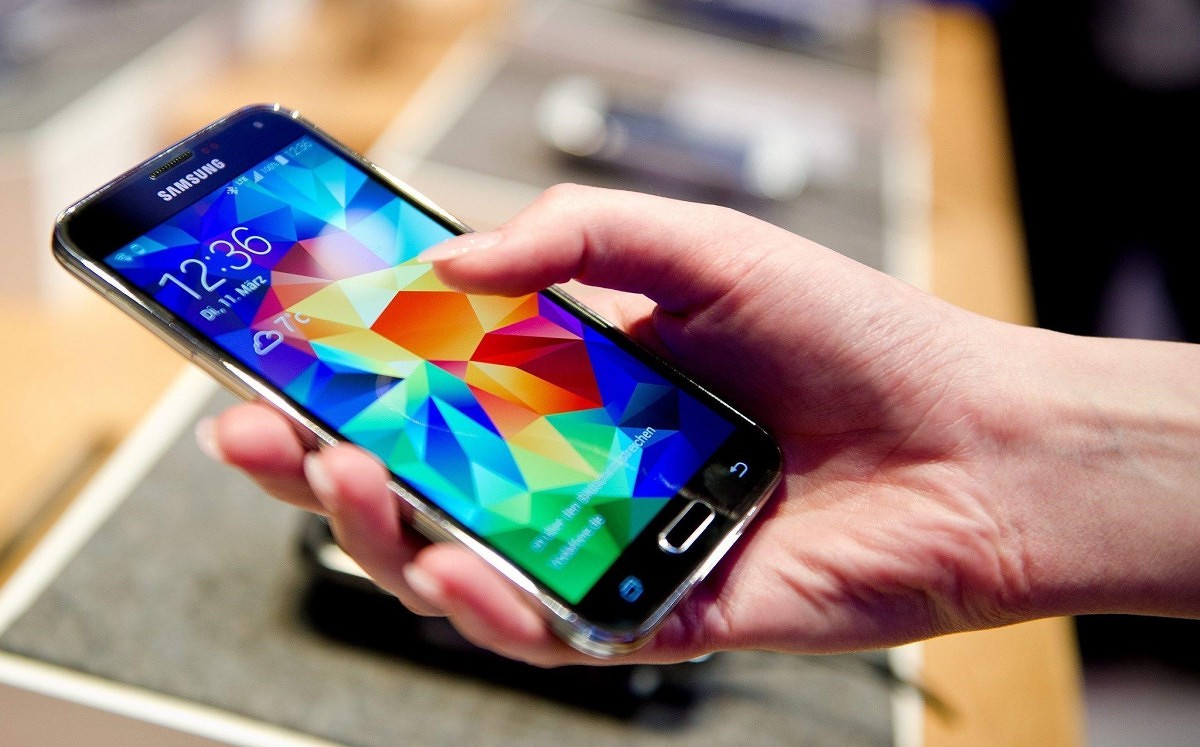
    If you’re using Skype for your day to day communication with friends, co-workers or business partners, there’s a high chance that you’ve been affected by a nasty bug that makes the app automatically answer all calls on Android devices.

    Microsoft is probably the only one that can tell for sure when exactly the issue started to manifest for the first time, but reports go back as far as January, probably soon after the developers updated the app. Sadly, it appears that the issue now affects even more users, as we’re seeing lots of recent reports posted on Microsoft’s support forum.

    For the time being, there’s no workaround to prevent Skype from answering calls that you want to ignore, so the only way to avoid the issue is to uninstall the app until Microsoft fixes it. Not even having the “Answer incoming calls automatically” option disabled will not stop Skype from doing just that.

    The good news is Microsoft has already identified the issue and managed to patch it, but only in the latest Skype preview app. If you want to continue to use the app without being affected by the bug, you can download the beta until the final version gets updated later this month.