Retail News CRM

Tag: password

  • Unmasking the Mystery: Instagram Clarifies Source of Unsolicited Password Reset Emails

    Unmasking the Mystery: Instagram Clarifies Source of Unsolicited Password Reset Emails

    Instagram users have recently been reporting an influx of unsolicited password reset emails. Instagram has now responded by stating that these emails are the result of an internal glitch, not a security breach.

    Instagram’s Response to Password Reset Emails

    Instagram has clarified that the unusual password reset emails received by its users were due to a software glitch. This clarification came after numerous users voiced concerns about the possibility of their accounts being compromised.

    The company categorically denied that there had been any major security breach, countering last week’s claims that it had suffered a data breach. It was previously suggested that sensitive information of 17.5 million Instagram users, including usernames, email addresses, phone numbers, and physical addresses, was being offered on the dark web.

    In their statement, Instagram did not elaborate on the nature of the software issue that resulted in these emails being sent out. However, they assured users that there had been no breach of their systems and that user accounts are secure. Users were advised to disregard the password reset emails.

    Advice for Users

    Regardless of Instagram’s assurance, users are always encouraged to exercise caution when dealing with their account security. It is a standard security practice to ignore and delete any unsolicited password reset emails, without clicking on any links they may contain.

    To enhance account security, users should employ unique passwords for each of their accounts, and change these on a regular basis. In addition, enabling two-factor authentication provides an extra layer of security. Instagram users can check the devices logged into their account via the Meta Account Center, helping identify any potential security issues.

    Unresolved Issues

    Despite Instagram’s reassurances, there are still unanswered questions surrounding this incident. The company has not explained how external parties could have sent out authentic password requests, or who these external parties may be. Many hope that Instagram will provide more clarity on this issue, although it remains uncertain whether they will do so.

    Questions & Answers

    What were the email notifications Instagram users received?
    Users reported receiving unsolicited emails prompting them to reset their Instagram passwords.

    Did Instagram confirm a data breach?
    No, Instagram categorically denied any data breach, attributing the password reset emails to a software glitch.

    What should users do if they receive unsolicited password reset emails?
    Users are advised to delete such emails without clicking on any links they contain. It is also recommended to have unique passwords for each account and to regularly change these passwords. Enabling two-factor authentication is another suggested security measure.
  • Google Authenticator gets a modern makeover and useful new features

    Google Authenticator gets a modern makeover and useful new features

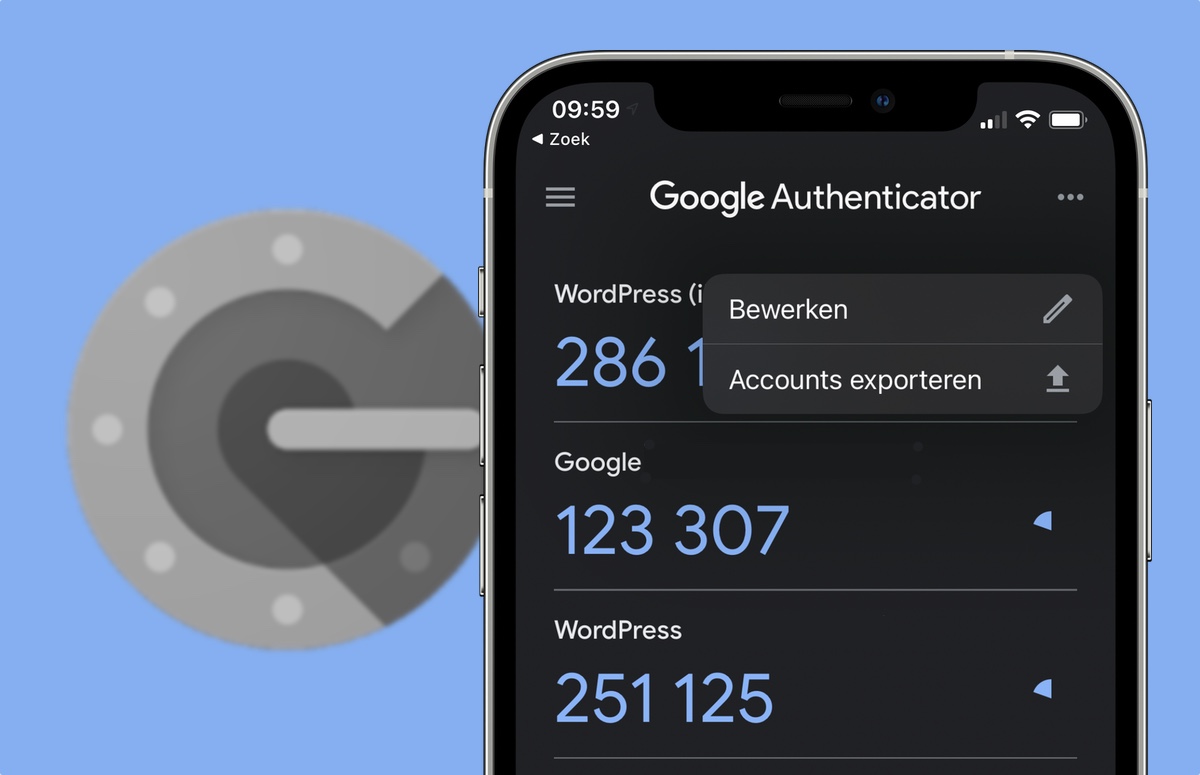
    Google Authenticator, the handy two-factor authentication (2FA) app by Google, just got a nice little update. Version 7.0 of this popular app has been revamped with a fresh new look and some helpful features.

    This is important because, in this day and age, online security is more crucial than ever. 2FA adds an extra layer of protection to your accounts, equating it to a second lock on your door. That means that even if someone has your password, they still can’t get in to your accounts without that second key. That second key in this case is a temporary code generated by Google Authenticator, which helps prevent unauthorized access and keeps your accounts safe from hackers.

    Google Authenticator has been around for years with a mostly unchanged UI but with some helpful features, such as cloud sync for all your added accounts, rolled out not to long ago. Now, Google has redesigned the app with Material Design 3, giving it a more modern and streamlined look. It also supports Dynamic Color, so the app’s colors can adapt to match your phone’s wallpaper.

    But the changes are more than just cosmetic. One of the biggest updates is how you copy 2FA codes. Previously, you had to long-press on the code. Now, a simple tap copies it to your clipboard. It might feel a bit different at first, but it’s definitely more convenient.

    Additionally, Google has added a search bar to help you quickly find the account you need. There’s also a new privacy screen that requires you to unlock the app before displaying your codes, adding an extra layer of security. This update is currently being rolled out through the Play Store, so make sure to check for updates and give it a try.

    I think this is a great update to an already essential app. Google Authenticator is certainly not the only 2FA app out there, but it is very reliable and remains one of the best 2FA apps available. The change in how you copy codes might take some getting used to, but it’s a welcome improvement for quick copying and switching over to the app you are intending to log in to.

  • Dropbox Passwords app will soon be free for everyone

    Dropbox Passwords app will soon be free for everyone

    Dropbox is probably one of the most popular cloud services out there. It’s easy to take advantage of what it has to offer and, more importantly, its basic features are completely free. Dropbox Passwords is an extension of the main service that’s meant to provide more security to users who more often than not are using Dropbox to send passwords.

    However, Dropbox Passwords is not a free service and those who want to use it must pay a $9.99 monthly subscription. Passwords is included in the Dropbox Plus subscription along with other benefits, but a free version will soon be available for those who’d like to use it.

    Dropbox announced today that Passwords will be available for free to all users starting in early April. The limited version of Passwords will include some basic features that should be enough for those who don’t want to pay the $9.99 monthly subscription.

    For example, with a free Dropbox Basic plan, users will be allowed to store up to 50 passwords, as well as access them anywhere with automatic syncing on up to three devices. Also, Dropbox will add a feature after launch that will allow users to share any password with anyone through the Passwords app. If you’d like to try out Dropbox Passwords once it becomes available, don’t forget to sign up to be notified when it becomes available.

  • Change your Instagram password Immidiatly

    Change your Instagram password Immidiatly

    An updated entry made yesterday to a post on the Facebook blog reveals that the company left millions of Instagram passwords in a “readable format.” Originally, Facebook said that “tens of thousands” of Instagram customers were involved. Facebook says that normally its login systems are designed to “mask passwords using techniques that make them unreadable.”

    The good news is, if you believe Facebook, its investigation has shown that no one from inside or outside the company accessed these passwords. Of course, since Facebook updated its original blog post after one month increasing the number of passwords affected, who knows what they might say in another month?

    “In line with security best practices, Facebook masks people’s passwords when they create an account so that no one at the company can see them. In security terms, we ‘hash’ and ‘salt’ the passwords, including using a function called “scrypt” as well as a cryptographic key that lets us irreversibly replace your actual password with a random set of characters. With this technique, we can validate that a person is logging in with the correct password without actually having to store the password in plain text.”-Facebook

    Last month, Facebook admitted that it stored hundreds of millions of passwords in plain text dating back to 2012. At the time, it was estimated that 200 million to 600 million accounts had their passwords exposed to as many as 20,000 Facebook employees.

    Facebook purchased Instagram for approximately $1 billion back in 2012. The company suggests that subscribers to Facebook, Instagram or WhatsApp use two-factor authentication when signing in. Besides entering a password, a code is sent to the subscriber’s smartphone that is also required for a successful login. To set this up, go to the settings menu from your Facebook app and click on “Security and Login.”

  • South Korean bank launches hand palm recognition verification

    South Korean bank launches hand palm recognition verification

    A South Korean bank has launched a service allowing customers to use palm recognition to withdraw cash – a likely precursor to similar technology becoming available in retail stores.

    KB Kookmin Bank says by using palm prints, customers no longer have to use a bankbook, stamp or password.

    The bank explained that palm vein recognition is safer and more precise than other biometric identification methods such as fingerprint or iris recognition. It believes the service will appeal to older customers who often have difficulty recalling passwords.

    According to a report, using palm recognition is also quicker than current means. Palm vein patterns differ by individual, allowing the scanner to correctly identify the customer.

    Similar palm-vein scanners are already being used at automated teller machines (ATM) from major banks worldwide, including Barclays in the UK and Ogaki Kyoritsu Bank in Japan.

    To prevent biometric information from leaking, the bank will encrypt the vein pattern database and work with the Korea Financial Telecommunications and Clearings Institute to store the information. The data will be disassembled into multiple blocks when stored, and reassembled when used for transactions.

    KB Kookmin Bank expects that the new palm-recognition service will particularly benefit senior customers who often have a hard time remembering passwords.

  • Why you need to change your Facebook and Instagram password

    Why you need to change your Facebook and Instagram password

    If you didn’t think that Facebook could go lower than sharing personal information from 87 million users with third party sites, violating a signed FTC consent decree in the process, maybe you’re not giving the social media company enough credit. Hundreds of millions of Facebook users could have had their passwords discovered by Facebook employees. These passwords were stored by the company in plain text dating back as far as 2012. Facebook engineers noticed the mistake when reviewing new code back in January of this year.

    While 2018 was not a great year for Facebook, 2019 has started just as poorly for the company. Earlier this month, the company was accused of using data provided by subscribers for two-factor authentication, like phone numbers, for advertising and marketing purposes. And The New York Times revealed last week that Facebook is the subject of an investigation for deals it made with other tech firms for data.

    We don’t know if this is going to make you feel better, but an internal investigation by Facebook reveals that there is no sign that employees took advantage of this oversight. Still, if you are a Facebook or Instagram user, or even if you were a Facebook or Instagram user and still have an active account, it might be a good idea to change your password now.  Facebook does not feel that such a move is required and company engineer Scott Renfro said, “We’ve not found any cases so far in our investigations where someone was looking intentionally for passwords, nor have we found signs of misuse of this data.” Still, the number of accounts that are involved could number somewhere between 200 million and 600 million, and the number of Facebook employees with access to them was approximately 20,000. We’d suggest that you ignore Facebook’s recommendation and change your password.

    “We’ve not found any cases so far in our investigations where someone was looking intentionally for passwords, nor have we found signs of misuse of this data,” Renfro said. “In this situation what we’ve found is these passwords were inadvertently logged but that there was no actual risk that’s come from this. We want to make sure we’re reserving those steps and only force a password change in cases where there’s definitely been signs of abuse.”-Scott Renfro, engineer, Facebook

    A statement made by Facebook says that it plans on notifying “hundreds of millions of Facebook Lite users, tens of millions of other Facebook users, and tens of thousands of Instagram users.” But when it comes to Facebook and its associated apps and sites, your best bet is to get out in front of whatever privacy issue the next shoe to drop will expose.